How to Install a Smart Thermostat with Carrier Equipment?
On this page (7 sections)
Installing a smart thermostat with your Carrier equipment is absolutely doable for most homeowners. You can often replace your old thermostat with a smart one by following a few key steps. This upgrade can lead to significant energy savings and improved home comfort.
Many people wonder if their specific Carrier system is compatible with popular smart thermostat brands. We found that most modern Carrier furnaces and air conditioners work well with universal smart thermostats. Ensuring you have the right wiring and model compatibility is key to a successful installation project.
- Check thermostat compatibility with your Carrier system.
- Turn off power to your HVAC system at the breaker.
- Label wires carefully before disconnecting the old thermostat.
- Connect new wires to the smart thermostat base.
- Test the system after installation.
Ready to enjoy a smarter home? Let’s walk through exactly how to install a smart thermostat with your Carrier equipment, step by step.
Upgrading Your Carrier System with a Smart Thermostat
Are you ready to make your Carrier heating and cooling system work smarter? Installing a smart thermostat is a fantastic way to do that. It’s often a straightforward DIY project for many homeowners. You can gain better control over your home’s temperature. This can lead to real savings on your energy bills. We found that most modern Carrier furnaces and air conditioners are compatible with popular smart thermostat brands. The key is checking for wiring and model compatibility. This upgrade can lead to significant energy savings and improved home comfort; our guide explains if a DIY project is right for you.
Checking Smart Thermostat Compatibility with Carrier Equipment
Before you buy a new smart thermostat, you must check if it will work with your Carrier system. This is the most important first step. Trying to connect an incompatible thermostat can cause damage. It can also prevent your system from working correctly. We recommend looking at the smart thermostat manufacturer’s website. They usually have a compatibility checker tool.
Understanding Your Carrier System’s Wiring
Your Carrier system likely uses standard HVAC wiring. Most smart thermostats are designed for these common setups. You’ll usually need a system with a “C-wire” or common wire. This wire provides continuous power to the smart thermostat. If your current thermostat doesn’t have a C-wire, you might need to run one. Many homeowners find this is the trickiest part. Some smart thermostats can work without a C-wire using power-stealing technology, but a C-wire connection is generally more reliable.
Researching Smart Thermostat Brands
Several smart thermostat brands are available. Google Nest, ecobee, and Honeywell Home are popular choices. We found that most of these brands offer excellent compatibility with Carrier equipment. Always double-check the specific model you are interested in. Ensure it lists compatibility with your type of heating and cooling system. This research phase saves a lot of potential headaches later. Several smart thermostat brands are available; our guide helps you determine the best smart thermostat brand for your needs.
Gathering the Tools and Supplies You’ll Need
Having the right tools makes the installation process much smoother. You don’t need to be an expert to get this done. Gather everything before you start to avoid interruptions. We found that simple household tools are usually sufficient.
Essential Tools for Installation
You will likely need a few basic tools:
- Phillips head screwdriver
- Flathead screwdriver
- Pliers (optional, for wire manipulation)
- Wire stripper (optional, if you need to expose more wire)
- Drill with small bits (if you need to drill new mounting holes)
- Level (to ensure the thermostat is straight)
- Smartphone or camera (to take pictures of your wiring)
- Pen and small piece of paper or tape (for labeling wires)
The Smart Thermostat Kit
Your new smart thermostat will come with its own instructions. It will also include the thermostat base, screws, and wire labels. Keep these materials handy. We found that the manufacturer’s included guide is often very clear.
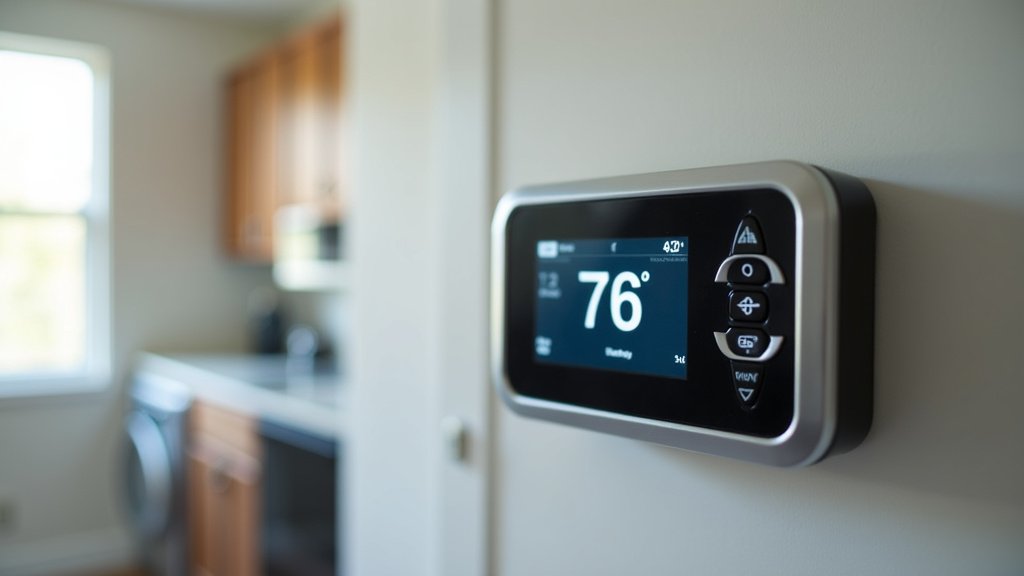
Step-by-Step Installation Guide for Your Carrier System
Now, let’s get down to the actual installation. Taking your time here is important. We recommend reading through all the steps before you begin.
Step 1: Turn Off Power to Your HVAC System
Safety first! This is non-negotiable. Go to your home’s electrical panel or breaker box. Find the breaker that controls your furnace and air conditioner. Flip it to the “Off” position. This cuts power to your entire HVAC system. You don’t want any electrical surprises. We found that many homeowners forget this step. Always verify the power is off by trying to turn on your old thermostat. If the screen is blank, you’re good to go.
Step 2: Remove Your Old Thermostat Cover
Most thermostat covers snap off. Gently pull the cover away from the wall. Some older models might have small screws holding them in place. If so, remove those screws first. Once the cover is off, you’ll see the wiring. Don’t pull on the wires yet.
Step 3: Take a Picture and Label Your Wires
This step is extremely important. Use your smartphone to take a clear picture of the wires connected to your old thermostat. Make sure the labels on the terminals (like R, G, Y, W, C) are visible in the photo. Next, use the included labels with your new smart thermostat. Attach a label to each wire that matches the terminal it’s connected to. For example, the wire connected to “G” gets a “G” label. We found that this photo is your best friend if you get confused later.
Step 4: Disconnect and Remove the Old Thermostat Base
Once all wires are labeled, carefully disconnect them from the old terminals. You might need to loosen small screws or press small levers. Once all wires are free, unscrew the old thermostat base from the wall. Gently pull the wires through the hole so they don’t fall back into the wall.
Step 5: Install the New Smart Thermostat Base
Feed your labeled wires through the opening in the new smart thermostat’s base plate. Mount the new base plate to the wall using the provided screws. Use a level to make sure it’s straight. If the old screw holes don’t line up, you might need to drill new ones or use wall anchors. We found that a secure mount ensures the thermostat stays in place.
Step 6: Connect the Wires to the New Base
Refer to your photo and the labels. Connect each wire to the corresponding terminal on the new smart thermostat base. Most smart thermostats have push-in connectors or screw terminals. Follow the specific instructions for your new thermostat. Ensure each wire is securely connected. A loose wire can cause system errors. If you have a C-wire, make sure it’s connected to the “C” terminal.
Step 7: Attach the Smart Thermostat Faceplate
Once all wires are connected and the base is secure, attach the smart thermostat’s faceplate. This usually snaps into place. Make sure it’s firmly seated.
Step 8: Restore Power and Test Your System
Go back to your breaker box and turn the HVAC breaker back on. Your smart thermostat should power up. Follow the on-screen prompts to connect it to your Wi-Fi. Then, test your system. Try setting the temperature higher to call for cooling and lower to call for heating. Verify that your Carrier furnace and AC are responding as expected. We found that this final test confirms everything is working correctly.
Troubleshooting Common Issues
Even with careful planning, you might run into a hiccup. Here are a few common problems and how to address them.
System Not Powering On
If your new thermostat doesn’t turn on, double-check that the power is restored at the breaker. Ensure the C-wire is properly connected to both the thermostat and your Carrier system’s control board. Sometimes, the faceplate isn’t fully seated; try pushing it firmly into the base.
Heating or Cooling Won’t Turn On
This usually points to a wiring issue. Review the photo you took and the connections on the new thermostat base. Ensure each wire is in the correct terminal and securely connected. Make sure you didn’t mix up wires like Y and G, or W and Rh/Rc.
Smart Features Not Working (Wi-Fi, App)
This often relates to your home Wi-Fi network. Ensure your thermostat is within range of your router. Check that you entered the Wi-Fi password correctly during setup. Sometimes, restarting your router can resolve connectivity issues. Consult your smart thermostat’s manual for specific app pairing instructions.
A Quick Checklist for a Smooth Installation
Here’s a handy checklist to keep you on track:
- Confirmed thermostat compatibility with Carrier system.
- Turned off power at the breaker.
- Labeled all wires accurately.
- Took a clear photo of old wiring.
- Installed the new base securely and level.
- Connected all wires correctly to the new terminals.
- Restored power and tested heating and cooling.
Conclusion
You’ve learned that installing a smart thermostat with your Carrier equipment is a manageable DIY project. By carefully checking compatibility, gathering your tools, and following the step-by-step guide, you can upgrade your home’s comfort and efficiency. Remember that turning off power and accurately labeling wires are critical safety steps. Once installed, you can enjoy better control over your energy use and a more comfortable home. Your next step is to pick out your smart thermostat and gather your tools to start the installation!
Frequently Asked Questions
Do I need a C-wire to install a smart thermostat with my Carrier system?
A C-wire is generally recommended for the most reliable power supply to your smart thermostat. While some smart thermostats can operate without one, a dedicated C-wire connection is ideal. You may need to check your Carrier system’s wiring or consult a professional if you don’t have one.
What if my new smart thermostat doesn’t turn on after installation?
First, ensure the power to your HVAC system is restored at the breaker box. Next, double-check that the C-wire (if you have one) is securely connected at both the thermostat and the furnace control board. Sometimes, the thermostat faceplate just needs to be firmly pushed onto its base.
Can I install a smart thermostat on any Carrier HVAC system?
Most modern Carrier furnaces and air conditioners are compatible with universal smart thermostats. Always use the compatibility checker tool provided by the smart thermostat manufacturer. This ensures your specific Carrier model and wiring are supported.
How do I know which wire goes to which terminal on the new thermostat?
This is where taking a clear photo of your old thermostat’s wiring and using the provided wire labels becomes essential. Match each labeled wire from your old system to the corresponding terminal (R, G, Y, W, C, etc.) on the new smart thermostat’s base.
Will installing a smart thermostat void my Carrier equipment warranty?
Generally, replacing a thermostat with a compatible smart thermostat will not void your Carrier equipment warranty, as long as the installation is done correctly. If you are unsure or uncomfortable with the process, it’s always best to hire a qualified HVAC technician.