How to Install a Smart Thermostat with a Mitsubishi Mini Split?
On this page (6 sections)
Yes, you can install a smart thermostat with your Mitsubishi mini split, and it’s often easier than you think. Many smart thermostats are designed to be universally compatible with various HVAC systems, including ductless mini splits like Mitsubishi. This upgrade can offer better control and energy savings for your home’s climate.
Connecting a smart thermostat to your mini split can give you remote access via your smartphone or tablet. You’ll be able to adjust temperatures, set schedules, and monitor energy usage from anywhere. This integration offers convenience and potential cost savings on your energy bills.
- Check thermostat compatibility with your Mitsubishi model.
- Gather necessary tools like screwdrivers and wire strippers.
- Turn off power to your mini split system at the breaker.
- Follow wiring instructions carefully, referring to both manuals.
- Test the system thoroughly after installation.
Below, we’ll walk you through the steps to help you successfully install a smart thermostat with your Mitsubishi mini split system.
Getting Started with Your Mitsubishi Mini Split Smart Thermostat Installation
You’re looking to make your Mitsubishi mini split system smarter. That’s a fantastic goal! A smart thermostat can bring convenience and energy savings right to your fingertips. We’ve found that many homeowners worry about the complexity of this project. But, with a little guidance, you can upgrade your system yourself.
This guide will walk you through the process step-by-step. We aim to make it as clear and straightforward as possible. Think of it like following a recipe. You’ll gather your ingredients (tools), prep your workspace (turn off power), and then carefully combine everything. Let’s get your home feeling more comfortable and efficient!
Pre-Installation Checklist: What You Need Before You Begin
Before you even think about touching a wire, it’s important to have everything ready. This preparation is key to a smooth installation. You wouldn’t start a road trip without a full tank of gas, right? The same applies here. Getting your tools and information in order saves time and frustration later.
1. Confirm Thermostat and Mini Split Compatibility
This is the most critical first step. Not all smart thermostats work with all mini split systems. Mitsubishi mini splits often use proprietary communication protocols. You need to ensure your chosen smart thermostat has a specific adapter or setting for your Mitsubishi model. Many smart thermostat manufacturers list compatible systems on their websites. We found that checking this compatibility list saves a lot of potential headaches down the line.
Consult Your Manuals
Always refer to your Mitsubishi mini split’s installation manual and the smart thermostat’s manual. They will have specific wiring diagrams and compatibility notes. If you’re unsure, contact the smart thermostat manufacturer directly. They can often confirm if their product will work with your specific Mitsubishi unit. This direct confirmation is worth its weight in gold.
2. Gather Your Tools and Supplies
Having the right tools makes the job much easier. You don’t want to be halfway through and realize you’re missing a specific screwdriver. We’ve put together a list of common items you’ll likely need:
- Screwdriver set: Phillips and flathead are essential.
- Wire strippers: For preparing wire ends.
- Wire nuts: To secure connections.
- Pliers: Needle-nose pliers are particularly useful.
- Voltage tester: To ensure power is off.
- Drill (optional): For mounting the thermostat base.
- Level (optional): To ensure your thermostat is straight.
- Safety glasses: Always protect your eyes.
- Your smart thermostat kit: Including all included parts.
- Your Mitsubishi mini split manuals: Keep them handy.
3. Understand Your Mini Split’s Wiring
Mitsubishi mini splits often have a communication wire that runs from the indoor unit to the outdoor unit. Your smart thermostat will typically connect to terminals within the indoor unit. You’ll need to identify the correct wires for power, communication, and ground. The manuals are your best friend here. Some systems use color-coded wires, while others are identified by letters (e.g., A, B, C). We found that taking clear photos of the existing wiring before disconnecting anything is a smart backup plan.
The Installation Process: Step-by-Step Guide
Now that you’re prepared, let’s get to the actual installation. Remember, safety first! We can’t stress this enough. Working with electrical components requires caution. If you ever feel unsure, it’s always best to call a qualified HVAC technician.
Step 1: Turn Off Power to Your Mini Split System
This is non-negotiable. You absolutely must cut the power supply to your Mitsubishi mini split before you start any wiring. Locate the circuit breaker that controls your indoor unit and the outdoor unit. Flip the breaker to the “Off” position. We recommend using a voltage tester on the wires at the thermostat location to double-check that the power is indeed off. You don’t want any surprises.
Step 2: Remove the Old Thermostat (If Applicable)
If you’re replacing an existing thermostat, carefully remove its cover. You might need to unscrew it. Note how the wires are connected to the terminals. Again, taking pictures is highly recommended. Disconnect the wires from the terminals. Be sure to leave enough wire exposed so you can work with them. Some wires might be held in place by small screws. Gently loosen these to free the wires.
Step 3: Mount the Smart Thermostat Base
Your smart thermostat will come with a mounting plate or base. Position this base where your old thermostat was, or in your desired location. Use a level to ensure it’s straight. You may need to drill small holes for screws. Feed the wires from the wall through the opening in the smart thermostat base. Secure the base to the wall with the provided screws.
Step 4: Connect the Wires to the Smart Thermostat
This is where your compatibility research and manuals pay off. You’ll need to connect the wires from your Mitsubishi mini split to the corresponding terminals on your new smart thermostat. Refer to both your Mitsubishi manual and your smart thermostat’s installation guide. Most smart thermostats have push-in terminals or screw terminals. Ensure each wire is securely connected. For example, the “C” wire often provides continuous power to the smart thermostat. Many Mitsubishi systems might not have a C-wire readily available, which is why some smart thermostats offer workarounds or specific adapters. We found that carefully matching wire labels (e.g., R for power, Y for cooling, W for heating, G for fan, C for common) is crucial. If your system uses different labels, consult the manuals to translate.
Wiring Example (General – Consult Your Specific Manuals!)
Here’s a general idea, but always refer to your specific manuals:
| Smart Thermostat Terminal | Mitsubishi Wire (Commonly Labeled) | Function |
|---|---|---|
| R (or RC/RH) | Often marked with a similar ‘R’ or a power indicator | Main power supply |
| Y | ‘Y’ or ‘Cool’ | Cooling signal |
| W | ‘W’ or ‘Heat’ | Heating signal |
| G | ‘G’ or ‘Fan’ | Fan control |
| C | ‘C’ or ‘Common’ | Continuous power (if available) |
| Communication Wires (e.g., A, B) | Specific communication terminals on the mini split | Proprietary communication between thermostat and unit |
Note: The exact wire colors and terminal labels can vary significantly. Do not rely solely on this table. Your Mitsubishi manual is the definitive source.
Step 5: Attach the Smart Thermostat Faceplate
Once all the wires are securely connected, you can attach the main body of the smart thermostat to the base you mounted earlier. It usually snaps or slides into place. Ensure it’s firmly seated.
Step 6: Restore Power and Test Your System
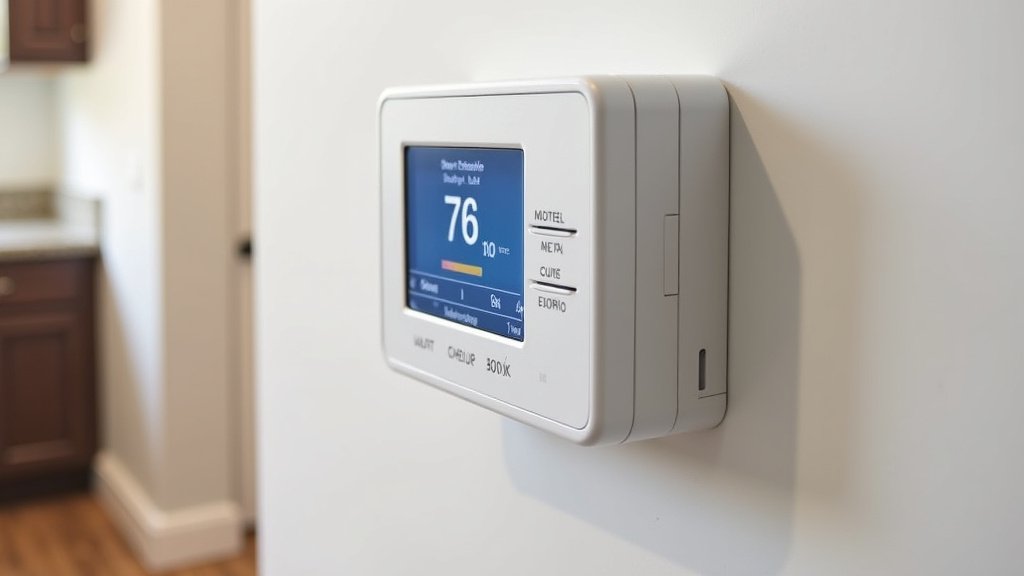
With the thermostat installed, it’s time to turn the power back on. Go back to your circuit breaker and flip the switch to the “On” position. Your smart thermostat should power up. Follow the on-screen prompts to connect it to your Wi-Fi network and set up your account. Test the heating and cooling functions. Turn the thermostat down to call for AC and up to call for heat. Check that the indoor unit responds correctly. Many experts say testing all modes ensures proper system operation.
Post-Installation: Enjoying Your Smart Home
Congratulations! You’ve successfully installed your smart thermostat with your Mitsubishi mini split. Now comes the fun part: enjoying the benefits. You can control your home’s temperature from your smartphone, set schedules to save energy when you’re away, and monitor usage. Many smart thermostats offer energy reports, which can help you identify further savings.
Take some time to explore the features of your new smart thermostat. Many allow you to create custom schedules based on your daily routine. This helps ensure comfort when you need it and saves energy when you don’t. We’ve found that understanding these features can lead to even greater efficiency and comfort. If you encounter any issues, don’t hesitate to consult your smart thermostat’s support resources or your Mitsubishi manuals.
Conclusion
You’ve now learned how to connect a smart thermostat to your Mitsubishi mini split. This upgrade brings convenience and energy efficiency to your home. By following the steps, you can take control of your comfort from anywhere. Remember to always prioritize safety and double-check compatibility. We’ve found that a successful installation leads to noticeable improvements in your home’s climate control. Now, take the next step and get your smart thermostat installed to start enjoying a more connected home!
Frequently Asked Questions
Do I really need a special adapter for my Mitsubishi mini split?
Yes, often you do. Mitsubishi mini splits can use proprietary communication protocols. Many smart thermostat brands offer specific adapters or have settings designed for Mitsubishi systems. Always check your smart thermostat’s compatibility list before purchasing.
What if my Mitsubishi mini split doesn’t have a C-wire?
This is a common situation. Some smart thermostats can operate without a C-wire using alternative methods or by drawing power from other wires. Others require a C-wire for stable operation. Your smart thermostat’s manual will explain if it supports systems without a C-wire and how to proceed.
Can I use the original remote control after installing a smart thermostat?
Generally, once you’ve wired a smart thermostat directly to your Mitsubishi mini split, you’ll primarily use the smart thermostat for control. The original remote might still function for basic operations, but it’s best to consult your smart thermostat’s manual for specific integration details.
How do I know which wire goes where on the new thermostat?
This is where your manuals are essential. Your Mitsubishi mini split’s manual will identify its wires, and your smart thermostat’s manual will show you where to connect them. Look for labels like R, Y, G, W, and C, and match them carefully according to the wiring diagrams provided.
What should I do if my system doesn’t work after installation?
First, re-check that you’ve turned the power back on at the breaker. Then, carefully review your wiring connections against the manuals. Ensure each wire is securely seated. If problems persist, double-check compatibility and consider contacting the smart thermostat manufacturer’s support or a professional HVAC technician.