How to Fix a Smart Thermostat After a Power Surge?
On this page (8 sections)
Yes, you can often fix a smart thermostat after a power surge by performing a simple reset. Many smart thermostats have built-in protection, but surges can still cause them to act erratically. A quick reset can often restore normal function and get your heating and cooling system back on track without needing professional help.
Power surges, especially from lightning or brownouts, can trip circuit breakers or directly affect electronic devices. Your smart thermostat, being a complex piece of technology, is susceptible. We found that understanding the common symptoms and knowing the right troubleshooting steps can save you time and money.
- Look for signs of a power surge affecting your thermostat.
- Perform a hard reset to clear temporary glitches.
- Check your circuit breaker and home’s electrical panel.
- Consult your thermostat’s manual for specific reset instructions.
- If issues persist, contact the manufacturer or an HVAC professional.
Let’s walk through exactly how to get your smart thermostat back to its clever self after a power surge.
Getting Your Smart Thermostat Back Online After a Power Surge
A sudden power surge can leave your smart thermostat acting like it’s on vacation. Don’t worry, though. Often, a simple reset is all it takes to bring it back to its senses. We found that many modern smart thermostats are built with some surge protection. But even with that, unexpected electrical jolts can cause glitches. Let’s figure out how to get your home’s brain back to controlling your comfort.
Spotting the Signs: Is a Power Surge to Blame?
You might be wondering if your thermostat’s strange behavior is really due to a power surge. What are the tell-tale signs? You may notice your thermostat is completely blank. Sometimes, the screen might flicker or show odd symbols. It might also lose its Wi-Fi connection unexpectedly. Your heating or cooling system may not respond to its commands. We found that these symptoms often appear right after a storm or a brief power outage. Your thermostat might also seem stuck on a specific temperature setting. Or perhaps it’s ignoring your programmed schedule altogether. Think of it like your computer freezing up after a power flicker. The same can happen to your smart thermostat.
Common Symptoms to Look For
- The thermostat screen is completely dark.
- The screen shows error messages or strange characters.
- It has lost its Wi-Fi connection.
- Your heating or cooling system isn’t turning on or off as it should.
- The thermostat seems unresponsive to touch or button presses.
- It’s stuck on one temperature or ignoring your schedule.
Your First Line of Defense: The Reset Button
The easiest fix is often the simplest. Most smart thermostats have a reset function. This clears out temporary errors. It’s like giving your thermostat a quick reboot. We found that this step resolves many common issues. Before you try anything else, locate the reset option. This can vary by brand and model. Some thermostats have a small button on the side or back. Others require you to navigate through the settings menu on the screen. If your thermostat is completely unresponsive, you might need to force a reset.
Performing a Hard Reset
A hard reset is a bit more involved. It forces the device to power cycle. This can clear out deeper glitches that a simple restart might miss. We found that manufacturers often recommend this for troubleshooting. Here’s a general approach, but always check your specific manual.
Steps for a Hard Reset
First, locate the circuit breaker that controls your HVAC system and thermostat. You can usually find this in your home’s main electrical panel. Carefully flip the breaker to the ‘OFF’ position. This cuts power to your thermostat. Wait for at least 30 seconds. Some experts recommend up to two minutes. This ensures any residual power drains from the system. Then, flip the breaker back to the ‘ON’ position. Your thermostat should power back up. Give it a few minutes to reconnect to your Wi-Fi and boot up fully. Check if its normal functions have returned.
When to Consult Your User Manual
Every smart thermostat is a little different. Your user manual is your best friend here. It will have the exact instructions for your model. You can usually find a digital copy on the manufacturer’s website if you’ve lost the physical one. Look for sections on troubleshooting or resetting the device. The manual will guide you on where to find reset buttons or how to navigate the menu for a reset option. We found that following these specific instructions increases your chances of success. It also helps avoid accidentally damaging the device.
Checking Your Home’s Electrical System
Sometimes, the problem isn’t just your thermostat. A power surge can affect other parts of your home’s electrical system. It’s important to check these as well. We found that a tripped circuit breaker is a common outcome of a surge. This is a safety feature designed to prevent damage.
The Circuit Breaker Check
Go to your home’s main electrical panel. Look for any breakers that are in the ‘OFF’ position or somewhere in the middle between ‘ON’ and ‘OFF’. Sometimes a surge can trip a breaker without it fully shutting off. If you find a tripped breaker, reset it by pushing it firmly to the ‘OFF’ position and then back to the ‘ON’ position. Make sure the breaker controlling your HVAC system is fully engaged. If a breaker trips repeatedly, this could indicate a more serious electrical problem. In that case, you’ll need to call a qualified electrician. We found that attempting to reset a breaker that keeps tripping can be dangerous.
Inspecting Other Appliances
Did other electronics in your home also malfunction or shut off? If your lights flickered or other devices stopped working, it points to a broader electrical issue. A significant surge might have affected your home’s wiring. We found that checking nearby outlets and appliances can offer clues. If multiple devices are affected, the problem is likely beyond just the thermostat. This is when it’s wise to contact an electrician.
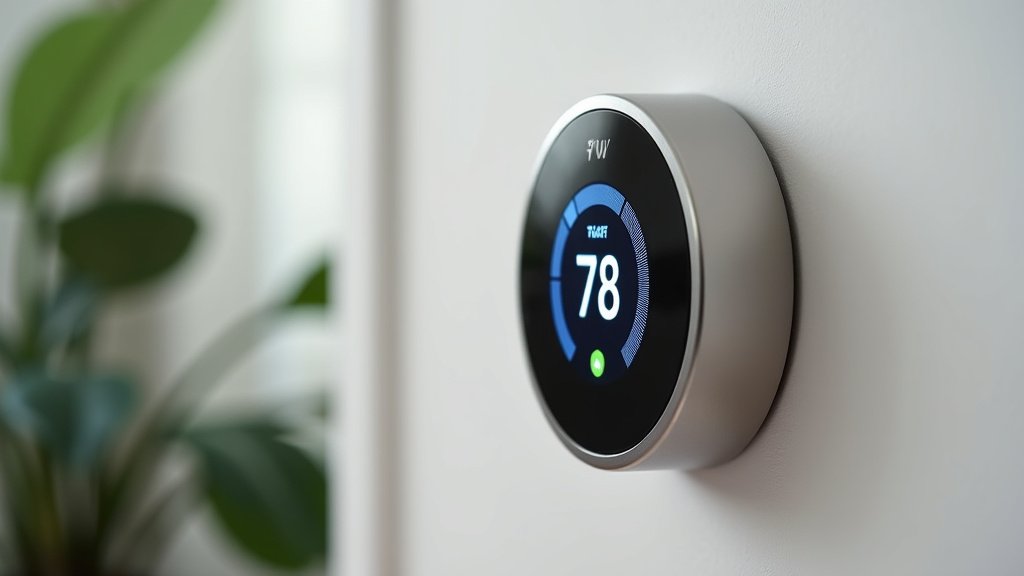
Troubleshooting Beyond the Basic Reset
If a simple reset didn’t do the trick, don’t despair. There are a few more steps you can try. We found that patience is key when troubleshooting electronics.
Wi-Fi and Connectivity Issues
Smart thermostats rely heavily on Wi-Fi. If your thermostat lost its connection during the surge, it might not be functioning correctly. Check your home’s Wi-Fi router. Is it powered on? Are other devices connected to the internet? You might need to restart your router. Unplug it, wait about 30 seconds, and plug it back in. Once your Wi-Fi is back up, your thermostat should attempt to reconnect. If it still won’t connect, you may need to re-enter your Wi-Fi password on the thermostat’s interface. We found that many connectivity problems stem from router issues.
Thermostat Configuration Settings
Sometimes, a surge can cause the thermostat to revert to factory default settings. This means your personalized schedules and preferences might be gone. You may need to reconfigure these settings from scratch. Consult your manual for instructions on setting up schedules. If you had advanced features like geofencing or multi-zone control, you’ll need to set those up again too. We found that re-entering these settings is a common post-surge task for many users.
Checking for Physical Damage
While less common with modern thermostats, physical damage can occur. After a very strong surge, inspect the thermostat’s casing. Look for any signs of melting, warping, or discoloration. If you see any physical damage, do not attempt to power it on again. This could be a fire hazard. We found that such damage usually means the unit needs to be replaced entirely.
When to Call for Backup
You’ve tried the resets, checked the breakers, and reconfigured settings. If your smart thermostat is still giving you trouble, it might be time to seek professional help. We found that knowing when to stop and call an expert saves time and prevents further issues.
Contacting the Manufacturer
Your smart thermostat likely came with a warranty. If the device is still under warranty, contact the manufacturer’s support team. They can guide you through advanced troubleshooting steps. They can also advise you on repair or replacement options if the unit is faulty. We found that many manufacturers have dedicated support lines for this exact reason. Be ready to provide your thermostat’s model number and serial number.
Hiring an HVAC Professional
If the issue seems to be with your HVAC system itself, or if you’re uncomfortable with electrical components, an HVAC technician is your best bet. They have the expertise to diagnose problems with both the thermostat and your heating and cooling equipment. They can also ensure your system is running safely and efficiently. We found that an HVAC professional can often pinpoint the root cause quickly. This is especially true if the surge caused other related problems within your home’s system.
The Importance of Professional Diagnosis
We often see people try to fix complex issues themselves. While a reset is usually straightforward, electrical systems can be tricky. A professional can assess if the surge damaged more than just the thermostat. They can check wiring, relays, and other critical components. This ensures your entire system is safe and operational. We found that professional help is a wise investment to avoid future headaches and potential safety risks.
Conclusion
Dealing with a smart thermostat after a power surge can be unsettling, but you’ve learned that many issues are fixable. We found that a simple hard reset, checking your circuit breakers, and ensuring your Wi-Fi is stable often restore functionality. Remember to always consult your thermostat’s manual for model-specific instructions before attempting complex resets. If these steps don’t resolve the problem, don’t hesitate to reach out to the manufacturer or a qualified HVAC professional. Your next step should be to carefully perform the hard reset procedure described in this guide.
Frequently Asked Questions
How long should I leave my thermostat powered off during a hard reset?
We recommend waiting at least 30 seconds before restoring power. For some systems, waiting up to two minutes can ensure all residual power drains completely. This brief pause allows the internal components to fully discharge and clear any temporary glitches.
Can a power surge permanently damage my smart thermostat?
While smart thermostats have some surge protection, severe surges can cause permanent damage. If you notice any physical signs of damage like melting or warping, do not try to reset it. In such cases, replacement is usually necessary.
What if my thermostat still won’t connect to Wi-Fi after a surge?
After a surge, your Wi-Fi router might also need a reboot. Try unplugging your router for 30 seconds and plugging it back in. If it still doesn’t connect, you might need to re-enter your Wi-Fi password directly on the thermostat’s interface.
Do I need to reset my smart thermostat after every power outage?
Generally, no. Most smart thermostats are designed to recover from minor power interruptions automatically. You typically only need to perform a reset if you notice unusual behavior or error messages following a power event.
Could a power surge affect my HVAC system directly, not just the thermostat?
Yes, it’s possible. A strong surge can impact other components of your heating and cooling system. If resetting the thermostat doesn’t fix the issue and your HVAC system still behaves strangely, it’s best to call an HVAC professional for a full inspection.