What Is the Average Install Time for a Smart Thermostat?
On this page (7 sections)
The average install time for a smart thermostat is 30 minutes to 2 hours. This can vary depending on your DIY skill level and whether you need to run new wiring. Most homeowners find it a manageable DIY project.
While many smart thermostats are designed for easy installation, factors like your existing thermostat’s wiring and your comfort with basic electrical work play a role. If you encounter unexpected wiring issues, it might take a bit longer, or you may consider calling a professional to ensure it’s done safely and correctly.
- Average Time: 30 mins – 2 hours
- DIY Friendly: Generally yes, for most.
- Factors Affecting Time: Wiring, skill level.
- When to Call a Pro: Complex wiring, discomfort with electrical work.
Let’s break down what goes into that installation time and how you can estimate it for your own home.
How Long Does a Smart Thermostat Installation Actually Take?
You’re curious about installing a smart thermostat. That’s great! Many people wonder about the time commitment involved. We found that most smart thermostat installations can take anywhere from 30 minutes to 2 hours. This range accounts for different skill levels and home setups. It’s often less time than you might expect, especially if you’re comfortable with basic DIY tasks.
Factors That Influence Your Installation Timeline
Your DIY Comfort Level and Experience
Your comfort level with tools and basic wiring is a big factor. If you’ve done similar home projects before, you’ll likely be on the faster end of the spectrum. Think of it like assembling furniture. If you’ve built an IKEA bookshelf, installing a smart thermostat won’t seem too daunting. We found that homeowners who regularly tackle DIY projects often complete the job in under an hour.
On the other hand, if you’re new to home improvement, you might take a bit longer. It’s wise to give yourself extra time. Reading instructions carefully and double-checking connections adds a few minutes. But it’s better than rushing and making a mistake. Safety first, always!
The Existing Thermostat’s Wiring
This is perhaps the most significant factor. Most smart thermostats require a “C-wire” or common wire. This wire provides continuous power to the thermostat. Older homes or older thermostat systems might not have one pre-installed. If your home has a C-wire, installation is usually straightforward. You’ll simply connect the wires according to the new thermostat’s guide.
What if you don’t have a C-wire? Don’t panic! Many smart thermostat manufacturers offer solutions. These can include a C-wire adapter kit or alternative wiring configurations. Installing an adapter might add an extra 15-30 minutes to your project. It usually involves connecting a small module near your furnace or air handler. We found that these adapters are designed to be relatively simple to install. Installing a C-wire adapter kit might add extra time, and our guide reviews the best options.
What if You Have Complex Wiring?
Some older HVAC systems have unique wiring setups. They might use fewer wires than standard or have unusual configurations. If you encounter wiring that doesn’t match the common diagrams, this can slow things down. It’s a good time to pause and consult the manufacturer’s support or a professional. Trying to guess can lead to system damage.
The Smart Thermostat Model You Choose
While most smart thermostats aim for user-friendly installation, there can be minor differences. Some models come with very clear, step-by-step visual guides. Others might have slightly more technical manuals. The physical design of the thermostat base and how it attaches to the wall can also vary. Some have snap-in connectors, while others require small screws.
We found that brands like Nest and Ecobee are often praised for their intuitive installation processes. They typically include all necessary hardware and easy-to-follow instructions. However, always check the specific model’s installation requirements before you buy. This can give you a better idea of what to expect.
The Step-by-Step Installation Process: What Takes Time?
Gathering Your Tools and Materials
Before you even touch your old thermostat, you need the right tools. This usually includes a screwdriver set (Phillips and flathead), a drill (sometimes), wire strippers, pliers, and possibly a level. You’ll also need your new smart thermostat, its mounting hardware, and the instruction manual. Setting aside 5-10 minutes to gather everything ensures you don’t have to hunt for a tool mid-project.
Removing the Old Thermostat
This is usually quick. Most thermostat covers snap off or have a few small screws. Once the cover is off, you’ll see the wires connected to terminals. Before disconnecting anything, it’s critical to take a photo of the existing wiring. This is your backup! Then, unscrew the wires from their terminals. Finally, remove the old thermostat’s base plate from the wall. This part typically takes 5-15 minutes.
Mounting the New Smart Thermostat Base
Your new thermostat will come with a mounting bracket or base. You’ll need to attach this to the wall. Often, you can use the existing screw holes if they align. If not, you might need to drill new ones. A level helps ensure it’s straight. This step usually takes 10-20 minutes, depending on whether you need to drill.
Connecting the Wires
This is the most crucial part. Refer to your photo of the old wiring and the new thermostat’s manual. You’ll connect each wire to its corresponding terminal on the new base. If you have a C-wire, it’s usually a simple connection. If you’re installing an adapter, this is where that extra time comes in. We found this step can take anywhere from 15 to 45 minutes, especially if you’re unfamiliar with wiring.
Attaching the Smart Thermostat Display and Testing
Once the wires are connected, you’ll attach the main body of the smart thermostat to the base. It usually clicks or snaps into place. Then, you’ll turn your power back on at the breaker. The thermostat should power up. You’ll then follow the on-screen prompts to connect it to your Wi-Fi and configure initial settings. This final setup and testing phase often takes 15-30 minutes.
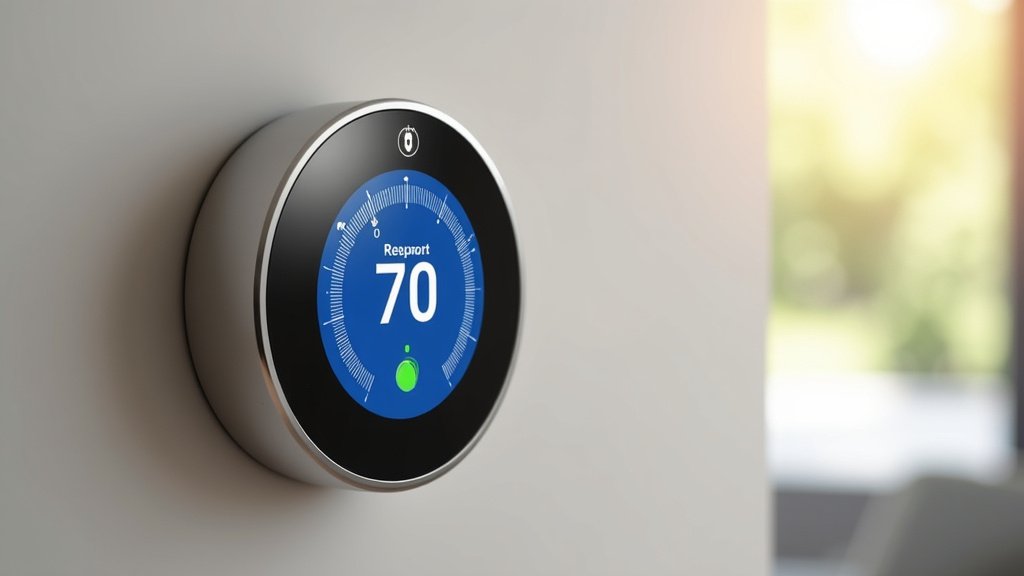
Smart Thermostat Installation Time Checklist
Here’s a quick rundown to help you estimate your own time:
- Preparation: Gather tools and read the manual (5-10 mins).
- Removal: Take a photo and disconnect old thermostat wires (5-15 mins).
- Mounting: Install the new thermostat base (10-20 mins).
- Wiring: Connect wires according to instructions (15-45 mins, longer if adding C-wire adapter).
- Setup: Attach display, restore power, and configure settings (15-30 mins).
When Should You Consider Professional Installation?
While many smart thermostat installations are manageable DIY projects, there are times when calling a professional makes sense. If you’re unsure about electrical work, it’s best to err on the side of caution. Professionals have the expertise to handle unexpected wiring issues quickly and safely. They also ensure your HVAC system isn’t damaged during the process.
We found that if your home is older, has a complex HVAC system, or if you simply don’t feel confident handling wires, a professional installation is a wise investment. It might cost a bit more upfront, but it saves you potential headaches and ensures the job is done right. Most professional installations for smart thermostats typically fall within the 1-2 hour timeframe, but this can vary by service provider.
| Scenario | Estimated Time | Notes |
|---|---|---|
| Simple DIY (C-wire present, comfortable with tools) | 30-60 minutes | Straightforward wiring and setup. |
| Moderate DIY (No C-wire, installing adapter) | 60-90 minutes | Adds time for adapter installation. |
| Complex DIY (Unusual wiring, new to DIY) | 90-120 minutes (or more) | Requires careful attention, potential troubleshooting. |
| Professional Installation | 60-120 minutes | Covers installation and basic setup. May have travel time. |
Ultimately, the average install time for a smart thermostat is quite reasonable. By understanding the factors involved and preparing properly, you can estimate the time needed for your specific situation and decide if it’s a DIY project you’re ready for. Many experts agree that taking your time and following instructions is key to a successful installation.
Conclusion
You’ve seen that installing a smart thermostat typically takes between 30 minutes and 2 hours. Your own experience with DIY projects and your home’s existing wiring are the biggest influences on this timeline. Most homeowners find it a manageable task, especially with clear instructions and a bit of preparation.
If you’re comfortable with basic tools and wiring, you’ll likely be on the quicker end. For those less experienced or facing a C-wire challenge, give yourself a little extra time or consider professional help. Always prioritize safety and consult your manual or a pro if you encounter anything confusing. You’re ready to make your home smarter!
Frequently Asked Questions
Will I need to run new wires for a smart thermostat?
Most smart thermostats are designed to work with your existing wiring, especially if you have a C-wire. If your home lacks a C-wire, you might need to install an adapter kit, which adds a bit of time but usually doesn’t require running new wires. Manufacturers often provide clear instructions for these adapters.
Is it better to install a smart thermostat myself or hire someone?
For many people comfortable with basic DIY tasks, installing a smart thermostat yourself is straightforward and saves money. If you’re unsure about electrical work or encounter complex wiring, hiring a professional is a wise choice for safety and peace of mind. They can often complete the job within the average installation time.
What if my old thermostat doesn’t have a C-wire?
Don’t worry if you don’t have a C-wire! Most smart thermostat brands offer simple C-wire adapter kits that can be installed relatively easily. This process might add 15-30 minutes to your installation time. The adapter provides the continuous power your smart thermostat needs to function correctly.
How long does it take to connect a smart thermostat to Wi-Fi?
Connecting your smart thermostat to Wi-Fi is usually part of the final setup process and takes about 15-30 minutes. You’ll follow on-screen prompts on the thermostat itself to select your network and enter your password. This step ensures you can control your thermostat remotely.
Should I turn off the power before installing my smart thermostat?
Yes, absolutely! It is critical to turn off the power to your HVAC system at the circuit breaker before you begin any installation. This ensures your safety and prevents damage to your electrical system or the new thermostat. Remember to turn the power back on only after the new thermostat is securely mounted and wired.