How to Install a Smart Thermostat with Lennox Equipment?
On this page (8 sections)
- Installing a Smart Thermostat with Your Lennox System
- Before You Begin: Checking Compatibility and Gathering Supplies
- Safety First: Turning Off Power
- Removing Your Old Thermostat and Labeling Wires
- Installing Your New Smart Thermostat
- Powering Up and Testing Your New Smart Thermostat
- Conclusion
- Frequently Asked Questions
Yes, you can absolutely install a smart thermostat with your Lennox equipment. Many smart thermostats are designed to be compatible with most HVAC systems, including those from Lennox. This upgrade can help you save money on energy bills and enjoy greater convenience in controlling your home’s temperature. You’ll be able to control your comfort from anywhere.
Upgrading to a smart thermostat with your Lennox system offers more than just remote access. It allows for smarter energy usage by learning your habits and adjusting accordingly. Many models also provide detailed energy reports, helping you understand where your heating and cooling costs are going. This smart technology is a great way to modernize your home and improve efficiency.
- Check compatibility first.
- Gather your tools.
- Turn off power to your HVAC.
- Label wires carefully.
- Install the new thermostat.
- Restore power and test.
Ready to take control of your home’s climate? Let’s walk through the process of installing a smart thermostat with your Lennox equipment step by step. Let’s walk through the process of installing a smart thermostat step by step.
Installing a Smart Thermostat with Your Lennox System
You’re ready to upgrade your home comfort and energy efficiency. Installing a smart thermostat with your Lennox equipment is a fantastic way to achieve this. Many smart thermostats are designed to work with a wide range of HVAC systems, including Lennox. We’ll guide you through the process, making it as smooth as possible. Think of it like giving your Lennox system a brain upgrade!
Before You Begin: Checking Compatibility and Gathering Supplies
This is the most important first step. Not all smart thermostats are created equal. You need to ensure the one you choose will communicate effectively with your specific Lennox model. This saves you a lot of headaches down the road.
Confirming Your Lennox System is Compatible
Most modern Lennox systems use standard wiring. However, some specialized or older models might have unique requirements. Your smart thermostat’s manual or the manufacturer’s website is your best friend here. Look for compatibility checkers. These tools usually ask for details about your current thermostat and wiring.
Some smart thermostat brands have an online tool where you can enter your current thermostat’s wiring configuration. You’ll usually find this information on the back of your old thermostat. Just pull it off the wall and take a peek. If you see a “C” wire (common wire), that’s generally a good sign for smart thermostat compatibility.
What if you don’t have a C-wire? Don’t panic! Some smart thermostats can work without one, often using a power-stealing adapter. Other times, you might need to have one installed by an HVAC professional. We found that most DIYers can handle this if the wiring is standard. Don’t panic if you don’t have a C-wire; solutions exist.
Essential Tools and Materials
Gathering everything you need beforehand makes the installation process much smoother. You don’t want to be halfway through and realize you’re missing a crucial tool.
- Your new smart thermostat (and its included instructions!)
- A small Phillips head screwdriver
- A flathead screwdriver
- Pliers (needle-nose can be helpful)
- A drill with a small bit (for wall anchors if needed)
- Wire stripper/cutter
- A level
- Pen or pencil
- Painter’s tape or masking tape
- Your smartphone (for photos and manuals)
Having a camera on your phone is super helpful. You’ll want to take pictures of your old wiring before you disconnect anything. This is your backup plan!
Safety First: Turning Off Power
This step is non-negotiable. Electricity and HVAC systems can be dangerous. You must cut the power to your heating and cooling system before you touch any wires. This protects you and your equipment.
Locating Your HVAC System’s Power Source
Your Lennox system’s power is typically controlled by a circuit breaker. You’ll need to find your home’s electrical panel. It’s often in a basement, garage, or utility closet. Look for a breaker labeled “Furnace,” “Air Handler,” “HVAC,” or “AC.”
If you’re unsure which breaker controls your HVAC system, you can do a quick test. Turn off a breaker that seems likely. Then, try to turn on your heating or cooling system. If it doesn’t respond, that’s probably the right breaker. If it does, turn it back on and try another. When in doubt, you can turn off the main breaker for the entire house, but be aware that this will cut power to everything.
Verifying Power is Off
Once you’ve flipped the breaker, it’s wise to double-check. Go back to your old thermostat. Try to change the temperature setting significantly. If the system doesn’t respond (no fan noise, no change in air temperature), the power is off. Safety is paramount.
Removing Your Old Thermostat and Labeling Wires
Now that the power is off, it’s time to get your hands a little dirty. Carefully removing the old thermostat and labeling the wires will make installing the new one much easier.
Detaching the Old Thermostat Cover
Most thermostat covers simply pull away from the wall plate. Some might have small tabs or screws. Gently pry it off. If it feels stuck, check for hidden screws or consult the manual for your old thermostat if you still have it.
Documenting and Labeling Wires
This is where your phone camera and some tape come in handy. Before you disconnect any wires, take a clear picture of how they are connected to the terminals. Each terminal on the old thermostat will have a letter label (e.g., R, G, Y, W, C). Take your time with this step.
Then, use your painter’s tape and pencil to label each wire according to the terminal it’s connected to. For example, if a wire is connected to the “Y” terminal, label that wire “Y.” If you have a “C” wire, make sure to label it clearly. This is your lifeline for connecting the new thermostat.
Disconnecting the Wires and Removing the Old Base
Once all wires are labeled and photographed, gently disconnect them from the terminals. They usually pull straight out. Then, unscrew the old thermostat’s base plate from the wall.
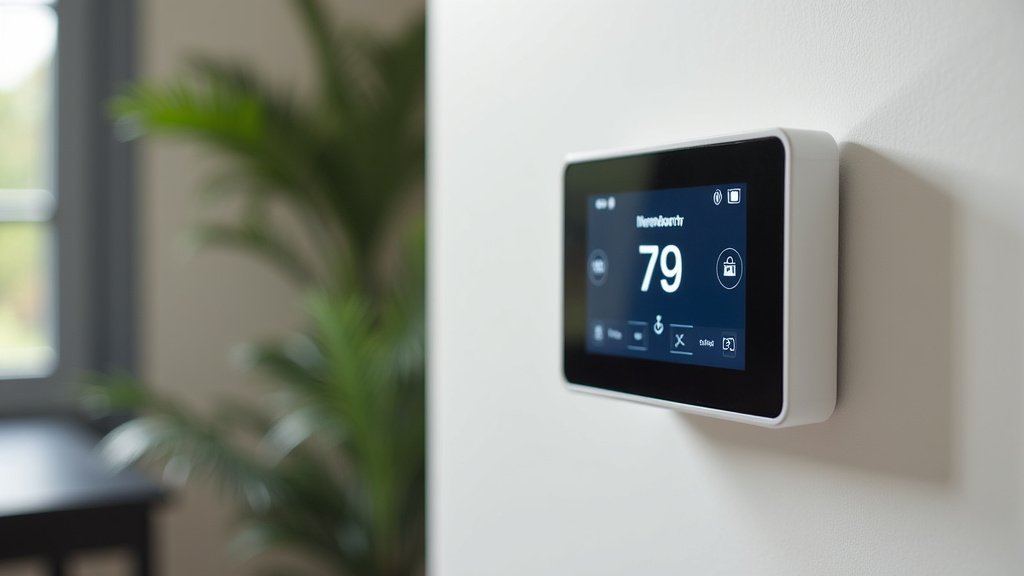
Installing Your New Smart Thermostat
With the old system out of the way and your wires clearly labeled, you’re ready to install the smart thermostat. This is the fun part!
Mounting the New Wall Plate
Most smart thermostats come with a new wall plate. Position it on the wall where the old one was. Use a level to ensure it’s straight. Mark the screw holes with your pencil. If you’re mounting into drywall, you might need to drill pilot holes and insert wall anchors for a secure fit. Feed the wires through the opening in the new wall plate.
Connecting the Wires to the New Thermostat
Now, refer to your labels and the picture you took. Connect each labeled wire to the corresponding terminal on the new smart thermostat’s base. Most smart thermostats have push-in terminals or screw terminals. They should click or secure firmly into place.
If your new thermostat required a C-wire adapter, this is when you would connect it according to its specific instructions. If you’re unsure about any connection, consult your smart thermostat’s manual or the manufacturer’s support. Many smart thermostats have an easy-to-follow wiring diagram in their app or manual.
Attaching the Smart Thermostat Faceplate
Once the wires are securely connected, you can attach the main body of the smart thermostat to its wall plate. It usually snaps into place. Double-check that it’s seated correctly.
Powering Up and Testing Your New Smart Thermostat
The moment of truth! It’s time to bring your smart thermostat to life and ensure everything is working correctly.
Restoring Power to Your HVAC System
Head back to your circuit breaker panel. Flip the breaker for your HVAC system back to the “On” position. You should see your new smart thermostat power up. This can take a minute or two.
Initial Setup and Wi-Fi Connection
Your smart thermostat will likely guide you through an initial setup process on its screen. This typically includes connecting to your home’s Wi-Fi network. You’ll need your Wi-Fi password handy.
Most smart thermostats also have a companion app you’ll download to your smartphone. This app is where you’ll control your thermostat remotely, set schedules, and view energy reports. Follow the prompts on both the thermostat and the app to complete the setup. This is where the smart features come alive.
Testing Heating and Cooling Functions
Once setup is complete, it’s time to test. Try setting the temperature higher than the current room temperature to test the heating. You should hear your Lennox furnace kick on and feel warm air. Then, try setting the temperature lower to test the cooling. You should hear your Lennox air conditioner engage and feel cool air.
Observe the thermostat and listen to your system for a few minutes. Ensure everything responds as expected. If you encounter any issues, retrace your steps. Double-check your wiring connections and Wi-Fi setup. Sometimes, a simple power cycle (turning the breaker off and on again) can resolve minor glitches.
Creating Your Smart Schedule
Now you can start personalizing your comfort. Use the app or the thermostat interface to create a schedule that fits your lifestyle. You can set different temperatures for when you’re home, away, or sleeping. This is where you begin to save energy and money.
Many smart thermostats learn your habits over time and can suggest optimized schedules. This intelligent adaptation helps reduce energy waste without sacrificing comfort. Many guidelines suggest setting back your thermostat when you’re asleep or away to save energy (Energy Star).
Congratulations, you’ve successfully installed your smart thermostat with your Lennox equipment! You’re now ready to enjoy enhanced control and energy savings.
Conclusion
You’ve successfully upgraded your Lennox system with a smart thermostat. This means you’re now in control of your home’s comfort and energy use like never before. Remember to fully utilize your thermostat’s app to create custom schedules. This is how you’ll start seeing real savings on your energy bills. Enjoy the convenience of controlling your climate from anywhere, and feel good about making your home more efficient. Your next step is to explore your new thermostat’s advanced features and truly personalize your home’s comfort.
Frequently Asked Questions
Will a smart thermostat work with any Lennox model?
Most modern Lennox HVAC systems are compatible with standard smart thermostats. However, older or specialized Lennox units might have unique wiring. Always check your smart thermostat’s compatibility guide or online tool before purchasing.
What if my Lennox system doesn’t have a C-wire?
Don’t worry if you don’t have a C-wire; many smart thermostats can still work. Some models use a power-stealing adapter, while others might require professional installation of a C-wire. Check your thermostat’s specific requirements.
How long does it typically take to install a smart thermostat?
For most DIYers, installing a smart thermostat takes about 30 minutes to an hour. The most time-consuming part is usually ensuring all wires are correctly labeled and connected. Taking your time is key.
Can I install a smart thermostat myself with Lennox equipment?
Yes, you can typically install a smart thermostat yourself with your Lennox equipment. The process involves basic electrical work and following clear instructions. If you’re uncomfortable with wiring or electrical panels, consider hiring a professional.
What should I do if my smart thermostat isn’t working after installation?
First, double-check that the power to your HVAC system is restored at the circuit breaker. Then, carefully review your wiring connections against the labels you made and your thermostat’s manual. A simple power cycle by turning the breaker off and on again can also resolve minor issues.