
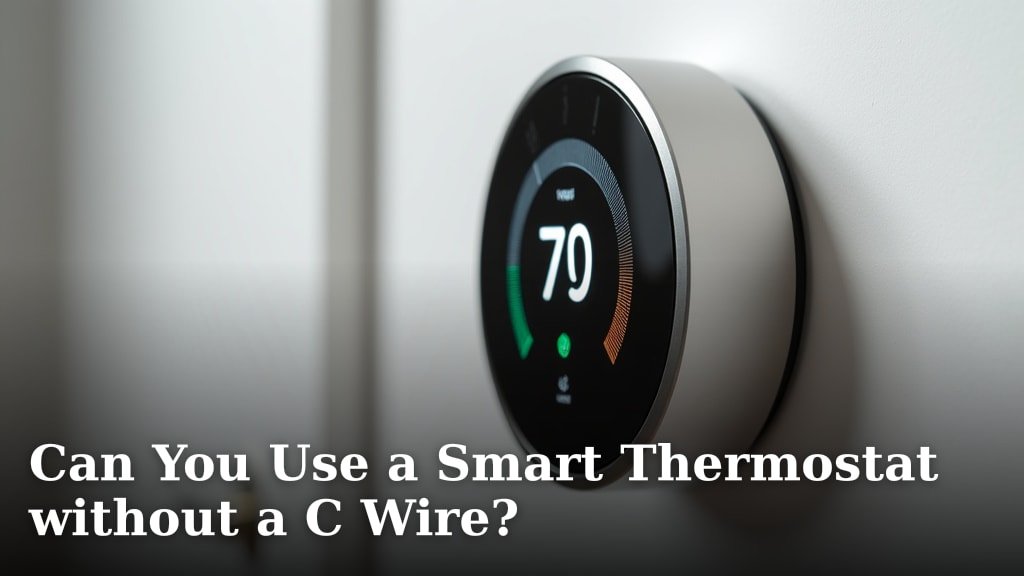
Yes, you can often use a smart thermostat without a C wire, but it depends on the specific model and your HVAC system. Many modern smart thermostats offer workarounds or alternative power solutions if a common wire (C wire) isn’t readily available.
The C wire provides continuous 24V power to your thermostat, which smart devices need for their Wi-Fi and advanced features. Without it, your smart thermostat might try to steal power, causing performance issues or system damage. We found many brands offer solutions for this common problem.
- Many smart thermostats offer power-stealing features.
- Some brands include an adapter called a Power Extender Kit (PEK).
- You might need to install a new C wire, which can be tricky.
- Battery-powered smart thermostats are also an option.
- Always check your thermostat’s compatibility before buying.
Let’s dive into how these options work and what you need to know about each solution. We’ll help you figure out what’s best for your home.
Powering Your Smart Thermostat Without a C Wire
You want the convenience of a smart thermostat, but your old wiring might be holding you back. Don’t worry, many homes face this exact situation. The main hurdle is the need for continuous power. Traditional thermostats don’t require much, but smart thermostats need steady 24V power for their Wi-Fi, displays, and sensors. The C wire (common wire) provides this consistent power. If you don’t have one, your smart thermostat will likely try to “power steal,” which can cause problems.
We’ve found several clever solutions to get your smart thermostat working, even without a dedicated C wire. These range from simple adapters to more involved wiring changes. The best option for you will depend on your specific HVAC system and your comfort level with minor electrical work.
Understanding the C Wire and Its Importance
What exactly is a C wire, and why is it such a big deal for smart thermostats? Think of it like this: your old thermostat was like a light switch, just opening and closing circuits to turn your heating or cooling on and off. It often got enough power from the “calling for heat” or “calling for cool” circuits. This was fine for basic functions.
Smart thermostats, however, are like miniature computers. They need constant electricity to power their Wi-Fi chip, backlight, temperature sensors, and other advanced features. Without a C wire, they can’t get that consistent power. This leads to common issues, often called “ghost cycling” or “thermostat chattering,” where your HVAC system turns on and off erratically.
Why Skipping the C Wire Can Create Problems
If your smart thermostat doesn’t have a C wire, it will try to draw power from other wires, like the “R” (red, for power) or “G” (green, for fan) wires. This is called “power stealing.” While some smart thermostats are designed to do this minimally, it’s not ideal.
Power stealing can lead to several annoying issues:
- Your smart thermostat’s screen might go blank.
- It might frequently disconnect from your Wi-Fi network.
- Your HVAC system could short-cycle, turning on briefly and then off again.
- Over time, this intermittent power draw can even damage your HVAC system’s control board (many sources, including HVAC manufacturers, warn about this potential risk).
Solutions for C Wire-less Setups
Don’t despair if you don’t have a C wire! We’ve researched and found that manufacturers have developed several effective workarounds. Let’s look at the most common solutions you’ll encounter.
Using a Power Extender Kit (PEK) or C Wire Adapter
This is often the most popular and straightforward solution offered by many smart thermostat brands. A Power Extender Kit (PEK) is a small module that acts as an adapter. It’s designed to create a C wire connection using your existing wiring.
How a PEK works:
You typically install the PEK module near your furnace or air handler. It essentially reroutes some of the existing wires to create a common path for power. Then, at the thermostat end, you connect the wires to your smart thermostat as if a C wire were present. It’s a clever way to adapt your current setup without running new wires through your walls.
- Pros: Relatively easy to install, often included with compatible thermostats, avoids running new wires.
- Cons: Requires access to your furnace or air handler, might be confusing for some DIYers, not compatible with all HVAC systems (e.g., some zone control systems).
Battery-Powered Smart Thermostats
Some smart thermostats are designed to run primarily on batteries, especially models with simpler displays or less frequent Wi-Fi usage. These thermostats typically have extremely efficient power management. They might still use your HVAC system’s power wires for certain functions (like turning the system on/off), but their core functions are battery-driven.
- Pros: No C wire needed at all, simple installation.
- Cons: You’ll need to change batteries periodically (which can be annoying), may lack advanced features or constant Wi-Fi connectivity, limited selection of models.
“Power Stealing” or “Power Sharing” Thermostats
Yes, we mentioned power stealing can be bad, but some smart thermostats are specifically designed to do it safely and minimally. These models have advanced internal circuitry to draw very small, intermittent amounts of power when your system isn’t actively heating or cooling. They aim to avoid the negative effects of older power-stealing methods.
This method usually involves charging a small internal battery or capacitor from the existing wires. They store just enough energy to power the Wi-Fi and display without causing issues with your HVAC system. We found that brands like Ecobee and Nest have refined this technology significantly.
- Pros: No extra wiring or adapters needed, can be a true “plug-and-play” solution.
- Cons: Still inherently less stable than having a C wire, not all HVAC systems react well to it, can sometimes lead to intermittent issues despite the design.
Installing a New C Wire
If the above solutions don’t work for you, or if you prefer the most reliable power source, installing a new C wire is an option. This is more involved and usually requires either a professional or a confident DIYer.
Running a New Wire
This involves physically running a new wire from your furnace or air handler to your thermostat. If you have an unfinished basement or accessible attic, this might not be too difficult. However, if your walls are sealed, fishing a new wire can be a significant undertaking, requiring holes in walls and patching drywall.
Using an Add-a-Wire Kit
Some kits, distinct from PEKs, allow you to convert one of your existing wires into a C wire by splitting a two-wire function into a single wire, but this is less common with modern systems. Another option might be to use a kit that sends power through a different communication method, but these are often specific to certain brands.
Checklist for C Wire Readiness
Before you buy your smart thermostat, it’s wise to do a little detective work. This simple checklist can guide you:
- Check your existing thermostat wiring: Gently pull your current thermostat off its base. Look for a wire connected to a terminal labeled “C.”
- Inspect your furnace/air handler: Open the access panel and look at the control board. Are there unused terminals, particularly one labeled “C”?
- Count your wires: How many wires are currently running to your thermostat? If you have four wires, and you need five (R, G, Y, W, C), you’ll likely need a solution.
- Identify unused wires: Sometimes, during installation, extra wires are tucked into the wall behind your thermostat but not connected. You might find an unused blue or black wire that could serve as a C wire.
- Consult your HVAC manual: Your system’s manual might confirm if a C wire connection is available or easily added.
Compatibility is Key: Read the Fine Print
We cannot stress this enough: always check the compatibility of your chosen smart thermostat with your HVAC system and wiring. Every brand, and even different models within the same brand (Nest, Ecobee, Honeywell, etc.), will have specific requirements.
| Solution Type | Ideal for… | Considerations |
|---|---|---|
| Power Extender Kit (PEK) | Homes with 4 wires, accessible furnace/air handler. | Requires connection at furnace. May not work with all systems. |
| Battery-Powered Thermostat | Homes with very old wiring, desire for minimal intervention. | Battery changes. Fewer advanced features. |
| “Power Stealing” Design | Homes wanting easiest installation, specific compatible models. | Can still cause issues with sensitive HVAC systems. |
| New C Wire Installation | Optimizing reliability, long-term best solution. | More complex DIY. May require professional. |
You’ll often find a compatibility checker tool right on the smart thermostat manufacturer’s website. They might ask you to take a picture of your current wiring. Use these tools! They are designed to prevent headaches later on. Remember, investing a little time upfront into understanding your wiring setup can save you a lot of frustration (and potential damage to your HVAC system) down the road.
Conclusion
You can absolutely enjoy the benefits of a smart thermostat, even without a C wire in your current setup. Our research shows that manufacturers have developed several effective solutions, from handy Power Extender Kits to models designed for safe “power stealing.” The right path for you depends on your comfort with DIY and your specific HVAC system.
Take time to assess your wiring, use online compatibility checkers, and choose a solution that fits your home. Getting this right upfront ensures your smart thermostat works reliably and efficiently for years to come.
Frequently Asked Questions
Can a smart thermostat damage my furnace without a C wire?
Without a C wire, some smart thermostats can “power steal” from other wires, potentially causing your furnace’s control board to cycle erratically. This erratic cycling can put stress on system components and, over time, may lead to damage or premature wear of your HVAC system.
How do I know if my existing thermostat has a C wire?
To check for a C wire, gently remove your current thermostat’s faceplate from its base. Look for a wire connected to a terminal labeled “C.” If you see a wire there, you likely have a C wire. If not, inspect the wires tucked into the wall, as there might be an unused one.
What is the easiest way to install a smart thermostat without a C wire?
The easiest option is often a smart thermostat that includes a Power Extender Kit (PEK) or is designed for safe power stealing. Battery-powered models are also very simple to install since they don’t rely on your HVAC system for continuous power, but they require battery changes.
Do all smart thermostats require a C wire?
No, not all smart thermostats strictly require a C wire. Many newer models are designed with workarounds, such as Power Extender Kits, internal rechargeable batteries, or advanced power-stealing capabilities. Always check the specific thermostat’s requirements and compatibility before purchasing.
Should I hire an HVAC professional to install a C wire?
If you’re uncomfortable identifying unused wires, installing a Power Extender Kit, or running new wiring through walls, hiring an HVAC professional is a smart choice. They can safely assess your system, install a C wire, or set up a PEK to ensure your smart thermostat operates correctly and reliably.
