
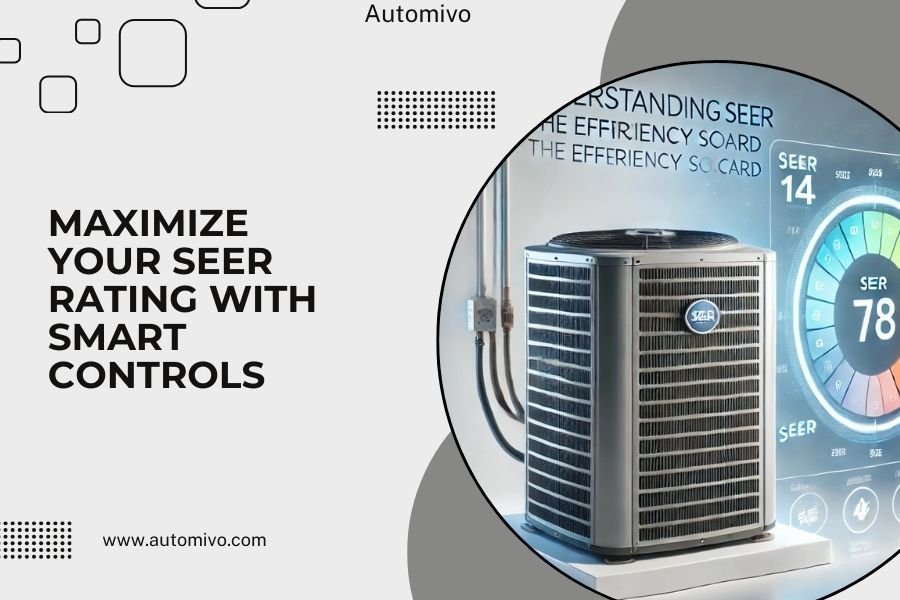
Smart HVAC controls can boost your SEER rating by 15-20% through precise temperature management and automated scheduling that prevents energy waste.
The key is using programmable thermostats, zoning systems, and smart sensors that work together to maximize your system’s efficiency rating.
What Is a SEER Rating and Why It Matters
Your SEER rating measures how much cooling your air conditioner delivers per unit of energy consumed. Think of it like miles per gallon for your car – higher numbers mean better efficiency.
SEER stands for Seasonal Energy Efficiency Ratio. The minimum rating for new systems is 14, but modern units can reach 20 or higher. Each point increase can cut your cooling costs by 5-8%.
Here’s where it gets interesting: your actual SEER performance depends heavily on how you control your system. Even a high-rated unit can underperform with poor controls.
How Smart Controls Boost SEER Performance
Smart controls work like a personal trainer for your HVAC system. They prevent wasteful habits and optimize every cooling cycle.
Traditional thermostats create temperature swings. Your AC kicks on, runs hard, overshoots the target, then shuts off. This stop-start pattern wastes energy.
Smart controls maintain steady temperatures through gradual adjustments. Your system runs more efficiently at moderate speeds instead of cycling between off and full blast.
Precise Temperature Management
Smart thermostats read temperature within 0.5 degrees. Regular thermostats might be off by 2-3 degrees. This precision prevents overcooling and reduces runtime.
Variable-speed systems paired with smart controls can modulate output from 25% to 100%. Your AC matches the exact cooling load instead of running full power every time.
Learning Your Usage Patterns
Smart systems study your schedule and preferences. They pre-cool your home before you arrive and raise temperatures when you leave.
This prevents the energy spike from cooling a hot house quickly. Gradual temperature changes use less power than rapid corrections.
Types of Smart Controls That Improve SEER
Programmable Smart Thermostats
These are your first line of defense against energy waste. Quality models learn your routine and adjust automatically.
Wi-Fi connectivity lets you monitor and control your system remotely. You can catch problems early and avoid running your AC when nobody’s home.
Look for models with humidity control. Removing moisture makes you feel cooler at higher temperatures, reducing your AC workload.
Key Features to Seek
- Geofencing that detects when you leave or return
- Multi-stage system compatibility
- Humidity sensing and control
- Energy usage reporting
- Smart recovery that reaches target temperature at the right time
Zoning Systems
Zoning divides your home into separate comfort areas. Each zone gets its own thermostat and dampers control airflow.
You only cool occupied areas instead of the entire house. This can improve your effective SEER by 20-30%.
Smart zoning systems communicate between zones to balance the load. They prevent pressure imbalances that force your AC to work harder.
Zoning Benefits for SEER
- Eliminates cooling empty rooms
- Reduces duct pressure losses
- Allows customized schedules per area
- Prevents hot and cold spots
Smart Sensors and Controls
Wireless sensors throughout your home provide real-time data about temperature, humidity, and occupancy.
Your system gets accurate feedback instead of relying on one central thermostat location. This prevents overcooling some areas while others stay warm.
Sensor Types That Help SEER
- Room temperature sensors for accurate readings
- Humidity sensors to optimize moisture removal
- Motion detectors for occupancy-based cooling
- Outdoor temperature sensors for predictive control
Installation and Setup Tips
Thermostat Placement Matters
Install your smart thermostat away from heat sources, direct sunlight, and drafts. Poor placement can skew readings by 3-5 degrees.
Central locations work best, usually in hallways or main living areas. Avoid kitchens, bathrooms, and rooms with fireplaces.
System Compatibility Check
Verify your smart controls work with your specific AC model. Variable-speed and multi-stage systems need compatible thermostats to reach full efficiency.
Some older systems may need additional wiring or interface modules. Factor this into your installation costs.
Professional vs DIY Installation
Basic thermostat swaps are often DIY-friendly if you have the right wires. Complex zoning systems need professional installation.
Improper wiring can damage your equipment and void warranties. When in doubt, hire a certified technician.
Optimizing Settings for Maximum SEER
Temperature Setpoints
Set your cooling temperature as high as comfortable. Each degree higher saves 6-8% on energy costs.
Use 78°F when home and 85°F when away for optimal efficiency. Smart thermostats can gradually adjust these settings based on your comfort feedback.
Schedule Programming
Create schedules that match your actual routine, not your ideal routine. Your smart thermostat needs accurate data to optimize performance.
Allow 30-60 minutes for temperature changes instead of demanding instant results. Gradual adjustments maintain higher SEER performance.
Sample Efficient Schedule
| Time Period | Temperature Setting | Reason |
|---|---|---|
| 6 AM – 8 AM | 76°F | Morning comfort before leaving |
| 8 AM – 6 PM | 82°F | Away setting saves energy |
| 6 PM – 11 PM | 78°F | Evening comfort |
| 11 PM – 6 AM | 80°F | Sleep setting |
Humidity Control Settings
Maintain indoor humidity between 40-50% for optimal comfort and efficiency. Higher humidity makes you feel warmer, forcing lower temperature settings.
Smart controls can prioritize dehumidification during mild weather, reducing the cooling load during hot periods.
Maintenance and Monitoring
Regular Filter Changes
Smart systems can remind you when filters need changing. Dirty filters reduce airflow and force your AC to work harder.
Check filters monthly and replace them every 1-3 months depending on usage and air quality.
System Performance Monitoring
Use your smart thermostat’s energy reports to track performance over time. Look for gradual increases in energy use that might indicate maintenance needs.
Many smart controls can detect system problems early and alert you before major failures occur.
Warning Signs to Watch
- Longer run times to reach target temperature
- Frequent cycling on and off
- Uneven temperatures between zones
- Higher than normal energy bills
- System alerts or error codes
Cost vs Benefit Analysis
Investment Breakdown
Smart thermostats typically cost $150-400 plus installation. Zoning systems run $2,000-5,000 depending on home size and complexity.
Most homeowners see payback within 2-4 years through reduced energy bills. Homes in hot climates recover costs faster.
Long-term Savings
Research from the EPA shows smart controls can reduce HVAC energy use by 10-23%. For a typical home spending $1,200 annually on cooling, that’s $120-275 in savings.
Add in extended equipment life from reduced cycling and more efficient operation, and total savings increase further.
Common Mistakes to Avoid
Over-Programming
Don’t create overly complex schedules with frequent temperature changes. Your system works hardest during transitions.
Stick to 2-4 daily setpoints maximum. Let the smart features handle fine-tuning.
Ignoring Humidity
Temperature control alone won’t maximize your SEER rating. Humidity management is equally important for comfort and efficiency.
Set humidity limits and let your smart system balance temperature and moisture removal.
Poor Sensor Placement
Don’t put sensors in locations that don’t represent typical conditions. Avoid areas near windows, vents, or electronics that generate heat.
Future-Proofing Your Investment
Compatibility Planning
Choose systems with open protocols and regular software updates. Technology changes quickly, and you want controls that can adapt.
Look for Energy Star certified products with proven track records for reliability and support.
Smart Home Integration
Consider how your HVAC controls fit into broader home automation plans. Integrated systems can share data and optimize performance across all home systems.
Conclusion
Smart HVAC controls offer one of the best returns on investment for improving your home’s energy efficiency. By maintaining precise temperature control, learning your usage patterns, and preventing energy waste, these systems can boost your effective SEER rating by 15-20% or more.
The key is choosing compatible equipment and taking time to optimize your settings. Start with a quality smart thermostat, then consider zoning and advanced sensors based on your home’s specific needs. With proper setup and maintenance, you’ll enjoy lower energy bills and better comfort while extending your HVAC system’s lifespan.
Can smart controls work with any HVAC system?
Most smart thermostats work with standard single and two-stage systems. Variable-speed and heat pump systems may need specific models for full compatibility. Check your system’s wiring and specifications before purchasing.
How much can smart controls actually save on energy bills?
Typical savings range from 10-23% on HVAC energy costs according to EPA research. Your actual savings depend on your current thermostat, usage patterns, and local climate. Homes with poor existing controls see the biggest improvements.
Do smart thermostats work during power outages?
Most smart thermostats have battery backup to maintain settings during brief outages. However, they can’t control your HVAC system without power to the equipment. Some models retain programmed schedules when power returns.
Is professional installation required for smart HVAC controls?
Basic thermostat replacement is often DIY-friendly if you have compatible wiring. Zoning systems, additional sensors, and complex setups typically need professional installation to ensure proper operation and warranty coverage.
How often should smart control settings be adjusted?
Let your smart system learn for 1-2 weeks initially, then make minor adjustments based on comfort and energy reports. Seasonal changes may require schedule updates, but avoid frequent modifications that prevent the system from optimizing performance.
