
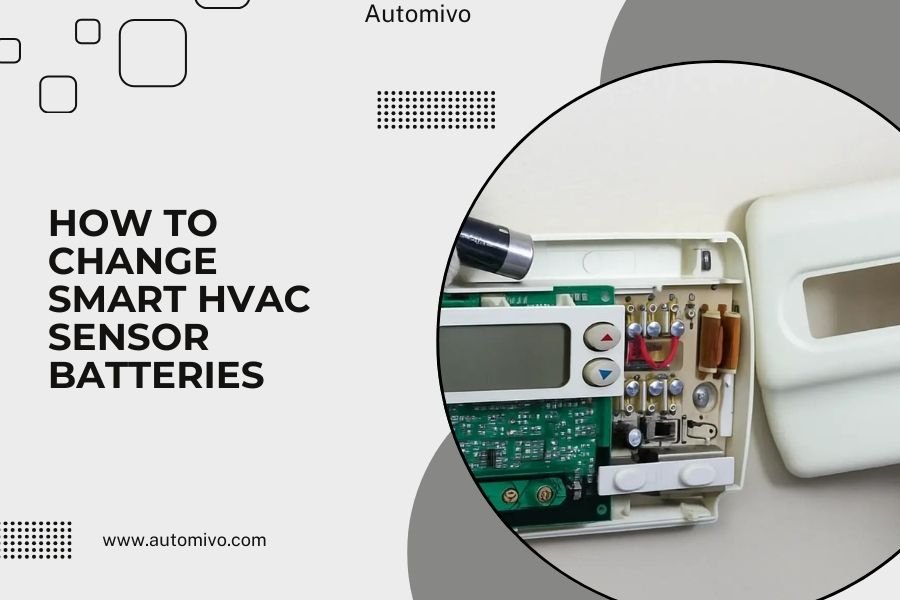
Smart HVAC sensor batteries typically need changing every 1-2 years, and you’ll know it’s time when your system displays low battery warnings or sensors stop responding properly.
Most smart HVAC sensors use standard AA, AAA, or CR2032 coin batteries that you can replace yourself in just a few minutes with basic tools.
Signs Your Smart HVAC Sensor Batteries Need Replacing
Your smart home system usually gives you plenty of warning before batteries die completely. Watch for these common signs that tell you it’s time to swap out those batteries.
Warning Messages on Your App
Most smart HVAC systems send push notifications when battery levels drop below 20%. You might see messages like “Low Battery – Kitchen Sensor” or a battery icon turning red on your dashboard.
Don’t ignore these warnings. I found that waiting too long can cause your sensor to stop working entirely, leaving you with temperature dead zones in your home.
Inconsistent Temperature Readings
When batteries get weak, sensors start acting up. You might notice your bedroom reading 68°F when it feels like 72°F, or temperature readings that jump around randomly.
These inconsistent readings mess with your HVAC system’s ability to keep your home comfortable. It’s like trying to drive with a broken speedometer.
Delayed Response Times
Fresh batteries help sensors communicate quickly with your main system. Weak batteries cause delays that can last several minutes or even hours.
If your sensor used to respond instantly but now takes forever to register changes, battery replacement is probably the fix you need.
What You’ll Need Before Starting
Gathering the right tools and materials makes this job much easier. Most of what you need is probably already sitting in your junk drawer.
Essential Tools
- Small Phillips head screwdriver
- Flathead screwdriver (for prying if needed)
- Flashlight or phone light
- Clean cloth or paper towel
Battery Types You Might Encounter
Different sensor brands use different battery types. Check your sensor model or existing batteries before shopping.
| Sensor Brand | Common Battery Type | Expected Lifespan |
|---|---|---|
| Nest Temperature Sensor | CR2 Lithium | 2 years |
| Ecobee Room Sensor | CR2032 Coin | 3-5 years |
| Honeywell Wireless Sensor | AA Alkaline | 1-2 years |
| Cielo Smart Sensor | AAA Alkaline | 1-2 years |
Step-by-Step Battery Replacement Process
Replacing smart HVAC sensor batteries is straightforward once you know the steps. The process takes about 5-10 minutes per sensor.
Step 1: Locate Your Sensor
Most sensors mount on walls at eye level, but some people place them on shelves or tables. Check your smart home app if you can’t remember where you put a particular sensor.
Make sure you can reach the sensor comfortably. You don’t want to be stretching or balancing on wobbly furniture while handling small parts.
Step 2: Remove the Sensor from Its Mount
Many sensors twist off their wall mounts counterclockwise. Others slide up or down to release from mounting brackets.
Be gentle here. I’ve seen people crack sensor housings by forcing them the wrong direction. If it doesn’t come off easily, check for release tabs or different mounting methods.
Step 3: Open the Battery Compartment
Look for a small cover on the back of your sensor. Most have either a sliding cover or a cover held by one or two tiny screws.
Keep track of small screws. They love to roll under furniture and disappear forever. I usually work over a towel to catch anything that drops.
For Sliding Covers
Push the cover in the direction of the arrow (usually down) while applying gentle pressure. The cover should slide off smoothly.
For Screw-on Covers
Use your Phillips head screwdriver to remove screws. Turn counterclockwise, and don’t overtighten when you put them back.
Step 4: Remove Old Batteries
Note which direction the positive and negative ends face before removing old batteries. Many compartments have + and – markings, but taking a quick photo with your phone saves guesswork later.
Old batteries sometimes get stuck due to corrosion or tight fits. Gently wiggle them out rather than forcing them.
Step 5: Clean the Battery Compartment
Wipe away any dust or debris with a clean, dry cloth. Avoid using liquids unless you see actual corrosion (white or green buildup).
If you do find corrosion, clean it carefully with a cotton swab dipped in white vinegar, then wipe dry completely.
Step 6: Install New Batteries
Match the positive and negative orientations you noted earlier. Fresh batteries should slide in easily without forcing.
Make sure batteries sit flush in their compartments. Raised batteries prevent covers from closing properly and can cause connection issues.
Step 7: Replace the Cover and Remount
Put the battery cover back on and secure it with screws if needed. Then mount the sensor back in its original location.
Most sensors need to click or twist firmly into place. A loose mount can affect sensor performance.
Testing Your Sensor After Battery Replacement
Don’t assume everything works just because you put new batteries in. Take a few minutes to verify your sensor is communicating properly with your HVAC system.
Check Your Smart Home App
Open your HVAC app and look for the sensor you just serviced. You should see current temperature readings and a full battery indicator.
If the sensor doesn’t show up immediately, wait 5-10 minutes. Some systems need time to re-establish connections after battery changes.
Test Temperature Response
Hold your hand near the sensor for 30-60 seconds. The temperature reading should increase by a few degrees, proving the sensor is actively monitoring conditions.
You can also try breathing gently on the sensor (your breath is warmer than room air) for a quick response test.
Verify System Integration
Change your thermostat setting slightly and watch whether your newly serviced sensor affects heating or cooling decisions. This confirms your sensor is fully integrated with your HVAC system again.
Troubleshooting Common Issues
Sometimes fresh batteries don’t solve everything. Here are solutions for problems that can pop up during or after battery replacement.
Sensor Won’t Turn On After New Batteries
Double-check battery orientation first. It’s easy to flip one battery backward, especially in multi-battery sensors.
If orientation looks correct, try different batteries. I’ve found that even new batteries can occasionally be dead from the factory.
Intermittent Connection Problems
Clean the battery contacts with a pencil eraser to remove oxidation. Sometimes poor contact causes intermittent power issues that look like connectivity problems.
Also check that your sensor is within range of your wireless network or hub. Battery replacement doesn’t fix distance issues.
Inaccurate Temperature Readings
New batteries won’t fix calibration problems. If your sensor consistently reads several degrees off, check your app for calibration settings or contact the manufacturer.
Make sure your sensor isn’t in direct sunlight or near heat sources like lamps or electronics. These can throw off readings regardless of battery condition.
How to Extend Battery Life
You can’t make batteries last forever, but smart placement and settings help you get maximum life from each set.
Optimize Sensor Placement
Keep sensors away from extreme temperatures. Heat makes batteries drain faster, while cold can cause temporary power drops.
Research shows that batteries in sensors placed in steady 68-72°F environments typically last 20-30% longer than those in temperature-variable locations (Department of Energy).
Adjust Reporting Frequency
Many smart sensors let you change how often they report temperature data. Reducing frequency from every minute to every 5 minutes can significantly extend battery life.
For most homes, 5-minute updates provide plenty of accuracy for comfort while saving battery power.
Use Quality Batteries
Name-brand alkaline or lithium batteries typically last longer than generic options. The extra cost often pays for itself in extended replacement intervals.
Lithium batteries perform better in temperature extremes and can last up to twice as long as alkaline in HVAC sensors.
When to Call a Professional
Most battery replacements are DIY-friendly, but some situations warrant professional help. Don’t feel bad about calling in expert assistance when needed.
Hardwired Sensor Issues
Some HVAC sensors connect directly to your system’s wiring rather than using batteries. If you’re dealing with hardwired sensors that aren’t responding, electrical work requires professional skills.
Never attempt electrical repairs unless you’re qualified. The cost of professional service is much less than the cost of electrical damage or safety issues.
Persistent Communication Problems
If multiple sensors stop working at once, the issue might be with your main HVAC system or network rather than individual batteries.
Professional HVAC technicians can diagnose system-wide problems that homeowners often can’t identify on their own.
Creating a Battery Replacement Schedule
Staying ahead of battery replacement prevents comfort issues and system problems. A simple schedule keeps everything running smoothly.
Track Installation Dates
Write battery installation dates on a calendar or in your phone. Most sensors need fresh batteries every 12-24 months.
I found that setting phone reminders 6 months before expected replacement dates gives you time to buy batteries and plan the work.
Replace All Sensors Together
Even if only one sensor shows low battery, consider replacing batteries in all sensors at the same time. This prevents multiple service calls and ensures everything stays synchronized.
Buying batteries in bulk often costs less per unit than individual purchases too.
Safety Considerations
Battery replacement is generally safe, but a few precautions keep you and your equipment protected.
Handle Batteries Properly
Never mix old and new batteries in the same sensor. Different charge levels can cause overheating or leakage.
Dispose of old batteries at recycling centers rather than throwing them in regular trash. Many stores accept battery recycling for free.
Watch for Corrosion
If you find white, green, or blue buildup around old batteries, wear gloves while cleaning. Battery acid can irritate skin and damage electronics.
Clean corroded areas with white vinegar on a cotton swab, then wipe completely dry before installing new batteries.
Conclusion
Changing smart HVAC sensor batteries is one of the easiest maintenance tasks you can do to keep your home comfort system running properly. With basic tools and fresh batteries, you can complete the job in just a few minutes per sensor.
Regular battery replacement prevents temperature control problems and keeps your energy costs reasonable. Set up a replacement schedule, keep spare batteries on hand, and don’t wait for low battery warnings to take action.
Remember that properly functioning sensors help your HVAC system work efficiently, saving money on energy bills while keeping your family comfortable year-round.
How often should I replace smart HVAC sensor batteries?
Replace batteries every 1-2 years for alkaline batteries, or 2-3 years for lithium batteries. Check your smart home app regularly for low battery notifications, as actual lifespan depends on sensor usage and environmental conditions.
Can I use rechargeable batteries in my smart HVAC sensors?
Most manufacturers recommend against rechargeable batteries because they provide lower voltage (1.2V vs 1.5V) and can cause connectivity issues. Stick with high-quality alkaline or lithium batteries for best performance.
What happens if I don’t replace sensor batteries promptly?
Dead sensor batteries create temperature dead zones where your HVAC system can’t monitor conditions. This leads to uneven heating and cooling, higher energy bills, and reduced comfort in affected rooms.
Why does my sensor still show low battery after installing new ones?
The system may need 10-15 minutes to recognize new batteries and update status indicators. If the warning persists after 30 minutes, check battery orientation and try a different brand of batteries.
Do all smart HVAC sensors use the same type of battery?
No, battery types vary by manufacturer and model. Common types include AA, AAA, CR2032 coin cells, and CR2 lithium batteries. Always check your sensor model or existing batteries before purchasing replacements.
