
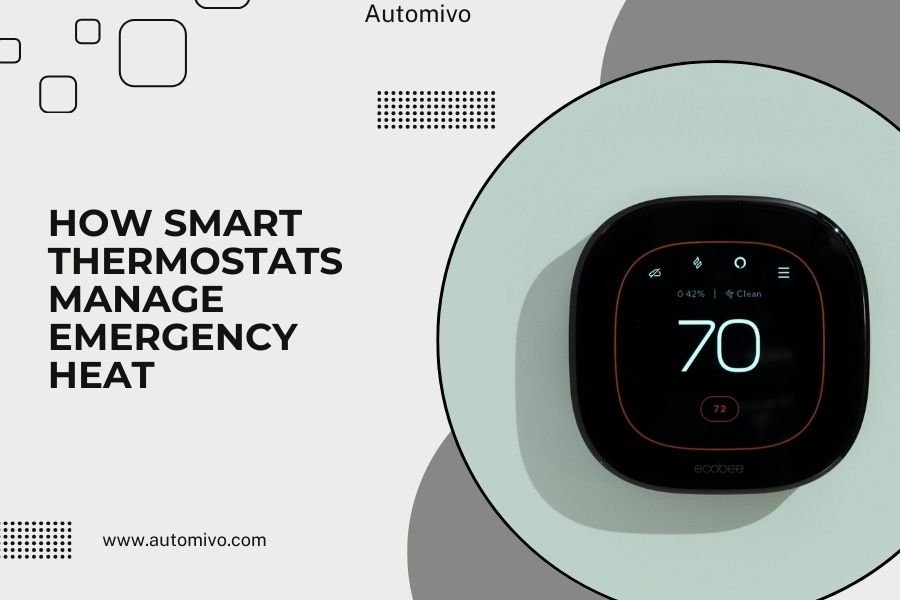
Smart thermostats manage emergency heat by automatically switching to auxiliary heating systems when your heat pump can’t keep up with heating demands or outdoor temperatures drop too low.
This backup heating system activates through temperature sensors and smart algorithms that detect when your primary heat pump needs extra help to maintain your desired indoor temperature.
What Is Emergency Heat and Why Do You Need It
Emergency heat is your backup heating system. Think of it like a spare tire – you hope you never need it, but you’ll be glad it’s there when you do.
Your heat pump works great most of the time. But when winter gets brutal, it struggles. Heat pumps pull warmth from outside air. When temperatures drop below 30-35°F, there’s less heat to extract.
That’s where emergency heat steps in. It’s usually electric resistance heating or gas furnace backup. These systems create heat instead of just moving it around like heat pumps do.
How Heat Pumps Struggle in Cold Weather
Heat pumps are like sponges trying to soak up warmth from cold air. The colder it gets, the harder they work for less result.
At around 25°F, most heat pumps start losing efficiency. They’re still working, but they’re using more energy to produce less heat. Your home might feel chilly even though the system runs constantly.
When Emergency Heat Becomes Necessary
Emergency heat kicks in during several situations:
- Outdoor temperatures drop below your heat pump’s effective range
- Your heat pump breaks down or malfunctions
- Ice builds up on the outdoor unit
- The system can’t maintain your set temperature after running for extended periods
How Smart Thermostats Detect When to Switch
Smart thermostats are like vigilant guards watching your heating system. They monitor multiple data points to make switching decisions.
These devices track indoor temperature, outdoor temperature, and how long your heat pump has been running. They also monitor the temperature difference between your set point and actual room temperature.
Temperature Differential Monitoring
Your smart thermostat watches the gap between what you want and what you’re getting. If your heat pump runs for 15-20 minutes and the temperature barely budges, the thermostat knows something’s wrong.
Most smart thermostats have a built-in threshold. If the temperature difference stays above 2-3 degrees for too long, they’ll call for backup heat.
Outdoor Temperature Sensors
Many smart thermostats connect to weather data or have outdoor sensors. They know when it’s too cold for your heat pump to work efficiently.
Research from the Department of Energy shows that heat pump efficiency drops significantly below 32°F. Smart thermostats use this data to switch proactively, not reactively.
Runtime Analysis
Smart thermostats track how long your heat pump runs. If it’s been working for an hour and your home is still cold, the thermostat recognizes the problem.
This prevents the frustrating cycle of a heat pump running all day while you shiver inside.
Automatic vs Manual Emergency Heat Control
You have two ways to control emergency heat: let your smart thermostat handle it or take manual control.
Automatic Mode Benefits
Automatic mode is like having a heating expert living in your wall. The thermostat makes decisions based on real data, not guesswork.
Benefits include:
- No need to monitor weather constantly
- Faster response to heating problems
- Better energy management
- You stay comfortable without thinking about it
Manual Override Options
Sometimes you want control. Maybe you know a cold snap is coming, or your heat pump is making weird noises.
Most smart thermostats let you manually switch to emergency heat through their app or touchscreen. This can be helpful when:
- You hear unusual sounds from your heat pump
- Extreme weather is forecast
- You notice ice buildup on the outdoor unit
- Your heat pump just isn’t keeping up
Safety Considerations for Manual Control
Don’t forget to switch back to normal mode when conditions improve. Emergency heat costs more to run than your heat pump.
Running emergency heat unnecessarily is like driving with your parking brake on – it works, but it’s inefficient and expensive.
Smart Thermostat Algorithms for Heat Management
Smart thermostats use sophisticated algorithms that would make a chess computer jealous. They’re constantly calculating the best heating strategy for your home.
Predictive Switching Logic
Modern smart thermostats don’t just react – they predict. They analyze weather forecasts, your home’s thermal characteristics, and historical data.
If they see a cold front approaching, they might pre-warm your home using the more efficient heat pump before temperatures drop too low.
Learning Your Home’s Heating Patterns
Your smart thermostat learns how your home behaves. It knows how long it takes to heat up, how quickly it loses heat, and where the challenging spots are.
This learning helps optimize when to switch to emergency heat. A well-insulated home might wait longer before switching, while a drafty house might need backup heat sooner.
Adaptive Temperature Thresholds
Smart thermostats adjust their switching points based on your home’s performance. They might start with manufacturer defaults but customize over time.
If your heat pump handles 28°F better than expected, the thermostat notes this and adjusts accordingly.
Energy Efficiency Considerations
Emergency heat is like calling for expensive backup when your regular team can’t handle the job. It gets the work done but costs more.
Heat pumps are typically 2-3 times more efficient than electric resistance heating. That’s why smart thermostats try to minimize emergency heat usage.
Cost Comparison Between Heat Sources
| Heating Type | Efficiency Rating | Relative Cost |
|---|---|---|
| Heat Pump (above 35°F) | 250-400% efficient | Low |
| Heat Pump (below 25°F) | 150-200% efficient | Medium |
| Electric Resistance | 100% efficient | High |
| Gas Furnace Backup | 80-95% efficient | Medium-Low |
Smart Scheduling for Optimal Efficiency
Smart thermostats can schedule emergency heat usage during off-peak electricity hours when rates are lower. Some utility companies offer time-of-use pricing that makes this strategy valuable.
They might pre-heat your home using emergency heat at 3 AM when electricity is cheap, then coast through expensive peak hours.
Integration with Utility Programs
Many smart thermostats connect with utility demand response programs. During peak demand periods, they might optimize heating strategies to reduce grid strain while keeping you comfortable.
Common Issues and Troubleshooting
Even smart systems have hiccups. Here are common problems and how to address them.
Emergency Heat Won’t Turn On
If your emergency heat isn’t activating when needed, check these areas:
- Verify the emergency heat system has power
- Check circuit breakers for tripped switches
- Ensure thermostat settings allow emergency heat
- Look for error messages on the thermostat display
Emergency Heat Runs Constantly
Emergency heat that won’t turn off is like a taxi meter running while you’re stuck in traffic – expensive and frustrating.
Common causes include:
- Thermostat stuck in emergency heat mode
- Faulty temperature sensors
- Incorrect thermostat programming
- Heat pump failure forcing reliance on backup
Sensor Calibration Problems
Sometimes smart thermostats get confused about actual temperatures. If your thermostat thinks it’s colder than it really is, it might call for emergency heat unnecessarily.
You can usually recalibrate sensors through the thermostat’s settings menu or smartphone app.
Communication Failures
Smart thermostats rely on communication between components. Wiring problems, Wi-Fi issues, or compatibility problems can disrupt emergency heat management.
Check your thermostat’s connectivity status and ensure all wiring connections are secure.
Different Types of Emergency Heat Systems
Not all emergency heat is created equal. Your smart thermostat needs to know what type of backup system you have to manage it properly.
Electric Resistance Heating
This is the most common emergency heat type. It’s like a giant toaster inside your air handler. Electric coils heat up and warm air blows over them.
Electric resistance is reliable and responds quickly. But it’s also the most expensive to operate.
Gas Furnace Backup
Some systems use a gas furnace as backup heat. This setup is more complex but often more economical to operate than electric resistance.
Smart thermostats managing gas backup need to coordinate with gas valve controls and safety systems.
Dual Fuel Systems
Dual fuel systems automatically switch between heat pump and gas furnace based on outdoor temperature and energy costs. These are the premium option for emergency heat management.
Research from HVAC manufacturers shows dual fuel systems can reduce heating costs by 20-30% compared to single-source systems.
Programming Your Smart Thermostat for Emergency Heat
Setting up emergency heat control is like teaching your thermostat when to call for help. You want it ready but not trigger-happy.
Setting Temperature Thresholds
Most smart thermostats let you set the outdoor temperature where emergency heat kicks in. A good starting point is 25-30°F, but your ideal setting depends on your specific heat pump and home.
You can also set differential thresholds – how many degrees below your set point triggers emergency heat.
Timing Parameters
Don’t let your thermostat jump to emergency heat too quickly. Heat pumps need time to work, especially in cold weather.
Set runtime parameters that give your heat pump 15-20 minutes to achieve temperature before calling for backup.
Seasonal Adjustments
Your emergency heat needs change with seasons. What works in December might be overkill in March.
Some smart thermostats automatically adjust thresholds based on seasonal patterns. Others require manual seasonal programming.
Integration with Smart Home Systems
Smart thermostats don’t work in isolation anymore. They’re part of connected home ecosystems that can optimize emergency heat usage.
Weather Data Integration
Your thermostat can access real-time weather data and forecasts. This helps it make proactive decisions about emergency heat.
If a cold snap is forecast, your thermostat might pre-condition your home or adjust switching thresholds.
Energy Monitoring Integration
Smart home energy monitors can help your thermostat make cost-conscious decisions about emergency heat usage.
Some systems track real-time electricity prices and delay emergency heat usage when rates are high, unless comfort is compromised.
Smart Grid Communication
Advanced smart thermostats communicate with utility smart grid systems. They can participate in demand response programs, adjusting emergency heat usage during peak demand periods.
Maintenance and Monitoring
Smart thermostats make emergency heat management easier, but you still need to maintain your systems.
Regular System Checks
Test your emergency heat monthly during heating season. Switch to emergency heat mode manually and verify it works properly.
This is like testing your smoke detector – better to find problems when you don’t need the system urgently.
Filter Maintenance
Emergency heat systems work harder than heat pumps and can clog filters faster. Check filters monthly when emergency heat runs frequently.
Dirty filters force emergency heat systems to work harder, increasing energy costs and reducing equipment life.
Professional Inspections
Have your emergency heat system professionally inspected annually. This includes checking electrical connections, gas lines (if applicable), and safety systems.
Many HVAC professionals recommend scheduling this inspection before heating season starts.
Conclusion
Smart thermostats transform emergency heat from a manual backup system into an intelligent, automated comfort solution. They monitor multiple data points, learn your home’s characteristics, and make informed decisions about when to switch heating sources.
The key is proper setup and understanding how your specific system works. Whether you have electric resistance backup or a dual fuel setup, your smart thermostat can optimize performance while minimizing energy costs. Regular maintenance and monitoring ensure your emergency heat is ready when you need it most.
Remember that emergency heat is exactly that – for emergencies and extreme conditions. Your smart thermostat’s job is to use it wisely, keeping you comfortable while protecting your wallet from unnecessary energy costs.
How long should emergency heat run before switching back to normal mode?
Emergency heat should switch back to normal mode once outdoor temperatures rise above your heat pump’s effective range, typically 35-40°F, and your home reaches the desired temperature. Most smart thermostats automatically make this transition within 30-60 minutes of improved conditions.
Can I damage my heat pump by using emergency heat too often?
Using emergency heat doesn’t damage your heat pump since the systems operate independently. The concern is efficiency and cost – emergency heat typically costs 2-3 times more to operate than your heat pump in moderate conditions.
Why does my smart thermostat show emergency heat is on when it’s not that cold outside?
Your heat pump might be malfunctioning, you may have ice buildup on the outdoor unit, or your thermostat’s temperature thresholds need adjustment. Check for error messages and verify your outdoor unit isn’t blocked or frozen.
Do all smart thermostats work with emergency heat systems?
Not all smart thermostats support emergency heat control. You need a model specifically designed for heat pump systems with auxiliary heat capability. Check compatibility with your specific HVAC setup before purchasing.
How can I tell if my emergency heat is electric resistance or gas backup?
Look at your indoor air handler or furnace unit. Electric resistance backup will have large electrical connections and heating elements. Gas backup systems have gas line connections and a gas valve. Your HVAC system documentation or a professional inspection can confirm your setup type.
