
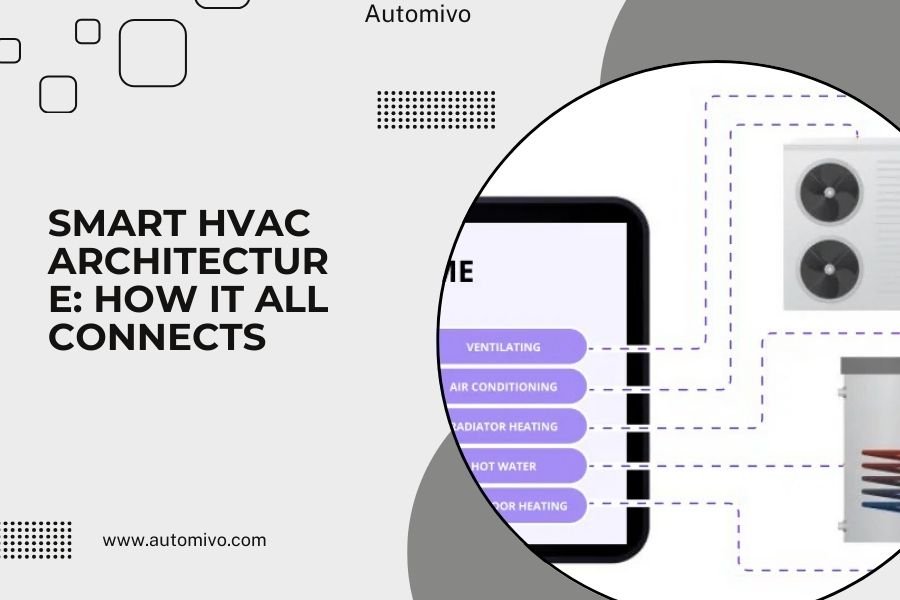
Smart HVAC architecture connects your heating and cooling system through a central hub that communicates with sensors, thermostats, and smart devices using wireless protocols like WiFi, Zigbee, or Z-Wave.
The system works by collecting data from multiple sensors throughout your home, processing this information at a central control point, and automatically adjusting temperature settings to optimize comfort and energy efficiency.
The Heart of Your Smart HVAC System
Think of your smart HVAC architecture like the nervous system in your body. Just as your brain receives signals from different parts of your body and responds, your smart HVAC system has a central hub that gathers information from sensors and makes decisions.
Your smart thermostat acts as the command center. It processes data from temperature sensors, humidity monitors, and occupancy detectors. When I researched how these systems work, I found that most use machine learning to understand your daily patterns.
Central Hub Technology
The central hub is your system’s brain. It connects all your smart HVAC components and makes them work together. Most hubs support multiple communication protocols, so you can mix and match different brands.
Modern hubs often include cloud connectivity. This means you can control your system from anywhere and receive software updates automatically.
Sensor Network Integration
Your smart HVAC system relies on various sensors placed throughout your home. These include temperature sensors, humidity detectors, air quality monitors, and motion sensors.
Each sensor sends data wirelessly to your central hub. The hub analyzes this information and adjusts your HVAC system accordingly. From what I read, most systems update sensor readings every few minutes.
Communication Protocols That Make It Work
Your smart HVAC components need to talk to each other. They use different wireless languages called protocols. Each has strengths and weaknesses.
WiFi Connectivity
WiFi is the most common protocol for smart thermostats. It offers fast data transmission and easy smartphone app integration. You probably already have WiFi in your home, making setup simple.
The downside? WiFi devices use more power than other options. They also depend on your internet connection to work properly.
Zigbee Mesh Networks
Zigbee creates a mesh network where each device acts as a signal repeater. This means better coverage throughout your home, even in areas with weak WiFi.
Zigbee devices use less power than WiFi. Many experts say Zigbee is more reliable for home automation because it doesn’t depend on internet connectivity.
Z-Wave Technology
Z-Wave works similarly to Zigbee but uses a different frequency. This reduces interference with your WiFi network. Z-Wave devices can communicate up to 100 feet in open air.
I found that Z-Wave is particularly popular for whole-home automation systems because of its reliability and range.
Smart Thermostat as Control Center
Your smart thermostat does much more than just display temperature. It processes data, learns your habits, and coordinates with other smart home devices.
Learning Algorithms
Modern smart thermostats use machine learning to understand your schedule. They notice when you leave for work and return home. Over time, they automatically adjust temperatures to save energy when you’re away.
Research shows that learning thermostats can reduce energy consumption by 10-15% compared to traditional programmable models.
Multi-Zone Control
If you have a zoned HVAC system, your smart thermostat can control different areas independently. Each zone has its own temperature sensor and damper controls.
This means you can keep bedrooms cooler at night while maintaining comfortable temperatures in living areas. Multi-zone systems can cut energy costs by up to 30% in larger homes.
Sensor Types and Their Functions
Different sensors collect specific types of data. Understanding what each sensor does helps you design an effective system.
Temperature Sensors
Temperature sensors are your system’s eyes. They monitor air temperature in different rooms and send this data to your central hub. Most use digital thermistors for accuracy.
Wireless temperature sensors can detect changes as small as 0.1 degrees Fahrenheit. They typically run on batteries that last 1-2 years.
Humidity Monitors
Humidity affects how comfortable you feel at any given temperature. Smart HVAC systems use humidity sensors to optimize both heating and cooling.
When humidity is high, your system might cool more to remove moisture. During winter, it might reduce heating to prevent overly dry air.
Occupancy Detection
Motion sensors and occupancy detectors tell your system when rooms are in use. This prevents energy waste by avoiding heating or cooling empty spaces.
Some advanced systems use smartphone location services to detect when you’re approaching home. They can start adjusting temperatures before you arrive.
Integration with Other Smart Home Systems
Your smart HVAC system works best when connected to other smart home devices. This creates a coordinated automation experience.
Smart Lighting Coordination
Smart lights can work with your HVAC system to manage energy usage. When lights detect nobody is home, they signal your thermostat to enter energy-saving mode.
Some systems also coordinate with smart blinds. They can close blinds during hot afternoons to reduce cooling loads.
Voice Assistant Integration
Most smart HVAC systems work with Alexa, Google Assistant, or Apple HomeKit. You can adjust temperatures, check system status, or change modes using voice commands.
Voice integration makes your system more accessible, especially for elderly family members or guests unfamiliar with smartphone apps.
Data Flow and Processing
Understanding how data moves through your system helps you troubleshoot problems and optimize performance.
Real-Time Data Collection
Your sensors constantly monitor conditions and send updates to the central hub. Most systems collect data every 30 seconds to 5 minutes, depending on settings.
The hub stores this data locally and may also send it to cloud servers for analysis and remote access.
Decision-Making Process
Your system analyzes sensor data against programmed rules and learned behaviors. It considers factors like outside weather, occupancy patterns, and energy cost schedules.
When the system decides to make changes, it sends commands to your HVAC equipment through control interfaces.
Power and Backup Systems
Smart HVAC systems need reliable power to function properly. Most components have backup systems to maintain operation during outages.
Battery Backup Options
Many smart thermostats include battery backup to maintain settings during power outages. Wireless sensors typically run on batteries as their primary power source.
I found that most battery-powered sensors last 1-3 years before needing replacement, depending on usage and transmission frequency.
Wired vs Wireless Components
Wired components like smart thermostats usually connect to your home’s electrical system. This provides reliable power but requires professional installation.
Wireless sensors offer more flexibility in placement but need periodic battery maintenance. Choose based on your specific needs and installation preferences.
Common Architecture Configurations
Smart HVAC systems can be configured in different ways depending on your home size, budget, and automation goals.
| Configuration Type | Best For | Components Needed | Complexity Level |
|---|---|---|---|
| Basic Smart | Single-zone homes | Smart thermostat, 1-2 sensors | Low |
| Multi-Zone | Large homes | Smart thermostat, multiple sensors, zone dampers | Medium |
| Whole-Home Automation | Tech enthusiasts | Central hub, numerous sensors, integrated devices | High |
Single-Zone Setup
A basic single-zone system includes a smart thermostat and one or two additional sensors. This works well for apartments or smaller homes with open floor plans.
You can add components over time as your needs change or budget allows.
Multi-Zone Configuration
Multi-zone systems divide your home into separate climate areas. Each zone has its own sensors and damper controls, managed by a central smart thermostat.
This setup requires professional installation but offers significant comfort and energy savings in larger homes.
Security and Privacy Considerations
Smart HVAC systems collect data about your home and habits. Understanding security implications helps you protect your privacy.
Data Encryption
Look for systems that encrypt data transmission between devices. Most reputable manufacturers use AES encryption or similar security protocols.
Your smart thermostat should also encrypt data sent to cloud servers for remote access and analysis.
Network Security
Keep your home network secure with strong WiFi passwords and regular router firmware updates. Consider setting up a separate network for smart home devices.
Many experts recommend changing default passwords on all smart HVAC components during initial setup.
Troubleshooting Connection Issues
Even well-designed systems sometimes have communication problems. Knowing basic troubleshooting steps saves time and service calls.
Signal Interference
Wireless signals can be blocked by walls, appliances, or other electronic devices. If sensors aren’t responding, try moving them closer to the hub temporarily.
Metal objects and thick walls particularly affect Zigbee and Z-Wave signals. Consider adding mesh network repeaters in problem areas.
Battery Management
Low batteries are the most common cause of sensor failures. Most smart home apps will alert you when battery levels drop below 20%.
Replace all batteries in a sensor at the same time, even if only one is low. This prevents future issues and ensures reliable operation.
Future-Proofing Your System
Smart home technology changes rapidly. Choosing systems with upgrade potential protects your investment.
Expandability Options
Select systems that support adding new devices over time. Look for hubs that work with multiple protocols and have available expansion slots.
Cloud-based systems often receive feature updates automatically, adding new capabilities without hardware changes.
Industry Standards
New standards like Matter aim to improve compatibility between different smart home brands. Systems supporting these standards will have more integration options.
From what I researched, Matter support is becoming more common among major HVAC manufacturers.
Conclusion
Smart HVAC architecture creates a connected system that automatically optimizes your home’s comfort and energy efficiency. By understanding how sensors, communication protocols, and control systems work together, you can design a setup that meets your specific needs.
Start with a basic smart thermostat and expand your system gradually. Focus on reliable communication protocols and choose components that work well together. With proper planning and setup, your smart HVAC system will provide years of improved comfort and energy savings.
Remember that technology continues advancing rapidly. Choose systems with upgrade potential and strong manufacturer support to protect your investment over time.
How long does it take to install a smart HVAC system?
Basic smart thermostat installation typically takes 1-2 hours for a professional. Complex multi-zone systems with multiple sensors and dampers may require a full day or more, depending on your home’s existing wiring and ductwork.
Can I mix different brands in my smart HVAC setup?
Yes, but compatibility depends on the communication protocols each device supports. Systems using standard protocols like Zigbee, Z-Wave, or WiFi can often work together through a compatible hub, even when made by different manufacturers.
What happens to my smart HVAC system during internet outages?
Most smart HVAC systems continue basic heating and cooling functions during internet outages. You’ll lose remote access and cloud-based features, but local sensors and programming typically keep working. Battery backup in the thermostat maintains your settings.
How much can a smart HVAC system reduce my energy bills?
Research suggests smart HVAC systems can reduce energy consumption by 10-23% compared to traditional systems. Actual savings depend on your home size, local climate, energy costs, and how well you optimize the system settings for your lifestyle.
Do smart HVAC systems work with older heating and cooling equipment?
Many smart thermostats work with older HVAC equipment, but compatibility varies by system type. Heat pumps, boilers, and multi-stage systems may need specific smart thermostat models. Check compatibility before purchasing, and consider professional installation for older systems.
