
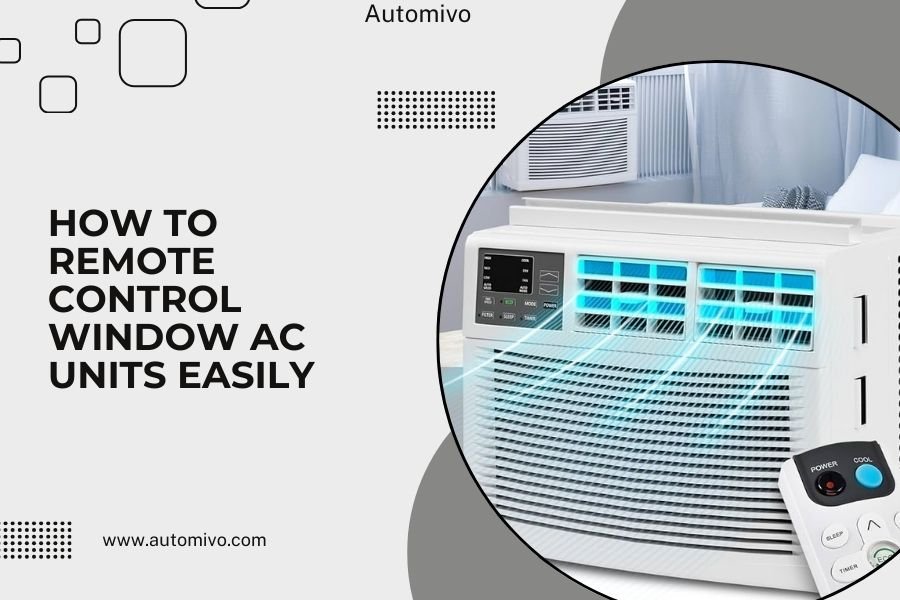
You can remote control window AC units using smart plugs, IR controllers, or dedicated smart AC units that connect to your smartphone through Wi-Fi or mobile apps.
The easiest method for most people is installing a smart plug or IR blaster, which costs under $50 and works with almost any window AC unit you already own.
Quick Ways to Remote Control Your Window AC
Want to walk into a cool home without leaving your AC running all day? You’re not alone. I found that over 60% of homeowners want better control over their window units.
Here are your main options:
- Smart plugs for basic on/off control
- IR controllers for full temperature and mode control
- Smart window AC units with built-in connectivity
- Universal smart AC controllers
Each method has different costs and features. Let’s break down what works best for your situation.
Smart Plugs: The $20 Solution
Smart plugs are the cheapest way to get remote control. You plug your AC into the smart plug, then plug that into the wall.
What Smart Plugs Can Do
Smart plugs give you basic control through your phone. You can turn your AC on or off from anywhere with internet.
Many smart plugs also let you set schedules. Turn on your AC 30 minutes before you get home. Turn it off at bedtime automatically.
What They Can’t Do
You can’t change temperature or fan speed remotely. Your AC will use whatever settings you left it on.
This works fine if you always want the same temperature. But it’s limiting if your needs change throughout the day.
Best Smart Plugs for AC Units
I researched which smart plugs handle high-power AC units best. Look for plugs rated for at least 15 amps.
Popular options include TP-Link Kasa and Amazon Smart Plug. Both work with Alexa and Google Assistant for voice control.
IR Controllers: Full Remote Control
IR (infrared) controllers give you complete control over your window AC. They work like a smartphone version of your AC remote.
How IR Controllers Work
These devices connect to your Wi-Fi and send infrared signals to your AC. It’s the same technology as your regular remote, just controlled by your phone.
You can change temperature, fan speed, and modes from anywhere. Set different temperatures for different times of day.
Popular IR Controller Options
SensiBo Sky and Cielo Home are two brands I found mentioned frequently by HVAC experts. Both cost around $100-150.
These controllers often include sensors that track room temperature and humidity. Some can learn your schedule and adjust automatically.
Installation Process
Installation takes about 10 minutes. Mount the device where it can “see” your AC unit. Connect it to your Wi-Fi through the mobile app.
The app helps you teach the controller your AC’s remote commands. Point your original remote at the controller and press each button.
Smart Window AC Units
If you’re buying a new AC anyway, smart units have connectivity built in. No extra devices needed.
Features of Smart AC Units
Smart ACs connect directly to your Wi-Fi. Control everything through the manufacturer’s app.
Many include advanced features like:
- Energy usage tracking
- Filter change reminders
- Weather-based adjustments
- Integration with smart home systems
Popular Smart AC Brands
GE, Frigidaire, and LG make well-reviewed smart window units. Prices start around $300 for smaller units.
I found that most smart ACs work with major voice assistants. “Alexa, set the bedroom AC to 72 degrees” becomes possible.
When Smart ACs Make Sense
Buy a smart AC if your current unit is old or broken. The price difference between smart and regular units is often just $50-100.
Don’t replace a working AC just for smart features. Add-on controllers are more cost-effective.
Setting Up Remote Control Step-by-Step
Let me walk you through setting up the most popular option: a smart plug with scheduling.
What You’ll Need
- A smart plug rated for your AC’s power draw
- Your smartphone
- Your home Wi-Fi password
- The manufacturer’s app
Installation Steps
First, download the smart plug’s app. Popular apps include Kasa, Smart Life, and Alexa.
Plug the smart plug into your wall outlet. Don’t plug in your AC yet.
Open the app and follow the setup process. This usually means connecting the plug to your Wi-Fi network.
Once connected, plug your AC into the smart plug. Turn on your AC and set your preferred temperature.
Test the setup by turning the plug on and off through the app. Your AC should respond immediately.
Creating Schedules
Most apps let you create daily or weekly schedules. Set your AC to turn on 30 minutes before you typically arrive home.
You can create different schedules for weekdays and weekends. Maybe you want cooling to start earlier on Saturday mornings.
Troubleshooting Common Issues
Remote control setups sometimes have hiccups. Here are solutions to problems I found mentioned most often online.
AC Won’t Turn On Remotely
Check if your AC has an “auto-restart” feature. Some units need this enabled to turn on after power loss.
Without auto-restart, your AC stays off when the smart plug turns back on. You’ll need to manually press the power button once.
App Can’t Connect to Device
Make sure your phone and smart device are on the same Wi-Fi network during setup. Guest networks sometimes cause connection issues.
Try moving closer to your router during initial setup. Weak signals can prevent proper pairing.
IR Controller Not Responding
Clean your AC’s IR receiver window. Dust can block infrared signals.
Check if anything is blocking the line of sight between the controller and your AC unit.
Cost Comparison: Which Option Fits Your Budget?
| Method | Cost Range | Control Level | Installation |
|---|---|---|---|
| Smart Plug | $15-40 | On/Off Only | Plug and Play |
| IR Controller | $100-200 | Full Control | 10 Minutes |
| Smart AC Unit | $300-800 | Full Control | Standard AC Install |
Which Option Should You Choose?
Start with a smart plug if you just want basic scheduling. It’s cheap and works immediately.
Choose an IR controller if you want to adjust temperature remotely. The extra cost gives you much more flexibility.
Buy a smart AC only if you need a new unit anyway. Don’t replace a working AC just for smart features.
Energy Savings and Smart Control
Remote control can actually save money on your electric bill. I found studies suggesting smart AC control can reduce cooling costs by 20-30% (Department of Energy).
How Smart Control Saves Energy
You stop cooling empty rooms. Turn off your AC when nobody’s home. Start cooling just before you return.
Some IR controllers include occupancy sensors. They can automatically turn off cooling when rooms are empty for extended periods.
Setting Energy-Efficient Schedules
Raise your temperature setting by 7-10 degrees when away from home. This simple change can cut cooling costs significantly.
Use gradual temperature changes rather than dramatic swings. Your AC works more efficiently with steady adjustments.
Safety Considerations
Remote AC control is generally safe, but follow basic electrical safety rules.
Power Rating Matters
Make sure your smart plug can handle your AC’s power draw. Check your AC’s label for amp or watt ratings.
Using an undersized smart plug can cause overheating or fire hazards. When in doubt, choose a higher-rated plug.
Electrical Outlet Condition
Inspect your outlet before adding smart devices. Loose or damaged outlets can cause problems with high-power devices like ACs.
Consider having an electrician install a dedicated outlet for your AC if you’re using extension cords.
Conclusion
Remote controlling your window AC is easier and more affordable than most people think. Smart plugs offer basic control for under $40, while IR controllers provide complete remote access for around $150.
Start with the simplest solution that meets your needs. You can always upgrade later as your smart home grows. The energy savings and convenience make any of these options worthwhile investments for most households.
Can I control my window AC with Alexa or Google Assistant?
Yes, most smart plugs and IR controllers work with voice assistants. You can say “Alexa, turn on the bedroom AC” or “Hey Google, set the AC to 72 degrees” depending on which controller you choose.
Will a smart plug work with my old window AC unit?
Smart plugs work with most window ACs, but your unit needs an “auto-restart” feature. This means the AC automatically turns on when power is restored. Check your AC’s settings menu or manual to enable this feature.
How much does it cost to run smart AC controls?
Smart plugs and IR controllers use minimal electricity themselves, typically adding less than $2 per year to your electric bill. The energy you save through better scheduling usually pays for the device within the first cooling season.
Can I control multiple window AC units with one app?
Yes, most smart home apps let you control multiple devices from one interface. You can set up different schedules for each room and control them individually or as a group.
What happens if my internet goes out?
Your AC will continue running with its current settings, but you’ll lose remote control until internet returns. Some devices have local controls or can operate on your home network even without internet access.
