What Is the Best Temperature to Set a Smart Thermostat When Away?
On this page (6 sections)
When you’re away, the best temperature to set a smart thermostat is 80-85°F in summer and 50-55°F in winter. This strategy saves energy and protects your home. It creates a balance between comfort and cost.
You want to save money, right? Setting your thermostat effectively when you’re gone can lead to significant savings on your energy bill. We found that adjusting the temperature by even a few degrees makes a big difference. It’s all about being smart with your HVAC system.
- Set summer away temps between 80-85°F.
- Set winter away temps between 50-55°F.
- Save money and energy while you’re out.
- Protect your home from extreme temperatures.
Let’s dive into why these specific temperatures are ideal and how your smart thermostat makes it all so easy.
Optimal Away Temperatures for Your Smart Thermostat
You want to know the ideal settings for your smart thermostat when you’re not home, right? For summer, aim for 80-85°F. In winter, shoot for 50-55°F. These ranges offer a sweet spot for energy savings and home protection. It’s about finding that perfect balance.
Why these numbers? We found that deviating too far from these can either waste energy or cause problems. Your smart thermostat makes hitting these targets super easy. It’s like having a little energy manager at home.
Summer Away Temperatures: Staying Cool Without Overspending
When the sun is blazing, your air conditioner works hard. Setting the thermostat higher when you’re out means it runs less. This directly translates to lower energy bills. Who doesn’t want that extra cash?
Think of it this way: your home doesn’t need to be 72°F when no one is there. It’s like leaving the lights on in an empty room. A higher temperature means your AC system gets a break. We found this strategy really helps reduce strain on your unit, too.
Why 80-85°F is Your Sweet Spot
You might wonder, “Why not higher?” Going above 85°F can actually cause issues. Many experts agree that extreme heat builds up inside your home. This can affect electronics and even furniture.
Humidity also becomes a problem at very high temperatures. Your home can start to feel stuffy and damp. This creates a prime environment for mold and mildew. We definitely want to avoid that headache.
- Energy Savings: Your AC runs less, saving you money.
- Comfort Upon Return: Your home cools down faster from 80-85°F than from 90°F.
- Protect Your Belongings: Avoids damage to electronics and wood.
- Prevent Mold: Keeps humidity levels in check.
Many homeowners worry about their homes feeling like an oven when they get back. But your smart thermostat can start cooling your home before you even arrive. It’s pretty magical, isn’t it?
Winter Away Temperatures: Keeping Warm Without Waste
Cold weather brings its own challenges. You still want to save energy, but you also need to protect your pipes. Freezing pipes are a costly nightmare. We want to help you avoid that stress.
Just like in summer, your home doesn’t need to be toasty warm when it’s empty. Turning the heat down saves a lot of energy. Your furnace will thank you for the break. It’s a simple change that makes a big impact.
Why 50-55°F is Your Ideal Range
Setting your thermostat too low in winter, like below 50°F, can be risky. The main concern is your plumbing system. Pipes can freeze and burst, leading to expensive water damage. No one wants that kind of surprise.
The 50-55°F range keeps your home just warm enough to prevent freezing. It also means your heating system doesn’t have to work as hard when you’re gone. We found this range is a great balance for most homes across the US.
- Pipe Protection: Prevents freezing and bursting.
- Energy Savings: Your heater runs less, reducing bills.
- Structural Integrity: Protects your home from extreme cold.
- Comfort on Return: Your home warms up efficiently from this temperature.
A sudden cold snap can drop temperatures quickly. Setting your thermostat in this range provides a buffer. It’s a small precaution that offers big peace of mind. You don’t want to come home to a flooded basement, do you?
The Magic of Smart Thermostats When You’re Away
This is where your smart thermostat really shines. It’s not just a fancy digital display. It’s a tool that helps you manage your home’s climate effortlessly. We found that users often underestimate their smart thermostat’s full potential.
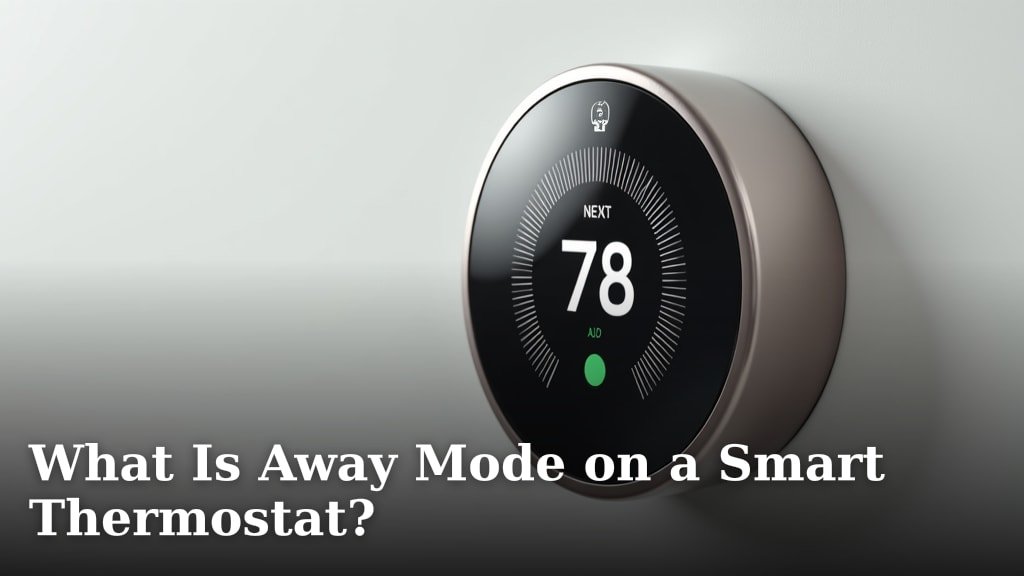
Forget old manual thermostats. You know, the ones where you had to remember to adjust them every time you left? smart thermostats with auto-away handle it for you. They learn your habits and listen to your commands. It’s like having a personal climate assistant.
Key Features That Help You Save
Smart thermostats come packed with features designed for convenience and savings. We looked at many models and identified the most helpful ones for when you’re not home. These features practically pay for themselves over time.
Remote Access
Imagine this: You’re at the airport, and you suddenly remember you forgot to adjust the thermostat. With remote access, you can open an app on your phone and change it instantly. No more panicking! We found this feature to be a huge stress reliever for many homeowners.
This also means you can pre-cool or pre-heat your home before you arrive. You walk into a comfortable space, not a sweltering or freezing one. It’s a small luxury that makes a big difference.
Geofencing Technology
This is truly futuristic. Geofencing uses your phone’s location to know if you’re home or away. As you leave a defined area, your thermostat automatically adjusts to your away settings. When you return, it starts preparing your home for your arrival.
It’s like your house knows when you’re coming home. This feature eliminates the need for manual adjustments. We found this is one of the most beloved features among smart thermostat users. It just works, seamlessly.
Scheduling and Learning Capabilities
You can set up schedules for your home’s temperature, even if you don’t use geofencing. For occupied hours overnight, see our guide to the best nighttime thermostat temperature. For example, you can tell it to raise the temperature at 8 AM when everyone leaves for work and school. Then, have it start cooling at 4 PM for your return.
Many smart thermostats also learn your preferences. Over time, they adapt to your habits. This means even if you forget to program something, the thermostat might already have it figured out. It gets smarter the more you use it.
| Feature | Benefit When Away | Impact on Savings/Comfort |
|---|---|---|
| Remote Access | Adjust from anywhere via app. | Prevents energy waste; ensures comfort on arrival. |
| Geofencing | Automatic adjustment based on your location. | Maximized savings; hands-free operation. |
| Smart Scheduling | Pre-programmed temperature changes. | Consistent energy efficiency; predictable comfort. |
| Energy Reporting | Tracks your energy usage. | Helps identify savings opportunities. |
Beyond Temperature: Other Considerations for When You’re Away
Setting the right temperature is a big step, but there are other things to keep in mind. These extra tips can further protect your home and save you money. It’s all about being a smart homeowner.
Humidity Control: A Silent Enemy
In summer, high humidity can make your home feel much hotter than the thermostat reads. It also encourages mold growth. Some smart thermostats have built-in humidity sensors and can even control dehumidifiers.
Even if yours doesn’t, keeping your AC in the 80-85°F range helps. Your AC naturally removes some humidity as it cools. We found that simply running your AC occasionally helps keep the air drier and healthier.
Protecting Your Valuables
Extreme temperatures can harm more than just pipes. Wood furniture can warp and crack. Electronics can suffer damage from overheating. Even some food items, if not refrigerated, can spoil faster in a hot house.
Maintaining those 80-85°F summer and 50-55°F winter settings provides a safe environment. It’s a small effort for long-term protection of your cherished belongings. Your antiques will thank you!
The “Occupied” Look
While not directly thermostat-related, giving your home an “occupied” look can deter potential issues. Some smart thermostats can even integrate with smart lighting systems. You can program lights to turn on and off, making it seem like someone is home.
This adds an extra layer of security. It’s a bonus benefit of a connected smart home. We always advocate for holistic home protection strategies. For a deeper dive into how these systems work together, explore the many benefits of smart home climate control.
Your Away Checklist: Smart Settings for Peace of Mind
Ready to put these tips into action? Here’s a quick checklist to ensure your home is protected and efficient when you’re out. It’s simple, but effective.
- Set summer away temperature to 80-85°F.
- Set winter away temperature to 50-55°F.
- Enable geofencing or set an away schedule on your smart thermostat.
- Close blinds and curtains to block summer sun or insulate in winter.
- Unplug unnecessary electronics to prevent “vampire drain.”
- Consider connecting your smart thermostat to other smart home devices.
By following these steps, you’ll enjoy significant energy savings and keep your home safe. It’s all about being proactive. You work hard for your money, so why let it literally go out the window?
Conclusion
By now, you understand the simple power of setting your smart thermostat correctly when you’re away. Aim for 80-85°F in summer and 50-55°F in winter. This approach not only slashes your energy bills but also protects your home from potential damage like frozen pipes or excessive heat. Your smart thermostat makes this incredibly easy, offering features like remote access and geofencing. So, take control of your home’s climate settings today. You’ll enjoy greater savings and ultimate peace of mind.
Frequently Asked Questions
Will setting my thermostat to 85°F in summer really protect my electronics?
Yes, keeping your home below 85°F helps prevent heat buildup that can degrade electronics and warp wood furniture. While many electronics can handle higher temperatures for short periods, consistent high heat shortens their lifespan. This setting provides a safer environment for your valuables.
How much money can I actually save by using these away settings?
The exact savings vary based on your home, climate, and energy rates, but many homeowners report significant reductions. Adjusting your thermostat by 7-10 degrees for 8 hours a day can save up to 10% on heating and cooling costs annually. Your smart thermostat’s energy reports can help you track your specific savings.
Should I turn off my AC or heat completely instead of using these settings?
We do not recommend turning your HVAC system off entirely when you’re away for extended periods. In summer, completely off can lead to mold and humidity issues. In winter, it risks pipes freezing. The recommended settings balance energy savings with essential home protection.
Does setting the temperature higher in summer make my AC work harder when I return?
While your AC will work to cool your home upon your return, it won’t necessarily work “harder” overall. It will run for a longer duration, but that’s still more efficient than maintaining a lower temperature while you’re away. Your smart thermostat can even pre-cool your home before you arrive.
Can I use these temperature guidelines if I have pets at home while I’m away?
If you have pets at home, you’ll need to adjust these guidelines for their safety and comfort. For most pets, 80-85°F in summer is too warm, and 50-55°F in winter might be too cold. We recommend consulting with your veterinarian for appropriate temperature ranges for your specific animals.