
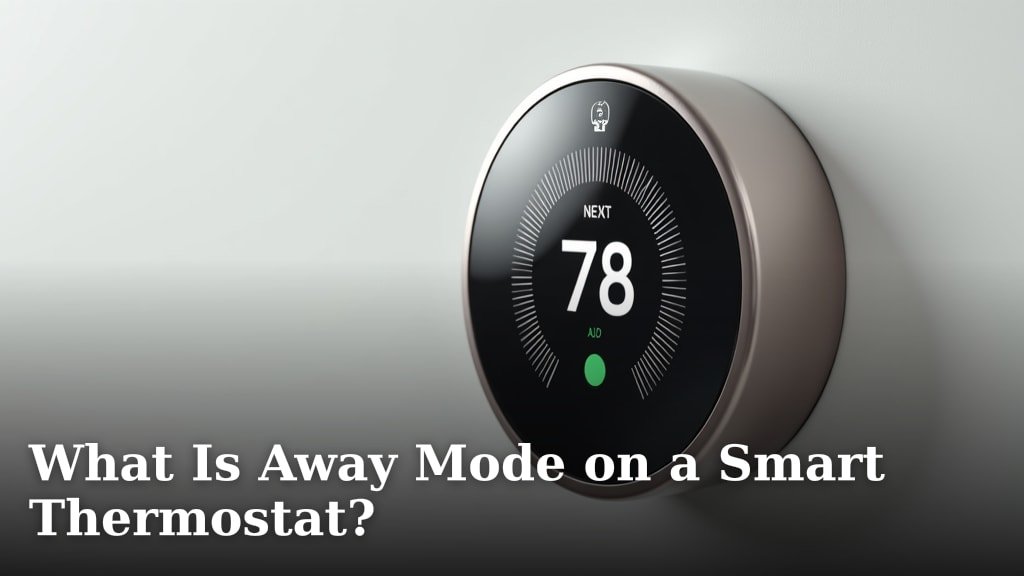
Away Mode on your smart thermostat is a special setting designed to conserve energy when you’re not home. It helps save money on your energy bills by automatically adjusting your home’s temperature. You can typically set it remotely via your smartphone, too.
When you activate Away Mode, your thermostat will switch to an energy-saving temperature. This is usually a few degrees warmer in the summer and cooler in the winter than your usual comfort settings. Many smart thermostats can even detect when you leave and return home automatically, so you don’t have to remember to switch it.
- Away Mode saves energy.
- It automatically adjusts your home’s temperature.
- You can often control it from your phone.
- Some thermostats sense when you leave and return.
- It helps lower your energy bills.
Let’s get into what Away Mode is, how it works, and why it’s such a smart feature to use.
Understanding Your Smart Thermostat’s Away Mode
So, you’ve got a smart thermostat, and you’ve heard about ‘Away Mode.’ But what exactly is it? Think of it as your thermostat’s vacation setting for everyday life. It’s a smart way to save energy and money without sacrificing comfort when no one is home. It’s designed to be your home’s energy guardian when you’re out and about.
This mode tells your thermostat to ignore your usual comfort settings. Instead, it kicks into a more energy-efficient temperature range. This means your heating and cooling systems work less. Less work means less energy used. And less energy used directly translates to lower utility bills. It’s a simple concept with a big impact.
How Away Mode Works to Save You Money
The core function of Away Mode is temperature adjustment. When you’re away, you don’t need your home to be at a perfectly toasty 72 degrees Fahrenheit or a refreshingly cool 70 degrees Fahrenheit. You can afford to let the temperature drift a bit. Away Mode allows for this drift.
For example, in the winter, Away Mode might set your thermostat to 62 degrees Fahrenheit instead of your usual 70. In the summer, it could bump it up to 78 degrees Fahrenheit instead of 70. These small adjustments make a huge difference in how much your HVAC system runs. It doesn’t have to work as hard to maintain extreme temperatures.
The Energy Savings Behind the Setting
Heating and cooling your home accounts for a large portion of your energy usage. Research shows it can be as much as 50% of your utility bill (U.S. Department of Energy). When you’re not there, that energy is essentially being wasted. Away Mode stops this waste. It ensures your system isn’t needlessly heating or cooling an empty house.
Consider the science: it takes a lot of energy to constantly maintain a specific temperature. When the temperature is allowed to fluctuate within a reasonable range, your system cycles less frequently. This conserves electricity or gas. It’s a direct, measurable saving. Many homeowners find their bills drop noticeably after consistently using this feature.
Setting Your Away Mode: Manual vs. Automatic
How you activate Away Mode can vary between smart thermostat brands. Some require a simple tap on the thermostat itself. Others let you adjust it through a smartphone app. This app control is a major convenience. You can set it as you’re walking out the door or even from your office.
The really smart thermostats take it a step further. They offer geofencing technology. Geofencing uses your phone’s location. It can automatically switch your thermostat to Away Mode when you leave a certain radius around your home. Then, as you approach home, it switches back to your comfort settings. This means you don’t even have to remember to manually change it!
Geofencing: The Ultimate Convenience
Imagine this: you’re heading home from work. As you get within a mile or two of your house, your smart thermostat detects your approach. It starts adjusting the temperature so that your home is perfectly comfortable the moment you walk in. No more waiting for the house to cool down or warm up. This is the magic of geofencing within Away Mode.
This automatic switching is incredibly useful for busy individuals or families. It removes the mental load of remembering to adjust the thermostat. You just live your life, and your smart home technology handles the energy savings in the background. It’s like having a personal energy assistant.
When Should You Use Away Mode?
Away Mode is incredibly versatile. It’s not just for long vacations. Think about your daily routine. Are there times when your home is consistently empty?
- Workdays: Most people leave for work in the morning and return in the evening. This is prime time for Away Mode. Set it when you leave and let it work until you’re almost home.
- School Days: If children are at school and only one parent is home, or no one is home, Away Mode can be active.
- Errands and Appointments: Leaving for a doctor’s visit, grocery shopping, or a quick errand? If you’ll be gone for more than an hour or two, it’s worth engaging Away Mode.
- Weekends: Even on weekends, you might leave for extended periods for leisure activities.
- Vacations and Travel: This is the classic use case. Away Mode is perfect for ensuring your home is energy-efficient while you’re out of town.
The key is to consider periods when your home is unoccupied for at least a couple of hours. For very short trips (like a quick walk around the block), the energy savings might be minimal. However, for anything longer, Away Mode is your best friend.
Customizing Away Mode for Your Needs
Not all smart thermostats are created equal, and neither are your comfort preferences. Most smart thermostats allow you to customize the temperature settings for Away Mode. This is important. You don’t want to return to a home that’s uncomfortably hot or cold.
You can typically set a specific “away” temperature for heating and a specific “away” temperature for cooling. For instance, you might set your away heating temperature to 55 degrees Fahrenheit and your away cooling temperature to 80 degrees Fahrenheit. This provides a broader range than default settings, maximizing savings while still keeping your home within a safe and manageable temperature zone.
Finding the Right Balance
The goal is to find a balance between energy savings and comfort. You want to save as much as possible, but you also want to avoid extreme temperatures that could potentially harm your home (like pipes freezing in very cold weather) or require excessive energy to return to normal. Many experts suggest a range of about 8-10 degrees Fahrenheit difference from your set comfort temperature for significant savings (ENERGY STAR).
Experimentation is key. Try different settings and see how they feel when you return home. Pay attention to how much your energy bill changes. Most smart thermostats will even provide reports on your energy usage and savings, helping you fine-tune your Away Mode settings.
Away Mode vs. Other Smart Thermostat Features
It’s helpful to understand how Away Mode fits into the broader capabilities of a smart thermostat.
| Feature | What it Does | When to Use |
|---|---|---|
| Away Mode | Sets a specific energy-saving temperature when you’re not home. | When the house is unoccupied for extended periods. |
| Eco Mode / Energy Saving Mode | Often a broader setting that prioritizes energy efficiency, sometimes overriding comfort slightly. Can be used when you are home but want to save energy. | When you’re home but want to reduce energy consumption. |
| Scheduling | Allows you to set different temperatures for different times of day and days of the week. | For predictable routines, like waking up, sleeping, and leaving for work. |
| Learning (Adaptive) | Some thermostats learn your habits over time and automatically create schedules and adjust settings. | Constantly works in the background to optimize comfort and savings. |
Away Mode is distinct because it’s specifically tied to occupancy. While scheduling covers predictable times, and Eco Mode might be for general savings, Away Mode is your go-to for when the house is empty. It’s a targeted approach to energy conservation.
Tips for Maximizing Your Away Mode Savings
Getting the most out of Away Mode is straightforward. Follow these simple tips:
- Customize Your Away Temperatures: Don’t just stick with defaults. Adjust them to a level that saves energy but ensures comfort upon your return.
- Enable Geofencing: If your thermostat supports it, use geofencing for automatic switching. It’s incredibly convenient and ensures you’re never wasting energy unnecessarily.
- Use It Consistently: The more you use Away Mode during unoccupied periods, the more you’ll save. Make it a habit.
- Review Your Energy Reports: Many smart thermostats offer energy usage reports. Look at these to understand your savings and identify opportunities for further optimization. Many smart thermostats offer energy usage reports that can help you optimize your Away Mode settings.
- Don’t Over-Compensate: Resist the urge to set extreme temperatures when you return. Let the system gradually adjust for optimal efficiency.
- Check Your Settings Regularly: As seasons change or your routine shifts, it’s a good idea to review and adjust your Away Mode settings.
By incorporating these practices, you’ll ensure your smart thermostat is working as hard as possible to save you money and energy. It’s a powerful tool when used correctly.
Conclusion
You’ve learned how Away Mode on your smart thermostat acts as your home’s energy guardian. It’s a powerful tool for saving money by automatically adjusting your home’s temperature when you’re not there. By understanding how it works, whether through manual settings or smart geofencing, you can make it work for you. Don’t leave energy savings on the table! Take a moment today to check your thermostat’s Away Mode settings. Ensure it’s customized for your routine and ready to help you save every time you step out the door.
Frequently Asked Questions
Will Away Mode hurt my plants or pets?
Away Mode is designed for energy savings, not to create extreme conditions. For pets, consult your veterinarian for recommended temperature ranges. Generally, a 7-10 degree shift is safe for most situations. You can customize Away Mode temperatures to ensure a comfortable environment for your furry friends or sensitive plants.
Is Away Mode the same as vacation mode?
While similar, Away Mode is typically for shorter, more frequent absences like daily work commutes. Vacation Mode is usually a more advanced setting for extended trips. Both aim to save energy when you’re not home, but Away Mode is optimized for regular departures and arrivals.
How do I know if my thermostat has geofencing?
Geofencing capability is usually advertised by smart thermostat brands. You’ll often find it mentioned in the product description or app features. Check your thermostat’s manual or the manufacturer’s website to see if your specific model supports location-based automatic temperature adjustments.
Can I use Away Mode if I have a programmable thermostat but not a smart one?
If you have a programmable thermostat, you can manually set your preferred “away” temperatures for the times you’ll be out. It won’t be automatic like a smart thermostat with geofencing, but you can still achieve energy savings by adjusting the schedule before you leave.
How much money can Away Mode actually save me?
The amount you save depends on your local climate, utility rates, and how consistently you use the feature. Research suggests that using smart thermostat features like Away Mode can lead to savings of 10-15% on heating and cooling costs. Consistent use during daily absences can significantly lower your monthly energy bills.
