
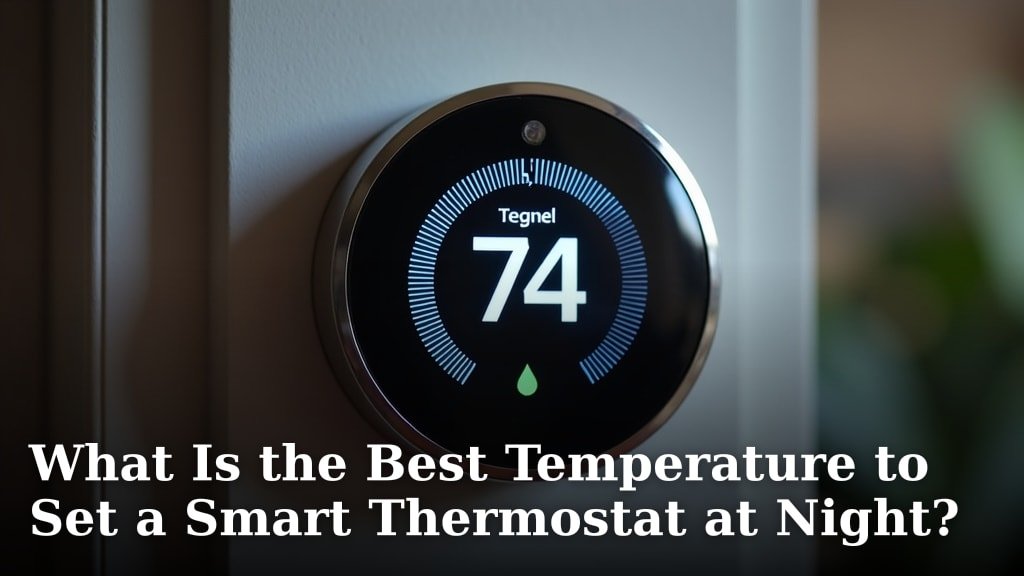
For most people, the best temperature to set a smart thermostat at night is between 68 and 72 degrees Fahrenheit. This range offers a good balance between comfort and energy savings, helping you sleep soundly without wasting power.
You want your bedroom to be cool enough for restful sleep but not so cold that you wake up shivering. Many experts recommend aiming for temperatures that help your body naturally lower its core temperature, which aids in better sleep quality. Finding your ideal setting can also help you save money on your monthly utility bills.
- Aim for 68-72°F for optimal sleep and energy.
- A cooler room aids natural body temperature drop for sleep.
- Avoid extremes to prevent discomfort and energy waste.
- Smart thermostats help automate nighttime temperature changes.
- Your personal comfort level is always the top priority.
Let’s explore how to find that perfect nighttime temperature for your home, ensuring both comfort and efficiency.
Optimizing Your Smart Thermostat for Nighttime Comfort
The sweet spot for most sleepers is between 68 and 72 degrees Fahrenheit. This range helps you sleep deeply while also keeping your energy bill in check.
You’re probably wondering why this range is so often recommended. It’s all about how your body naturally prepares for sleep. Your internal temperature needs to drop slightly for you to feel drowsy and stay asleep. A cooler room aids this natural process.
Think of it like setting the stage for a good night’s rest. Too hot, and you might toss and turn. Too cold, and you could wake up shivering, disrupting your sleep cycle.
Understanding Your Body’s Sleep Cycle
Your body is a marvel, especially when it comes to sleep. We found that your core body temperature naturally dips as bedtime approaches. This drop is a signal to your brain that it’s time to rest.
A warm room can actually work against this natural cooling. It keeps your core temperature elevated, making it harder to fall asleep and stay asleep. We found that a slightly cooler environment supports your body’s rhythm.
Many experts, including those at the National Sleep Foundation, suggest that a cool room promotes better sleep. It helps you reach those deeper, more restorative sleep stages.
The Role of Circadian Rhythms
Your circadian rhythm is your internal 24-hour clock. It controls when you feel sleepy and when you feel awake. Light, temperature, and even meal times influence this rhythm.
Maintaining a consistent sleep schedule and a consistent bedroom temperature helps regulate your circadian rhythm. This leads to more consistent, higher-quality sleep. It’s like training your body for optimal performance.
Personalizing Your Perfect Sleep Temperature
While 68-72°F is a great starting point, your ideal temperature might be different. We all have unique preferences. What feels cozy to one person might feel chilly to another.
Consider your personal comfort. Do you tend to sleep hot or cold? Do you use heavy blankets or light sheets? These factors all play a role in finding your perfect setting.
Don’t be afraid to experiment a little. Start within the recommended range and adjust by a degree or two each night. Pay attention to how you feel when you wake up. Are you well-rested or still a bit groggy?
Factors Influencing Your Comfort
Many things can affect how comfortable you feel at night. Your pajamas, your bedding, and even your partner’s body heat can make a difference. It’s a bit like a temperature puzzle.
Even the season can impact your perception of temperature. A temperature that feels perfect in summer might feel too cool in the depths of winter. Your home’s insulation also plays a part.
The Energy-Saving Benefits of Smart Thermostats at Night
This is where your smart thermostat truly shines! It’s not just about comfort; it’s about saving money. Your thermostat can automatically adjust the temperature while you sleep.
Why heat or cool an empty house to daytime levels when you’re tucked away in bed? Setting back your thermostat by even a few degrees can lead to noticeable savings on your energy bill. We found that every degree can make a difference.
Many utility companies even offer rebates for using smart thermostats because of their energy-saving potential. It’s a win-win: better sleep for you, less energy waste for the planet, and more money in your pocket.
How Smart Thermostats Automate Savings
Your smart thermostat can learn your schedule. It knows when you typically go to bed and when you wake up. You can program it to lower or raise the temperature during these unoccupied or sleep hours.
You can also use its geofencing features. This means it knows when you leave home and when you’re on your way back. It can adjust temperatures accordingly, so you never waste energy conditioning an empty house.
Imagine coming home to a perfectly comfortable house, without ever having to touch the thermostat. That’s the power of smart automation. It takes the guesswork out of energy efficiency.
Common Nighttime Temperature Mistakes to Avoid
It’s easy to fall into habits that aren’t ideal for sleep or your energy bill. Are you making any of these common mistakes?
- Setting the temperature too high: A warm room makes it harder for your body to cool down, leading to restless sleep.
- Setting the temperature too low: Waking up freezing is not fun, and constantly battling the cold wastes energy.
- Ignoring your smart thermostat’s features: Not programming schedules or using away modes means you’re missing out on savings.
- Drastic temperature changes: Sudden big shifts can shock your system and make it hard to adapt. Aim for gradual adjustments.
- Forgetting about humidity: High humidity can make a room feel warmer than it is, even if the temperature is correct.
Comparing Nighttime Temperature Strategies
Let’s look at how different approaches to nighttime temperatures stack up. Which strategy sounds most like you?
| Strategy | Temperature Range | Pros | Cons |
|---|---|---|---|
| Consistent All Day | Same as daytime (e.g., 72°F) | Simple, no programming needed. | Higher energy bills, potentially poorer sleep quality. |
| Slightly Cooler at Night | 68-72°F | Optimal for sleep, good energy savings. | Requires slight adjustment period. |
| Much Cooler at Night | Below 65°F | Very good energy savings. | Might be too cold for comfort, risk of waking up shivering. |
| Warmer at Night | Above 72°F | Might feel cozy to some initially. | Poor sleep quality, higher energy bills (if cooling). |
Practical Tips for Setting Your Nighttime Temperature
Ready to fine-tune your sleep environment? Here are some simple steps you can take tonight.
Your smart thermostat is a powerful tool. Use its scheduling features to your advantage. Set it to adjust automatically about an hour before you typically go to bed. This allows the room to reach its target temperature gradually.
Don’t forget about your bedding. Lighter blankets in summer and warmer duvets in winter can help you feel comfortable without drastic thermostat changes. It’s about layering for optimal comfort.
Checklist for Optimal Nighttime Comfort
Here’s a quick checklist to help you get the best sleep possible:
- Set your smart thermostat to between 68-72°F.
- Program a sleep schedule into your thermostat.
- Use appropriate bedding for the season.
- Keep your bedroom dark and quiet.
- Consider a fan for air circulation (if you like white noise).
- Evaluate your comfort after a few nights and adjust if needed.
When to Consider Other Factors Beyond Temperature
While temperature is key, it’s not the only piece of the puzzle. What else can you do for better sleep?
Humidity plays a big role. High humidity can make a room feel muggy and warmer than the actual thermostat reading. If you live in a humid climate, consider using a dehumidifier. Your smart thermostat might even have a humidity sensor.
Light exposure is also critical. Even small amounts of light can disrupt your sleep cycle. Make sure your bedroom is as dark as possible. Blackout curtains can be a game-changer.
Finally, noise can be a major sleep disruptor. If you live in a noisy area, consider earplugs or a white noise machine. Creating a truly peaceful sleep sanctuary goes beyond just temperature.
Conclusion
Finding your ideal nighttime thermostat setting is a simple step towards better sleep and lower energy bills. We found that aiming for 68-72°F is a great starting point for most people. This range supports your body’s natural sleep processes. Your smart thermostat makes fine-tuning this environment incredibly easy. It allows for personalized schedules and automated savings.
Don’t be afraid to experiment to find what truly works for you. Pay attention to how you feel each morning. Start programming your smart thermostat tonight. You’ll be on your way to more restful nights and a happier wallet.
Frequently Asked Questions
Is it better to sleep in a warm or cold room?
It is generally better to sleep in a cool room. A slightly cooler temperature helps your body’s core temperature drop. This natural process is essential for falling asleep and achieving deeper, more restorative sleep stages.
Does 72 degrees feel cool enough for sleeping?
For many, 72 degrees Fahrenheit feels comfortably cool for sleeping. However, personal preference varies greatly. If you tend to sleep hot, you might prefer a slightly lower temperature. Experiment to find your personal comfort zone.
Can a room that is too cold disrupt sleep?
Yes, a room that is too cold can definitely disrupt sleep. Waking up shivering can pull you out of deep sleep. It can also cause discomfort, making it harder to fall back asleep. Aim for cool, not freezing.
Should I turn off my thermostat at night to save energy?
Turning off your thermostat entirely can sometimes lead to discomfort or strain on your HVAC system. Instead, program your smart thermostat to set back the temperature by several degrees. This maintains a comfortable environment while still saving energy.
How much energy can I save by adjusting my thermostat at night?
You can save a significant amount of energy by adjusting your thermostat at night. Setting it back 7-10 degrees for 8 hours can save you up to 10% on your heating and cooling costs annually. Smart thermostats help automate these savings effortlessly.
