Can You Use Remote Sensors with an Amazon Smart Thermostat?
Yes, in a limited way: Amazon Smart Thermostat can use temperature readings from select Echo devices or an Amazon Smart Air Quality Monitor to help adjust heating and cooling. It doesn't use a dedicated Amazon thermostat sensor in the same way as a thermostat made for separate room sensors.
On this page (7 sections)
- Can you use a remote sensor with an Amazon Smart Thermostat?
- Which devices can provide temperature readings?
- How does an Amazon comfort zone work?
- How do you set up a compatible temperature source?
- What should you do if you want a dedicated thermostat sensor?
- Does an Amazon Smart Thermostat sensor fix uneven temperatures?
- Which Amazon Smart Thermostat temperature option should you choose?
Amazon Smart Thermostat can use readings from select Echo devices or an Amazon Smart Air Quality Monitor to help adjust heating and cooling. This gives you a way to use readings beyond the thermostat's own location, but it isn't the same as adding a dedicated thermostat room sensor.
Compatible Echo devices and the air quality monitor can supply readings for Alexa comfort zones. A separate thermostat sensor reports a room's temperature to a compatible thermostat, and device support varies by system.
Can you use a remote sensor with an Amazon Smart Thermostat?
You can use select Echo devices and an Amazon Smart Air Quality Monitor as temperature sources with Amazon Smart Thermostat. Amazon says these devices can help create comfort zones that automatically adjust heating and cooling based on temperature readings or presence detection.
That option can help if the thermostat is in a hallway but you want Alexa to account for a room where you spend time. Availability depends on the specific device and features shown in the Alexa app, so check compatibility before buying a device for this purpose.
A room sensor generally measures temperature somewhere other than the thermostat. See what a room sensor for a smart thermostat does to learn how these devices differ from sensors built into thermostats.
Which devices can provide temperature readings?
Amazon Smart Thermostat can use temperature readings from select Echo devices and the Amazon Smart Air Quality Monitor. Amazon says those devices can be used with its comfort zone feature.
“Select” matters: don't assume every Echo model has a usable temperature sensor or works with every thermostat feature. Check Amazon's current Alexa help information for your Echo model and confirm that the relevant temperature controls appear in the app.
The Amazon Smart Air Quality Monitor is another option Amazon names. It combines air quality monitoring with temperature readings, so consider it if you also want those air quality features.
A standalone temperature monitor can help you check a room, but it may not control the thermostat. Compare temperature sensors for remote monitoring if your goal is to read conditions from your phone rather than change heating or cooling automatically.
How does an Amazon comfort zone work?
A comfort zone uses readings from a compatible device to help Amazon Smart Thermostat adjust heating or cooling. Amazon describes automatic changes based on temperature readings or presence detection.
The thermostat still controls the HVAC system. A remote reading can give it information about another part of the home, but it can't force air through a closed vent or fix uneven duct airflow.
Start by choosing the room where comfort matters most, then place a compatible device there according to its instructions. Use the Alexa app to check which devices and temperature settings are available for your setup.
If one room stays uncomfortable, note when the problem occurs and whether the system is heating or cooling. That can help you decide whether a room reading and schedule change might help or whether the cause may be airflow, insulation, or equipment.
Can the remote reading control the thermostat all day?
That depends on the settings available for your devices in Alexa. Check the comfort zone controls and schedules in the app, and confirm which temperature source is active.
Don't assume a sensor will always become the thermostat's main reading. The thermostat's built-in sensor and remote readings may be used in different ways, depending on the feature and setup.
How do you set up a compatible temperature source?
Use the Alexa app to add and configure a supported device, then check its temperature and comfort zone controls. The exact steps can vary by device and app version.
- Confirm that your Echo model or Amazon Smart Air Quality Monitor supports the feature.
- Set up the device in the Alexa app and place it in the room you want to monitor.
- Open the thermostat's device settings and look for comfort zone or temperature options.
- Select the supported temperature source and set any available schedule or routine.
- Check the reading against a separate thermometer if it seems far off.
Don't place the device near a supply vent, sunny window, appliance, or exterior door unless its instructions recommend that location. These conditions can skew the reading compared with the room's usual temperature.
For better readings from a thermostat itself, see how to clean a smart thermostat sensor. Cleaning may help if dust is blocking its sensor opening, but it won't address an inaccurate remote device or poor room airflow.
What should you do if you want a dedicated thermostat sensor?
Choose a thermostat system that explicitly supports the remote sensor you want to use. Sensor compatibility is specific to the thermostat family, so check the manufacturer's compatibility guidance before mixing devices.
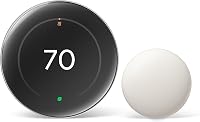
The Google Nest Thermostat offers remote control through the Google Home app. The information available here doesn't confirm that it works with a Nest Temperature Sensor, so check Google's compatibility guidance before choosing a thermostat for that sensor.
Read how to use a Nest Temperature Sensor for the sensor's role in a compatible Nest setup. For other systems that work with remote readings, compare smart thermostats with remote temperature sensors.
The Sensi Smart Thermostat supports flexible scheduling and remote access. The information available here doesn't confirm support for a separate room sensor, so check compatibility if remote room readings are a requirement.
If you need a wired remote sensor, check the thermostat and HVAC wiring requirements before choosing a model. Our guide to thermostats with wired remote sensors focuses on that setup.
Does an Amazon Smart Thermostat sensor fix uneven temperatures?
A remote reading can help the thermostat account for another room, but it doesn't balance the HVAC system by itself. Uneven temperatures can also come from airflow, duct leaks, insulation, sun exposure, or a system that needs service.
Check that supply and return vents are open and unobstructed. If a room is consistently too warm or cold, note the time of day, thermostat setting, and room temperature before changing schedules.
A sensor may help guide heating or cooling toward a room that matters to you. It cannot independently redirect airflow, and a comfort zone should not be treated as a substitute for zoning equipment or an HVAC assessment.
Which Amazon Smart Thermostat temperature option should you choose?
Choose a compatible Echo if you already own one and want to use its temperature reading for an Amazon comfort zone. Choose the Amazon Smart Air Quality Monitor if you also want its air quality monitoring features.
Choose a different thermostat system if you need a dedicated room sensor with confirmed thermostat support. Confirm compatibility for the exact thermostat and sensor pair before buying, since a temperature monitor alone may not control heating or cooling.
Amazon Smart Thermostat is the relevant option if you want Alexa controls and temperature readings from select Echo devices or the air quality monitor. If you need a dedicated remote sensor, compare systems built for that use and verify support for your rooms and HVAC equipment.
Frequently asked questions
Can Amazon Smart Thermostat use an Echo as a temperature sensor?
Yes, it can use temperature readings from select Echo devices for automatic heating and cooling adjustments. Check that your Echo model and thermostat are supported in the Alexa app, then review the available comfort zone or temperature settings there.
Does Amazon Smart Thermostat work with a separate room sensor?
Amazon Smart Thermostat supports temperature readings from select Echo devices and an Amazon Smart Air Quality Monitor. That is different from using a separate thermostat sensor made to measure a room and coordinate schedules; confirm a device's current compatibility in Alexa before buying it for this purpose.
Can I use a Nest Temperature Sensor with Amazon Smart Thermostat?
No, a Nest Temperature Sensor is made for compatible Nest thermostats, not Amazon Smart Thermostat. If you want to use a Nest sensor, check the compatible Nest thermostat options and setup steps before choosing a system.
Will a remote sensor make every room the same temperature?
No. A sensor can give the thermostat another room's temperature reading, but it doesn't move heated or cooled air or balance the ductwork.
If room temperatures vary widely, check airflow, closed vents, drafts, and system design as well as thermostat settings.