
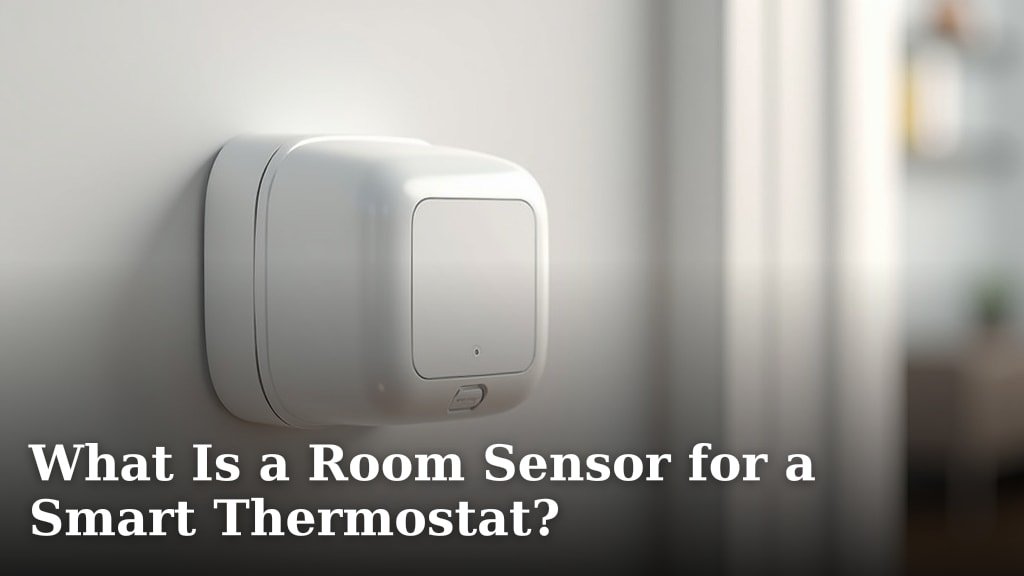
A room sensor for a smart thermostat is a small device that measures the temperature in a specific room. It then sends that information to your smart thermostat. This helps your thermostat provide **more accurate temperature control** throughout your home. Think of it as a tiny weather reporter for each space.
Many homeowners find that a single thermostat reading doesn’t capture the true temperature of all their living areas. Rooms facing the sun might get too hot. Rooms that are rarely used can feel much colder. Room sensors help solve this by giving your thermostat a **clearer picture of your home’s actual climate**, room by room. We found that this leads to a much more comfortable living environment.
- Room sensors measure the temperature in specific areas.
- They communicate this data to your smart thermostat.
- This allows for more precise home temperature adjustments.
- It helps ensure comfort in every part of your house.
- Many experts agree this improves overall home comfort.
Ready to learn how these little helpers work and if they’re right for your home? Let’s break down what room sensors are all about.
Understanding Smart Thermostat Room Sensors
A room sensor for a smart thermostat is a small device. It measures the temperature in a specific room. Then, it sends that temperature data to your smart thermostat. This helps your thermostat make better decisions about heating and cooling. It ensures more consistent comfort throughout your home.
How Do Room Sensors Work?
Think of room sensors as your smart thermostat’s eyes and ears. Your thermostat itself only knows the temperature where it’s located. This is usually in a hallway or main living area. But that spot might not be the same temperature as your bedroom or home office. Sensors placed in other rooms report back the actual temperature there. This allows your thermostat to adjust heating or cooling for those specific areas.
Many smart thermostat systems allow you to add multiple sensors. You can place them in different rooms. This gives your system a complete picture of your home’s climate. It’s like giving your thermostat a neighborhood weather report. The thermostat then uses this data to decide when to turn on or off the heating or cooling. It aims to meet your comfort settings in the rooms that matter most.
Why Are Room Sensors Important?
Have you ever noticed how some rooms in your house feel different? Maybe your upstairs rooms get really hot in the summer. Or perhaps a downstairs bedroom always feels a bit chilly. This happens because heat rises. Also, different rooms get varying amounts of sunlight. They might also have different levels of insulation or be closer to the heating/cooling unit. A single thermostat can’t account for these differences on its own.
Room sensors help to **even out temperature swings**. They make sure that all your living spaces are comfortable. This means no more freezing in one room while another is boiling. You can set your smart thermostat to prioritize certain rooms at certain times. For example, you might want the living room warmer in the evening. You could tell the sensor in your bedroom to be the priority overnight. This makes your HVAC system work smarter, not harder.
Bridging the Temperature Gaps
The main job of a room sensor is to bridge the temperature gaps in your home. Your central HVAC system sends conditioned air through ducts. This air travels to various rooms. But by the time it gets there, the temperature might have changed. Rooms far from the furnace or AC unit often receive less effective conditioning.
Sensors report these temperature variations. Your smart thermostat then uses this information to compensate. If a room with a sensor is too cold, the thermostat might run the heat a little longer. If it’s too hot, it might kick on the AC. This process happens automatically. You don’t need to constantly fiddle with the thermostat yourself. It’s designed to make your home’s climate more uniform and pleasant.
Types of Room Sensors
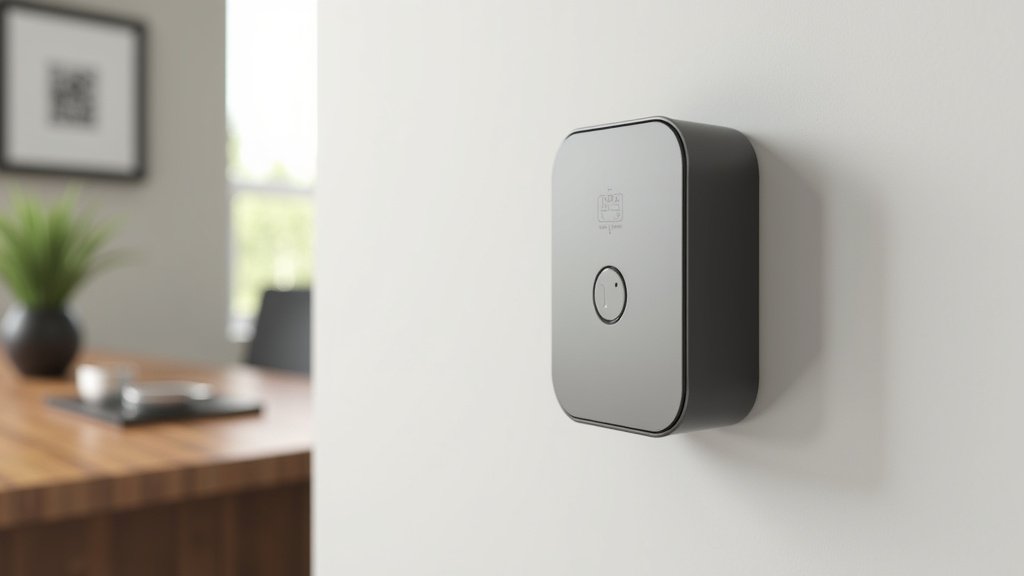
When you look at smart thermostat room sensors, they’re generally quite similar. Most are small, battery-powered devices. They often look like small white discs or cubes. Their primary function is to measure temperature. Some advanced models can also measure humidity. This adds another layer of comfort control. High humidity can make a room feel warmer than it is.
The way they communicate with your thermostat can vary. Many use wireless protocols like Wi-Fi or Bluetooth. Some systems might use proprietary radio frequencies. You’ll need to ensure the sensors are compatible with your specific smart thermostat model. Most major smart thermostat brands offer their own line of sensors. These are typically designed to work flawlessly with their thermostats.
Temperature vs. Humidity Sensing
Most room sensors focus solely on temperature. This is the most critical factor for comfort. However, some premium sensors also include humidity sensors. Why does this matter? Humidity affects how we perceive temperature. For example, a room at 75°F with 80% humidity can feel much warmer and more uncomfortable than a room at 75°F with 40% humidity.
If your smart thermostat can use humidity data, it can make more nuanced adjustments. It might run the AC for longer to dehumidify the air, even if the temperature is already at your set point. This can significantly improve your overall feeling of comfort. We found that systems with humidity sensing capabilities offer a more refined climate control experience. This is especially true in climates with high humidity levels.
Are Room Sensors Worth It?
The question of whether room sensors are worth the investment is a common one. For many households, the answer is a resounding yes. The primary benefit is enhanced comfort. If you struggle with hot or cold spots, sensors can make a big difference. They help to eliminate those uneven temperatures.
Consider the cost of running your HVAC system inefficiently. If your thermostat is constantly trying to heat or cool a space that’s already comfortable, you’re wasting energy. Room sensors help your system operate more efficiently. It only works when and where it’s needed. While there’s an upfront cost for the sensors, they can lead to energy savings over time. Many experts agree that precise temperature control leads to better energy management (Energy.gov). Many experts agree that precise temperature control leads to better energy management.
When to Consider Room Sensors
You should definitely consider room sensors if you experience any of the following:
- Significant temperature differences between rooms.
- Rooms that are seldom used but you still want comfortable.
- Bedrooms that are too hot or too cold at night.
- Home offices where you spend long hours.
- Areas with lots of sun exposure that get extra warm.
- Basement or attic rooms that tend to be a different temperature.
Setting Up and Using Room Sensors
Getting room sensors set up is usually quite straightforward. Most systems are designed for DIY installation. You’ll typically need to download your smart thermostat’s app onto your smartphone or tablet.
The app will guide you through the process. First, you’ll usually need to install batteries in the sensor. Then, you’ll put the sensor in pairing mode. Your thermostat or its app will then search for the sensor. Once detected, you’ll connect it to your Wi-Fi network if necessary. Finally, you’ll assign the sensor to a specific room within the app.
Placement is Key
Where you place your sensors matters. You want them in areas where people actually spend time. Avoid placing them near heat sources like lamps, electronics, or direct sunlight. Also, don’t put them right next to air vents. These locations can give inaccurate readings. The goal is to measure the natural temperature of the room.
Try to place them at a typical standing or sitting height. This gives a good representation of the occupied space. For example, in a living room, place it on a bookshelf or side table. In a bedroom, a nightstand is a good spot. If the sensor also measures humidity, ensure it has good air circulation around it for an accurate reading.
Advanced Features and Scheduling
Modern smart thermostat systems offer more than just basic temperature monitoring with sensors. You can often create custom schedules. These schedules tell the thermostat which sensors to prioritize at different times of the day.
For instance, you might set your schedule like this:
- Morning: Prioritize the kitchen and bedroom for comfort as you wake up.
- Daytime: Focus on the living room and home office if you’re home.
- Evening: Shift priority to the living room for relaxation and bedrooms as you prepare for sleep.
- Away Mode: When no one is home, the system can revert to a more energy-saving temperature, perhaps not prioritizing any specific room.
This scheduling feature is a big step up from manual thermostats. It ensures comfort where and when you need it. It also helps avoid heating or cooling empty rooms unnecessarily. This leads to better energy efficiency.
Making Your Home Comfortable: A Checklist
Ready to take control of your home’s comfort? Here’s a quick checklist to see if room sensors are your next smart home upgrade:
- Do you notice significant temperature differences room-to-room?
- Are some rooms consistently too hot or too cold for your liking?
- Do you want to save energy by heating/cooling only occupied areas?
- Are you looking for a more personalized comfort experience at home?
- Do you already have a compatible smart thermostat system?
- Are you comfortable with a small initial investment for long-term comfort and potential savings?
If you answered yes to most of these, room sensors could be a fantastic addition to your smart home setup. They offer a practical solution to common household comfort issues.
Conclusion
You’ve learned how smart thermostat room sensors work to bring comfort to every corner of your home. They bridge temperature gaps, ensuring rooms stay just right. By providing your thermostat with more data, these sensors help your HVAC system run more efficiently. You can even schedule them to prioritize comfort where you are. Ready to ditch those hot and cold spots for good? Your next step is to check your smart thermostat’s compatibility and pick out the sensors that best fit your home’s needs.
Frequently Asked Questions
How many room sensors can I connect to my smart thermostat?
The number of sensors you can connect varies by smart thermostat model. Most systems allow for several sensors, often between 3 and 10. Always check your thermostat’s specifications or manual to find out its exact limit.
Can I use room sensors from a different brand than my thermostat?
Generally, it’s best to use sensors made by the same brand as your smart thermostat. Compatibility is key for them to communicate properly. While some universal sensors might exist, they often have limitations.
Do room sensors use a lot of battery power?
Most room sensors are designed to be very power-efficient. They typically run on standard coin-cell or AA batteries. With normal use, you can expect batteries to last for a year or more before needing replacement.
Will room sensors help me save money on my energy bill?
Yes, room sensors can contribute to energy savings. By allowing your thermostat to heat or cool only occupied spaces based on actual needs, you avoid wasting energy. This smarter system operation can lead to a reduction in your overall energy consumption.
What’s the difference between a temperature-only sensor and one that also measures humidity?
A temperature-only sensor just tells your thermostat the air temperature in a room. A sensor that also measures humidity provides data on moisture levels. This allows your thermostat to make more precise adjustments, especially for comfort, by accounting for how humidity affects how warm or cold a room feels.
