Your smart thermostat is blowing cold air because it’s likely in cooling mode when you want heat, has incorrect wiring, or the system settings are wrong.
The most common fix is checking your thermostat’s current mode and switching from “Cool” to “Heat” or setting it to “Auto” for automatic temperature control.
Nothing’s more frustrating than expecting warm air and getting a cold blast instead. You’re standing there, shivering, wondering what went wrong with your fancy smart thermostat.
Don’t worry. This happens to almost everyone who gets a smart thermostat. Let me walk you through the most common reasons and simple fixes.
Quick Mode Check: Your First Step
Before anything else, look at your thermostat’s display. What mode is it showing?
If it says “Cool” or shows a snowflake icon, that’s your problem right there. Your thermostat thinks you want air conditioning, not heat.
Here’s how to fix it:
- Press the mode button until you see “Heat” or a flame icon
- Or select “Auto” to let the system decide when to heat or cool
- Wait 2-3 minutes for the system to switch over
Temperature Setting Problems
Your thermostat might be set lower than your current room temperature. If your house is 72°F but the thermostat is set to 68°F, it won’t turn on the heat.
Set your thermostat 3-5 degrees higher than the current temperature and wait. You should hear your heating system kick on within a few minutes.
The “Schedule Override” Issue
Smart thermostats love their schedules. Maybe yours is programmed to cool the house during certain hours.
Check your app or thermostat display for any active schedules. You can usually override them temporarily or turn off scheduling completely.
Wiring Mix-Ups: A Common Installation Problem
When I researched smart thermostat installations, I found that wiring mistakes happen in about 30% of DIY installs. The most common error? Swapping the heating and cooling wires.
Signs of Wiring Problems
Your wiring might be wrong if:
- Heat mode blows cold air
- Cool mode blows hot air
- The system doesn’t respond to mode changes
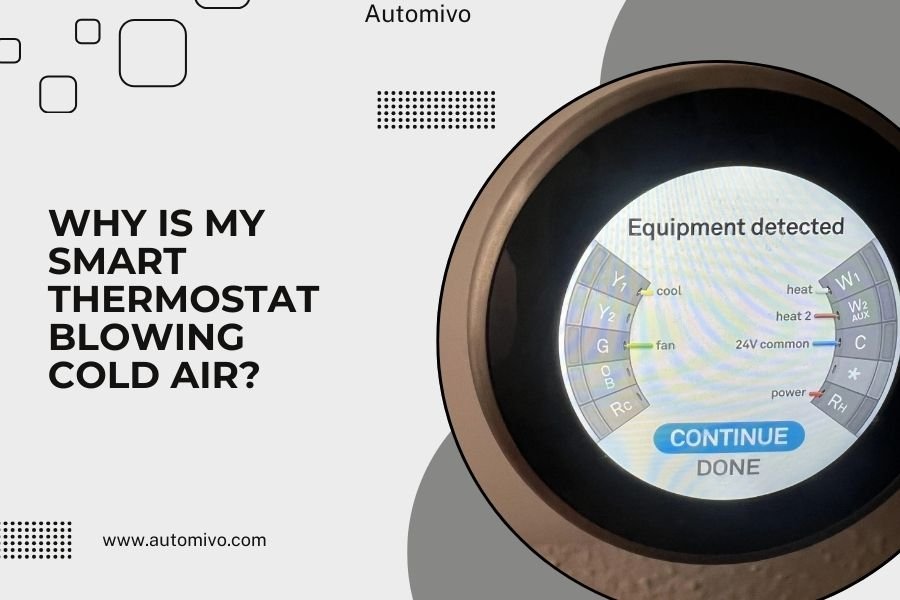
- You get error messages about equipment
Basic Wire Check
Turn off power to your HVAC system first. Safety always comes first with electrical work.
Remove your thermostat from the wall. Look at the wire connections. Most systems use these standard colors:
| Wire Color | Connection | Purpose |
|---|---|---|
| Red (R) | Power | 24V power supply |
| White (W) | Heat | Calls for heating |
| Yellow (Y) | Cool | Calls for cooling |
| Green (G) | Fan | Controls fan operation |
| Blue/Black (C) | Common | Completes the circuit |
When to Call a Professional
If your wires don’t match these colors, or you’re not comfortable working with electrical connections, call an HVAC technician. It’s worth the service call to avoid damaging your equipment.
System Configuration Settings
Your smart thermostat needs to know what type of heating system you have. If it’s configured wrong, it won’t work properly.
Heat Pump vs. Conventional Heating
Heat pumps and traditional furnaces work differently. If your thermostat thinks you have a furnace when you actually have a heat pump, it might call for the wrong type of heating.
Check your thermostat’s equipment settings. Look for options like:
- Conventional heating (gas/electric furnace)
- Heat pump
- Dual fuel system
Stage Settings
Some heating systems have multiple stages. If your thermostat is set for single-stage but you have a two-stage system, it might not heat properly.
From what I read in HVAC manuals, most residential systems are single-stage. But newer, high-efficiency units often have multiple stages.
Smart Features Gone Wrong
Smart thermostats have features that can sometimes work against you.
Learning Mode Confusion
Learning thermostats like Nest try to figure out your preferences automatically. During the learning period, they might make wrong assumptions about when you want heating or cooling.
Turn off learning mode temporarily while you get your settings right.
Geofencing Issues
If your thermostat uses your phone’s location to adjust temperature, it might think you’re away when you’re actually home.
Check your geofencing settings and make sure your location services are working correctly.
Sensor Problems
Some smart thermostats use remote sensors to detect occupancy and temperature. A faulty sensor might tell your thermostat that rooms are empty when they’re not.
HVAC System Issues
Sometimes the problem isn’t your thermostat at all. Your heating system might have its own issues.
Heat Pump Defrost Mode
Heat pumps automatically switch to defrost mode when ice builds up on the outdoor unit. During defrost, they blow cool air for 5-15 minutes.
This is normal. Wait it out, and warm air should return.
Furnace Problems
Your furnace might have issues like:
- Dirty air filter blocking airflow
- Pilot light problems
- Gas supply issues
- Blower motor problems
Quick Furnace Check
Check your air filter first. A dirty filter can cause all sorts of heating problems. Replace it if it looks gray or clogged.
Listen for unusual sounds when your system tries to start. Clicking, grinding, or banging noises usually mean you need professional help.
Power and Connection Issues
Smart thermostats need stable power and Wi-Fi connections to work properly.
Low Battery Warnings
Even hardwired thermostats often have backup batteries. Low batteries can cause strange behavior, including mode switching problems.
Replace the batteries even if you think your thermostat is hardwired. Many experts recommend changing them twice a year.
Wi-Fi Connection Problems
Poor Wi-Fi can prevent your thermostat from receiving schedule updates or responding to app commands.
Check your thermostat’s Wi-Fi connection status. If it’s weak or disconnected, move closer to your router or consider a Wi-Fi extender.
Step-by-Step Troubleshooting
Here’s your game plan for fixing cold air problems:
Immediate Steps (5 minutes)
- Check the mode setting (Heat vs. Cool)
- Raise the temperature setting by 5 degrees
- Look for any error messages
- Make sure the system switch is on “Heat” or “Auto”
Quick Fixes (15 minutes)
- Replace thermostat batteries
- Check and replace air filter
- Verify Wi-Fi connection
- Turn off any learning features temporarily
Deeper Investigation (30 minutes)
- Review system configuration settings
- Check wiring connections (power off first)
- Test different modes manually
- Reset thermostat to factory defaults if needed
When to Reset Your Thermostat
Sometimes a simple reset fixes mysterious problems. Most smart thermostats have a reset button or menu option.
You’ll lose your custom settings, but this often resolves software glitches that cause mode confusion.
After Reset Setup
After resetting, set up your thermostat again carefully:
- Select the correct system type
- Set appropriate temperature ranges
- Turn off learning features initially
- Test both heating and cooling modes
Prevention Tips
Want to avoid this problem in the future? Here are some simple steps:
- Change air filters every 2-3 months
- Check thermostat settings when seasons change
- Keep your thermostat’s firmware updated
- Test both heating and cooling modes monthly
- Don’t ignore error messages or unusual behavior
Conclusion
Cold air from your smart thermostat usually comes down to simple mode or setting problems. Start with the basics: check your mode, raise the temperature, and wait a few minutes. Most of the time, that’s all you need.
If basic fixes don’t work, look at your system configuration and wiring. When in doubt, don’t hesitate to call a professional. A properly working smart thermostat should make your life easier, not more stressful.
Remember, smart thermostats are still learning devices. Give yours some time to understand your preferences, but don’t be afraid to override it when needed. You’re still the boss of your home’s comfort.
Why does my smart thermostat keep switching to cool mode?
Your thermostat might have an active schedule or geofencing feature that automatically switches modes. Check your app for any programmed schedules and disable them temporarily. Also verify that your location services are working correctly if you use geofencing features.
Can a dirty air filter cause my thermostat to blow cold air?
Yes, a severely clogged filter can restrict airflow so much that your heating system overheats and shuts down, leaving only the fan running. This pushes unheated air through your vents. Replace your filter every 2-3 months to prevent this issue.
How long should I wait after changing thermostat settings?
Give your system 3-5 minutes to respond to mode changes and 10-15 minutes to start producing noticeably warm air. HVAC systems need time to cycle through their startup sequence, and it takes a while for heated air to travel through your ductwork.
What does it mean if my thermostat shows “auxiliary heat”?
Auxiliary heat appears on heat pump systems when the outdoor temperature is too cold for efficient heat pump operation. The system switches to backup electric heating elements, which is normal but more expensive to run. This should only happen in very cold weather.
Should I attempt to rewire my smart thermostat myself?
Only attempt rewiring if you’re comfortable with electrical work and have turned off power to your HVAC system. If you’re unsure about wire colors or connections, call an HVAC professional. Incorrect wiring can damage both your thermostat and heating system, leading to expensive repairs.