
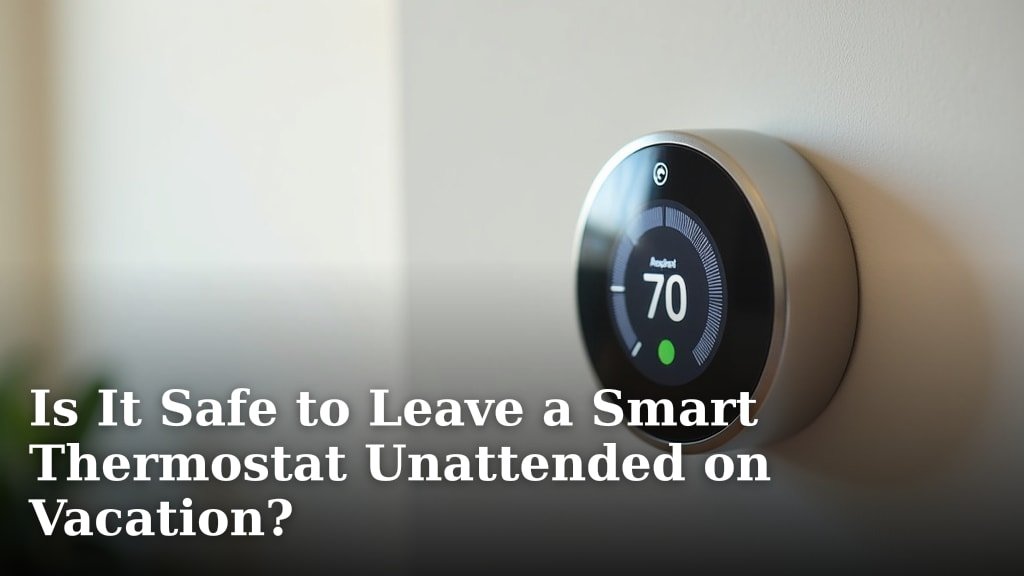
Yes, it is generally safe to leave a smart thermostat unattended on vacation, and it can even save you money and protect your home. Many smart thermostats offer features specifically designed for when you’re away, giving you peace of mind.
You can set schedules, adjust temperatures remotely, and even get alerts for unusual activity. We found that most modern smart thermostats are reliable and secure, making them great tools for managing your home’s climate while you travel.
- Smart thermostats are generally safe for vacation.
- They can save energy and protect your home.
- Use vacation modes or remote access.
- Check your Wi-Fi and power for reliability.
Let’s dive into why leaving your smart thermostat unattended can be a smart move and what you need to do to prepare.
Why Trusting Your Smart Thermostat While Away Is a Good Idea
Leaving your smart thermostat to manage your home’s climate while you’re on vacation can be a very smart move. It offers several benefits that can help you relax and enjoy your trip without worrying about your home.
You might be thinking, “Can it really handle things without me there?” We found that these devices are designed with exactly this kind of situation in mind. They offer convenience, energy savings, and even an extra layer of home protection.
Energy Savings and Cost Reduction
One of the biggest reasons to let your smart thermostat take the reins is the potential for significant energy savings. Heating and cooling an empty house to your usual comfort levels is a waste of money.
A smart thermostat lets you adjust temperatures while you’re away, preventing excessive energy use. For example, you can set the temperature higher in summer or lower in winter than you would if you were home. This simple change can drastically reduce your utility bills.
Optimized Temperature Scheduling
Most smart thermostats come with scheduling features. You can program them to raise the temperature in the summer or lower it in the winter during your entire vacation period. This means your HVAC system isn’t running constantly when no one is home to enjoy it.
You can even schedule it to start bringing the house back to a comfortable temperature just before you return. Imagine walking into a perfectly cooled or heated home after a long trip – that’s the convenience a smart thermostat offers!
Home Protection and Peace of Mind
Beyond saving money, a smart thermostat can help protect your home from potential issues while you’re away. Extreme temperatures can be harmful to your belongings and even the structure of your house.
We found that maintaining a moderate temperature range is key. It prevents things like pipes freezing in cold weather or excessive humidity building up during hot spells. This kind of proactive care gives you serious peace of mind.
Preventing Frozen Pipes
If you live in an area with cold winters, the risk of frozen pipes is a real concern. When water freezes, it expands, which can cause pipes to burst. This leads to costly water damage and a major headache when you get back.
A smart thermostat can be set to a minimum “away” temperature, typically above freezing (e.g., 55°F or 13°C), to prevent this. It will kick on the furnace only when necessary, protecting your plumbing without wasting energy.
Mitigating Heat and Humidity Damage
In warmer climates or during summer vacations, high heat and humidity can also cause problems. Excessive heat can damage electronics, furniture, and even warp wooden structures. High humidity encourages mold and mildew growth.
Your smart thermostat can maintain an acceptable upper temperature limit. Some even connect to humidity sensors to help keep levels in check. This helps preserve your home’s integrity and your belongings.
How Smart Thermostats Work While You’re Away
So, how do these clever devices manage all this without you physically present? It all comes down to connectivity and smart features. They aren’t just fancy timers; they’re truly connected devices.
Your smart thermostat relies on your home’s Wi-Fi network and often cloud services to function optimally when you’re not there. This connectivity is what allows for remote control and monitoring.
Remote Access and Control
The ability to control your thermostat from anywhere in the world is a game-changer. Using a smartphone app, you can check the current temperature, adjust settings, or even change your schedule on the fly.
Forgot to set your “away” schedule? No problem! You can do it from your beach chair. We found this remote access to be one of the most comforting features for travelers (Nest Support).
Vacation Modes and Geo-fencing
Many smart thermostats offer specific “vacation” or “away” modes. These modes are designed to maintain a set of parameters (like a wider temperature range) that are ideal for an empty house.
Some even feature geo-fencing, which uses your phone’s location. The thermostat knows when you’ve left a certain radius from your home and automatically switches to an energy-saving “away” setting. When you get close to home, it can start bringing the temperature back to your comfort level.
Reliability Factors for Unattended Operation
While generally safe, a smart thermostat’s unattended operation does depend on a few key reliability factors. It’s not set it and forget it entirely without some upfront preparation.
Understanding these factors helps ensure your system works as expected throughout your trip. We found that a little preparation goes a long way in preventing any hiccups.
Stable Wi-Fi Connection
Your smart thermostat needs a consistent Wi-Fi connection to communicate with its app and cloud services. If your Wi-Fi goes down, you lose remote access and some smart features.
Consider the reliability of your internet service provider. A power outage that affects your router could also temporarily disrupt service. While the thermostat itself might still operate based on its last programmed schedule, you won’t be able to make changes remotely.
Consistent Power Supply
A smart thermostat, like any electronic device, needs power. Most are hardwired into your HVAC system and draw low-voltage power. However, a prolonged power outage can affect its operation.
If your power goes out for an extended period, your HVAC system won’t run, and neither will your thermostat. While this is out of your control, it’s good to be aware of the limitations. Many devices will reconnect and resume their schedule once power is restored.
Preparing Your Smart Thermostat for Vacation
Before you pack your bags, take a few minutes to prepare your smart thermostat. This ensures it’s ready to take care of your home while you’re enjoying your trip.
Think of it as a pre-flight checklist for your home’s climate control. We recommend these steps to maximize efficiency and peace of mind:
Here’s a quick checklist to help you prepare:
- Check your Wi-Fi connection: Make sure it’s stable and your router is working well.
- Update firmware/app: Ensure your thermostat’s software and mobile app are up to date.
- Set your “away” schedule: Program specific temperatures for your entire vacation duration.
- Test remote access: Confirm you can control your thermostat from your phone.
- Inform a trusted neighbor: Give someone local your contact info in case of an emergency.
- Consider a low-temp alert: Some apps can notify you if the indoor temperature drops too low.
Comparing Smart Thermostat Features for Vacation Use
Not all smart thermostats are created equal when it comes to vacation features. Some offer more robust options for remote monitoring and adjustments than others.
It’s helpful to know what to look for if you’re considering a new device or just want to understand your current one better. Here’s a brief comparison of common features:
| Feature | Benefit for Vacation | Thermostat Examples (Brands) |
|---|---|---|
| Remote Control via App | Adjust settings, check status from anywhere. | Nest, Ecobee, Honeywell Home |
| Customizable Away Schedules | Pre-set energy-saving temperatures for your trip. | Nest, Ecobee, Honeywell Home, Sensi |
| Geo-fencing | Automatically switches to “away” when you leave home. | Nest, Ecobee |
| Temperature/Humidity Alerts | Notifies you if temps/humidity go outside set limits. | Ecobee, Honeywell Home |
| Energy Usage Reports | Track and understand your energy consumption. | Nest, Ecobee |
As you can see, features vary, but most popular brands offer the core capabilities you need for a worry-free vacation.
Conclusion
Leaving your home with a smart thermostat in charge is not only safe but also a smart, energy-saving choice. You can enjoy your vacation knowing your home is protected from extreme temperatures and unnecessary energy waste. Remember to prepare your device by updating software, setting “away” schedules, and confirming remote access. By taking these simple steps, you’ll gain peace of mind and return to a comfortable, well-managed home.
Frequently Asked Questions
What if my Wi-Fi goes out while I’m away?
If your Wi-Fi connection drops, your smart thermostat will typically continue to operate based on its last programmed schedule. You won’t be able to control it remotely or receive alerts until the connection is restored. Most will automatically reconnect once your Wi-Fi is back online.
Can a smart thermostat really prevent frozen pipes?
Yes, a smart thermostat is very effective at preventing frozen pipes. You can set a minimum temperature (e.g., 55°F) for when you’re away. The thermostat will activate your furnace as needed to ensure your home stays above freezing, protecting your plumbing.
Should I completely turn off my HVAC system when I leave for vacation?
No, it’s generally not recommended to completely turn off your HVAC system. This can lead to extreme indoor temperatures, potentially damaging belongings or causing issues like mold. Instead, use your smart thermostat’s “away” or vacation mode to maintain a safe, energy-efficient temperature range.
Do I need a special smart thermostat for vacation use?
Most modern smart thermostats offer features beneficial for vacation, such as remote control and customizable schedules. Some higher-end models include geo-fencing or more advanced alert systems, but even basic smart thermostats provide significant advantages over traditional models when you’re away.
How can I monitor my home’s temperature if I don’t have a smart thermostat?
If you don’t have a smart thermostat, you can use a basic indoor/outdoor thermometer with a remote display that you take with you. However, this offers less control and only provides temperature readings, not active climate management or alerts like a smart thermostat would.
