
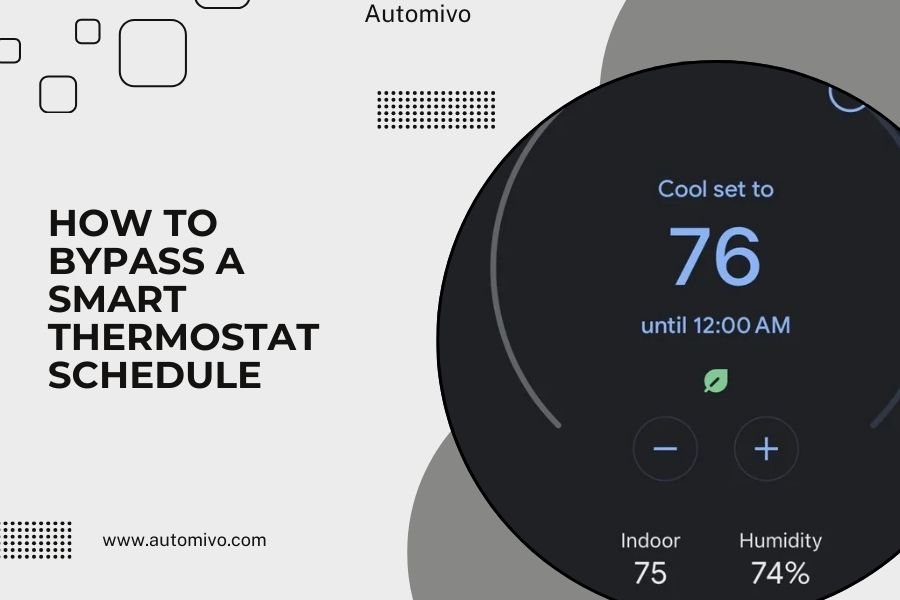
You can bypass a smart thermostat schedule by switching it to manual mode, turning off the scheduling feature in settings, or using temporary hold options that override programmed temperatures.
Most smart thermostats offer multiple ways to skip their automated schedule when you need immediate temperature control without permanently deleting your saved programs.
Quick Ways to Override Your Smart Thermostat
Need to change your temperature right now? Here are the fastest methods that work on most smart thermostats.
Manual Mode Switch
Look for a “Manual” or “Hold” button on your thermostat display. Press it and set your desired temperature. This stops the schedule until you turn it back on.
Some models show this as “Override” or “Temporary Hold” instead. The idea stays the same – you take control away from the programmed schedule.
App-Based Override
Open your thermostat’s smartphone app. Most apps have a “Hold” or “Override” option right on the main screen. Tap it and choose your temperature.
This method works great when you’re away from home but want to change the temperature before you arrive.
Understanding Different Override Types
Not all overrides work the same way. Knowing the differences helps you pick the right option.
Temporary Hold
A temporary hold keeps your chosen temperature until the next scheduled change. If your schedule normally drops to 68°F at 10 PM, the hold ends then.
This option works well when you want comfort now but still want your regular schedule to continue later.
Permanent Hold
A permanent hold keeps your temperature until you manually change it again. Your schedule stops completely until you turn it back on.
Use this when you want full control for days or weeks without any automatic changes.
When to Use Each Type
- Temporary hold: Guests coming over, feeling sick, working from home one day
- Permanent hold: Vacation, major schedule changes, seasonal adjustments
Brand-Specific Override Methods
Each thermostat brand has slightly different steps. Here’s what I found works for the most popular models.
Nest Thermostats
Turn the outer ring to your desired temperature. The Nest automatically creates a temporary hold. The schedule resumes at the next programmed time.
For longer holds, press the thermostat display and select “Hold temperature.” Choose how long you want the hold to last.
Honeywell Smart Thermostats
Press “Hold” on the display, then adjust the temperature. The screen shows “Temporary Hold” or “Permanent Hold” options.
Pick temporary if you want the schedule to restart later. Choose permanent to stop the schedule completely.
Ecobee Models
Touch the current temperature on the display. Select “Hold” and pick your temperature. Choose “Hold until next scheduled activity” or “Hold indefinitely.”
The Ecobee app also lets you create holds remotely with the same options.
Smart Features That Affect Overrides
Some smart features can interfere with your manual holds. Here’s what to watch for:
- Geofencing might change temperatures when you leave or return
- Learning algorithms may adjust your override temperatures
- Energy-saving modes could limit how much you can change
Disabling Schedules Completely
Want to turn off scheduling entirely? Most thermostats let you disable this feature in the settings menu.
Through the Thermostat Display
Go to Settings or Menu on your thermostat. Look for “Schedule,” “Programming,” or “Auto” options. Turn the schedule feature off.
Your thermostat now works like a basic manual unit until you turn scheduling back on.
Using the Mobile App
Open your thermostat app and find the Settings section. Look for “Schedule Settings” or “Programming Options.” Toggle the schedule feature off.
This method often gives you more detailed control than the thermostat display alone.
What Happens When You Disable Scheduling
Your thermostat maintains whatever temperature you set until you manually change it. No automatic adjustments happen throughout the day.
Remember that this can increase your energy bills since the system won’t automatically adjust for times when you’re away.
Common Problems and Solutions
Sometimes overrides don’t work as expected. Here are fixes for the most common issues I found online.
Override Keeps Canceling
Check if your thermostat has a maximum hold time setting. Some models automatically cancel holds after 2-4 hours for energy savings.
Look in the advanced settings for options like “Maximum Hold Duration” and change it to your preference.
Schedule Resumes Too Soon
You might have selected a temporary hold instead of a permanent one. Check your thermostat display for the hold type and change it if needed.
Some smart thermostats also have “smart recovery” features that start adjusting temperatures early to reach scheduled targets on time.
App and Thermostat Don’t Match
This usually means your Wi-Fi connection dropped or the app needs updating. Check your internet connection and update the app to the latest version.
Try refreshing the app or turning your thermostat’s Wi-Fi off and back on again.
Energy Impact of Bypassing Schedules
Overriding your schedule affects your energy usage and bills. Understanding this helps you make better decisions.
Short-Term Overrides
Occasional manual adjustments don’t significantly impact your energy costs. A few hours of different temperatures won’t break your budget.
Research from energy companies shows that temporary comfort adjustments typically add less than 5% to monthly heating and cooling costs.
Long-Term Schedule Bypassing
Permanently disabling your schedule can increase energy use by 10-20% or more, depending on your temperature choices.
The biggest savings come from automatically reducing heating and cooling when you’re asleep or away from home.
Smart Compromises
Consider these middle-ground approaches:
- Use temporary holds during the day but keep nighttime scheduling
- Adjust your schedule instead of bypassing it completely
- Create separate weekend and weekday schedules for more flexibility
Safety Considerations
While bypassing schedules is generally safe, keep these points in mind for your home and family.
Extreme Temperature Settings
Don’t set temperatures that could damage your home or create health risks. Very low settings can freeze pipes in winter.
Most experts recommend keeping homes between 60-80°F year-round for safety and equipment protection.
HVAC System Protection
Frequent large temperature changes can stress your heating and cooling equipment. Gradual adjustments work better for system longevity.
If you bypass schedules often, consider adjusting your programmed temperatures instead of constantly overriding them.
Creating Better Schedules Instead
Sometimes the real solution isn’t bypassing your schedule – it’s making a better one that fits your actual lifestyle.
Weekly Schedule Reviews
Look at when you actually override your thermostat. These patterns show where your schedule doesn’t match your real routine.
Adjust your programmed times and temperatures based on what you actually need throughout the week.
Seasonal Schedule Updates
Your comfort needs change with the weather and your activities. Update your schedule every few months to stay comfortable without constant overrides.
Many smart thermostats can store multiple schedules for different seasons or situations.
Conclusion
Bypassing your smart thermostat schedule is simple once you know where to find the override controls. Whether you need a quick temperature change or want to disable scheduling completely, most thermostats give you several options to take manual control.
Remember that temporary holds work great for short-term needs, while permanent holds or disabled scheduling affect your energy costs more significantly. The key is finding the right balance between comfort and efficiency for your specific situation.
If you find yourself constantly overriding your schedule, take a step back and consider updating your programmed settings instead. A well-designed schedule that matches your real routine eliminates the need for frequent manual adjustments while keeping you comfortable and saving energy.
Can I bypass my smart thermostat schedule without affecting other smart home devices?
Yes, overriding your thermostat schedule only affects temperature control and won’t change other connected devices like lights, security systems, or smart speakers that might be part of your home automation setup.
Will my thermostat remember my override preferences for next time?
Most smart thermostats don’t automatically save override temperatures as permanent preferences, but many models learn from your manual adjustments over time and may suggest schedule updates based on your override patterns.
How long can I keep a smart thermostat on permanent hold?
You can keep most smart thermostats on permanent hold indefinitely – there’s typically no automatic time limit, though some models may have energy-saving features that prompt you to resume scheduling after extended manual operation.
Do smart thermostats use more energy when the schedule is bypassed?
Energy usage depends on your manual temperature settings compared to your programmed schedule – if you maintain similar temperatures to your schedule, usage stays about the same, but constant comfortable temperatures typically use 10-20% more energy than scheduled setbacks.
Can I set different override rules for heating versus cooling seasons?
Yes, most smart thermostats let you configure separate override behaviors and hold options for heating and cooling modes, allowing you to customize manual control based on whether you’re running heat pumps, air conditioning, or other HVAC equipment.
