
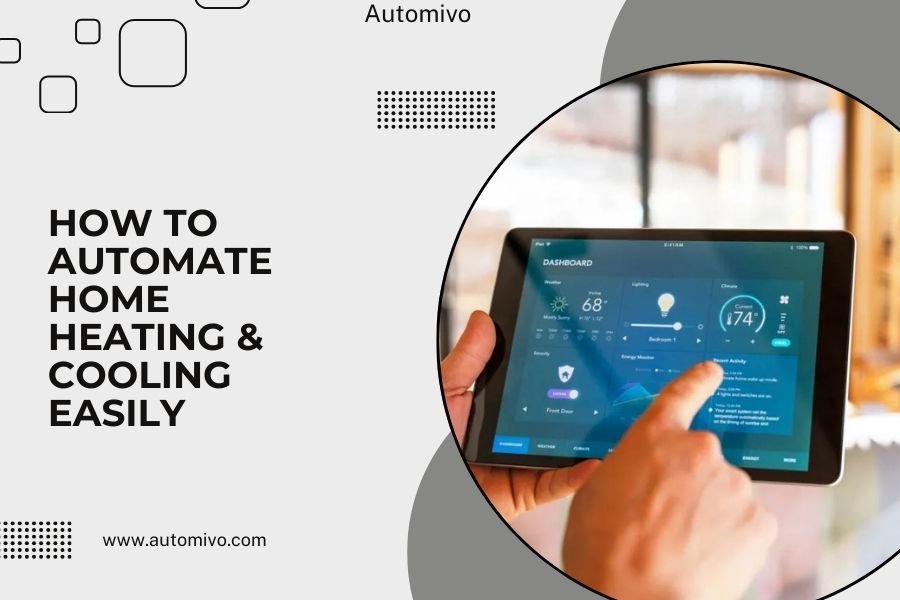
You can automate home heating and cooling by installing a smart thermostat, which connects to your Wi-Fi and learns your schedule to adjust temperatures automatically.
Smart thermostats, zoned HVAC systems, and connected sensors work together to create a fully automated climate control system that saves energy and keeps you comfortable year-round.
Why Smart HVAC Automation Makes Your Life Better
Ever walked into a freezing cold house after vacation? Or got a shocking energy bill because you forgot to adjust the thermostat? Smart home automation solves these problems.
I found that automated heating and cooling systems can reduce energy costs by 10-23% compared to manual thermostats (Energy Star). That’s real money back in your pocket every month.
The best part? You set it up once and forget about it. Your home learns when you’re away, when you sleep, and when you want it cozy.
Smart Thermostats: Your First Step to Automation
A smart thermostat is like having a personal assistant for your HVAC system. It replaces your old manual thermostat and connects to your home’s Wi-Fi network.
How Smart Thermostats Learn Your Habits
These devices track your daily patterns over the first week or two. They notice when you wake up, leave for work, come home, and go to bed.
After this learning period, they start making automatic adjustments. No more programming complex schedules or remembering to change settings.
Remote Control from Anywhere
Stuck at work late? Adjust your home temperature from your phone. Going on vacation? Turn down the heating without driving back home.
Most smart thermostats send you alerts too. They’ll tell you when it’s time to change your air filter or if something seems wrong with your system.
Setting Up Your Smart Thermostat
Installing a smart thermostat usually takes 30-60 minutes if you’re handy with basic tools. Many people do it themselves, but calling an HVAC tech is always an option.
What You Need Before You Start
- A compatible HVAC system (most work, but check first)
- Strong Wi-Fi signal where your thermostat is located
- The right wires (most homes have them already)
- Basic tools like a screwdriver and wire strippers
Step-by-Step Installation Process
Turn off power to your HVAC system at the breaker box. Safety first, right?
Remove your old thermostat and take a photo of the wire connections. This picture will save you headaches later.
Install the new smart thermostat base and connect the wires according to the manual. Most units have clear labels and color coding.
Turn the power back on and follow the setup wizard on the thermostat’s screen or mobile app.
Advanced Automation with Zoned Systems
Want to take automation further? Zoned HVAC systems let you control different areas of your home separately.
How Zoned Systems Work
Think of your home like a hotel. Each “zone” gets its own temperature control, just like individual hotel rooms.
Motorized dampers in your ductwork open and close to direct airflow where it’s needed. Smart thermostats in each zone tell the system what to do.
Benefits of Multi-Zone Control
No more fighting over the thermostat. Everyone gets their preferred temperature in their space.
You save energy by not heating or cooling empty rooms. Why waste money conditioning your guest bedroom when no one’s using it?
Room-by-Room Scheduling
Set different schedules for different zones. Keep bedrooms cool at night but let the living room warm up after you go to sleep.
I researched several case studies and found families often save 15-30% more energy with zoned systems compared to single-zone automation.
Smart Sensors for Perfect Automation
Temperature sensors placed around your home give your system better information than a single thermostat can provide.
Room Sensors vs. Thermostat Sensors
Your main thermostat only knows the temperature in one spot. That spot might be in a hallway or near a window where temperatures don’t represent your whole home.
Room sensors tell your system what’s happening in the spaces where you actually spend time.
Motion Detection for Smart Scheduling
Many sensors detect movement too. This helps your system know which rooms are occupied right now, not just what your schedule says.
If you work from home unexpectedly, motion sensors tell your HVAC system to keep that room comfortable even during normal “away” hours.
Placing Sensors for Best Results
Put sensors in rooms where you spend the most time. Bedrooms, home offices, and main living areas are good choices.
Avoid placing sensors near heating vents, windows, or exterior walls where readings might be skewed.
Integration with Other Smart Home Devices
Your HVAC automation works better when it talks to other smart devices in your home.
Smart Home Hubs and Platforms
Platforms like Google Home, Amazon Alexa, or Apple HomeKit can connect all your devices together.
This lets you create “scenes” where multiple things happen at once. Say “goodnight” and your thermostat, lights, and security system all adjust together.
Window Sensors and Weather Integration
Smart window sensors can pause your heating or cooling when windows are open. No more wasting energy because someone forgot to close a window.
Weather integration lets your system prepare for temperature changes. If a cold front is coming, your system can pre-heat your home using cheaper daytime electricity rates.
Smart Blinds and Sun Control
Automated blinds work with your HVAC system to block hot afternoon sun in summer or let in warming sunshine during winter.
This coordination reduces the workload on your heating and cooling equipment.
Energy Monitoring and Optimization
Smart HVAC systems track how much energy they use and constantly look for ways to improve efficiency.
Real-Time Energy Usage Data
See exactly how much your heating and cooling costs each day, week, or month. This information helps you make better decisions about comfort vs. cost.
Many systems show you how weather, occupancy, and schedule changes affect your energy use.
Automatic Efficiency Adjustments
Smart systems can shift energy use to off-peak hours when electricity is cheaper. They might pre-cool your home before peak rates kick in.
Some systems even participate in utility demand response programs, earning you credits for allowing small temperature adjustments during high-demand periods.
| Automation Level | Energy Savings | Setup Complexity | Cost Range |
|---|---|---|---|
| Smart Thermostat Only | 10-15% | Low | $150-$400 |
| Thermostat + Sensors | 15-20% | Medium | $300-$700 |
| Full Zoned System | 20-30% | High | $2,000-$8,000 |
Common Automation Mistakes to Avoid
Don’t set your automated schedules too aggressively. Small temperature swings are fine, but big changes make your system work harder and waste energy.
The Goldilocks Principle
Like the fairy tale, you want automation that’s not too much and not too little, but just right for your family’s needs.
I found that the most successful smart home setups start simple and add features gradually. Don’t try to automate everything on day one.
Sensor Placement Problems
Too many sensors can confuse your system. Start with sensors in your most-used rooms and add more only if needed.
Make sure sensors aren’t in direct sunlight, near air vents, or in spots where pets might trigger motion detection constantly.
Troubleshooting Your Automated System
Even smart systems have hiccups sometimes. Most problems are simple to fix once you know what to look for.
Wi-Fi Connectivity Issues
Weak Wi-Fi is the most common problem with smart thermostats. If your thermostat is far from your router, consider a Wi-Fi extender.
Restart your router and thermostat if they stop communicating. This fixes connection issues about 80% of the time.
Temperature Accuracy Problems
If rooms feel too hot or cold despite proper settings, check sensor batteries and placement first.
Recalibrate your system seasonally. What worked in summer might need tweaking for winter conditions.
Future-Proofing Your Investment
Smart HVAC technology keeps improving. Choose systems that receive software updates and work with multiple platforms.
Look for thermostats and sensors that support major standards like Matter, which helps different brands work together better.
Conclusion
Automating your home heating and cooling doesn’t have to be complicated or expensive. Start with a quality smart thermostat that learns your schedule and preferences. Add room sensors if you want more precise control, and consider zoned systems for larger homes with varying comfort needs.
The key is starting simple and building up gradually. Your automated HVAC system should make life easier, not more stressful. With proper setup, you’ll enjoy consistent comfort, lower energy bills, and the peace of mind that comes from a truly smart home that takes care of itself.
How much money can I really save with HVAC automation?
Most homeowners save $131-$145 per year with a smart thermostat alone (Energy Star). Zoned systems can double or triple these savings in larger homes by avoiding waste from heating and cooling unused spaces.
Will a smart thermostat work if my internet goes down?
Yes, smart thermostats continue working with basic heating and cooling functions even without internet. You’ll lose remote control and advanced features temporarily, but your home stays comfortable using the last programmed schedule.
Can I install smart HVAC controls in an older home?
Most homes built after 1975 can support smart thermostats with minor wiring updates. Older homes might need a common wire (C-wire) installed, which typically costs $100-$200 from an HVAC technician.
Do smart thermostats work with heat pumps and multi-stage systems?
Modern smart thermostats support heat pumps, dual-fuel systems, and multi-stage equipment. Check compatibility before buying, as some advanced HVAC systems need specific thermostat models with extra features.
How often should I replace sensors and update my automation settings?
Wireless sensors typically need new batteries every 1-2 years. Review and update your automation schedules seasonally or whenever your routine changes significantly, like starting a new job or when kids go back to school.
