
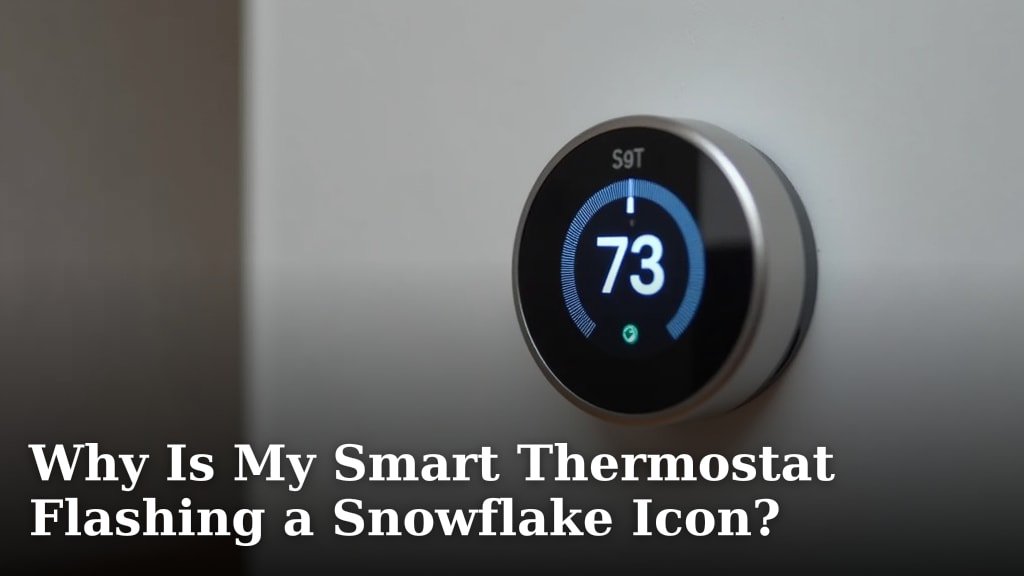
Your smart thermostat is flashing a snowflake icon because it’s in a cooling delay mode. This delay protects your air conditioner’s compressor from damage. It’s usually a normal part of your system’s operation and nothing to worry about.
We found that this brief pause often happens after a power outage or a quick change in temperature settings. Your thermostat is just giving the AC unit a moment to reset safely before it kicks back into full cooling action. You might also see this if you’ve recently turned your system off and then quickly back on.
- The snowflake icon means a cooling delay.
- It protects your AC compressor.
- Delays are common after power blips.
- Quick setting changes can also trigger it.
Let’s walk through exactly why your smart thermostat does this and what you can do if it seems stuck.
What Your Smart Thermostat’s Snowflake Symbol Means
Your smart thermostat flashes a snowflake icon to tell you that its cooling system is in a temporary pause. This isn’t a problem. It’s a built-in safety feature. The delay protects your air conditioner’s compressor. Think of it like a brief timeout for your AC unit.
We found that this delay is often called a “short-cycle delay” or “compressor delay.” It’s designed to prevent damage. Starting your AC too quickly after it’s been running can stress the compressor. This short wait helps the system reset safely.
Understanding the Compressor Delay
The compressor is the heart of your air conditioning system. It’s an expensive part. If it starts and stops too often in a short period, it can wear out quickly. We found this is a common cause of AC repair issues (Energy Star).
Your smart thermostat acts as a smart guardian. It senses when a rapid restart might occur. Then, it triggers the snowflake icon. This is its way of saying, “Hold on, let’s wait a moment.”
Why Compressor Delays Are Necessary
Imagine trying to start your car immediately after turning it off. You’d likely hear a grinding sound. The engine needs a moment to settle. Your AC compressor is similar. It needs a brief rest period to equalize pressure before it starts again.
This equalization process is critical. Without it, the compressor works harder. This extra work uses more energy and shortens the unit’s lifespan. The snowflake icon is a simple visual cue for this essential protective measure.
Common Triggers for the Snowflake Icon
Several everyday situations can cause your smart thermostat to show the snowflake icon. These are usually not signs of a problem. They are just part of your system working as intended.
Have you changed your thermostat settings recently? Did your power flicker? These can be the culprits. We’ve compiled a list of the most frequent triggers.
- Recent Power Outage: A brief loss of power resets many electronics. Your thermostat needs a moment to reconnect with your AC unit.
- Quick Temperature Adjustments: If you rapidly change your desired temperature up and then down, the thermostat might delay cooling.
- Turning System On/Off Quickly: Switching your system from “off” to “cool” too fast can also trigger the delay.
- Thermostat Reboot: Sometimes, the thermostat itself might restart. This could be due to an update or a minor glitch.
- Overcurrent Protection: In rare cases, if the compressor draws too much power, the thermostat might delay to protect the circuit.
How Long Does This Delay Last?
The waiting period isn’t long. Most smart thermostats have a preset delay. This delay usually lasts between 3 and 5 minutes. Some older models might take a little longer, up to 10 minutes.
During this time, your thermostat isn’t broken. It’s just doing its job. The snowflake icon will disappear once the waiting period is over. Then, your AC will kick back on.
| Thermostat Type | Typical Delay Duration | Reason for Delay |
|---|---|---|
| Standard Digital | 3-5 minutes | Compressor protection |
| Smart (Wi-Fi Enabled) | 3-7 minutes | System synchronization, compressor protection |
| Commercial Grade | 5-10 minutes | Larger systems require more pressure equalization time |
We found that longer delays are often tied to larger or older AC units. They simply need more time to prepare for a safe restart.
When to Be Concerned About the Snowflake Icon
Most of the time, the snowflake icon is nothing to worry about. It’s a normal function. But what if it stays on for too long? Or what if your AC never starts?
If the icon stays illuminated for more than 10-15 minutes, there might be another issue. This is when you should pay closer attention. Your AC unit might not be getting the message to start.
Signs of a Deeper Problem
Your thermostat’s snowflake icon can occasionally point to a more significant issue. Look for these warning signs:
- The icon flashes for more than 15 minutes consistently.
- Your AC unit never turns on, even after the delay.
- You hear unusual noises from your outdoor AC unit.
- The air coming from your vents is not cool, even after a long run time.
- Your circuit breaker for the AC unit keeps tripping.
- You notice ice buildup on the refrigerant lines outside.
If you see any of these, it’s time to investigate further. It could be a simple fix or something that requires professional help.
Troubleshooting Steps for a Persistent Snowflake Icon
Don’t panic if your snowflake icon seems stuck. There are a few things you can try yourself. These steps are simple and often solve the problem.
Remember, we’re looking for solutions that don’t involve complex tools. We want to rule out easy fixes first. Many issues are just communication glitches between your thermostat and AC unit.
Your Troubleshooting Checklist
Here’s a quick list of things you can check:
- Check the Circuit Breaker: Go to your electrical panel. Make sure the breaker for your AC unit is “on.” Sometimes, it just needs a reset.
- Verify Thermostat Settings: Double-check that your thermostat is set to “cool” and the desired temperature is below the current room temperature.
- Replace Thermostat Batteries: Low batteries can cause communication issues. Even if wired, some smart thermostats have backup batteries.
- Reset Your Thermostat: Many smart thermostats have a reset option in their menu. This can clear minor glitches. Refer to your owner’s manual for specific instructions.
- Inspect Your Outdoor AC Unit: Look for obvious blockages around the unit. Clear away leaves, debris, or overgrown plants.
- Ensure Your System Switch is Correct: Confirm your system switch (Heat/Off/Cool) is set to “Cool.”
After trying these steps, give your system another 5-10 minutes. See if the snowflake icon disappears and the AC turns on. If not, it might be time to call a professional.
When to Call a Professional HVAC Technician
You’ve tried the troubleshooting steps. The snowflake icon is still there, or your AC isn’t cooling. This is the point to call in the experts. They have the tools and knowledge to diagnose deeper issues.
Don’t try to fix complex AC problems yourself. You could void your warranty or cause more damage. Your comfort and safety are important (Consumer Reports).
An HVAC technician can check things like refrigerant levels, electrical connections, and compressor health. They can quickly pinpoint the exact reason why your AC isn’t working as it should. They can also ensure your system is running efficiently.
Conclusion
In most cases, a flashing snowflake icon on your smart thermostat is a positive sign. It indicates your system is actively protecting your AC’s compressor. This prevents costly damage and ensures your unit lasts longer. You now understand the common triggers and the typical delay duration.
If the delay seems too long or your AC isn’t cooling, you have a clear troubleshooting path. Always address simple checks first. If issues persist, don’t hesitate to contact a qualified HVAC technician. They can restore your comfort and system efficiency quickly.
Frequently Asked Questions
Why is my thermostat blinking “cool on” but no air is coming out?
When your thermostat blinks “cool on” but no air comes out, it often means the cooling delay is active. The system is waiting to protect the compressor before starting. This delay usually lasts a few minutes, after which cool air should begin flowing.
Can a dirty air filter cause a snowflake icon to flash?
A dirty air filter itself doesn’t directly cause the snowflake icon to flash. However, a severely clogged filter can lead to other AC issues, like freezing coils, which might eventually cause your system to short-cycle or trigger safety delays, though not directly represented by this specific icon.
Does the snowflake icon mean my AC is low on refrigerant?
No, the flashing snowflake icon specifically indicates a compressor delay for protection. It does not directly signal low refrigerant. Low refrigerant typically causes your AC to blow warm air or ice up, which are deeper problems requiring professional diagnosis.
Is it normal for a new smart thermostat to show the snowflake icon?
Yes, it’s completely normal for a new smart thermostat to display the snowflake icon. This feature is built into almost all modern thermostats to protect the AC unit’s compressor. Its appearance means the safety mechanism is working as intended.
What if my thermostat’s snowflake icon never turns off?
If the snowflake icon never turns off and your AC unit never starts cooling, it points to a problem beyond a simple delay. First, try basic troubleshooting like checking breakers or resetting the thermostat. If the issue persists, you should call a professional HVAC technician for assistance.
