
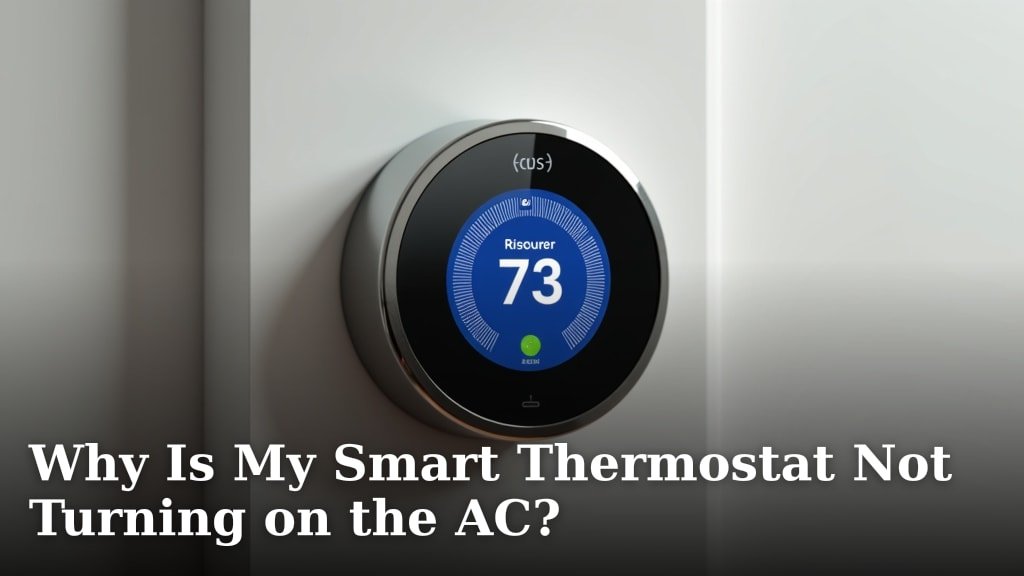
Your smart thermostat is not turning on the AC typically because of a power issue, an incorrect setting, or a communication problem between the thermostat and your HVAC system. Sometimes, a simple reset or checking your circuit breaker can fix the issue, while other times it points to a more complex electrical fault.
It’s incredibly frustrating when your home isn’t cooling down, especially on a hot day, and your smart thermostat seems to be ignoring your commands. You might wonder if it’s a minor glitch or a sign of a bigger problem with your AC unit itself. Don’t worry, we’ll help you figure out what’s going on and get your cool air flowing again.
TL;DR
- Check for power issues at the thermostat or circuit breaker.
- Review your thermostat settings for correct AC mode and temperature.
- Inspect wiring for loose connections.
- Consider a software glitch and try resetting the device.
- Look for problems with your AC unit that prevent it from starting.
Let’s walk through the common reasons why your smart thermostat might be failing to activate your air conditioning and what you can do to troubleshoot it.
Troubleshooting Your Smart Thermostat When the AC Stays Off
When your smart thermostat isn’t activating your AC, it’s usually due to a power issue, incorrect settings, or a wiring problem. We’ll help you diagnose and fix these common culprits.
Is Your Thermostat Getting Power?
The first thing to check is if your smart thermostat actually has power. Without power, it can’t communicate with your AC or even display correctly. Think of it like a computer without a power cord.
Check the Display and Batteries
Is the thermostat screen blank? Does it show a low battery icon? Many smart thermostats use a combination of C-wire power and backup batteries. Even if you have a C-wire, dead batteries can sometimes cause glitches or prevent the thermostat from operating correctly. Try replacing the batteries, even if you think they’re fine.
If your thermostat relies solely on batteries, new ones are a quick and easy first step. This simple fix often solves the problem instantly (National Electrical Contractors Association).
Inspect Your Circuit Breaker
Your AC unit, furnace, and even your thermostat are all connected to your home’s electrical system. A tripped circuit breaker can cut power to one or all of these components. Go to your electrical panel and look for any breakers that are in the “off” position or halfway between “on” and “off.”
If you find a tripped breaker, flip it completely off and then firmly back to the “on” position. Wait a few minutes and see if your AC kicks on. Sometimes, a power surge can cause a breaker to trip, acting as a safety mechanism.
The “C-Wire” Connection
Many smart thermostats require a “C-wire” (common wire) to draw constant 24V power from your HVAC system. Without it, the thermostat might try to “power steal” from other wires, which can cause erratic behavior or prevent the AC from turning on. If your thermostat was previously working and now isn’t, the C-wire connection might have come loose.
If you recently installed the thermostat without a C-wire and used a power extender kit, double-check those connections too. A loose wire here can be just as problematic as a loose wire at the thermostat itself.
Are Your Thermostat Settings Correct?
Sometimes, the problem isn’t with power, but simply with what your thermostat is told to do. It’s like telling your car to go, but forgetting to put it in drive.
Is the Mode Set to “Cool”?
This might seem obvious, but it’s a common oversight. Make sure your thermostat’s mode is set to “Cool” or “AC” and not “Heat,” “Off,” or “Fan Only.” Many thermostats have an “Auto” mode, which might not always activate cooling if the indoor temperature is already below your set point.
If you’ve been using your heater recently, it’s easy to forget to switch the mode back. Always confirm the correct operating mode first.
Check the Temperature Setting
Is your desired temperature (the “set point”) low enough to trigger the AC? If your home is 75°F and your thermostat is set to 78°F, the AC won’t turn on. Try lowering the set point significantly, perhaps to 68°F, to see if the AC responds. This helps confirm if the communication is working.
Some thermostats have a “swing” or “differential” setting, meaning the AC won’t turn on until the temperature is a few degrees above your set point. This is normal, but make sure your set point is appropriately low.
Schedule or Away Modes
Smart thermostats often have schedules or “away” modes that can override your manual settings. If your schedule is set to a higher temperature during certain hours, or if an “away” mode is activated, it might be preventing the AC from turning on when you expect it to.
Temporarily disable any schedules or “away” modes and manually set the temperature to see if the AC responds. If it does, you’ll know your schedule needs adjusting.
Wiring and Connection Issues
The wires connecting your thermostat to your HVAC system are the communication lines. If these lines are faulty, the message to turn on the AC won’t get through.
Loose or Damaged Wires at the Thermostat
Carefully remove the faceplate of your smart thermostat (refer to your manual for specific instructions). Look at the terminals where the wires are connected. Are any wires loose? Are they fully seated in their terminals? Sometimes, a wire can get slightly dislodged, breaking the connection.
Gently tug on each wire to ensure it’s secure. If a wire looks frayed or damaged, you might need to re-strip it or have a professional address it. Pay special attention to the “Y” (cooling) wire and the “G” (fan) wire.
Wiring at the HVAC Unit
Just like at the thermostat, connections at your furnace or air handler can become loose. Before inspecting these, make sure to turn off power to your HVAC system at the circuit breaker for safety. Open the panel on your furnace/air handler and look for the low-voltage wiring connections that lead to your thermostat.
Are they clean, secure, and free from corrosion? If you see any loose wires, you can gently push them back into their terminals. If you’re uncomfortable with this step, it’s best to call an HVAC technician.
Software Glitches and Resets
Even smart technology can have a bad day. A software bug or a simple communication hiccup can prevent your AC from engaging.
Restart Your Smart Thermostat
Just like your phone or computer, a simple restart can resolve many software-related issues. Many smart thermostats have a reset button, or you can temporarily remove the batteries and then put them back in. If it’s hardwired, you might need to temporarily turn off the circuit breaker that powers it.
A restart can clear temporary errors and refresh the thermostat’s internal logic. Give it a few minutes after restarting before expecting the AC to come on.
Check for Firmware Updates
Manufacturers often release firmware updates to fix bugs and improve performance. Your smart thermostat might download these automatically, but sometimes they need a manual trigger. Check your thermostat’s app or settings menu to see if any updates are pending.
Outdated firmware can sometimes lead to unexpected behavior. Ensuring your device is up-to-date can prevent future glitches (Consumer Reports).
Reset to Factory Settings
If all else fails, performing a factory reset on your thermostat can sometimes solve stubborn problems. Be aware that this will erase all your settings, schedules, and Wi-Fi configurations. You’ll need to set up your thermostat again from scratch.
This is a more drastic step, but it can eliminate any corrupted settings that might be preventing your AC from working. Consult your thermostat’s manual for instructions on how to perform a factory reset.
Troubleshooting Your AC Unit Itself
Sometimes, your thermostat is doing its job perfectly, but the AC unit itself has a problem. It’s like the messenger delivering the letter, but the recipient isn’t home.
Is the Outdoor Unit Running?
Go outside and listen to your AC condenser unit. Is the fan spinning? Can you hear the compressor running? If not, the issue might be with the outdoor unit rather than the thermostat. A tripped breaker specifically for the outdoor unit, a faulty contactor, or a capacitor issue can prevent it from starting.
If the outdoor unit isn’t making any noise or movement when the thermostat calls for cooling, it’s a strong indicator of an AC unit problem.
Furnace/Air Handler Fan Running?
Even if the outdoor unit isn’t running, can you hear your indoor furnace or air handler fan operating when the thermostat is set to “Cool” and the temperature is low? If the fan isn’t running, it could be an issue with the fan motor or control board inside your furnace/air handler.
A running fan but no cold air from the vents suggests the outdoor unit or refrigerant system has a problem. A non-running fan points to issues within the indoor unit itself.
Condensate Drain Line Clog
Your AC unit produces condensation, which drains away through a condensate line. If this line gets clogged, many AC units have a safety switch that will shut down the system to prevent water overflow. This is a common reason for an AC not turning on.
Check the drain pan (usually near your indoor unit) for standing water. If you see water, the line is likely clogged. Sometimes you can clear it with a wet/dry vac or a stiff brush, but a professional might be needed.
When to Call a Professional
You’ve tried all the troubleshooting steps. You’ve checked the power, settings, wiring, and even restarted everything. If your smart thermostat is still not turning on your AC, it’s time to call in the experts. Here’s a quick checklist of when to reach out:
- You’ve verified power to both the thermostat and AC unit, but nothing happens.
- There’s an error code on your thermostat that you can’t resolve.
- You suspect a major wiring issue or a problem with your HVAC control board.
- The outdoor AC unit is completely unresponsive.
- You hear unusual noises from your AC system.
- You are uncomfortable working with electrical components or opening HVAC panels.
An HVAC technician can quickly diagnose complex electrical issues, refrigerant problems, or component failures within your AC system that are beyond basic troubleshooting.
Conclusion
Dealing with an AC that won’t turn on can be frustrating, especially when you’re relying on a smart thermostat for comfort. By systematically checking for power issues, verifying your settings, and inspecting wiring, you can often pinpoint the problem yourself. Remember, even smart tech needs basic troubleshooting.
Most issues are minor, but knowing when to call a professional saves you time and prevents further damage. If your AC remains unresponsive after these steps, it’s a good sign that your system needs expert attention. Getting your AC running efficiently again is key to a comfortable home.
Frequently Asked Questions
Why won’t my smart thermostat connect to my Wi-Fi after a power outage?
After a power outage, your router might not restart as quickly as your thermostat. Try unplugging your Wi-Fi router for 30 seconds and then plugging it back in. Once your router is fully back online, your thermostat should reconnect automatically.
Can a dirty air filter prevent my AC from turning on?
Indirectly, yes. A severely clogged air filter restricts airflow, which can cause your AC coil to freeze up. Many AC units have safety features that will shut down the system to prevent damage from a frozen coil, stopping it from turning on.
My smart thermostat says “Delay” or “Wait” before turning on the AC. Is this normal?
Yes, this is normal. Many AC systems and smart thermostats have a built-in “short cycle protection” delay, usually 3-5 minutes. This prevents damage to the compressor from rapid on-off cycles, especially if you quickly adjust the temperature.
How do I know if my smart thermostat’s internal battery is dead?
If your smart thermostat has a blank screen or is acting erratically even with a C-wire connection, its internal backup battery might be dead. Some models will display a low battery icon. Try replacing any user-replaceable batteries first, or consult your manual for internal battery replacement.
My AC runs, but the air isn’t cold. Is this a thermostat issue?
If your AC unit is running (you hear the fan and compressor), but the air coming out isn’t cold, it’s unlikely to be a thermostat issue. This usually points to a problem with your AC’s refrigerant levels, compressor, or outdoor unit. You’ll need an HVAC technician to diagnose this.
