
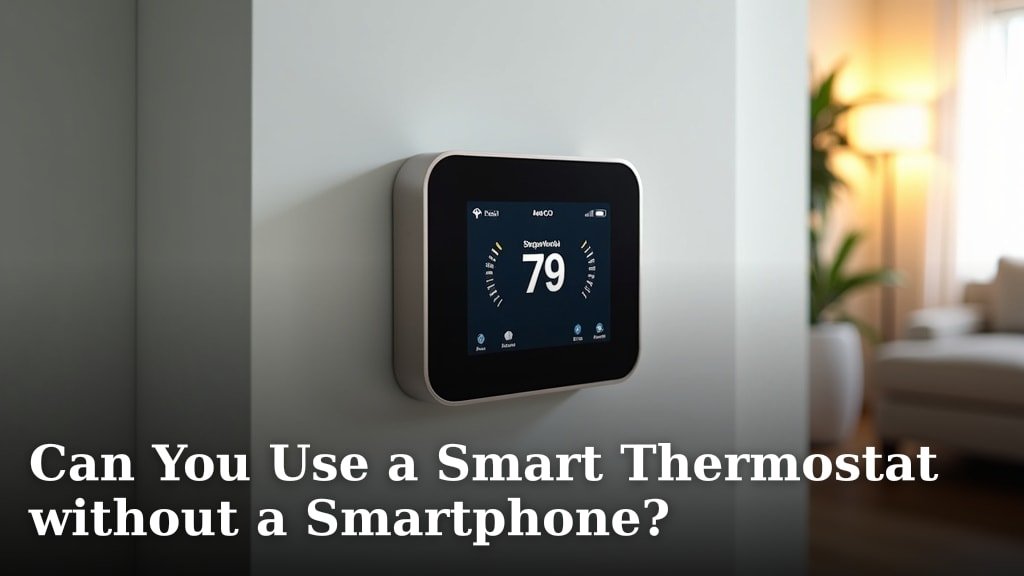
Operating Your Smart Thermostat Without a Phone
So, you’ve heard all about smart thermostats and their amazing features, but maybe you’re not big on smartphone apps, or perhaps you just want to know what happens if your phone isn’t around. The good news is, most smart thermostats are designed with some level of on-device control. You won’t be left in the cold (or heat!) without your phone.
We’ve found that the core functions you expect from any thermostat are usually accessible right there on the unit. Think of it as having a traditional thermostat with a few extra bells and whistles, even without the digital companion. Your home comfort is still in your hands, quite literally.
The Basics: What You Can Still Do
Without a smartphone, your smart thermostat transforms into a very capable, albeit slightly less “smart,” device. It still manages your home’s temperature, which is its primary job, after all. But what exactly does that look like in practice?
Adjusting the Temperature Manually
This is probably the most common action you’ll take. Every smart thermostat we’ve researched has a way to directly change the target temperature. You’ll typically find up/down arrows, a dial, or a touchscreen interface right on the device itself. It’s just like turning the dial or pressing buttons on an old-school thermostat.
For example, if you’re feeling a bit chilly, you can walk right up to your thermostat and bump the temperature up a degree or two. No need to pull out your phone, open an app, and navigate through menus. This direct control is often faster for immediate adjustments, which is a real plus for many users.
Setting or Changing Schedules
Even without a smartphone, many smart thermostats allow you to set or modify basic schedules directly on the unit. This feature might be a bit more cumbersome than using an app, but it’s definitely possible. You’ll typically use the thermostat’s screen and buttons to program desired temperatures for different times of the day or week.
We’ve seen models where you can cycle through days and times, setting a comfort temperature for when you’re home and an energy-saving temperature for when you’re out or asleep. It takes a little patience, but once it’s set, your thermostat will follow that schedule faithfully, even if your phone is off or lost.
Switching Modes (Heat/Cool/Off)
Need to switch from heating to cooling as the seasons change? Or maybe you just want to turn your system off for a bit. You can absolutely do this on the thermostat itself. There’s usually a dedicated button or a menu option on the screen to cycle through heating, cooling, and off modes. This is a fundamental function, and smart thermostat manufacturers know it needs to be easily accessible.
Features That Might Still Work
Here’s where it gets a little interesting. Some smart features don’t strictly require a smartphone to operate once they’ve been initially set up. It really depends on the specific model and how it’s designed. Think about which functions rely on constant communication with your phone versus those that might be more self-contained.
Voice Control Integration (with Smart Speakers)
If you have smart speakers like Amazon Echo or Google Home in your house, your smart thermostat might still respond to voice commands. This is because the voice assistant communicates directly with the thermostat’s cloud service, not necessarily through your smartphone.
As long as your smart thermostat is connected to your home Wi-Fi and linked to your smart speaker account, you can often say things like, “Alexa, set the thermostat to 72 degrees,” or “Hey Google, what’s the temperature in the living room?” This offers a fantastic hands-free way to manage your climate without touching a screen at all.
Basic Geofencing (Limited)
Some smart thermostats offer very basic geofencing capabilities that might function without your phone actively running the app. For instance, if the thermostat itself has a built-in proximity sensor (which is rare but possible), or if it integrates with other smart home devices that detect presence, it might be able to tell if someone is home. However, for true, phone-based geofencing that tracks your actual location, you’ll need the app.
What You’ll Miss Out On
While basic operation is possible, using a smart thermostat without its companion app means you’re really missing out on the “smart” part. It’s like having a sports car but only ever driving it in first gear – it gets the job done, but you’re not experiencing its full potential.
- Remote Control: The biggest loss is the ability to adjust your thermostat from anywhere. No more turning on the AC on your way home from work.
- Energy Reporting: You won’t get detailed breakdowns of your energy usage, insights into savings, or personalized tips for optimization. These are usually presented graphically within the app.
- Advanced Scheduling: Complex scheduling options, like creating custom programs for every day of the week or setting up “away” modes based on your habits, are almost exclusively app-based.
- Software Updates: While many thermostats can receive updates over Wi-Fi, managing and monitoring these updates often happens through the app.
- Smart Home Integrations: Linking your thermostat with other smart devices (like smart lighting or window sensors) typically requires app configuration.
- Learning Capabilities: Many smart thermostats “learn” your preferences and optimize schedules over time. This learning process, and its benefits, are significantly reduced without app interaction.
- Problem Diagnostics: If there’s an issue with your HVAC system or thermostat, the app is often the first place to check for error codes or diagnostic information.
Comparing On-Device Control: A Quick Look
Not all smart thermostats are created equal when it comes to direct control. Some have larger, more intuitive touchscreens, while others rely on smaller displays and physical buttons. We’ve found that the user experience can vary quite a lot.
| Feature | High-End Models (e.g., Ecobee, Nest) | Mid-Range Models (e.g., Honeywell T9, Lux Kono) | Basic Smart Thermostats |
|---|---|---|---|
| Manual Temp Adjustment | Excellent (Touchscreen/Dial) | Good (Buttons/Touchscreen) | Fair (Buttons) |
| Schedule Editing On-Device | Good (Intuitive menus) | Fair (More steps) | Limited (Basic time slots) |
| Mode Switching On-Device | Excellent (Clear options) | Good (Button/Menu) | Good (Dedicated button) |
| Voice Control (Post-Setup) | Yes, often robust | Yes, usually works | Sometimes, depends on model |
| Real-Time Feedback (On-Device) | Yes (Current temp, schedule) | Yes (Basic info) | Yes (Basic info) |
| Ease of Use Without Phone | Moderate (Still very functional) | Good (Gets the job done) | Excellent (Closer to traditional) |
Choosing the Right Thermostat for You
If you know you’ll primarily be using your smart thermostat without a smartphone, your decision-making process will shift a bit. You’ll want to prioritize devices with excellent on-device interfaces. Look for large, clear screens and straightforward controls.
Consider visiting a local electronics store to actually interact with the thermostat models on display. Press the buttons, navigate the menus, and see how easy it is to change settings directly on the unit. This hands-on experience can be incredibly helpful in finding the right fit for your needs.
Scenarios Where No Smartphone is Key
You might be wondering who would choose to forgo the smartphone features. We’ve identified a few common situations:
- Elderly Users: For those who aren’t comfortable with smartphone apps but want a modern, easy-to-read thermostat.
- Guest Houses/Rentals: Where you want guests to have simple control without needing access to an app or your home Wi-Fi credentials.
- Digital Detox: You’re trying to reduce screen time but still want a modern, efficient thermostat.
- Temporary Use: When your phone is charging, broken, or simply not with you.
- Security Concerns: Some users prefer not to have another internet-connected device with remote access.
Setting Up Without a Smartphone
This is where things can get a little tricky. Initial setup for most smart thermostats heavily relies on the smartphone app. Connecting to your home Wi-Fi, registering the device, and configuring its core functions often require the app. If you’re considering a smart thermostat, our guide on whether you can install a smart thermostat yourself offers helpful insights into the process.
However, once it’s set up, you may no longer need the phone for daily use. If you absolutely cannot use a smartphone for setup, you might need assistance from someone who does have one, or look for specific models that offer a complete on-device setup process, though these are less common.
The Bottom Line: It’s Possible, But Limited
So, to reiterate, yes, you can use a smart thermostat without a smartphone. It will control your heating and cooling. You can adjust the temperature, change modes, and often set basic schedules directly on the device. But you will miss out on the advanced features that truly make a smart thermostat “smart.”
Think of it as choosing between a basic digital watch and a smartwatch. Both tell time, but one does a whole lot more. If those extra features like remote control, energy insights, and learning capabilities appeal to you, then having a smartphone handy will definitely enhance your experience.
Conclusion
You now know that using a smart thermostat without a smartphone is entirely possible for basic comfort. You can still adjust temperatures, switch modes, and often program simple schedules directly on the device. However, you’ll miss out on the advanced features that truly make a smart thermostat smart, like remote access, detailed energy reports, and learning capabilities.
We recommend weighing which features are most important to you. If on-device control is your priority, look for models with intuitive screens. If you want the full smart home experience, keep your smartphone handy!
Frequently Asked Questions
Can a smart thermostat work if my Wi-Fi goes out?
Yes, your smart thermostat will continue to control your HVAC system and maintain its last programmed settings even without Wi-Fi. You can still adjust the temperature manually on the device itself. What you lose are remote control features and smart home integrations.
Do all smart thermostats have a screen for manual control?
Most smart thermostats have some form of on-device control, whether it’s a touchscreen, buttons, or a dial. However, the size and intuitiveness of these controls vary widely between models. Always check product specifications or customer reviews for clarity.
Is it harder to set up a smart thermostat without a phone?
Initial setup for most smart thermostats heavily relies on a smartphone app to connect to Wi-Fi and configure settings. While some basic models might offer on-device setup, it’s rare. You might need temporary access to a smartphone for the first-time installation process.
Will my smart thermostat still save energy if I don’t use the app?
It can, but its energy savings will be limited. Without the app, you won’t get personalized energy reports or access to features like geofencing or advanced learning algorithms that optimize usage based on your habits. You’ll rely more on manually set schedules for efficiency.
Can I control a smart thermostat with a tablet instead of a smartphone?
Yes, most smart thermostat apps are compatible with tablets, both iOS and Android. As long as the tablet can download and run the specific thermostat’s app and has an internet connection, you can use it to control your device just like a smartphone.
