
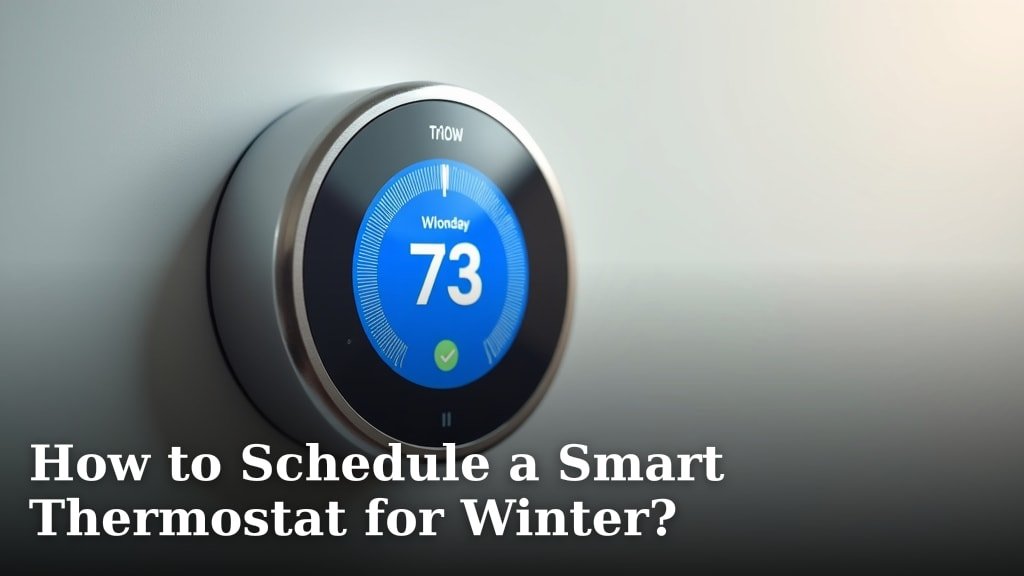
The easiest way to schedule a smart thermostat for winter is to set a comfortable temperature when you’re home and a lower one when you’re away or asleep. You can also use your thermostat’s app to create a custom schedule that saves energy. Most smart thermostats let you program different temperatures for different times of day.
Optimizing your smart thermostat helps you stay warm without wasting money. We found that a good winter schedule can cut your heating bills. It’s all about balancing comfort and efficiency, especially when the weather gets truly cold. Plus, modern thermostats often learn your habits, making adjustments even easier.
- Set a warm temperature when you’re home.
- Lower the temperature when you’re out or sleeping.
- Use your thermostat’s app for custom schedules.
- Adjust for weekends versus weekdays.
- Consider “away” modes to save even more.
Ready to make your home cozy and efficient this winter? Let’s walk through exactly how to set up your smart thermostat for maximum comfort and savings, step by step.
Optimizing Your Smart Thermostat for Winter Warmth
Setting up your smart thermostat for winter is simpler than you might think. It’s about teaching it your rhythm and preferences to keep you warm and save energy. We found that a good schedule can make a big difference in comfort and utility bills.
Understanding Your Smart Thermostat’s Features
Before diving into schedules, let’s quickly review some key features. Knowing what your thermostat can do helps you use it most effectively.
Basic vs. Advanced Scheduling
Most smart thermostats offer at least two scheduling options. You’ll find a basic “home/away” setting and a more detailed, custom schedule.
- Basic Scheduling: This usually involves setting a comfort temperature for when you’re home and a setback temperature for when you’re out or asleep. It’s a great starting point.
- Advanced Scheduling: This lets you define different temperatures for specific times on specific days. Think Monday mornings versus Saturday afternoons. It offers much more control.
Learning Capabilities
Many smart thermostats have “learning” features. They observe your adjustments over time and begin to predict your preferences. We found this can automate savings without sacrificing comfort.
- Self-Programming: Some thermostats learn your habits and build a schedule for you. It’s like having a personal energy assistant.
- Geofencing: This feature uses your phone’s location to detect when you’ve left home or are returning. It can automatically adjust the temperature, which is super convenient.
Crafting Your Ideal Winter Schedule
Now, let’s get into the nitty-gritty of creating a schedule. The goal is to maximize comfort when you need it and minimize heating when you don’t. We found that a thoughtful approach here pays off.
Choosing Your Comfort Temperatures
What temperature feels right for you? This is personal, but there are some common guidelines. Many experts suggest setting your thermostat around 68-70°F (20-21°C) when you’re home and awake (U.S. Department of Energy).
- Daytime Comfort: Experiment to find your sweet spot. What feels cozy without being too warm?
- Sleeping Temperature: Most people prefer a cooler temperature for sleeping, often between 60-65°F (15-18°C). This can also improve sleep quality (National Sleep Foundation).
- Away Temperature: When no one is home, you can significantly lower the temperature, perhaps to 55-60°F (13-15°C). This prevents pipes from freezing and saves energy.
Mapping Out Your Weekday Schedule
Weekdays often have a predictable rhythm. This makes them perfect for a detailed schedule. Think about when your home is active and when it’s empty.
- Morning Warm-up: Set your heat to kick in about 30 minutes before you wake up. This ensures a comfortable start to your day.
- Daytime Setback: Once everyone leaves for work or school, drop the temperature. No need to heat an empty house.
- Evening Warm-up: Schedule the heat to rise again before you typically return home. Come back to comfort, not a cold house.
- Nighttime Setback: About an hour before bedtime, start lowering the temperature for sleeping.
Planning for Your Weekend Routine
Weekends are often less structured than weekdays. You might be home more or have different plans. Your thermostat can handle this.
- Adjust for Home Time: If you’re home all day, maintain your comfortable daytime temperature.
- Consider Outings: If you regularly go out for several hours, schedule a temporary setback. You can always override it if plans change.
Fine-Tuning Your Smart Thermostat Settings
Once you have a basic schedule, you can refine it further. These additional settings and features can help you save even more energy.
Using “Away” Modes and Geofencing
Many smart thermostats offer specific “away” features. We found these are excellent for unexpected changes in your routine.
- Manual Away Mode: If you leave unexpectedly, simply press the “away” button on your thermostat or in the app. It will automatically lower the temperature.
- Geofencing Activation: For thermostats with geofencing, ensure it’s enabled and working with your phone. This means the heat adjusts as you come and go without you lifting a finger.
Pre-Heating and Recovery Time
Smart thermostats often learn how long it takes to heat your home. This is crucial for comfort.
- Smart Recovery: Instead of setting the heat to 70°F at 5 PM, you might set it to be 70°F BY 5 PM. The thermostat will start heating earlier to reach that temperature on time.
- Optimized Start: This feature works similarly, ensuring your home is warm when you expect it to be, without wasting energy heating too early.
Troubleshooting Common Scheduling Issues
Even with smart technology, sometimes things don’t go perfectly. Don’t worry; most issues are easy to fix.
Heat Not Turning On/Off as Expected
If your schedule isn’t following your plan, check a few things first. We found these are the most common culprits.
- Check for Overrides: Did someone manually change the temperature? A temporary override can prevent the schedule from running.
- Verify Schedule Settings: Double-check the times and temperatures in your app. A small typo can make a big difference.
- Confirm Mode: Is your thermostat set to “Heat” mode? Sometimes it might accidentally be in “Off” or “Cool.”
Dealing with Temperature Fluctuations
If your home feels too hot or too cold at unexpected times, your schedule might need a tweak. Or, other factors could be at play.
- Adjust Setback Gradualness: If your home gets too cold during a setback, raise the “away” temperature slightly.
- Consider Insulation: Poor insulation can make your home struggle to maintain temperature. This is a bigger fix but worth investigating for long-term comfort and savings.
- Thermostat Placement: Is your thermostat in a drafty area or near a heat source? This can skew readings.
A Quick Checklist for Winter Scheduling Success
Use this checklist to make sure you’ve covered all the bases for a comfortable and efficient winter. It’s a great way to ensure you’re getting the most out of your smart thermostat.
- Set distinct “home” and “away” temperatures.
- Program weekday and weekend schedules separately.
- Enable geofencing or “away” mode for efficiency.
- Verify smart recovery or optimized start is active.
- Regularly review and adjust your schedule as needed.
Conclusion
By taking a few minutes to schedule your smart thermostat, you’re not just setting temperatures; you’re creating a personalized climate for your home. We’ve found that smart scheduling significantly reduces energy waste while keeping you comfortable all winter. From understanding learning features to fine-tuning your weekend warmth, every step helps. You now have the tools to make your home cozy and efficient.
Take control of your comfort and energy bills today. Start building your ideal winter schedule and enjoy a warmer, smarter home.
Frequently Asked Questions
How much energy can a smart thermostat actually save in winter?
While savings vary, the U.S. Department of Energy suggests you can save about 10% on heating and cooling costs by setting your thermostat back 7-10 degrees Fahrenheit for 8 hours a day. Smart thermostats make this consistent and effortless, leading to significant seasonal savings.
Can I override my smart thermostat’s schedule if my plans change?
Absolutely. Smart thermostats are designed for flexibility. You can easily override the current schedule temporarily through the app or directly on the device. Most will revert to your programmed schedule at the next scheduled change. For more detailed instructions on how to bypass a smart thermostat schedule, refer to our dedicated article.
Is it better to turn my heat off completely when I’m away for a few days?
For short periods (a few days), it’s generally better to set your thermostat to a lower, but still active, temperature (e.g., 55-60°F). This prevents pipes from freezing and avoids using excessive energy to reheat a completely cold house when you return.
What if my home has multiple smart thermostats?
If you have a multi-zone system, you’ll schedule each thermostat independently. This allows you to customize comfort levels for different areas of your home. Many smart thermostat apps let you manage all connected devices from one central interface.
How often should I review or adjust my winter thermostat schedule?
It’s a good idea to review your schedule at the start of each heating season, or if your family’s routine changes significantly. Small adjustments can optimize comfort and savings. Your smart thermostat might even suggest changes based on its learning features.
