
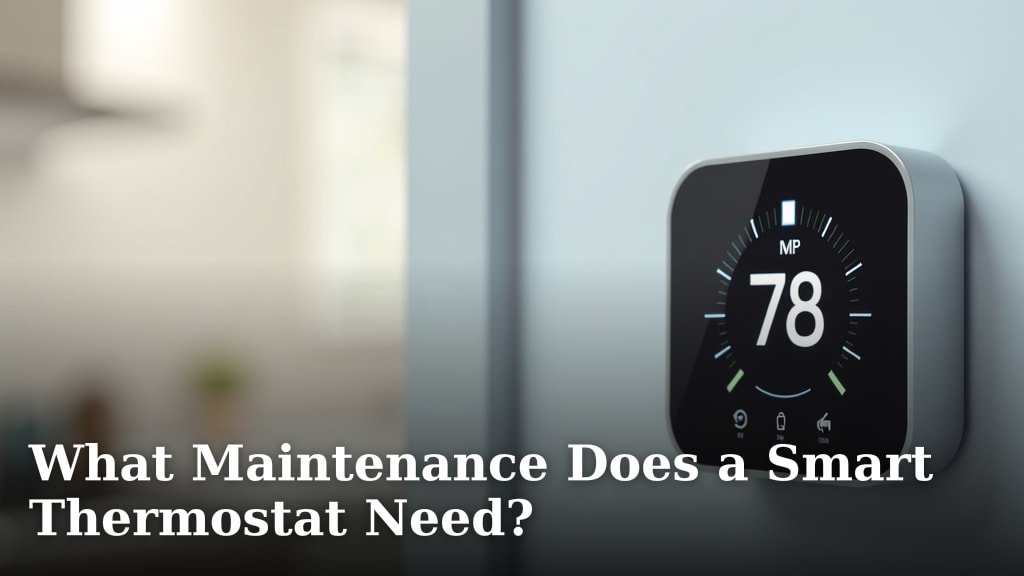
Smart thermostats generally require very little maintenance. You’ll primarily need to keep the screen clean and ensure its battery is working. Most smart thermostats, like the Nest or ecobee, run on system power or have long-lasting rechargeable batteries, so you won’t be replacing them often. Regular cleaning and occasional checks are usually all that’s needed to keep your smart thermostat running smoothly.
While they are low-maintenance, ignoring them completely could lead to minor issues down the road. Keeping the display clear ensures you can always see your settings. Checking the battery status, even if it’s rare, prevents unexpected shutdowns. Think of it as giving your smart home helper a little TLC now and then to ensure its optimal performance.
- Smart thermostats need minimal upkeep.
- Focus on cleaning the screen and checking battery health.
- Most rely on system power or have rechargeable batteries.
- Occasional checks ensure consistent operation.
- Enjoy the benefits without constant worry.
Let’s walk through the simple steps you can take to keep your smart thermostat in tip-top shape without any hassle.
Caring for Your Smart Thermostat: Simple Maintenance Steps
Smart thermostats are designed to be hands-off. You usually don’t need to do much. We found that most smart thermostats require very little upkeep. Think of them as smart appliances that mostly take care of themselves. Your main tasks will be keeping the display clean and checking on the battery. This keeps your device running smoothly for years to come.
Keeping the Screen Pristine
The touchscreen is your main way to interact with your smart thermostat. A clean screen ensures you can see everything clearly. It also makes it easy to tap in your desired settings.
How to Safely Clean Your Smart Thermostat’s Screen
You can easily clean the screen with a soft, dry microfiber cloth. This is the same kind of cloth you’d use for eyeglasses or camera lenses. It’s gentle and won’t leave scratches.
What to Avoid When Cleaning
It’s important not to use harsh chemicals or abrasive cleaners. These can damage the screen’s coating. Never spray liquid directly onto the thermostat. Instead, lightly dampen the cloth if needed. Many manufacturers recommend using only water or a mild, alcohol-free cleaner.
We found that a slightly damp cloth is usually enough for most smudges. For tougher spots, a tiny bit of an electronics-safe cleaner can work wonders. Just remember: less is more when it comes to liquids near electronics.
Understanding Your Smart Thermostat’s Power Source
One of the biggest advantages of smart thermostats is how they get their power. Most don’t rely on disposable batteries. This means you won’t be hunting for replacements every few months.
System Power vs. Rechargeable Batteries
Many smart thermostats draw power directly from your home’s HVAC system wiring. This is often referred to as “C-wire” power. It provides a constant, steady energy supply. If your thermostat has this, you’ll rarely, if ever, need to worry about batteries. We found that this is the most common and reliable power source.
Some models, especially older ones or those designed for easier installation without a C-wire, might use internal rechargeable batteries. These batteries are designed to last for a long time. They recharge whenever your HVAC system is running. Think of it like your smartphone battery – it recharges when plugged in. Your thermostat recharges when your system cycles on.
Checking Battery Health (When Necessary)
Even rechargeable batteries have a lifespan. While it can be years, they will eventually degrade. Most smart thermostats will give you a heads-up when battery levels are getting low.
What to Look For in Your App or on the Device
Your smart thermostat’s mobile app is usually your best friend here. It often provides a battery status indicator. You might see a percentage or a low-battery warning icon. Check this periodically, perhaps once every few months. Some devices also display battery status directly on the thermostat’s screen.
If you see a low battery warning, don’t panic. It means the battery is getting weaker. It’s time to prepare for a potential replacement. This is a good time to consult your thermostat’s manual or the manufacturer’s website. They will guide you on how to replace or recharge the battery.
When to Consider a Battery Replacement
Experts suggest that most rechargeable batteries in smart thermostats last between 3 to 5 years. Some might even go longer. If your device is older and you haven’t seen any battery warnings, it’s still a good idea to check the status through the app. A sudden shutdown can leave your home uncomfortable.
Many guidelines from HVAC professionals indicate that if your thermostat starts acting sluggishly, freezing up, or showing inconsistent behavior, a weak battery could be the culprit. This is especially true if you don’t have a C-wire connection. Remember, consistent performance depends on a healthy power source.
Software Updates: The Invisible Maintenance
Just like your smartphone, your smart thermostat runs on software. Manufacturers regularly release updates to improve performance, fix bugs, and add new features. This is a form of maintenance that happens automatically.
How Updates Typically Work
Most smart thermostats connect to your home’s Wi-Fi network. This connection allows them to download and install software updates on their own. You usually don’t need to do anything. We found that this automatic process is one of the key benefits of smart home technology.
These updates can sometimes enhance your thermostat’s ability to learn your schedule. They might also improve its energy-saving algorithms. It’s like giving your thermostat a tune-up without you lifting a finger. You get better efficiency and more features over time.
Occasional Checks for Optimal Performance
While the upkeep is minimal, a few quick checks can ensure everything is working as it should.
Verifying Connectivity
Your smart thermostat needs a stable Wi-Fi connection to function fully. Without it, you lose remote control and access to smart features. Check your app to ensure the thermostat is showing as online. If it seems offline, try restarting your Wi-Fi router. Sometimes, a simple router reboot is all that’s needed to get it back online. Your smart thermostat needs a stable Wi-Fi connection for remote control and smart features.
Testing Thermostat Schedules and Settings
Occasionally, review your programmed schedules and settings. Have your habits changed? Do you need to adjust temperature preferences? Your smart thermostat is designed to adapt, but it relies on the information you provide. A quick review ensures it’s still working efficiently for your lifestyle. We found that users often forget to update schedules after a major life change, like a new job or a change in work-from-home status.
Ensuring Clear Airflow Around the Unit
Though not direct maintenance for the thermostat itself, ensure there are no obstructions around the unit. Furniture, curtains, or even plants shouldn’t block airflow to the thermostat. It needs to sense the room’s temperature accurately. If it’s reading a false temperature, it won’t control your HVAC system properly. Think of it like a tiny weather station; it needs clear air to do its job.
A Quick Smart Thermostat Maintenance Checklist
Here’s a simple rundown to keep your smart thermostat in top shape:
- Wipe down the screen with a microfiber cloth as needed.
- Check the battery status in your app or on the device every few months.
- Ensure your thermostat has a stable Wi-Fi connection.
- Review your programmed schedules and temperature settings annually or if your routine changes.
- Make sure nothing is blocking the vents or airflow around the thermostat.
- Consult your manual if you encounter any unusual behavior or error messages.
| Maintenance Task | Frequency | Notes |
|---|---|---|
| Screen Cleaning | As needed (weekly/monthly) | Use a soft, dry microfiber cloth. Avoid harsh chemicals. |
| Battery Check | Every 3-6 months | Check app or device for status. Crucial for non-C-wire installs. |
| Wi-Fi Connection | Continuously monitored by app | Restart router if offline. Essential for remote control. |
| Schedule Review | Annually or with routine changes | Adjust temperatures for optimal comfort and savings. |
| Airflow Check | Every 6-12 months | Ensure no obstructions around the unit for accurate readings. |
| Software Updates | Automatic (ongoing) | Usually handled by the manufacturer via Wi-Fi. |
Conclusion
You’ve learned that keeping your smart thermostat running smoothly is surprisingly simple. Your main tasks involve occasional screen cleaning with a soft cloth and monitoring battery status through your app. Most smart thermostats handle software updates automatically, and ensuring good Wi-Fi is key for remote access. By performing these simple checks, you guarantee your smart thermostat continues to optimize your home’s comfort and energy savings for years to come. Take a moment this week to verify your Wi-Fi connection and check your thermostat’s battery status via its app – a quick step for ongoing peace of mind.
Frequently Asked Questions
How often should I clean my smart thermostat’s screen?
You should clean your smart thermostat’s screen whenever you notice smudges or dust buildup. Typically, this is needed about once a month or as necessary. Always use a soft, dry microfiber cloth to prevent scratches.
What happens if my smart thermostat’s battery dies?
If your smart thermostat’s rechargeable battery dies, it may stop functioning. You might lose remote control and smart scheduling features. Check your app for low battery warnings to replace or recharge it before this happens.
Do I need to be home for software updates?
No, you don’t need to be home for software updates. As long as your smart thermostat is connected to your Wi-Fi network, updates are usually downloaded and installed automatically in the background.
Can I use regular household cleaners on my smart thermostat?
It’s best to avoid regular household cleaners. Harsh chemicals can damage the screen’s coating. Stick to a soft, dry microfiber cloth or a slightly damp cloth with water for cleaning.
What if my smart thermostat stops connecting to Wi-Fi?
If your smart thermostat loses its Wi-Fi connection, try restarting your home’s Wi-Fi router first. If that doesn’t work, consult your thermostat’s manual or manufacturer’s support for troubleshooting steps.
