
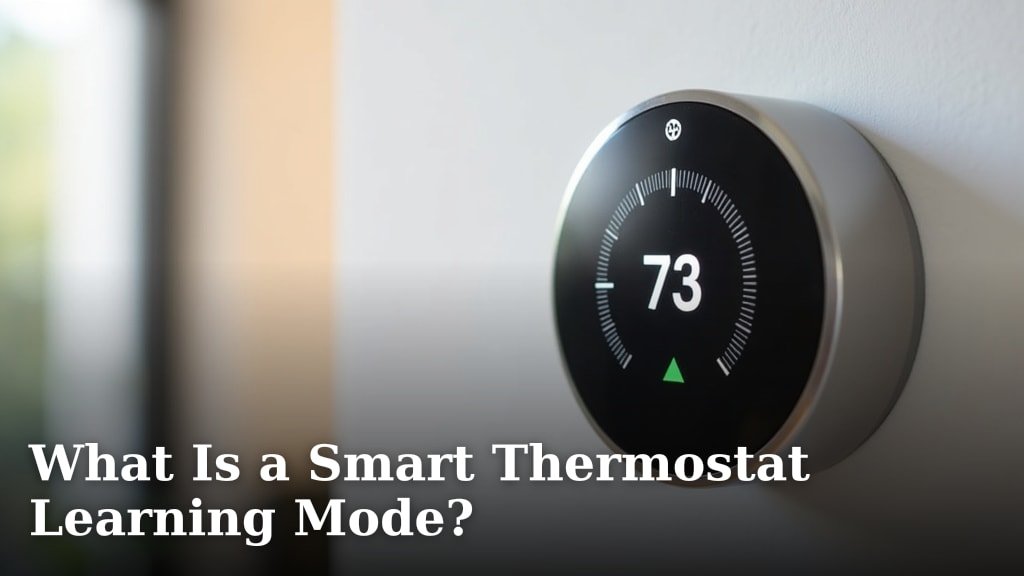
A smart thermostat’s learning mode is a special setting that lets your thermostat automatically adjust your home’s temperature. It learns your habits over time. Then, it creates a schedule to save energy and keep you comfortable without you having to program it. Think of it as your home’s temperature butler.
This smart feature uses algorithms to detect when you’re home or away. It also learns your preferred temperatures for different times of the day. Many smart thermostats offer this mode. It’s a key way these devices help you save money on energy bills and reduce your carbon footprint by avoiding unnecessary heating or cooling. It makes smart home technology work for you.
- Smart thermostats learn your temperature preferences.
- They create custom schedules automatically.
- This saves energy and lowers utility bills.
- You don’t need to manually program it.
Ready to make your home more comfortable and efficient? Below, we’ll walk you through exactly how your smart thermostat’s learning mode works and how to get the most out of it.
How Your Smart Thermostat Learns Your Comfort Habits
Ever wish your home just *knew* when you wanted it warmer or cooler? That’s exactly what a smart thermostat’s learning mode aims to do. It’s like having a personal climate assistant. This mode uses clever technology to watch your behavior. Then, it figures out your temperature preferences on its own. You don’t have to be a tech wizard to make it work. It learns from your adjustments over days and weeks.
The Magic Behind the Learning: Sensors and Algorithms
So, how does it actually *learn*? Smart thermostats use a combination of sensors and smart software. They have built-in sensors to detect the current temperature and humidity. More advanced models might even use motion sensors or connect to your phone’s location. This helps them guess if you’re home or away. The core of the learning is in the algorithms. These are sets of rules the thermostat follows. They analyze your manual adjustments. Did you turn up the heat at 7 AM every weekday? The thermostat notices this pattern. It logs this as a preference for that time. Over time, these logged preferences build a smart schedule. Many experts agree this is a key innovation in home energy management (Energy Star).
What Your Thermostat Observes
Your smart thermostat isn’t spying on you, but it *is* paying attention. It looks for several key things to build your unique comfort profile:
- Manual Adjustments: Every time you override the current temperature setting, it logs that input.
- Time of Day: It notes *when* you make these changes. Early morning? Evening? Middle of the night?
- Day of the Week: It distinguishes between weekdays and weekends. Your schedule on a Saturday is probably different from a Tuesday.
- Occupancy (Sometimes): Some thermostats use built-in sensors or geofencing (your phone’s location) to know if anyone is home. This helps avoid heating or cooling an empty house.
Building Your Personalized Schedule
Imagine you consistently turn the AC down when you get home from work around 5 PM. Your smart thermostat learns this. After a week or two, it might start automatically setting the AC to your preferred temperature at 5 PM. It also learns when you usually go to bed. It might then start lowering the temperature slightly to save energy while you sleep. This This automatic schedule creation is a core benefit of the learning mode.automatic schedule creation means less work for you. You get comfort tailored to your actual life, not a generic pre-set program. It’s about making your home work for your routine.
How the Learning Mode Works in Practice
The learning process isn’t instant. Think of it as training a very polite, digital butler. You have to show it what you like first. This usually happens over the first week or two of using the learning mode. Your thermostat will make guesses and adjustments. Some models might ask you directly for confirmation. Others just observe and implement. The goal is to reach a point where you rarely need to touch the thermostat manually.
The “Training” Period: What to Expect
During the initial training period, be patient! Your thermostat might not get it right every time. You might find it’s a little too warm when you want it cool, or vice-versa. This is your chance to teach it. Make the adjustments you want. The thermostat’s learning algorithm will pick up on these changes. It’s a bit like teaching a child – consistent guidance leads to better understanding. We found that actively making desired adjustments during this phase speeds up the process.
Confirming and Refining Your Schedule
Many smart thermostat apps will show you the schedule the learning mode has created. They often present it in a clear, visual format. You can review this schedule and make any necessary tweaks. If the thermostat predicted you’d want the heat on at 6 AM, but you actually prefer it at 6:30 AM, you can easily adjust that. This refinement process is key to ensuring your comfort and maximizing energy savings. It’s a partnership between you and your smart device.
When Learning Mode Isn’t Ideal
While learning mode is fantastic for many, it’s not a one-size-fits-all solution. If your schedule is highly unpredictable, learning mode might struggle to keep up. Someone who travels frequently or works shifts with erratic hours might find it less effective. In these cases, manual programming or setting a basic schedule might be better. You can always switch learning mode on and off as needed. It’s about finding what works best for *your* lifestyle.
Benefits of Using Smart Thermostat Learning
Why bother with learning mode? The advantages are pretty compelling. It’s designed to make your life easier and your home more efficient. The primary benefits revolve around comfort and cost savings.
Saving Money on Energy Bills
This is often the biggest draw. By automatically adjusting your home’s temperature when you don’t need it at full blast, your thermostat saves energy. Heating and cooling are major energy consumers in most homes. Research shows that smart thermostats can reduce energy bills by 10-15% annually on average (U.S. Department of Energy). This happens because the thermostat avoids unnecessary heating or cooling when you’re asleep or away. Over time, these savings add up significantly.
Enhanced Home Comfort
Beyond savings, learning mode significantly boosts comfort. Your home is kept at your preferred temperatures without you lifting a finger. Imagine coming home on a hot day to a perfectly cool house, or waking up on a chilly morning to a cozy environment. The system anticipates your needs. This consistent comfort makes your home a more enjoyable place to be. It removes the guesswork from maintaining a pleasant indoor climate.
Environmental Impact: Reducing Your Carbon Footprint
Saving energy isn’t just good for your wallet; it’s good for the planet too. By reducing unnecessary energy consumption, you lower your home’s carbon footprint. This contributes to a healthier environment. Many people choose smart thermostats because they want to make more sustainable choices. Learning mode makes it easy to be eco-friendly without sacrificing comfort. It’s a simple way to make a positive difference.
Convenience and Simplicity
Let’s face it, nobody enjoys fiddling with a thermostat all the time. Learning mode offers unparalleled convenience. Once it’s set up and has learned your habits, you can basically forget about it. The thermostat handles the scheduling and adjustments for you. This frees up your time and mental energy. It’s a prime example of smart home technology working to simplify your daily life. We found many users appreciate this “set it and forget it” aspect.
Tips for Maximizing Your Smart Thermostat’s Learning
To get the absolute most out of your smart thermostat’s learning capabilities, a few best practices can help. Think of these as simple ways to ensure your digital butler is always on its best behavior.
Be Consistent with Your Adjustments
The more consistent you are with your manual adjustments during the learning phase, the faster and more accurately the thermostat will learn. If you change your mind frequently, the algorithm gets confused. Try to stick to your desired temperature for at least a few days before making a significant change. This gives the thermostat a clear pattern to follow.
Utilize Geofencing or Occupancy Sensors
If your thermostat supports geofencing (using your smartphone’s location) or has occupancy sensors, make sure to enable them. These features are incredibly powerful for saving energy. They help the thermostat know definitively when your home is empty. This allows for more aggressive energy-saving adjustments when no one is home. It’s a smart way to ensure you’re not paying to heat or cool an empty house.
Review and Tweak the Schedule Periodically
While the goal is automation, life changes. Your routines might shift with the seasons, or you might simply realize a slight improvement is needed. Take a few minutes every few months to review the schedule your thermostat has created. Make small adjustments if necessary. This ensures your thermostat remains aligned with your current lifestyle and preferences.
Don’t Be Afraid to Override (Wisely)
It’s okay to override the thermostat when needed. Perhaps you’re having guests over and want the house warmer than usual, or you’re feeling under the weather. Make the adjustment. The thermostat will learn from it. Just remember that frequent, large overrides can disrupt the learning process. Use overrides for specific situations, not as a constant replacement for the learned schedule.
Keep the Thermostat Updated
Manufacturers often release software updates for smart thermostats. These updates can improve algorithms, add new features, and enhance performance. Ensure your thermostat is connected to your home Wi-Fi and that automatic updates are enabled. This helps ensure you’re always benefiting from the latest advancements in smart home technology. Keeping it updated is like giving your butler a refresher course!
Here’s a quick checklist to make sure you’re getting the most out of your smart thermostat’s learning mode:
- Enable learning mode after installation.
- Be consistent with manual temperature adjustments for 1-2 weeks.
- Review the auto-generated schedule in the app.
- Enable geofencing or occupancy sensing if available.
- Make small tweaks to the schedule as your routine changes.
- Check for and install software updates regularly.
Conclusion
You’ve learned how your smart thermostat’s learning mode acts as a personalized climate assistant. It automatically adjusts your home’s temperature based on your unique habits. By observing your manual changes, it builds a custom schedule to keep you comfortable and save money. This mode takes the guesswork out of energy efficiency. Ready to experience effortless comfort and lower bills? Your next step is to enable learning mode on your thermostat today and let it start learning your preferences.
Frequently Asked Questions
How long does it take for a smart thermostat to learn my schedule?
Typically, a smart thermostat needs about one to two weeks of consistent use to learn your primary schedule. During this “training period,” it’s important to make manual adjustments as you normally would. The thermostat will then start implementing automated settings based on these observed patterns.
What happens if my schedule changes often? Will learning mode still work?
If your schedule is highly unpredictable, learning mode might struggle to keep up. However, many smart thermostats allow you to easily switch learning mode off and on. You can also make quick manual adjustments or override the schedule for specific days. It’s best to see how your thermostat performs and adjust accordingly.
Can I see or edit the schedule my smart thermostat creates?
Yes, most smart thermostat apps provide a clear view of the schedule that the learning mode has generated. You can review this schedule within the app and make any necessary tweaks or adjustments. This allows you to fine-tune the comfort settings to your exact preferences.
Does learning mode use my phone’s location?
Some smart thermostats use your phone’s location data, a feature called geofencing, to determine if you’re home or away. This helps them make smarter energy-saving decisions by adjusting the temperature when the house is empty. You can usually enable or disable this feature in your thermostat’s app settings.
Will using learning mode really save me money on energy bills?
Research and findings from organizations like the U.S. Department of Energy suggest that smart thermostats using learning features can reduce energy bills by 10-15% annually. This saving comes from avoiding unnecessary heating or cooling when you’re asleep or not at home, which are major energy-consuming periods.
