
A smart baseboard heater thermostat is a thermostat designed to control your electric baseboard heaters with advanced features. It allows you to set heating schedules, adjust temperatures remotely, and often integrate with other smart home devices. This helps you save energy and money on your heating bills.
Think of it as a brain for your heaters. Unlike old-school thermostats that just turn heaters on and off, these smart versions learn your habits. They can even use weather forecasts to optimize heating. You gain much more precise control over your home’s comfort and your energy usage. Many homeowners find this a smart upgrade.
- Smart thermostats offer remote control via apps.
- They enable custom heating schedules for energy savings.
- Many integrate with voice assistants like Alexa or Google.
- They can help reduce your heating costs significantly.
Let’s break down what makes these thermostats so “smart” and how they can make your home more comfortable and efficient.
You’ve got electric baseboard heaters, and they’ve been keeping you warm. But are they keeping you warm efficiently? That’s where a smart baseboard heater thermostat comes in. It’s like upgrading your old flip phone to a smartphone. You still get the basic function – heat – but with a whole lot more convenience and control.
Understanding Smart Control for Your Home Heating
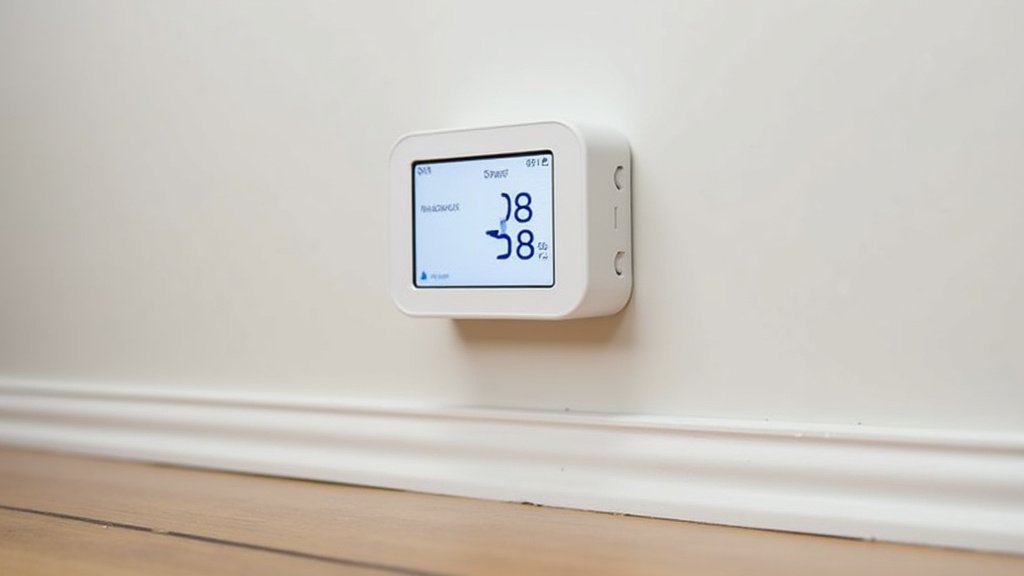
A smart baseboard heater thermostat is essentially a Wi-Fi-enabled device. It connects to your home’s wireless network. This connection allows you to control your heaters from almost anywhere. You can use a smartphone app or a web browser. This is a huge step up from traditional thermostats. Those usually involve fiddling with dials or buttons right on the unit itself.
The Core Functionality: More Than Just On/Off
At its heart, a smart thermostat manages your heating. It turns your baseboard heaters on and off to maintain a set temperature. But it does so much more. You can create detailed heating schedules. This means you can set different temperatures for different times of the day. For example, lower the heat while you’re at work. Then, have it warm up before you get home. This level of customization is impossible with basic models.
Connectivity: Your Home’s Heating in Your Pocket
The “smart” part comes from its connectivity. Most smart thermostats offer a mobile app. You can download this app on your phone or tablet. From the app, you can:
- View your current home temperature.
- Adjust the set temperature remotely.
- Create and modify heating schedules.
- Receive alerts if something seems off.
This remote access is incredibly useful. Imagine you’re heading home early from a trip. You can turn the heat up before you arrive. No more walking into a cold house. You can also check in on your home’s temperature while you’re away. This can be reassuring, especially during very cold weather.
Key Features That Make Them “Smart”
What sets these thermostats apart from their older cousins? It’s a combination of advanced features designed for efficiency and convenience. Let’s look at what makes them so appealing.
Programmable Schedules for Optimized Comfort
This is often the most celebrated feature. Instead of a single temperature setting, you can create a custom heating schedule. You might want it cooler overnight, warmer in the morning, cooler during the day, and warm again in the evening. A smart thermostat allows you to program these shifts easily. You can often set different schedules for weekdays and weekends. This personalization ensures comfort when you need it and savings when you don’t.
Weekday vs. Weekend Planning
Think about your typical week. Weekdays might involve a set routine of waking up, going to work, and returning. Weekends are often more relaxed and less structured. Your heating needs reflect this. You can program a smart thermostat to:
- Start warming up your bedroom before your alarm.
- Lower the temperature while you’re out.
- Gradually increase the heat as you approach evening.
- Keep a steady, comfortable temperature on Saturday and Sunday.
This level of detail helps avoid heating an empty house. It also ensures you’re not waking up to a chilly room. Many users find this feature alone pays for the upgrade through energy savings.
Energy Savings: A Smart Investment
Saving money on energy bills is a primary driver for many people. Smart thermostats are designed with energy efficiency in mind. By allowing precise scheduling and remote adjustments, they help prevent wasted heat. Heating an unoccupied home is like pouring money down the drain. Studies have shown that smart thermostats can lead to significant energy savings. For example, the U.S. Department of Energy suggests that a programmable thermostat can save up to 10% a year on heating and cooling costs. Smart thermostats take this a step further with their advanced capabilities (U.S. Department of Energy).
How They Help You Save
It’s not magic; it’s smart design. Here’s how they contribute to savings:
- Reduced Runtime: By lowering the temperature when not needed, the heaters run less.
- Optimized Cycles: Some advanced models learn how long it takes to heat your space. They can start heating just in time. This avoids overshooting the target temperature.
- Remote Adjustments: Forgot to turn the heat down? You can do it from your phone. No need to wait until you get home.
When you combine intelligent scheduling with the ability to make quick adjustments, you gain a powerful tool for managing your energy consumption. This is especially true for electric heat, which can sometimes be more expensive.
Voice Control and Smart Home Integration
Many smart baseboard heater thermostats play well with others. They can integrate with popular smart home ecosystems. This means you can often control them using voice commands. If you have devices like Amazon Alexa, Google Assistant, or Apple HomeKit, you’re in luck. You can simply say, “Hey Google, set the living room heater to 70 degrees.” It’s a level of convenience that feels almost futuristic.
Working with Other Smart Devices
This integration isn’t just about voice. It can also mean creating “scenes” or “routines.” For instance, you could set up a “Goodnight” routine. This routine might dim your lights, lock your doors, and lower the temperature throughout your home. The thermostat becomes a part of a larger automated system. This makes managing your home’s environment incredibly easy. It’s about creating a connected home experience. This can also be handy if you have smart plugs or other devices that might interact with heating.
Usage Monitoring and Reporting
Some advanced smart thermostats offer usage tracking. They can provide reports on how much energy your heaters are consuming. This data can be very eye-opening. You can see which rooms are using the most heat. You can also see how much energy you’re saving by using schedules. This information empowers you to make even smarter decisions about your heating habits. It helps you identify patterns and areas for potential improvement.
Choosing the Right Smart Thermostat for Your Needs
With so many options available, picking the right one can seem daunting. Consider a few key factors to ensure you get the best fit for your home and lifestyle.
Compatibility Check
This is the most important first step. Not all smart thermostats are designed for electric baseboard heaters. Some are made for central HVAC systems. Always check the product specifications carefully. Ensure it explicitly states it’s compatible with your type of heating system. You’ll also want to check if it works with your existing Wi-Fi network and any smart home platforms you use.
Ease of Use and App Experience
The best smart thermostat is one you’ll actually use. Look for devices with an intuitive app interface. Try to find reviews that mention ease of setup and daily operation. If the app is clunky or confusing, you might not take full advantage of its features. A good app should make scheduling and remote adjustments simple.
Advanced Features vs. Simplicity
Do you want all the bells and whistles? Or are you looking for core scheduling and remote access? Some thermostats offer advanced features like geofencing (adjusting temp based on your phone’s location) or learning capabilities. Others are more straightforward. Decide which features are most important to you. Don’t pay for advanced functions you’ll never use. A simple, reliable smart thermostat can be just as effective for many people.
Here’s a quick checklist to help you decide:
- Does it clearly state compatibility with electric baseboard heaters?
- Is the mobile app well-rated for ease of use?
- Does it connect to your home’s Wi-Fi network?
- Does it offer programmable scheduling features?
- Can you control it remotely via the app?
- Does it integrate with your existing smart home devices (if any)?
By carefully considering these points, you can find a smart baseboard heater thermostat that truly enhances your home’s comfort and efficiency. It’s about making your heating system work smarter, not harder, for you. This can lead to a more comfortable living space and noticeable savings on your utility bills.
Conclusion
You’ve seen how a smart baseboard heater thermostat transforms your home’s heating. It goes beyond simple temperature control. You gain precise scheduling and remote access right from your phone. This means greater comfort and significant energy savings. Integrating with your smart home adds another layer of convenience. It’s a smart upgrade that pays for itself. Ready to take control? Look for a compatible model that fits your home’s needs.
Frequently Asked Questions
Can I install a smart baseboard heater thermostat myself?
Many smart thermostats are designed for DIY installation. However, always check the manufacturer’s instructions and your comfort level with electrical work. If you’re unsure, hiring a qualified electrician is a safe bet for proper setup and safety.
How much energy can I realistically save with a smart thermostat?
Research suggests you can save up to 10% annually on heating costs. Savings depend on your habits, home insulation, and how you use the scheduling features. Consistent use of energy-saving schedules makes a big difference.
Are smart thermostats compatible with all electric baseboard heaters?
Most are, but it’s vital to check. Some older or specialized baseboard heaters might require specific thermostat types. Always verify the product’s compatibility list before purchasing to avoid issues.
What happens if my Wi-Fi goes out? Can I still control my heat?
Yes, your baseboard heaters will still function. Most smart thermostats retain basic manual control on the unit itself. Once your Wi-Fi is back online, you can reconnect and access all the smart features again.
Will a smart thermostat work if I don’t have other smart home devices?
Absolutely. A smart thermostat functions perfectly as a standalone device. You can enjoy its core benefits like remote control and scheduling. Integrating with other smart devices is an optional enhancement for added convenience.
