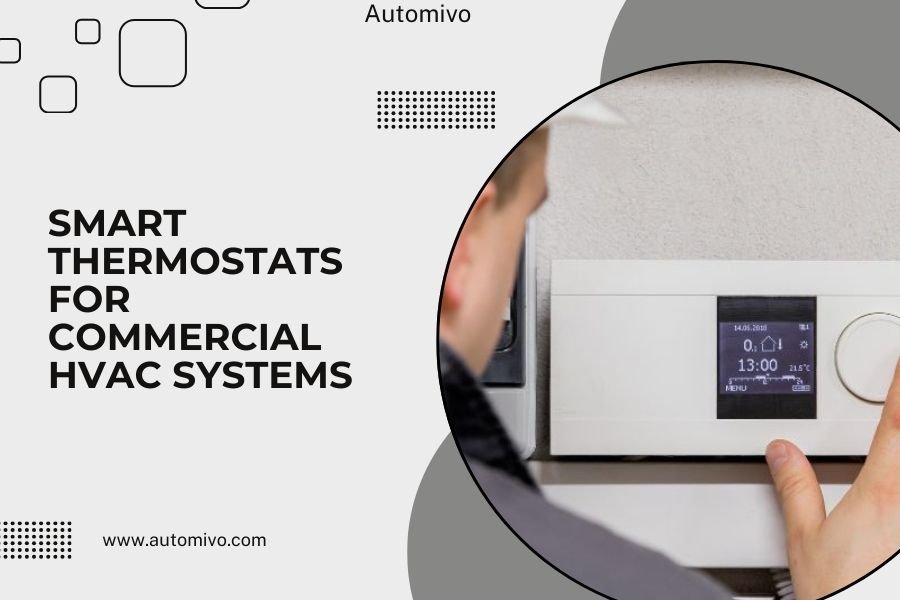
Smart thermostats for commercial HVAC systems can reduce energy costs by 15-25% through automated scheduling, remote monitoring, and precise temperature control across multiple zones.
These advanced systems integrate with existing commercial HVAC equipment to provide real-time data, predictive maintenance alerts, and centralized control for facility managers.
What Are Commercial Smart Thermostats
Think of a commercial smart thermostat as your HVAC system’s brain upgrade. While residential smart thermostats handle one home, commercial versions manage entire buildings with multiple zones, floors, and temperature needs.
These systems connect to your existing HVAC equipment through wireless networks or hardwired connections. They give you complete control over heating, cooling, and ventilation from any device with internet access.
Key Differences from Residential Models
Commercial smart thermostats handle much more complexity than home versions. They manage multiple zones simultaneously, support various HVAC equipment types, and integrate with building management systems.
You’ll find features like occupancy sensors, demand response capabilities, and advanced scheduling for different business hours across zones. They also provide detailed energy reports that help you track usage patterns.
Main Benefits for Your Business
Energy Cost Reduction
Energy savings are the biggest draw for most businesses. I found research from the Department of Energy showing commercial buildings can cut HVAC energy use by 20-30% with smart controls.
Smart thermostats achieve this through automated setbacks during unoccupied hours, precise temperature control, and real-time adjustments based on occupancy patterns. Your system stops wasting energy on empty spaces.
Remote Control and Monitoring
You can adjust temperatures, check system status, and receive alerts from anywhere. This means no more emergency trips to the office just to fix a temperature complaint.
Facility managers love this feature because they can monitor multiple buildings from one dashboard. You spot problems before they become expensive repairs.
Maintenance Prevention
Smart thermostats track your equipment’s performance and alert you to potential issues. Filter replacement reminders, unusual energy usage patterns, and system fault alerts help prevent costly breakdowns.
This proactive approach saves money on emergency repairs and extends your HVAC equipment’s lifespan.
Essential Features to Look For
Multi-Zone Control
Commercial buildings need different temperatures in different areas. Your server room, conference rooms, and open office spaces all have unique requirements.
Look for systems that can handle at least 10-20 zones independently. Each zone should have its own schedule, temperature settings, and occupancy sensors.
Zone Mapping Capabilities
The best systems let you create visual maps of your building zones. This makes it easy to see which areas are too hot, too cold, or using excess energy at a glance.
Advanced Scheduling Options
Commercial schedules are complex. You might have different departments working various shifts, weekend operations, or seasonal schedule changes.
Your smart thermostat should handle multiple schedule types per zone, holiday overrides, and temporary schedule adjustments without losing your base settings.
Occupancy Integration
Motion sensors and occupancy detectors help your system respond to actual building use rather than just following a schedule. Empty conference rooms automatically adjust temperatures to save energy.
Data Analytics and Reporting
Energy reports help you understand usage patterns and identify opportunities for additional savings. Look for systems that provide hourly, daily, and monthly energy consumption data.
The best platforms also benchmark your performance against similar buildings and suggest specific improvements.
Types of Commercial Smart Thermostat Systems
Wireless Systems
Wireless systems are easier to install and perfect for retrofits. They communicate through Wi-Fi, cellular networks, or proprietary wireless protocols.
Installation costs stay lower because you don’t need to run new wiring throughout the building. Most small to medium businesses choose wireless options.
Best for Existing Buildings
If you’re upgrading an older building’s HVAC controls, wireless systems cause minimal disruption. Installation typically takes days instead of weeks.
Hardwired Systems
Hardwired systems offer the most reliable communication and work well in large commercial buildings. They integrate directly with building automation systems and provide faster response times.
New construction projects often choose hardwired systems because running cables during construction is cost-effective.
Integration with Building Management
Large facilities benefit from systems that integrate with existing building management platforms. This creates one central control point for HVAC, lighting, security, and other building systems.
Installation Considerations
HVAC System Compatibility
Not all smart thermostats work with every HVAC system type. You need to match your thermostat’s capabilities with your equipment’s requirements.
Check compatibility with your current system before purchasing. Different systems require different wiring configurations and communication protocols.
| HVAC System Type | Compatibility Requirements | Special Considerations |
|---|---|---|
| Packaged Units | Standard 24V controls | Easy installation, most compatible |
| VAV Systems | BACnet or Modbus protocols | Requires professional programming |
| Chiller Systems | Advanced communication protocols | Complex integration, expert installation needed |
| Heat Pumps | Heat pump specific controls | Auxiliary heat staging important |
Professional Installation Requirements
Commercial installations almost always require professional HVAC technicians. The complexity of commercial systems and local building codes make DIY installation risky and often illegal.
Network Infrastructure Needs
Smart thermostats need reliable internet connections. Wireless systems require strong Wi-Fi coverage throughout your building or cellular service.
Plan for network redundancy in mission-critical applications. Some systems offer backup cellular connections if your primary internet fails.
Security Considerations
Connected devices create potential security risks. Look for systems with encrypted communication, regular security updates, and network isolation capabilities.
Many IT departments prefer systems that can operate on separate networks from critical business systems.
Cost Analysis and ROI
Initial Investment Breakdown
Commercial smart thermostat systems typically cost $200-800 per zone for equipment, plus installation costs ranging from $500-2000 per zone depending on complexity.
Total project costs for a typical 10,000 square foot office building range from $8,000-25,000 including equipment, installation, and setup.
Factors Affecting Price
System complexity, building size, existing infrastructure, and integration requirements all impact total costs. Retrofits in older buildings often cost more due to wiring challenges.
Energy Savings Calculations
I found studies from the American Council for an Energy-Efficient Economy showing average energy savings of 10-23% in commercial buildings with smart HVAC controls.
For a building spending $50,000 annually on HVAC energy, 15% savings equals $7,500 per year. This typically provides payback periods of 2-4 years.
Additional Cost Benefits
Beyond energy savings, smart thermostats reduce maintenance costs through predictive alerts and extend equipment life through optimized operation. These benefits often add 5-10% to total cost savings.
Common Implementation Challenges
Integration Issues
Older HVAC systems sometimes struggle with modern smart controls. Compatibility problems can require additional interface equipment or system upgrades.
Work with experienced contractors who understand both your existing equipment and the new smart thermostat requirements.
Staff Training Needs
New systems require training for facility staff and building occupants. Plan time for training sessions and provide easy-to-understand user guides.
Connectivity Problems
Wireless dead zones, network outages, and interference can disrupt smart thermostat operation. Conduct site surveys before installation to identify potential connectivity issues.
Have backup plans for critical areas that can’t afford temperature control interruptions.
Maintenance and Ongoing Management
Regular System Updates
Smart thermostats receive software updates that improve performance and add new features. Plan for regular update schedules during non-critical hours.
Some systems update automatically, while others require manual approval. Choose the approach that fits your IT policies.
Performance Monitoring
Review energy reports monthly to ensure your system continues delivering expected savings. Look for unusual patterns that might indicate equipment problems or schedule optimization opportunities.
Troubleshooting Common Issues
Most problems involve connectivity issues, sensor failures, or schedule conflicts. Keep a basic troubleshooting guide handy for common issues that don’t require professional service.
Establish relationships with qualified service technicians before you need emergency repairs.
Conclusion
Smart thermostats transform commercial HVAC systems from energy wasters into efficient, controllable assets. The technology pays for itself through energy savings while providing better comfort control and maintenance prevention.
Success depends on choosing compatible equipment, professional installation, and ongoing management. Start with a thorough assessment of your current system and energy usage patterns. Then select a smart thermostat system that matches your building’s specific needs and growth plans.
The investment in commercial smart HVAC controls typically pays back within 2-4 years while providing benefits that last for decades. Your building occupants will appreciate better comfort control, and your bottom line will reflect the energy cost savings.
What’s the average payback period for commercial smart thermostats?
Most commercial buildings see payback periods of 2-4 years through energy savings alone. Buildings with higher energy costs or longer operating hours often achieve faster payback, sometimes under 2 years. Additional benefits like reduced maintenance costs and extended equipment life can shorten payback periods by 6-12 months.
Can smart thermostats work with older commercial HVAC systems?
Many older systems can work with smart thermostats, but compatibility varies widely. Systems from the 1990s and newer typically integrate well with modern controls. Older pneumatic or basic electric systems may require interface equipment or control upgrades. A professional HVAC assessment can determine compatibility and upgrade requirements for your specific system.
How many zones can a commercial smart thermostat system handle?
Commercial smart thermostat systems range from basic 4-zone controllers up to enterprise systems managing 500+ zones. Most small to medium businesses need 10-50 zone capacity. Large office buildings, hospitals, and campuses often require 100+ zone systems. Choose capacity based on your current needs plus 20-30% growth allowance.
What happens if the internet connection fails?
Quality commercial smart thermostats continue basic heating and cooling operation during internet outages using stored schedules and local sensors. You lose remote access and cloud-based features, but your building stays comfortable. Some systems offer cellular backup connections or can operate in standalone mode until connectivity returns.
Do commercial smart thermostats require special electrical work?
Installation requirements depend on your existing system and chosen thermostat type. Many retrofits use existing 24V HVAC wiring without major electrical work. However, wireless systems may need power outlets for controllers, and advanced systems might require additional communication wiring. Complex installations in large buildings typically need professional electrical work to meet code requirements.