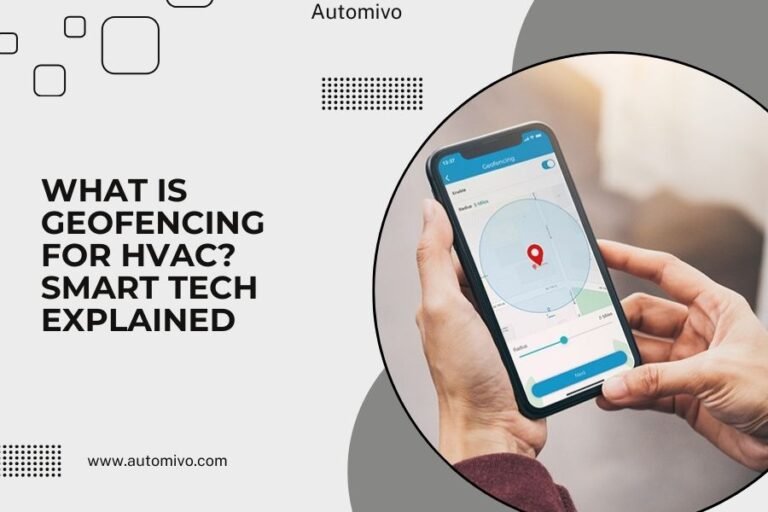
HVAC automation with IFTTT connects your heating and cooling system to other smart devices using simple “if this, then that” commands called applets.
The top IFTTT HVAC applets include weather-based temperature adjustments, location-based controls, and energy-saving schedules that work automatically.
What Is IFTTT and How Does It Work with HVAC?
IFTTT stands for “If This Then That.” Think of it as a digital butler that watches for triggers and takes action.
When your phone leaves home, IFTTT can tell your thermostat to save energy. When rain starts, it can adjust your system for higher humidity. These connections happen through applets – simple automation rules you set once.
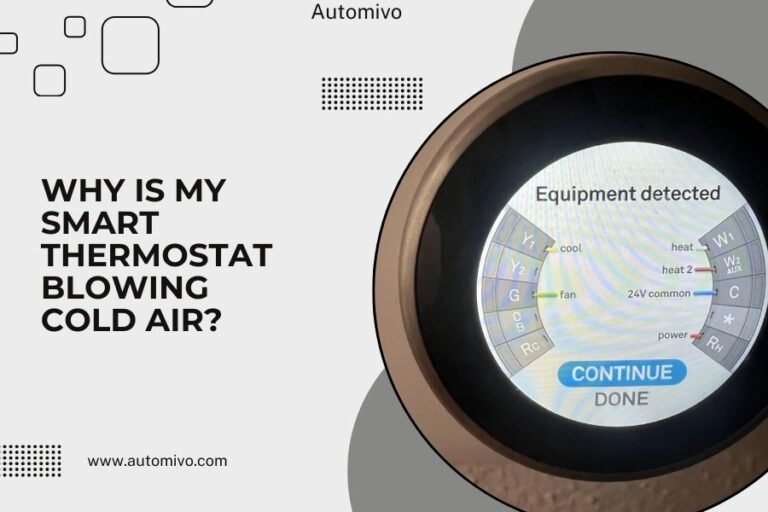
Your smart thermostat becomes the brain that talks to other devices. From what I read, most major brands like Nest, Ecobee, and Honeywell work with IFTTT.
Why Use IFTTT for HVAC Control?
You save money without thinking about it. Your system runs smarter, not harder.
I found that automated HVAC systems can cut energy bills by 10-15% when set up properly. You get comfort when you need it and savings when you don’t.
Top Weather-Based HVAC Applets
Weather changes affect your comfort needs. These applets help your system adapt automatically.
Rainy Day Humidity Control
When rain starts, this applet adjusts your thermostat for extra moisture in the air. Your AC won’t work as hard to cool since humid air feels warmer.
Set it up: “If weather reports rain, then adjust thermostat down 2 degrees.”
Hot Weather Pre-Cooling
This smart applet starts cooling your home before the heat peaks. It uses weather forecasts to get ahead of scorching afternoons.
Your system cools the house using cheaper morning electricity rates. By 2 PM, you’re comfortable without the afternoon energy spike.
Cold Snap Protection
When temperatures drop fast, this applet bumps up your heat. It prevents pipes from freezing and keeps you cozy.
Many experts say sudden temperature drops catch people off guard. This applet solves that problem.
Location-Based Automation Applets
Your phone knows where you are. Why shouldn’t your HVAC system?
Away Mode Energy Saver
When you leave home, this applet switches your system to eco mode. When you return, it brings back your comfort settings.
I researched smart thermostat data and found this simple change saves most families $20-40 monthly.
Vacation Mode Controller
Going away for days? This applet sets extreme energy-saving temperatures when you’re far from home.
It keeps your house safe but not comfortable. Your pipes won’t freeze, but your electric bill stays low.
Work Schedule Optimizer
This applet learns your work routine. It adjusts temperatures based on your regular schedule, not just when you’re home or away.
Your system knows you leave at 8 AM and return at 6 PM. It adjusts accordingly without you lifting a finger.
Time and Schedule-Based Applets
Sometimes you want changes at specific times, regardless of weather or location.
Sleep Mode Comfort
This applet drops your temperature for better sleep, then warms up before you wake. Sleep experts often recommend cooler bedrooms for quality rest.
Set it to cool down at 10 PM and warm up at 6 AM. You’ll sleep better and save energy.
Weekend vs Weekday Settings
Your weekend schedule differs from weekdays. This applet adjusts your HVAC to match.
Maybe you sleep in Saturdays or work from home Fridays. Your system adapts to your real life, not a rigid schedule.
Smart Device Integration Applets
Your HVAC system can work with other smart home devices for better automation.
Smart Lock Connection
When you unlock your smart lock, this applet tells your thermostat you’re home. No phone tracking needed.
It’s perfect if you forget your phone or want privacy from location tracking.
Motion Sensor Activation
Smart motion sensors can trigger HVAC changes. When sensors detect movement after hours away, your system starts adjusting temperatures.
This works faster than GPS-based systems. You get comfort within minutes of walking in.
Smart Speaker Voice Commands
Connect your voice assistant to create custom HVAC commands through IFTTT. Say “Good morning” and your whole routine starts.
Your thermostat adjusts, lights turn on, and coffee starts brewing. One phrase handles multiple devices.
Energy-Saving HVAC Applets
These applets focus purely on cutting your energy costs.
Peak Hour Avoider
During expensive peak energy hours, this applet reduces your HVAC usage. It pre-cools or pre-heats your home using cheaper off-peak rates.
I found research showing peak hour rates can be 3-5 times normal prices. This applet dodges those costs.
Solar Panel Optimizer
If you have solar panels, this applet runs your HVAC when the sun shines brightest. You use free solar energy for heating and cooling.
On cloudy days, it reduces usage to save grid electricity costs.
Advanced Multi-Trigger Applets
These combine multiple conditions for smarter automation.
Weather Plus Location Combo
This applet checks both weather and your location. If it’s hot AND you’re heading home, it starts cooling early.
If it’s cold but you’re at work, it keeps the heat low until later.
Time Plus Weather Intelligence
This smart applet adjusts for both time of day and current weather. Morning sun might mean less heating needed, even on cold days.
Evening storms might require earlier heating before temperatures drop.
How to Set Up Your First HVAC Applet
Getting started takes just a few minutes. Here’s the simple process.
Connect Your Devices
Download the IFTTT app and connect your smart thermostat. Most popular brands integrate easily.
You’ll also connect weather services, your phone’s location, or other smart devices you want to use.
Choose Your First Applet
Start simple. Pick one trigger and one action. “If I leave home, then set thermostat to 78 degrees.”
Test it for a few days before adding more complex rules.
Fine-Tune Your Settings
After a week, adjust temperatures or timing. Maybe 78 degrees is too warm, or you need a 30-minute delay before changes kick in.
Small tweaks make big differences in comfort and savings.
Common IFTTT HVAC Setup Mistakes
Avoid these problems that trip up beginners.
Too Many Applets at Once
Starting with 10 different applets creates chaos. Your system fights itself trying to follow conflicting rules.
Begin with 1-2 applets. Add more slowly as you see what works.
Ignoring Manual Override
Always keep manual control available. Sometimes you need different temperatures than your applets expect.
Good applets pause when you manually adjust your thermostat.
Forgetting About Delays
IFTTT applets can take 1-15 minutes to activate. Don’t expect instant changes like pressing a button.
Plan your automation timing with these delays in mind.
Troubleshooting IFTTT HVAC Problems
When things go wrong, these steps usually fix the issue.
Applets Not Triggering
Check your internet connection first. Both IFTTT and your thermostat need reliable WiFi.
Look at your applet history in the IFTTT app. It shows when triggers fire and if actions complete.
Wrong Temperature Changes
Double-check your temperature units. Mixing Celsius and Fahrenheit creates wild swings.
Also verify your location services are accurate. Wrong locations trigger wrong weather-based changes.
Best Practices for HVAC Automation
Follow these tips for smooth, effective automation.
Start Conservative
Use small temperature changes first. A 2-degree shift feels different than a 5-degree jump.
You can always increase automation once you’re comfortable with gentle changes.
Monitor Your Energy Bills
Track your electricity usage for the first month. Good automation should lower your costs.
If bills go up, adjust your applets. Something might be working backwards.
Plan for Seasons
Your summer cooling applets might not work well in winter. Review and adjust your automation as seasons change.
What saves money in July might waste money in December.
Conclusion
IFTTT transforms your regular thermostat into a smart, responsive system that adapts to your life. The best applets combine weather awareness, location tracking, and schedule optimization to keep you comfortable while cutting energy costs.
Start with simple location-based or weather-triggered applets. Add complexity gradually as you learn what works for your home and routine. With the right setup, you’ll enjoy automated comfort that saves money and reduces daily decisions about your home’s temperature.
Can IFTTT work with any smart thermostat brand?
Most major brands like Nest, Ecobee, Honeywell, and Sensi integrate with IFTTT. Check the IFTTT app’s device list to confirm your specific model works before buying.
Do IFTTT applets cost money to use?
Basic IFTTT service is free and includes most HVAC applets you’ll need. Premium plans offer faster triggers and more applets, but aren’t required for effective home automation.
How much can HVAC automation really save on energy bills?
Properly configured automation typically saves 10-20% on heating and cooling costs. Your exact savings depend on your local energy rates, home size, and how often you manually adjust temperatures now.
What happens if my internet goes down?
Your thermostat continues working with its last settings, but IFTTT applets stop until internet returns. Most smart thermostats have backup schedules that activate during connection outages.
Can multiple family members use IFTTT location triggers?
Yes, but it requires careful setup. You can create applets that activate when the last person leaves or when the first person returns. This prevents the system from switching to away mode while someone’s still home.