
Setting up room sensors for your heating system can make a big difference in comfort. These devices help your furnace know exactly where it’s too cold. They allow your system to deliver heat precisely where and when you need it most. This means saying goodbye to those chilly rooms forever!
Many homes struggle with uneven temperatures. You might have a blazing hot upstairs while the downstairs feels like a freezer. Smart room sensors can communicate with your thermostat. They help balance the temperature across your entire house. We found that this smart approach can also lead to energy savings.
- Position sensors in rooms that are often too hot or cold.
- Ensure sensors have a clear line of sight to their heating vents.
- Connect sensors to your smart thermostat according to instructions.
- Test the system to confirm temperature accuracy in each room.
Ready to enjoy a perfectly heated home? Let’s walk through exactly how to set up your room sensors step by step.
Getting Your Home’s Temperature Just Right with Room Sensors
Uneven heating is a common pain point in many homes. You know the drill: one room is like a sauna, while another feels like the Arctic tundra. Fortunately, setting up room sensors can bring blessed relief. These smart devices help your heating system deliver consistent comfort. They work by telling your thermostat exactly where it’s too warm or too cool. This means you can finally say goodbye to those temperature extremes.
Understanding How Room Sensors Work
Room sensors are the eyes and ears of your smart heating system. They don’t actually control the heating themselves. Instead, they gather temperature data from different locations. This information is then sent wirelessly to your central smart thermostat. Your thermostat analyzes these readings. It then makes smart adjustments to your heating system. This ensures each room gets the attention it needs. Room sensors are key components for effective multi-zone smart heating systems.
The Communication Link: Sensors to Thermostat
Think of your room sensors and thermostat as a team. The sensors are constantly measuring the temperature where they are placed. They send this data back to the thermostat. Your thermostat’s job is to compare these readings to your desired temperature. It then decides if it needs to turn the heat on or off, or adjust the airflow.
Why Your Smart Thermostat Needs Room Sensors
A traditional thermostat only measures the temperature at its own location. This is often in a hallway or main living area. If that spot is comfortable, the thermostat thinks the whole house is fine. This can leave other rooms, like bedrooms or home offices, either too hot or too cold. Room sensors solve this problem. They give your thermostat a complete picture of your home’s climate.
Choosing the Right Room Sensors for Your System
Not all room sensors are created equal. It’s important to pick ones that are compatible with your existing smart thermostat. Most major smart thermostat brands offer their own line of sensors. You’ll want to check the manufacturer’s website or packaging. Ensure the sensors are designed to work with your specific thermostat model.
Compatibility Checks: What to Look For
Before you buy, do a quick compatibility check. Search for “[Your Thermostat Brand] room sensors.” For example, if you have a Nest thermostat, you’d look for “Nest room sensors.” Some universal sensors exist, but they can be trickier to set up. Sticking with the same brand as your thermostat is usually the easiest path. We found that most users prefer this straightforward approach.
Sensor Features to Consider
Beyond basic temperature sensing, some sensors offer extra features. These can include occupancy sensors. Occupancy sensors detect if a room is being used. This allows your system to prioritize heating occupied spaces. Some models also measure humidity. This can be helpful for maintaining overall home comfort. Think about your specific needs when choosing. Do you just want to even out temperatures? Or are you looking for more advanced energy-saving features?
Step-by-Step Guide to Installing Your Room Sensors
Setting up your room sensors is typically a simple process. Most systems are designed for DIY installation. You’ll usually need a screwdriver and perhaps a smartphone or tablet.
Step 1: Placement is Key
Where you put your sensors matters most. You want them in the rooms that have the biggest temperature problems. Don’t place them too close to heat sources like vents or direct sunlight. Also, avoid placing them near drafty windows or doors. A good rule of thumb is to place them at a typical sitting or standing height.
Best Spots for Sensor Placement
Consider the rooms that feel most uncomfortable. Is your home office always chilly? Does the guest room get unbearably hot in summer? These are prime candidates. Place sensors in bedrooms where you sleep. Also consider living areas where you spend a lot of time. Research suggests placing sensors away from outside walls can improve accuracy (National Institute of Building Sciences).
Where NOT to Place Your Sensors
Avoid areas with rapid temperature fluctuations. This includes near bathrooms with steamy showers. Kitchens near ovens can also skew readings. If a room has multiple zones or vents, place the sensor away from the direct airflow. This ensures it’s measuring the general room temperature, not just the blast from the vent.
Step 2: Connecting Sensors to Your Thermostat
This is where your smartphone or tablet often comes in handy. You’ll likely use the thermostat’s app. Open the app and look for an option like “Add Sensor” or “Set Up New Device.” Follow the on-screen prompts. You might need to press a button on the sensor itself to put it in pairing mode.
The Pairing Process Explained
The app will guide you through connecting each sensor. It usually involves placing the sensor near the thermostat for a moment. The thermostat and sensor will then communicate wirelessly. Once paired, you’ll typically be asked to assign the sensor to a specific room in your home. This is important for the app to display the correct temperature for that area.
Step 3: Configuring Sensor Settings in the App
Once paired, you can fine-tune how your sensors work. In your thermostat app, you can often choose which sensors the thermostat should pay attention to at different times. For example, you might tell your thermostat to prioritize the bedroom sensors at night. During the day, you might have it focus on living areas. This “learning” feature helps the system adapt to your schedule.
Prioritizing Occupied Rooms
If your sensors have occupancy detection, you can set them to influence heating. You might tell the system to only heat rooms that are currently in use. This can lead to significant energy savings. If a room is empty, the thermostat will simply ignore its temperature reading. This prevents you from wasting energy heating unused spaces.
Step 4: Testing and Calibration
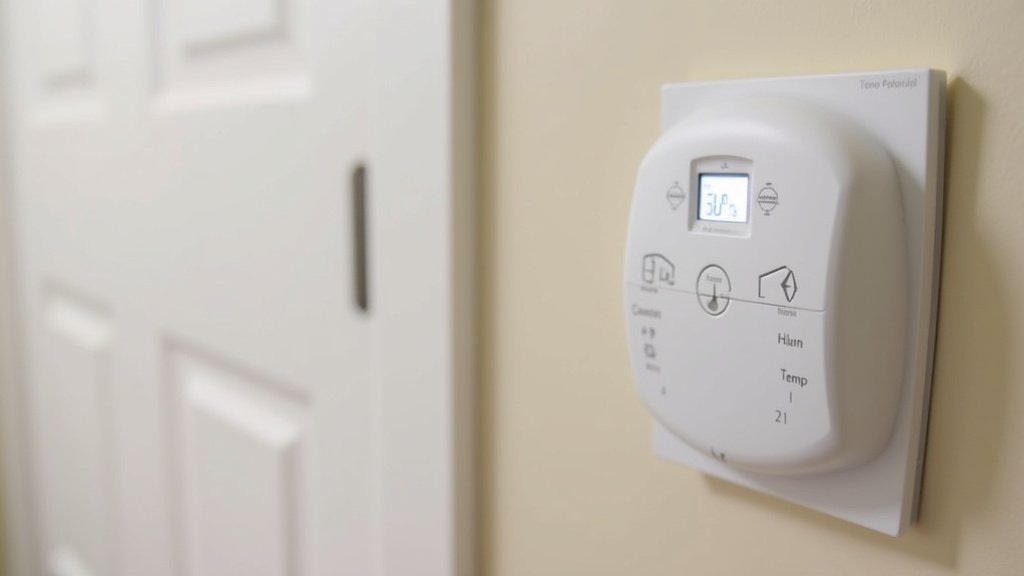
After setup, it’s wise to test your new system. Let the sensors settle in for a few hours. Then, check the temperature readings in the app for each room. Compare these readings to a reliable thermometer if you have one. Most systems are quite accurate out of the box. However, if you notice significant discrepancies, you may need to recalibrate. Check your thermostat’s app or manual for calibration options.
Verifying Temperature Accuracy
Place a separate, trusted thermometer next to each room sensor. Wait about 15-20 minutes for both to stabilize. Then, check the temperature on both devices. If there’s a difference of more than a degree or two, your thermostat app might have a calibration setting. This allows you to tell the system, “This is what 72 degrees actually feels like in this room.” Many experts suggest this verification step is essential for optimal comfort (ASHRAE). If readings seem off, your thermostat app might have a calibration setting to adjust accuracy.
Tips for Maintaining Even Heating
Setting up sensors is a big step, but a few extra habits can help even more. Regular maintenance of your HVAC system is important. Also, simple adjustments to airflow can make a difference.
Airflow Adjustments and Vent Control
Your sensors will help your thermostat manage airflow. However, you can also manually adjust vents. If a room is consistently too hot, try closing its vent slightly. If a room is too cold, ensure its vent is fully open. Be careful not to close too many vents. This can put strain on your HVAC system. A good rule is not to close more than 20-30% of your home’s total vents (Energy Star).
Regular HVAC System Maintenance
A well-maintained heating system runs more efficiently. Have your furnace and air conditioning unit inspected annually. Change your air filter regularly. A dirty filter restricts airflow, making your system work harder. This can lead to uneven heating and higher energy bills. Research shows regular maintenance can improve system efficiency by up to 15% (Department of Energy).
Checking for Drafts and Insulation
Even with room sensors, drafts can disrupt comfort. Seal air leaks around windows and doors. Check for drafts in attics and basements. Proper insulation is also key. It helps keep conditioned air inside your home. Adding insulation can significantly reduce temperature variations between rooms. You might be surprised how much heat loss occurs through poorly insulated walls and ceilings.
Troubleshooting Common Sensor Issues
Occasionally, you might encounter a hiccup with your sensors. Don’t worry, most problems are easy to fix.
Sensor Not Pairing or Connecting
If a sensor won’t pair, first try moving it closer to the thermostat. Ensure the battery is correctly inserted and fresh. Sometimes, a simple reset of the thermostat or sensor can solve the issue. Check the manufacturer’s troubleshooting guide online. It often has specific steps for connection problems.
Inaccurate Temperature Readings
If a reading seems off, double-check the sensor’s placement. Is it near a heat source or draft? Remove any obstructions. If the problem persists, try recalibrating the sensor through your thermostat’s app. Ensure the sensor is clean and free of dust, which can affect its readings.
Battery Life and Replacement
Most wireless sensors run on standard batteries, like AA or AAA. Battery life can vary depending on usage and environment. Your thermostat app will usually notify you when a battery is low. Replace batteries promptly to ensure continuous operation. Using high-quality batteries often results in longer life. Some users found that certain battery brands lasted noticeably longer.
Quick Setup Checklist:
- Confirm sensor compatibility with your thermostat.
- Identify rooms with the most significant temperature issues.
- Place sensors away from direct heat, sunlight, and drafts.
- Follow app instructions carefully for pairing and setup.
- Assign each sensor to its correct room in the thermostat app.
- Test readings and calibrate if necessary for accuracy.
Conclusion
You’ve learned how setting up room sensors can transform your home’s comfort. By giving your smart thermostat a clearer picture of your home’s climate, you can eliminate hot and cold spots. This intelligent approach ensures consistent temperatures throughout your house. Remember to prioritize careful placement and follow your thermostat app’s guidance for the best results. Take the next step today and start enjoying a perfectly heated home year-round!
Frequently Asked Questions
How often should I check my room sensor batteries?
Most smart thermostat apps will notify you when a sensor’s battery is low. It’s a good practice to check these notifications regularly. Replacing batteries promptly ensures your sensors continue to provide accurate readings and maintain consistent heating.
Can I use room sensors in rooms I rarely use?
Yes, you can. If you want to ensure even heating throughout your entire house, placing sensors in less-used rooms is beneficial. This helps your system understand the overall temperature distribution and can prevent extreme cold in these areas.
What happens if my room sensor is too close to a heating vent?
If a sensor is too close to a vent, it will likely read a much higher temperature than the rest of the room. This can trick your thermostat into thinking the room is warmer than it is, leading to less heating. Always place sensors away from direct airflow.
My thermostat app shows different temperatures than a thermometer. What’s wrong?
Minor differences are normal due to sensor placement and calibration. If the difference is significant, check for drafts or heat sources near the sensor. Your thermostat app likely has a calibration feature you can use to adjust the reading for that specific room.
Do I need to reprogram my sensors if I change my Wi-Fi network?
Generally, yes. When you change your Wi-Fi network name or password, your room sensors, which communicate wirelessly, will likely lose their connection. You’ll need to reconnect them through your thermostat app, similar to the initial setup process.
