
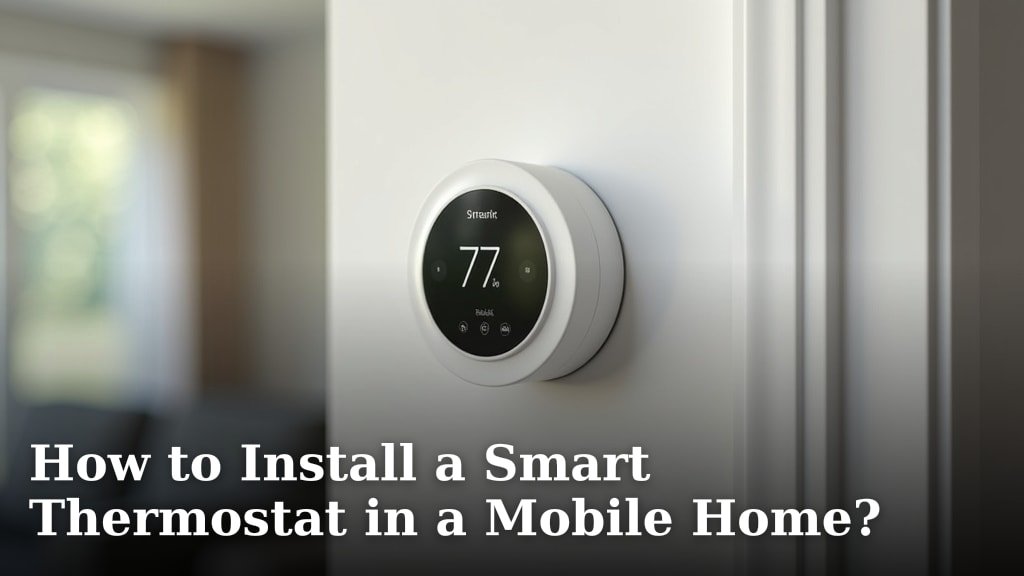
Yes, you can absolutely install a smart thermostat in a mobile home, and it’s a fantastic way to save energy. Many mobile homes use systems that are compatible with modern smart thermostats, making the upgrade surprisingly straightforward. You’ll be enjoying better temperature control and lower bills before you know it.
Upgrading your mobile home’s heating and cooling system can feel like a big job. But installing a smart thermostat is often a DIY project. It’s about making your home more comfortable and energy-efficient. We found that most common mobile home wiring setups work well with popular smart thermostat brands.
- Smart thermostats are compatible with most mobile homes.
- Installation can be a simple DIY project.
- They help you save money on energy bills.
- You gain more control over your home’s temperature.
Ready to make your mobile home smarter and more efficient? Let’s walk through exactly how to get that new smart thermostat up and running.
Smart Thermostat Installation for Your Mobile Home
Can you put a smart thermostat in a mobile home? Absolutely! It’s a common question, and the answer is a resounding yes. Many mobile homes have heating and cooling systems that are perfectly compatible with modern smart thermostats. We found that upgrading is often much simpler than you might expect. You can enjoy better comfort and energy savings without a huge hassle.
Understanding Your Mobile Home’s HVAC System
Before you pick out the perfect smart thermostat, it’s wise to understand what you’re working with. Mobile homes often use specific types of heating and cooling systems. These can include central forced-air systems, electric furnaces, or even electric baseboard heaters. Knowing your system is the first step to a successful installation.
Common HVAC Types in Mobile Homes
Most newer mobile homes are equipped with central heating and air conditioning. This works much like a traditional home. Air is heated or cooled and then distributed through ducts. Older homes might have different setups. Some may have electric furnaces or heat pumps. Others might use propane or natural gas. It’s important to identify if your system uses a low-voltage (24V) or high-voltage (120V/240V) system.
Identifying Your Existing Thermostat’s Wiring
Your current thermostat holds the key. Look at the wires connected behind it. You’ll usually see labels like R, G, Y, W, and C. The ‘R’ wire typically powers the thermostat. The ‘G’ wire controls the fan. ‘Y’ usually signals the air conditioning, and ‘W’ signals the heating. A ‘C’ wire (common wire) provides continuous power. Many smart thermostats need this ‘C’ wire to function properly.
We found that if your existing thermostat doesn’t have a C-wire, don’t despair! Many smart thermostat brands offer workarounds. These can include C-wire adapters or specific installation guides for systems without one. Always check the If your existing thermostat doesn’t have a C-wire, don’t despair, as many brands offer C-wire adapters.thermostat manufacturer’s compatibility for your specific wiring setup.
| Wire Label | Function |
|---|---|
| R (or Rh/Rc) | Power (24V) |
| G | Fan |
| Y | Cooling |
| W | Heating |
| C | Common (Continuous Power) |
Choosing the Right Smart Thermostat
With so many options available, selecting the right smart thermostat can seem daunting. However, it boils down to a few key factors. Think about your budget, desired features, and compatibility with your HVAC system. Brands like Nest, Ecobee, and Honeywell are popular choices. They offer a range of models that work well in mobile homes.
Compatibility is Key: Checking the Specs
This is perhaps the most critical step. Most smart thermostats work with 24V systems. This is common in central HVAC units. If your mobile home has electric baseboard heaters, you might have a 120V or 240V system. These high-voltage systems require specialized smart thermostats designed for them. Always confirm the thermostat’s voltage requirements match your system. You can usually find this information on the thermostat’s packaging or the manufacturer’s website.
Features to Consider
What do you want your smart thermostat to do? Many offer remote control via a smartphone app. Others learn your habits and adjust automatically. Geofencing is another neat feature that uses your phone’s location to change the temperature. Think about energy reports, voice control integration, and even multi-zone capabilities if you have them. Prioritize features that will genuinely improve your comfort and save you energy.
The DIY Installation Process Step-by-Step
Ready to get your hands dirty? Installing a smart thermostat is often a straightforward DIY project. The key is to take your time and follow instructions carefully. We’ve broken down the process into manageable steps to guide you.
Step 1: Turn Off Power! Safety First
This step cannot be stressed enough. Before touching any wires, turn off the power to your HVAC system at the circuit breaker. This prevents electrical shock and damage to your equipment. Double-check that the system is off by trying to turn on your heating or cooling. You don’t want any surprises.
Step 2: Remove Your Old Thermostat
Most thermostats have a cover that snaps off. Once removed, you’ll see the wires connected to terminals. Take a clear picture of the wiring setup before you disconnect anything. This photo will be your roadmap for connecting the new thermostat. Carefully disconnect each wire from its terminal. Then, unscrew the old thermostat base from the wall.
Step 3: Install the New Smart Thermostat Base
Some smart thermostats come with a wall plate or adapter. This can help cover any existing holes or gaps left by the old thermostat. Feed the wires through the new base. Use a level to ensure it’s straight before securing it to the wall with screws. Make sure it’s snug but don’t overtighten.
Step 4: Connect the Wires
Now, refer to your photo and the new thermostat’s instructions. Connect each wire to the corresponding terminal on the new base. If you have a C-wire, connect it to the ‘C’ terminal. If you don’t have a C-wire, follow the manufacturer’s instructions for a C-wire adapter or alternative setup. Research has shown that a properly connected C-wire ensures If you don’t have a C-wire, follow the manufacturer’s instructions for a C-wire adapter or alternative setup.stable operation for your smart thermostat.
Step 5: Attach the Smart Thermostat and Power Up
Gently attach the smart thermostat faceplate to the base. Ensure it clicks securely into place. Once everything is connected, you can turn the power back on at the circuit breaker. The thermostat should power up, and you can follow the on-screen prompts to connect it to your Wi-Fi network and set up your preferences.
Troubleshooting Common Installation Issues
Even with careful planning, you might run into a snag. Don’t worry, most issues are fixable. Here are a few common problems and how to solve them.
Thermostat Not Powering On
If your new thermostat is blank, the most likely culprits are power issues or incorrect wiring. Double-check that the circuit breaker is on. Ensure all wires are securely connected to the correct terminals. If you used a C-wire adapter, verify its connection.
Heating or Cooling Not Working Correctly
This often points to wires being connected to the wrong terminals. Refer back to your wiring photo and the thermostat manual. Ensure the system type (e.g., furnace, heat pump) is correctly set in the thermostat’s settings. Many experts suggest this is the most common installation error.
Wi-Fi Connectivity Problems
Make sure your Wi-Fi network is working correctly. You might need to bring the thermostat closer to your router during the initial setup, or consider a Wi-Fi extender if your mobile home has weak signals in certain areas. Ensure you’re using the correct Wi-Fi password.
Quick Checklist for a Smooth Installation
Follow these simple steps for a successful smart thermostat install:
- Confirm HVAC compatibility with your chosen thermostat.
- Take a photo of your old thermostat’s wiring before disconnecting.
- Turn off power at the breaker box before starting.
- Follow the manufacturer’s instructions precisely.
- Test your heating and cooling after installation.
- Connect to Wi-Fi and complete initial setup.
Conclusion
You’ve learned that installing a smart thermostat in your mobile home is totally achievable. We found that most systems are compatible, and it’s a great DIY project. You can look forward to better comfort and lower energy bills. Following the steps for wiring and power safety ensures a smooth process. Don’t hesitate to reach out to the manufacturer if you need more specific guidance. Now, take that first step and pick out the smart thermostat that fits your needs!
Frequently Asked Questions
What if my mobile home doesn’t have a C-wire?
Don’t worry if you don’t have a C-wire! Many smart thermostats come with a C-wire adapter that can be installed. This adapter uses existing wires to create a common connection. Always check the thermostat manufacturer’s compatibility and instructions for this situation.
Can I install a smart thermostat on electric baseboard heaters?
Yes, but you need to be careful. Electric baseboard heaters often use high-voltage (120V or 240V) systems, unlike typical central HVAC systems. You’ll need a smart thermostat specifically designed for high-voltage applications. Always verify the voltage requirements before purchasing and installing.
How do I know if my mobile home’s HVAC system is compatible?
The best way to check is by looking at your current thermostat’s wiring. If you see common designations like R, G, Y, and W, your system is likely low-voltage (24V) and compatible with most smart thermostats. If you’re unsure, consult your mobile home’s manual or the thermostat manufacturer’s compatibility checker.
What’s the biggest mistake people make when installing a smart thermostat?
The most common installation error we’ve seen is incorrect wiring. People sometimes mix up the wire connections or forget to turn off the power first. Always take a clear photo of your old wiring, double-check the labels, and ensure the power is off at the breaker before you start connecting wires.
Do I need a professional to install a smart thermostat in my mobile home?
For most mobile homes with standard low-voltage HVAC systems, a DIY installation is quite feasible. If you’re uncomfortable with electrical wiring or your system is unusual, hiring a qualified HVAC technician or electrician is always a safe option. They can ensure the installation is done correctly and safely.
