
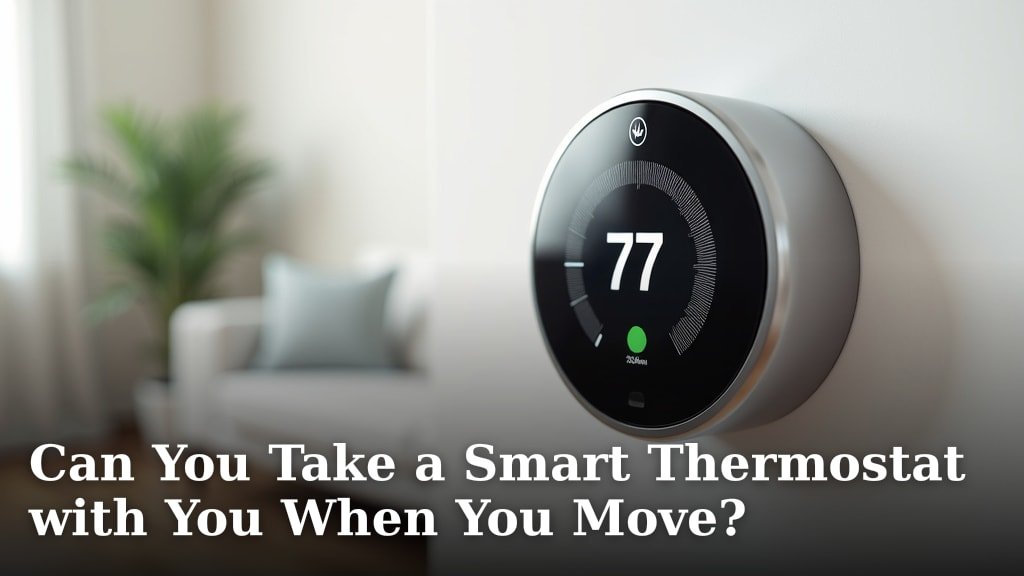
Yes, you can absolutely take your smart thermostat with you when you move! Most smart thermostats are designed to be portable, meaning you can uninstall them from your old home and install them in your new one. This is great news if you’ve invested in a smart home system and don’t want to leave your tech behind.
When moving, it’s essential to handle your smart thermostat with care. You’ll want to ensure you have the necessary tools for removal and reinstallation. Plus, you’ll need to update your Wi-Fi settings once it’s set up in your new place. Many homeowners find it a straightforward process, saving them money on a new device.
- You can usually take your smart thermostat with you.
- It’s designed to be portable.
- You’ll need to uninstall and reinstall it.
- Update Wi-Fi settings at the new home.
- It saves you money on buying a new one.
Let’s walk through exactly how you can make this happen without a hitch, so you can enjoy your smart climate control right away in your new home. Our guide on how to install a smart thermostat yourself can help you make this happen.
Moving Your Smart Thermostat: What You Need to Know
Yes, you can usually take your smart thermostat with you when you move! It’s a common question, and the good news is that most smart thermostats are designed to be portable. Think of it like moving your smart speaker or a fancy coffee machine. You can uninstall it from your old place and install it in your new home. This can save you a nice chunk of change, as new smart thermostats can cost a few hundred dollars. We’ve seen many homeowners successfully move their units, enjoying their smart climate control without buying a new one.
The process is generally straightforward, but it does require a little planning and the right tools. We’ll walk you through the steps, from checking compatibility to getting it set up in your new digs. You’ll want to make sure you don’t leave your smart climate control behind, especially after you’ve gotten used to its convenience.
Is Your Smart Thermostat Compatible with Your New Home?
Before you start packing, let’s make sure your smart thermostat will work in your new place. Most smart thermostats are pretty universal, but it’s always best to check. Compatibility mainly depends on your home’s HVAC system. Does it use low voltage (24-volt AC)? Most modern homes do, and that’s what smart thermostats are built for. Older systems might use higher voltage.
You’ll want to look at the wiring at your new home. If you’re unsure, it’s a good idea to check with the previous owners or a qualified HVAC technician. You can usually find compatibility checkers on the manufacturer’s website. Simply input the wiring details, and it will tell you if your thermostat is a good fit. It’s a quick check that can save a lot of hassle later on.
Understanding Your New Home’s HVAC Wiring
This is the most critical part of ensuring compatibility. When you remove your thermostat, take a clear picture of the wiring behind it. You’ll see little letters next to each wire, like R, W, G, Y, C. These letters correspond to different parts of your heating and cooling system.
Your smart thermostat will likely need a common wire (C-wire) to provide continuous power. Many older homes might not have a C-wire installed. If your current setup doesn’t have one, but your smart thermostat requires it, you might need to have one installed. Some smart thermostats come with a power adapter that can bypass the need for a C-wire, which is a great workaround we’ve seen used successfully. Some smart thermostats come with a power adapter that can bypass the need for a C-wire, which is a great workaround.
Checking Manufacturer Guidelines
Each smart thermostat brand has its own specific requirements. For example, Nest thermostats have a detailed compatibility checker. ecobee thermostats are also known for their broad compatibility. We found that referring to the manufacturer’s installation manual or their website is your best bet. They will have specific instructions and troubleshooting tips.
Look for information on supported HVAC systems and any potential wiring issues. This step ensures you’re not trying to fit a square peg in a round hole. It’s like making sure your phone charger works with your new phone model – a simple check that prevents frustration.
The Uninstallation Process: Packing Up Your Tech
When it’s time to move your smart thermostat, the uninstallation is usually pretty simple. The most important thing is to turn off the power to your HVAC system at the breaker box before you start. Safety first! You don’t want any electrical surprises.
Gathering Your Tools
You won’t need a whole toolbox, but a few items will make the job easier. You’ll likely need a small screwdriver (usually Phillips head) to remove the thermostat from its base plate and to disconnect the wires. A level can be helpful for reinstallation, ensuring it looks neat on the wall. A smartphone for taking pictures is also essential, as we mentioned.
Don’t forget a bag or container to keep the small screws and wires organized. Losing these tiny parts is frustrating when you’re trying to set things up again. We recommend a small resealable bag or a dedicated small parts container.
Removing the Thermostat and Wiring
Most smart thermostats snap onto a wall plate. Gently pull the thermostat unit away from the plate. You should then see the wires connected to terminals. Before you disconnect any wires, take a clear photo of which wire is connected to which terminal. This photo is your lifeline for reinstallation!
Once photographed, carefully loosen the terminal screws and remove the wires. You might want to wrap the end of each wire around a pencil or tape it to prevent it from slipping back into the wall. This makes finding and reconnecting them much easier. Then, unscrew the wall plate from the wall.
We found that labeling the wires with small pieces of tape as you disconnect them, corresponding to the terminal letters, can add an extra layer of certainty. It’s a small step, but it can prevent confusion.
Reinstallation at Your New Home: Getting Connected
Once you’ve arrived at your new place and the movers have dropped off your belongings, it’s time to reinstall your smart thermostat. This is where that photo you took comes in handy. Ensure the power to your HVAC system is still off at the breaker box.
Mounting the New Wall Plate
You’ll need to attach the wall plate to the wall in your new home. Position it where you want your thermostat to be. Use a level to make sure it’s straight. Screw the plate into the wall. If there are screw holes from a previous thermostat, you might be able to reuse them.
If you’re putting it in a new spot, you might need to patch and paint if there’s a noticeable mark from the old thermostat. Sometimes, a slightly larger wall plate or a paintable thermostat cover can help hide imperfections. We found that positioning it in a location with good airflow, away from direct sunlight or drafts, helps with accurate temperature readings.
Connecting the Wires and the Thermostat Unit
Refer to your photo! Match each wire to the correct terminal on the new wall plate. Tighten the terminal screws securely. If you had to install a C-wire adapter, follow those specific instructions. Once all wires are connected, gently push the excess wire back into the wall opening.
Finally, align the smart thermostat unit with the wall plate and snap it into place. It should click securely. It’s like connecting your phone back to its charger – satisfyingly simple when done right.
Post-Installation: Getting Smart Again
Your smart thermostat is physically installed, but it’s not quite ready to control your home’s temperature like a genius yet. The next steps involve getting it connected to your new home’s Wi-Fi network and setting up your preferences.
Connecting to New Wi-Fi
This is a crucial step. Your smart thermostat needs Wi-Fi to communicate with your smartphone app and receive updates. You’ll likely see prompts on the thermostat screen to connect to a network. You’ll need to select your new home’s Wi-Fi network name (SSID) and enter the password.
If you don’t have the Wi-Fi password handy, you might need to check with your internet provider or the person who set up your home network. Getting this connection right is key for all the smart features to work. We found that having the Wi-Fi password ready beforehand speeds this part up considerably.
App Setup and Customization
Once connected to Wi-Fi, you’ll typically need to re-add your thermostat to your smartphone app. This usually involves signing into your account and following the app’s instructions to pair the device. It’s like logging back into your favorite app after getting a new phone.
This is your chance to set your new schedules, adjust temperature preferences, and explore any new features your thermostat might offer. You can set up energy-saving schedules, vacation modes, and even connect it to other smart home devices. This is where you reclaim the convenience you’re used to.
Troubleshooting Common Moving Issues
Even with careful planning, you might run into a few snags. Don’t panic! Most issues are easily resolved. We’ve seen common problems arise from wiring errors, Wi-Fi connectivity, or power supply issues.
Wiring Mistakes
If your system isn’t heating or cooling correctly, the first thing to check is the wiring. Double-check your photo and ensure every wire is in the correct terminal. A misplaced wire is a frequent culprit. If you’re still unsure, consult the manufacturer’s wiring diagrams or call a professional.
Wi-Fi Connectivity Problems
Is the thermostat not connecting to your Wi-Fi? Make sure you have the correct password. Try moving your Wi-Fi router closer if possible, or consider a Wi-Fi extender. Sometimes, simply restarting your router and thermostat can resolve the issue. We found that ensuring your router is broadcasting on the 2.4 GHz band is important, as some older smart devices don’t support 5 GHz.
Power Issues
If the thermostat screen is blank or unresponsive, check that the power to your HVAC system is on at the breaker. Also, ensure the thermostat unit is securely snapped onto the wall plate, as this connection is often part of the power circuit.
Checklist for a Smooth Smart Thermostat Move
To help you keep track, here’s a quick checklist of the essential steps:
- Check compatibility with your new home’s HVAC system and wiring.
- Gather necessary tools: screwdrivers, level, camera, and a small container.
- Turn off power to your HVAC system at the breaker before uninstalling.
- Take clear photos of the wiring before disconnecting any wires.
- Label wires if needed for extra certainty during reinstallation.
- Reconnect wires correctly at the new home using your photos.
- Connect to your new Wi-Fi network and update app settings.
Conclusion
Taking your smart thermostat with you when you move is definitely a smart financial move. You’ve learned that with a little preparation, you can successfully uninstall your device and set it up in your new home. Remember to check compatibility with your new HVAC system and gather your tools before you start. By following these steps, you’ll get your smart climate control back online quickly.
Don’t leave your smart home convenience behind! Take these tips with you and enjoy efficient temperature control in your new place right away.
Frequently Asked Questions
How do I know if my smart thermostat is compatible with my new home’s wiring?
You’ll want to check if your new home’s HVAC system uses a low voltage (24-volt AC) system, which most modern homes do. Take a picture of the existing wiring at your new place if possible. You can then compare this to your smart thermostat’s compatibility checker on the manufacturer’s website.
What if my new home doesn’t have a C-wire for my smart thermostat?
Many smart thermostats require a C-wire for continuous power. If your new home lacks one, you might need to have a C-wire installed by an HVAC professional. Some models also come with a power adapter that can serve as a workaround, so check your thermostat’s accessories.
Do I need to turn off the power before uninstalling my smart thermostat?
Yes, absolutely! Before you begin uninstalling your smart thermostat, you must turn off the power to your HVAC system at the breaker box. This is a critical safety step to prevent electrical shock.
What are the most common issues people face when moving a smart thermostat?
The most common problems we see involve wiring errors during reinstallation, difficulty connecting to the new home’s Wi-Fi network, or issues with power supply. Double-checking your wiring photos and ensuring you have the correct Wi-Fi password are key to avoiding these snags.
Can I just leave my smart thermostat installed if I’m selling my house?
Yes, you can. If you’re selling your house, you have the option to leave your smart thermostat behind for the new owners. This can be a nice selling point, and you can then purchase a new one for your next home.
