
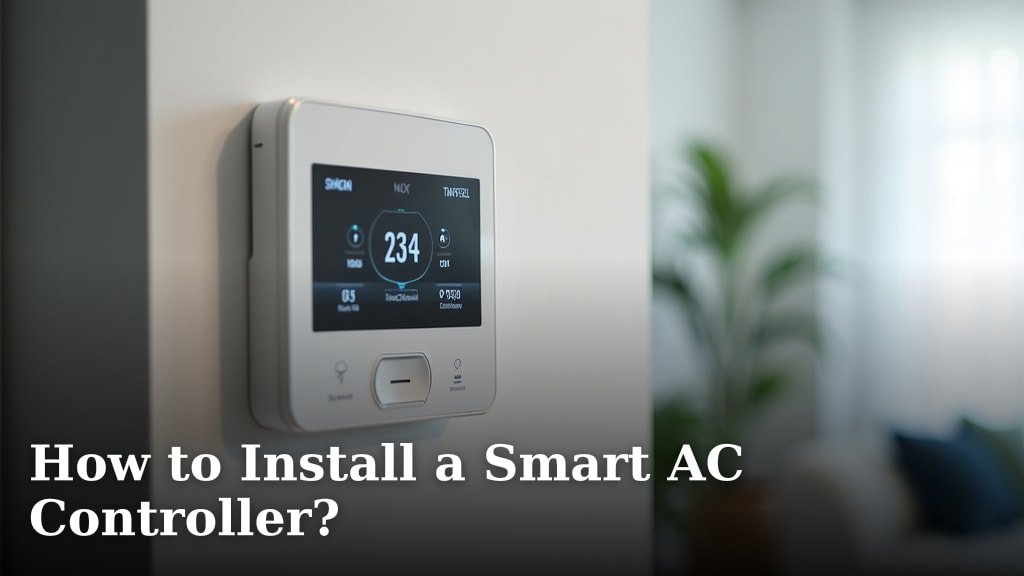
To install a smart AC controller, you will primarily mount the device on a wall, connect it to your AC unit (often wirelessly), and then set it up through a smartphone app. This process is generally straightforward and designed for home users.
Many people want to upgrade their old AC systems without buying a whole new unit, and smart controllers are a great solution. We found that these devices can save you money on energy bills and offer convenient control from anywhere.
- What a smart AC controller is and how it works.
- How to prepare for your installation.
- Step-by-step instructions for wiring and setup.
- Tips for optimizing your new smart AC controller.
Let’s walk through exactly how to install your smart AC controller, step by step. You’ll be enjoying smarter cooling in no time.
Getting Started with Smart AC Controllers
You’re ready to make your home cooling smarter. That’s a great choice! A smart AC controller lets you manage your air conditioning with ease. You can often use a smartphone from anywhere. This means more comfort and potential savings on your energy bills.
But first, what exactly are we talking about? A smart AC controller is a device that connects to your existing AC system. It then allows for advanced control and scheduling. Think of it as an upgrade for your old thermostat, but with way more features.
What is a Smart AC Controller, Anyway?
Imagine being able to turn on your AC on the drive home. Or setting a schedule so it cools down right before you wake up. That’s what a smart AC controller does. It replaces or works alongside your current AC remote or wall unit. Many models use Wi-Fi to connect to your home network.
This connection lets you control your AC through an app on your phone. You can also integrate it with smart home systems like Alexa or Google Assistant. We found these devices offer incredible flexibility. They bring older AC units into the modern age without replacing the whole system.
How Does It Work with Your AC?
Most smart AC controllers use an infrared (IR) signal. This is the same technology as your TV remote. They “learn” the signals from your existing AC remote. Once learned, the smart controller can send those same commands. It tricks your AC unit into thinking it’s getting commands from its own remote.
For central AC systems, some controllers connect directly to your thermostat wires. This gives them more direct control. Others might use a bridge device to communicate. Either way, the goal is simple: give you better control over your home’s climate.
Preparing for Your Smart AC Controller Installation
Before you unbox your new gadget, a little preparation goes a long way. This step ensures a smooth installation process. It helps you avoid any hiccups along the way. Think of it as setting the stage for your smart home upgrade.
Compatibility Check: Does It Work with Your AC?
This is the most important first step. Not all smart AC controllers work with every AC unit. Check the product description carefully. Most controllers are designed for mini-split, window, or portable AC units. These units usually come with an infrared remote.
If you have a central AC system, look for controllers specifically designed for thermostats. These often require wiring into your existing thermostat’s low-voltage connections. We found that checking compatibility first saves a lot of headaches later.
Essential Tools and Materials You’ll Need
Good news! You won’t need a full toolbox for most installations. Most smart AC controllers are designed for easy setup. Here’s a quick list of what you might need:
- Your smart AC controller and its power adapter.
- Your smartphone or tablet for the app setup.
- A stable Wi-Fi connection in your home.
- A screwdriver (only if mounting to the wall).
- A pencil for marking drill holes (if mounting).
- A drill (if mounting into drywall/studs).
- Your existing AC unit’s remote control.
Some kits include wall anchors and screws. Always check what’s in the box before you start.
Choosing the Best Location for Your Controller
The placement of your smart AC controller is crucial. It needs a clear line of sight to your AC unit if it uses infrared. Think of it like aiming your TV remote. No furniture or walls should block the signal. We found that central placement in a room often works best.
- Line of Sight: Ensure it can “see” your AC unit.
- Power Outlet: It needs to be near an electrical outlet.
- Wi-Fi Signal: Make sure it has a strong Wi-Fi connection.
- Temperature Sensing: Place it where it can accurately read the room temperature. Avoid direct sunlight or drafts.
Many experts say placing it on a stable surface like a table is fine (Energy Star). You can also mount it to a wall. Just consider the distance to your AC unit and a power source.
Step-by-Step Installation Process
Okay, you’ve done your homework. Now it’s time for the fun part: setting up your smart AC controller. We’ll break this down into simple, manageable steps. You’ll be enjoying smart cooling in no time.
Powering On and Connecting to Wi-Fi
First things first, plug in your smart AC controller. Most models come with a power adapter. Find a nearby outlet in your chosen location. Once powered on, you’ll usually see an indicator light. This light tells you it’s ready for the next step.
Next, download the controller’s specific app on your smartphone. You can usually find it in the App Store or Google Play. Open the app and follow the on-screen prompts. This process will guide you through connecting the device to your home Wi-Fi network. You’ll likely need your Wi-Fi password handy.
Pairing with Your AC Unit
This is where the magic happens. The app will ask you to identify your AC unit. Sometimes you’ll choose your AC brand from a list. Other times, the controller will “learn” from your existing remote.
Using Your Existing AC Remote (IR Learning)
If your controller uses IR learning, the app will prompt you. It will ask you to point your AC remote at the smart controller. Then you’ll press certain buttons, like “power” or “cool.” The smart controller captures these signals. It builds a database of commands for your specific AC unit. This process can take a few minutes. Be patient and follow the app’s instructions closely.
Mounting and Final Placement
Once your controller is paired and working, decide on its final spot. If you’re wall-mounting, mark the screw holes with a pencil. Use a drill to create pilot holes if needed. Then secure the mounting plate. Attach the controller to the plate. Make sure it’s level and secure.
If you’re just placing it on a surface, ensure it’s stable. Double-check that it still has a clear line of sight to your AC unit. And remember that power outlet! You want a clean, tidy setup.
Optimizing Your Smart AC Controller
Installation is just the beginning. Now you can truly unlock the power of smart cooling. These tips will help you get the most out of your new device. You’ll be amazed at the comfort and efficiency you gain.
Setting Up Schedules and Automation
This is where smart AC controllers shine. Use the app to create custom cooling schedules. You can set different temperatures for different times of the day. For example, warm it up when you’re at work, then cool it down before you get home.
Many controllers also offer automation features. This might include turning off the AC if a window is open (using a smart sensor). Or adjusting the temperature based on your location. We found these features contribute significantly to energy savings (National Renewable Energy Laboratory).
Checklist for Optimal Performance
Here’s a quick checklist to make sure you’re getting the best out of your smart AC controller:
- Double-check Wi-Fi signal strength at the controller’s location.
- Ensure the controller has a clear, unobstructed view of your AC unit.
- Calibrate the temperature sensor if your app offers this feature.
- Set up basic schedules for weekdays and weekends.
- Explore advanced features like geo-fencing (location-based control).
- Regularly update the controller’s firmware through the app.
Integrating with Smart Home Systems
Do you have other smart devices in your home? Many smart AC controllers can integrate with popular smart home platforms. Think Amazon Alexa, Google Assistant, or Apple HomeKit. This allows for voice control and unified automation. For instance, you could say, “Alexa, set the living room AC to 72 degrees.”
We found that integrating devices creates a truly seamless smart home experience. Check your controller’s app for integration options. It’s usually a simple process of linking accounts.
| Feature | Benefit | How It Works |
|---|---|---|
| Remote Control | Adjust AC from anywhere. | App communicates via Wi-Fi. |
| Scheduling | Automate cooling times. | Set daily/weekly programs in app. |
| Geo-fencing | AC adjusts based on your location. | Uses phone’s GPS to know when you’re home. |
| Voice Control | Hands-free AC adjustments. | Integrates with smart assistants (Alexa, Google). |
| Energy Reports | Monitor usage and savings. | App tracks AC runtime and settings. |
Conclusion
You’ve seen how straightforward it is to install a smart AC controller. By following these steps, you can transform your old AC into a smart, energy-efficient system. We’ve walked through preparation, setup, and optimization, showing you how to gain ultimate control over your home’s comfort. This upgrade not only boosts convenience but can also lead to significant energy savings over time.
Now, take the next step. Choose the right smart AC controller for your home and start enjoying a smarter, cooler living space today.
Frequently Asked Questions
Can a smart AC controller work with any type of air conditioner?
No, not all AC types are compatible with every smart controller. Most models work best with mini-split, window, or portable AC units that use an infrared remote. Central AC systems require controllers specifically designed to integrate with their thermostat wiring.
Do I need professional help to install a smart AC controller?
Generally, no. Smart AC controllers are designed for easy DIY installation. The process usually involves plugging it in, connecting it to your home Wi-Fi via an app, and pairing it with your AC unit using its existing remote. You won’t need complex wiring knowledge.
What if my Wi-Fi signal is weak where I want to place the controller?
A strong Wi-Fi signal is essential for reliable operation. If the signal is weak, consider relocating the controller closer to your router, or using a Wi-Fi extender. Some users find placing it on a central table rather than a far wall helps.
Can I control multiple AC units with one smart controller?
This depends on the specific controller model. Some advanced controllers can manage multiple units if they are in the same room and have a clear line of sight. However, for separate rooms, you’ll typically need a separate smart AC controller for each unit.
Will a smart AC controller save me money on my energy bill?
Yes, many users report energy savings. By allowing you to set precise schedules, use geo-fencing, and monitor usage, smart controllers help prevent wasted cooling. You’ll only cool your home when and where it’s needed, reducing overall energy consumption.
