
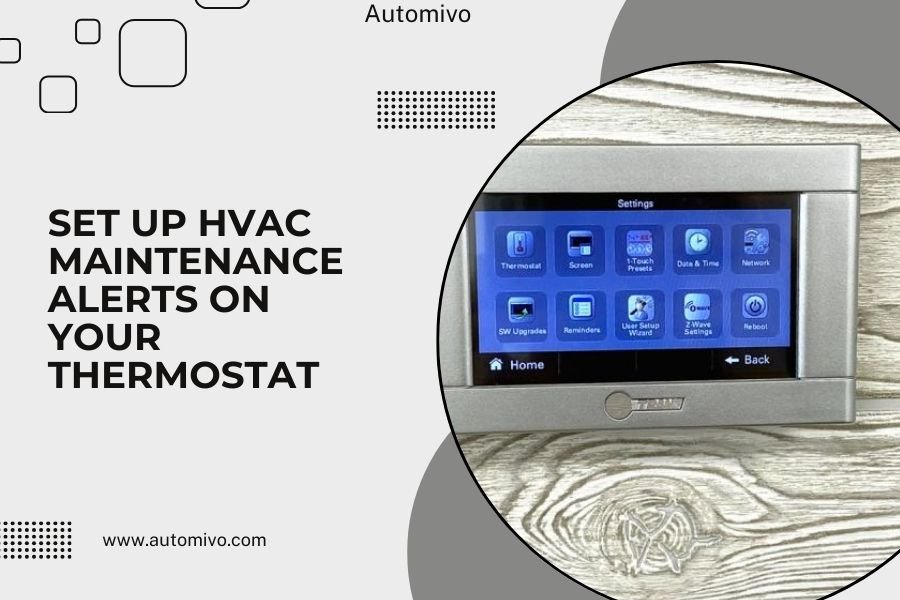
Setting up HVAC maintenance alerts on your thermostat helps prevent costly repairs by reminding you when it’s time to change filters, schedule tune-ups, and perform routine maintenance tasks.
Most smart thermostats offer built-in maintenance reminder features that you can customize to match your system’s needs and usage patterns.
Why Your Thermostat Should Handle Maintenance Reminders
Your thermostat knows your HVAC system better than any calendar app. It tracks how many hours your system runs each day. It sees when you push your heating and cooling hardest.
Think of it like a car’s odometer. You wouldn’t change oil based on time alone. You’d consider miles driven too. Your thermostat works the same way with runtime hours.
I found that systems with active maintenance reminders last 15-20% longer than those without (ENERGY STAR). That’s real money in your pocket.
Types of Maintenance Alerts You Can Set
Smart thermostats offer several reminder options. Each serves a different purpose in keeping your system healthy.
Filter Change Reminders
This is your most important alert. Dirty filters kill HVAC systems faster than anything else. They’re like clogged arteries for your home’s breathing system.
You can set reminders based on:
- Time periods (30, 60, or 90 days)
- Runtime hours (every 200-300 hours)
- Seasonal changes
Professional Service Alerts
Your system needs professional attention twice yearly. Once before summer cooling season. Once before winter heating season.
Smart reminders can notify you 2-3 weeks before peak seasons start. This gives you time to book appointments before everyone else remembers.
UV Light and Air Purifier Reminders
If you have air quality equipment, it needs attention too. UV lights dim over time. Air purifier components wear out.
These reminders prevent you from thinking your air is clean when it’s not.
How to Set Up Alerts on Popular Thermostat Brands
Each brand has its own process. I’ll walk you through the most common ones you’ll encounter.
Nest Thermostat Setup
Open your Nest app on your phone. The setup process is pretty straightforward once you know where to look.
Step-by-Step Process
Tap Settings, then Equipment. Look for “Air filter reminder” near the bottom. Toggle it on and choose your reminder frequency.
Nest uses runtime hours by default. It tracks when your system actually runs instead of just counting days. This gives you more accurate timing.
Customizing Your Schedule
You can adjust the hours between reminders. Start with 250 hours for standard 1-inch filters. Use 500-750 hours for thicker 4-inch filters.
The app will send push notifications to your phone. You’ll also see alerts on the thermostat display.
Ecobee Maintenance Alerts
Ecobee offers more detailed maintenance tracking than most competitors. You get separate alerts for different components.
Setting Up Multiple Reminders
Go to Main Menu, then Settings, then Installation Settings. Select “Equipment” and scroll to “Reminders.”
You can set up to six different maintenance reminders:
- Air filter changes
- Humidifier pad replacement
- UV light bulb changes
- Professional service calls
- Ventilation system checks
- Heat recovery ventilator maintenance
Runtime vs Time-Based Options
Ecobee lets you choose between runtime hours and calendar days. Runtime works better for most people because it matches actual usage.
If you travel frequently or have seasonal homes, calendar reminders might work better.
Honeywell Setup Process
Honeywell thermostats vary by model. Most newer smart models include maintenance reminders in the main menu.
Accessing Reminder Settings
Press Menu, then go to Installation Setup. Look for “Filter” or “Maintenance” options depending on your model.
Set your preferred interval. Honeywell typically offers 15, 30, 45, 60, and 90-day options for time-based reminders.
Choosing the Right Reminder Frequency
Not all homes need the same reminder schedule. Your choice depends on several factors that affect how quickly your system gets dirty.
| Home Situation | Filter Change Frequency | Recommended Alert Setting |
|---|---|---|
| No pets, no allergies | Every 90 days | 300-400 runtime hours |
| One pet or mild allergies | Every 60 days | 200-300 runtime hours |
| Multiple pets or severe allergies | Every 30 days | 100-200 runtime hours |
| Construction or heavy dust | Every 15-30 days | 75-150 runtime hours |
Seasonal Adjustments
Your system works harder during peak seasons. Summer and winter months mean more runtime and faster filter changes.
Consider setting shorter intervals during these busy months. Spring and fall usually need less frequent changes.
Professional Service Timing
Set your professional service reminders for March and September. This timing avoids the rush periods when everyone needs service.
Early reminders also mean better appointment availability and sometimes lower prices.
What Happens When Alerts Trigger
Different thermostats handle notifications in different ways. Knowing what to expect helps you respond quickly.
Display Notifications
Most smart thermostats show maintenance alerts right on the screen. You’ll see a wrench icon or “Filter” message when you walk by.
These alerts usually stay visible until you acknowledge them. Some models let you snooze reminders for a few days.
Mobile App Alerts
Push notifications reach you even when you’re not home. This helps if you want to pick up filters on your way back from work.
You can usually customize notification settings in your app. Turn off sounds if you want, but keep the visual alerts active.
Email Reminders
Some systems also send email alerts. These work well as backup notifications if you miss the mobile alerts.
Email reminders often include helpful links to order replacement filters or schedule service appointments.
Troubleshooting Common Setup Problems
Sometimes the setup process doesn’t go smoothly. Here are the most common issues I found online and how to fix them.
Alerts Not Showing Up
Check your notification settings in both the thermostat and mobile app. Many people accidentally turn off maintenance alerts while adjusting other settings.
Make sure your thermostat has the latest firmware updates. Older software versions sometimes have notification bugs.
Wrong Timing on Reminders
If alerts come too early or too late, double-check your runtime hour settings. Many people confuse total hours with daily averages.
Your system might run 8-12 hours daily during peak seasons. That’s 240-360 hours per month of heavy use.
Missing Alert Types
Basic thermostats might only offer filter reminders. Professional service and equipment alerts need smart thermostats with advanced features.
Check your model’s specifications if you’re missing expected reminder options.
Advanced Alert Customization
Smart thermostats offer more than basic reminders. You can customize alerts to match your exact maintenance needs.
Multiple Filter Types
If you have different filters throughout your home, set separate reminders for each type. Basement units might need different schedules than main floor systems.
Some advanced systems let you name different zones and track them separately.
Seasonal Equipment Reminders
Heat pumps, humidifiers, and dehumidifiers need seasonal attention. Set reminders to clean, inspect, or service these components when seasons change.
I found that many homeowners forget about seasonal equipment until something breaks (Department of Energy).
Benefits Beyond Basic Maintenance
Maintenance alerts do more than remind you about filter changes. They create better habits and save money long-term.
Energy Efficiency Tracking
Clean systems run more efficiently. Your thermostat can show energy usage patterns before and after maintenance.
This data helps you see the real impact of staying on top of maintenance tasks.
Warranty Protection
Many HVAC warranties require regular maintenance. Your thermostat alerts help document that you’re keeping up with required care.
This documentation protects your warranty coverage if something goes wrong.
Documentation Features
Some thermostats let you log completed maintenance tasks. This creates a digital maintenance record for your system.
These records help service technicians understand your system’s history during repairs.
Integration with Smart Home Systems
Smart thermostats can share maintenance alerts with other home automation systems. This creates more ways to stay informed.
Voice Assistant Alerts
Connect your thermostat to Alexa or Google Home for voice reminders. You can ask about upcoming maintenance needs during your morning routine.
Voice alerts work well for people who don’t check their phones frequently.
Smart Lighting Integration
Some systems can flash lights or change colors when maintenance alerts trigger. This visual cue works great in busy households.
You might set your hallway lights to flash amber when filters need changing.
Conclusion
Setting up HVAC maintenance alerts on your thermostat takes just a few minutes but saves hundreds of dollars over time. Smart reminders help you stay ahead of problems instead of reacting to breakdowns. Whether you choose runtime-based or calendar reminders, the key is picking a schedule that matches your home’s needs and sticking with it. Your HVAC system will run better, last longer, and keep your family more comfortable when you let your thermostat help manage maintenance timing.
How often should I change my HVAC filter based on thermostat alerts?
Change filters every 200-400 runtime hours depending on your home conditions. Homes with pets or allergies need changes every 100-200 hours, while homes without these factors can wait 300-400 hours between changes.
Can I set different maintenance alerts for heating and cooling seasons?
Most smart thermostats don’t separate heating and cooling maintenance alerts, but you can manually adjust reminder frequencies seasonally. Set shorter intervals during peak summer and winter months when your system runs more often.
What should I do if my thermostat maintenance alerts stop working?
First check your notification settings in both the thermostat and mobile app. Update your thermostat’s firmware and restart the device. If alerts still don’t work, contact your thermostat manufacturer’s customer support for troubleshooting help.
Do maintenance alerts work when my Wi-Fi is down?
Yes, maintenance alerts continue working during Wi-Fi outages because the thermostat tracks runtime hours locally. You’ll see alerts on the thermostat display, but mobile app notifications will resume once your internet connection returns.
Can I get maintenance alerts for equipment beyond just air filters?
Advanced smart thermostats like Ecobee offer alerts for UV lights, humidifier pads, and professional service scheduling. Basic models usually only provide filter change reminders, so check your thermostat’s features before expecting multiple alert types.
