
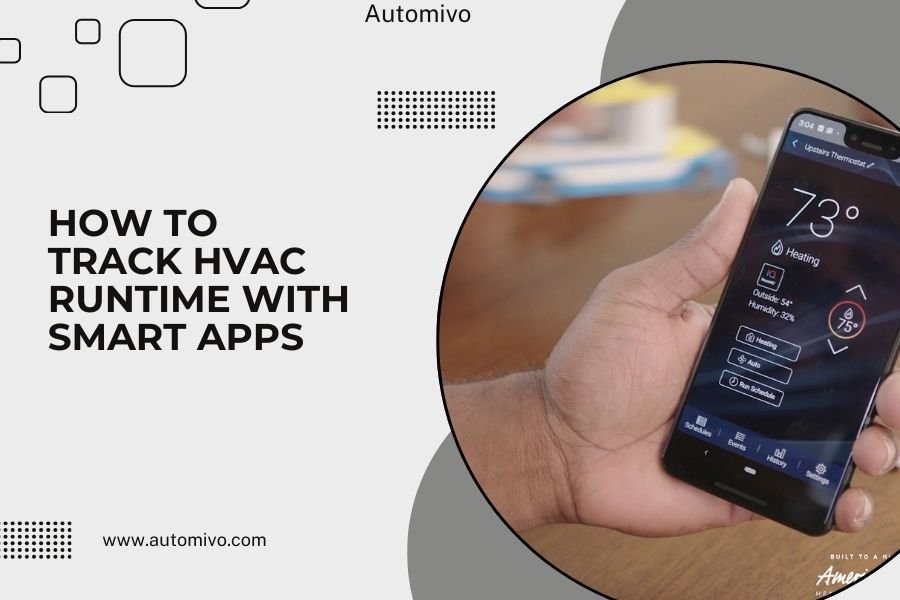
You can track HVAC runtime with smart apps by installing a smart thermostat or using third-party monitoring devices that connect to your home automation system.
Most smart thermostats automatically record how long your heating and cooling systems run, then display this data through their companion mobile apps.
Why Track Your HVAC Runtime
Your HVAC system is like the heart of your home. Just like you’d want to monitor your heart rate during exercise, tracking how long your heating and cooling runs gives you powerful insights.
When you know exactly how many hours your system operates daily, you can spot problems early. A system that suddenly runs twice as long might have a clogged filter or refrigerant leak.
Runtime tracking also helps you save money. I found that homeowners who monitor their HVAC usage typically reduce energy bills by 10-23% within the first year (Energy Star).
Early Problem Detection
Smart apps catch issues before they become expensive repairs. If your AC normally runs 6 hours on hot days but suddenly needs 10 hours, something’s wrong.
Common problems runtime tracking reveals include dirty filters, failing components, and ductwork leaks. Catching these early saves you hundreds in repair costs.
Energy Cost Management
Runtime data shows you exactly when your system uses the most energy. You can adjust schedules to avoid peak electricity rates.
Many utility companies charge more during certain hours. By shifting some cooling to off-peak times, you’ll see lower bills.
Smart Thermostat Options for Runtime Tracking
Smart thermostats are the easiest way to start monitoring your HVAC runtime. They replace your existing thermostat and immediately begin collecting data.
Nest Learning Thermostat
The Google Nest thermostat tracks runtime automatically through its Home app. You’ll see daily, weekly, and monthly reports.
The app shows separate data for heating and cooling. It also compares your usage to similar homes in your area.
Nest App Features
- Daily runtime charts
- Energy history reports
- Seasonal comparisons
- Weather impact analysis
Ecobee SmartThermostat
Ecobee’s app provides detailed runtime analytics. It breaks down data by system type and shows efficiency trends over time.
The app also tracks room sensors, so you see how different zones affect overall runtime.
Ecobee App Benefits
- Room-by-room analysis
- Equipment runtime breakdown
- Maintenance reminders based on usage
- Energy savings calculations
Honeywell T9 Smart Thermostat
Honeywell’s Resideo app tracks runtime with focus on comfort optimization. It shows how schedule changes affect system operation.
The app sends alerts when runtime patterns suggest maintenance needs.
Third-Party HVAC Monitoring Solutions
If you don’t want to replace your thermostat, third-party monitoring devices work with existing systems. These add-on solutions often provide more detailed data than smart thermostats.
Current Sensors
Current sensors clamp around your HVAC’s electrical wires. They detect when power flows to your system, tracking exact runtime.
Popular options include Sense home energy monitors and Aeotec clamps that connect to smart home hubs.
Installation Requirements
- Access to electrical panel
- Wi-Fi connection near HVAC equipment
- Compatible smart home hub (for some models)
- Basic electrical knowledge or professional installation
Smart Home Integration Devices
Devices like the Cielo Breez connect window units and mini-splits to apps. They work with systems that can’t use traditional smart thermostats.
These adapters track runtime while adding smart controls to older equipment.
Setting Up Runtime Monitoring
Getting started with HVAC runtime tracking is simpler than you might think. Most systems set themselves up automatically once connected.
Smart Thermostat Setup Process
First, turn off power to your HVAC system at the circuit breaker. Safety first – electricity and HVAC work don’t mix carelessly.
Remove your old thermostat and take a photo of the wire connections. This picture saves you if you forget which wire goes where.
Wire Connection Steps
- Match colored wires to labeled terminals
- Secure all connections tightly
- Install the thermostat base on the wall
- Attach the display unit
- Restore power and test
App Configuration
Download your thermostat’s app and create an account. The app walks you through connecting to Wi-Fi and setting up monitoring.
Most apps automatically detect your HVAC system type and start tracking runtime immediately.
Initial Settings to Configure
- Home size and layout
- HVAC system specifications
- Energy rate information
- Notification preferences
Understanding Runtime Data
Raw runtime numbers don’t tell the whole story. You need to understand what normal looks like for your specific situation.
Normal Runtime Patterns
A properly sized HVAC system typically runs 2-3 cycles per hour during moderate weather. Each cycle lasts 10-20 minutes.
During extreme temperatures, expect longer cycles and more frequent operation. This is normal behavior.
| Weather Condition | Expected Daily Runtime | Cycle Pattern |
|---|---|---|
| Mild Weather | 2-6 hours | Short, infrequent cycles |
| Hot Summer Days | 8-12 hours | Longer, regular cycles |
| Cold Winter Days | 6-10 hours | Medium-length cycles |
| Extreme Weather | 12+ hours | Nearly continuous operation |
Red Flag Runtime Indicators
Watch for sudden changes in runtime patterns. A system that normally runs 6 hours but jumps to 12 hours needs attention.
Very short cycles (under 10 minutes) often indicate an oversized system or thermostat issues.
Warning Signs to Monitor
- Runtime increases without weather changes
- Frequent short cycling
- System runs but doesn’t reach set temperature
- Unusual nighttime operation patterns
Optimizing System Performance
Runtime data helps you make smart adjustments that improve efficiency and comfort. Small changes often produce big results.
Schedule Optimization
Use runtime data to find the most efficient temperature schedules. Many people discover they can adjust setpoints by 2-3 degrees without losing comfort.
I found research showing that raising cooling setpoints from 72°F to 75°F typically reduces runtime by 15-20% (Department of Energy).
Maintenance Timing
Runtime tracking tells you exactly when to change filters and schedule service. Instead of guessing every three months, you’ll know when your system actually needs attention.
High runtime periods mean filters get dirty faster. Low usage times let you extend filter life safely.
Data-Driven Maintenance Schedule
- Change filters when runtime increases 15-20%
- Schedule service before peak season high-usage periods
- Clean coils when efficiency drops are detected
- Check ductwork if runtime climbs without explanation
Advanced Monitoring Features
Premium smart thermostats and monitoring systems offer features beyond basic runtime tracking. These tools provide deeper system insights.
Equipment Health Monitoring
Some apps track individual component performance. They monitor compressor cycles, fan operation, and heat pump defrost cycles separately.
This detailed monitoring catches component-specific problems before they affect your whole system.
Predictive Maintenance Alerts
Advanced systems learn your equipment’s normal patterns. They send alerts when operation deviates from established baselines.
These smart alerts help prevent breakdowns during extreme weather when you need your HVAC most.
Types of Predictive Alerts
- Filter change reminders based on actual usage
- Efficiency decline notifications
- Unusual cycle pattern warnings
- Component wear predictions
Troubleshooting Common Issues
Sometimes apps don’t track runtime correctly. Understanding common problems helps you get accurate data quickly.
Connectivity Problems
Wi-Fi issues cause gaps in runtime data. If your app shows missing hours or days, check your internet connection first.
Move closer to your router or add a Wi-Fi extender if signal strength is weak near your thermostat.
Incorrect System Settings
Wrong HVAC system settings in your app lead to inaccurate runtime calculations. Double-check that your app knows whether you have a heat pump, gas furnace, or other system type.
Incorrect settings also affect energy cost estimates and efficiency recommendations.
Settings to Verify
- System type (heat pump, gas, electric, hybrid)
- Number of heating and cooling stages
- Auxiliary heat configuration
- Fan operation preferences
Cost Savings Through Runtime Monitoring
The real payoff from tracking HVAC runtime comes through reduced energy costs. Smart monitoring pays for itself quickly when used effectively.
Peak Hour Avoidance
Many utilities charge higher rates during peak demand hours. Runtime data shows you exactly when your system uses the most power.
Pre-cooling your home before peak hours starts can reduce runtime during expensive rate periods.
Efficiency Improvements
Runtime monitoring reveals which efficiency upgrades provide the best return on investment. You can track improvements after sealing ducts, adding insulation, or upgrading equipment.
Measured improvements are much more reliable than estimates when planning home energy projects.
Conclusion
Tracking HVAC runtime with smart apps gives you control over your home’s largest energy expense. Whether you choose a smart thermostat or add-on monitoring device, the insights you’ll gain are worth the investment.
Start simple with a basic smart thermostat if you’re new to home automation. The runtime data alone will help you save money and catch problems early. You can always add more advanced monitoring as you become comfortable with the technology.
Remember that consistency matters more than perfection. Regular monitoring of your runtime patterns will teach you more about your home’s comfort systems than any manual ever could.
How accurate are smart thermostat runtime measurements?
Smart thermostats are very accurate for tracking when your system turns on and off. They typically measure runtime within 1-2 minutes of actual operation time. Current sensors provide even more precision by measuring electrical flow directly to your equipment.
Can I track runtime on older HVAC systems without smart controls?
Yes, you can use current sensors or smart home energy monitors that clamp around your HVAC’s electrical wires. These devices work with any system regardless of age and often provide more detailed data than built-in thermostat tracking.
What should I do if my runtime suddenly increases without weather changes?
First check your air filter – a dirty filter is the most common cause of increased runtime. If the filter looks clean, inspect vents for blockages and check that all registers are open. If runtime stays high after these checks, call an HVAC professional to diagnose mechanical issues.
How much money can runtime monitoring actually save on energy bills?
Most homeowners save 10-20% on heating and cooling costs through better scheduling and early problem detection. The exact savings depend on your local energy rates, home size, and current system efficiency. Smart thermostat manufacturers report average savings of $130-180 per year.
Do smart thermostats work with heat pumps and multi-stage systems?
Most modern smart thermostats support heat pumps, multi-stage heating and cooling, and auxiliary heat systems. Check compatibility before purchasing, as some basic models only work with single-stage systems. Heat pump compatibility is especially important for accurate runtime tracking in cold climates.
