
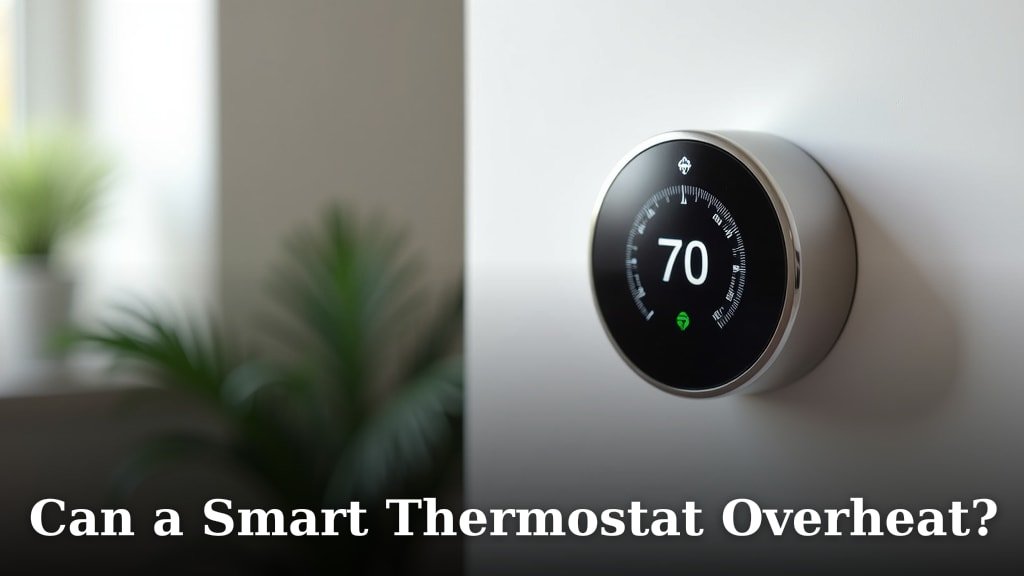
Yes, a smart thermostat can technically overheat, but it’s **rarely the thermostat itself** that’s the problem. Instead, overheating issues usually point to your HVAC system’s performance. Think of your smart thermostat as the brain, not the engine.
Your smart thermostat is designed to precisely manage your home’s temperature. It relies on accurate readings to tell your heating or cooling system what to do. When your home feels too hot, it’s often because the heating system is struggling or there’s an airflow issue, not because the thermostat is faulty.
- Smart thermostats rarely overheat themselves.
- Overheating is usually a sign of HVAC system problems.
- Check your furnace or AC for issues first.
- Ensure proper airflow and filter maintenance.
Let’s break down why your home might feel like an oven, even with a smart thermostat working hard. We’ll look at common causes and what you can do.
You’ve installed a smart thermostat, hoping for perfect comfort and maybe even some energy savings. But lately, your home feels uncomfortably warm, and you’re wondering if your new smart gadget is to blame. Can a smart thermostat actually cause your home to overheat?
Troubleshooting Home Overheating When Using a Smart Thermostat
Your smart thermostat might seem like the boss of your home’s temperature, but it’s more like a conductor. It tells your heating or cooling system what to do based on the temperature it senses and the schedule you’ve set. If your home is overheating, the issue is rarely with the thermostat itself overheating. Instead, it’s usually a sign that your HVAC system is working too hard or facing a problem.
Why Your Home Might Feel Too Hot
Let’s break down the common culprits behind a warm house, even when your smart thermostat is in charge. Understanding these can help you pinpoint the real problem.
Your HVAC System’s Performance Issues
Your heating and cooling system (your HVAC) is the engine that drives your home’s climate control. If this engine is struggling, your smart thermostat will keep telling it to work harder, leading to overheating. It’s like a chef telling a lazy cook to keep stirring the pot even though the food is already burning.
An Undersized or Overworked HVAC Unit
Sometimes, the heating or cooling unit in your home isn’t powerful enough for the space it needs to condition. If you have a very hot summer day, a unit that’s too small will struggle to keep up. It will run constantly, but it just can’t reach the temperature your thermostat is calling for. This constant running can make it seem like the system is overheating itself, but it’s just working beyond its capacity.
Many guidelines suggest that your HVAC unit should be properly sized for your home’s square footage and insulation levels (Energy Star). If your unit is consistently running nonstop without reaching your set temperature, it might be time to consult a professional about whether it’s the right size.
Low Refrigerant Levels (for Air Conditioning)
If your AC isn’t cooling properly, it might be due to low refrigerant. Refrigerant is the substance that absorbs heat from your indoor air and releases it outside. When levels are low, your AC has to work much harder to achieve any cooling effect. This can lead to the system freezing up or running inefficiently, making your home warmer.
Electrical or Mechanical Failures
Components within your furnace or air conditioner can fail. This could be a faulty fan motor, a stuck damper, or an issue with the compressor. When a key part isn’t working, the entire system suffers. Your smart thermostat will keep sending signals, but the message won’t be carried out effectively.
We found that these types of failures often present as the system running but not producing the desired heating or cooling. If you notice strange noises or your system cycling on and off erratically, it’s a good sign something electrical or mechanical might be wrong. If you notice strange noises or your system cycling on and off erratically, it’s a good sign something electrical or mechanical might be wrong.
Airflow Problems: The Unsung Hero
Think of airflow as the circulation system for your home’s comfort. If air can’t move freely, heat (or cool air) can get trapped, and your system has to fight against this restriction. Your smart thermostat is still doing its job, but the “message” isn’t getting where it needs to go efficiently.
Dirty Air Filters
This is perhaps the most common and easiest fix. An air filter’s job is to catch dust, dirt, and other airborne particles. When it gets clogged, it restricts airflow to your furnace or AC. This forces your system to work harder and can lead to overheating components.
We found that checking and replacing your air filter monthly, especially during peak heating or cooling seasons, is a simple habit that can prevent many HVAC issues. A visibly dirty or grey filter needs immediate attention.
Blocked Vents or Ducts
Are furniture, rugs, or curtains blocking your air vents? Even small obstructions can impede airflow. Similarly, if your ductwork has collapsed, is leaking, or is full of debris, air won’t reach its destination. Your smart thermostat might be telling the system to push more air, but it’s getting stuck.
It’s worth doing a quick walk-through of your home. Ensure all your supply and return vents are clear. You can also feel the air coming from the vents. If it’s weak or inconsistent, it points to an airflow problem.
Problems with the Blower Motor
The blower motor is responsible for pushing the air through your ductwork. If this motor is failing or has debris hindering its operation, airflow will be significantly reduced. This is another reason why your system might be running but not effectively circulating conditioned air, making your home feel hotter.
Thermostat Placement and Settings
While the thermostat itself rarely overheats, its *placement* or *settings* can trick it into thinking the house is cooler than it is, causing the heating system to run longer than it should.
Direct Sunlight or Heat Sources
If your smart thermostat is located on a wall that gets direct sunlight for most of the day, it will absorb that heat. This will trick the thermostat into thinking the room is warmer than it actually is. Consequently, it will tell your heating system to turn off or reduce its output prematurely, leaving other parts of your house colder. However, in a “overheating” scenario, if the thermostat is in a very *hot* spot (like near a heat-generating appliance), it might falsely read a higher temperature and shut off the heating system too soon, leading to a colder room. Conversely, if it’s in a cool spot and your house *is* overheating, it might not register the true warmth accurately.
A common recommendation is to place thermostats away from windows, direct sunlight, drafty areas, and heat-producing appliances like lamps or televisions.
Incorrect Temperature Calibration
Most smart thermostats allow for temperature calibration. If this setting is off, the thermostat might be reading the temperature inaccurately. This means it’s not telling your HVAC system to operate based on the actual temperature in your home. We found that some models have a built-in calibration feature, while others might require a professional to adjust. If this setting is off, the thermostat might be reading the temperature inaccurately, so check your temperature calibration settings.
Conflicting Schedules or Modes
Did you recently change your smart thermostat’s schedule? Perhaps a “hold” setting was accidentally activated, or a new schedule conflicts with your comfort needs. It’s easy to accidentally set a mode that’s not ideal for the current weather.
Take a moment to review your thermostat’s schedule and current mode. Is it set to “heat” or “cool”? Is there a “vacation” or “hold” setting that’s overriding your comfort preferences? Sometimes, a simple adjustment here is all that’s needed.
What Your Smart Thermostat *Can* Tell You
While your thermostat isn’t the cause of overheating, it’s a smart device, after all! It can provide valuable data that points you in the right direction.
System Run Times and Temperature Logs
Many smart thermostats keep a log of when your system has been running and the temperatures it has recorded. If you see your heating system running constantly but the temperature inside isn’t climbing, it’s a clear sign of a problem with the system itself, not the thermostat.
Look for reports or energy usage data within your thermostat’s app. These logs can show patterns that might indicate an overworked or inefficient HVAC unit.
Alerts and Notifications
Some advanced smart thermostats can detect unusual patterns. For instance, if your HVAC system is running excessively without changing the temperature, some models might send you an alert. This can be an early warning sign of a developing issue.
Your Quick Checklist for Home Overheating
Before calling a technician, here are a few things you can quickly check yourself:
- Check Your Air Filter: Is it clogged with dust? Replace it if needed.
- Clear Vents: Make sure furniture or curtains aren’t blocking any air vents.
- Review Thermostat Settings: Confirm it’s in the correct mode (heat/cool) and schedule.
- Check Thermostat Location: Is it in direct sunlight or near a heat source?
- Listen to Your System: Are there strange noises or is it running constantly without results?
By understanding that your smart thermostat is a reporting tool and not the engine, you can approach home overheating issues more effectively. The focus should be on your HVAC system’s health and airflow. Many experts, like those at the U.S. Department of Energy, recommend regular maintenance of your HVAC system to ensure optimal performance and prevent issues like overheating.
Conclusion
So, can your smart thermostat overheat? While the device itself is rarely the culprit, feeling like your home is an oven often points to deeper issues within your HVAC system. Your smart thermostat is a smart conductor, not the noisy engine. It accurately reports what it senses and directs your HVAC. When your home feels too warm, it’s usually because the system itself is struggling with performance, airflow, or even a simple setting.
Take a moment to check your air filter and vents, and review your thermostat’s settings. If the problem persists, it’s time to call a professional HVAC technician. You’ve got this!
Frequently Asked Questions
Will my smart thermostat be damaged if my HVAC system overheats?
Your smart thermostat is designed to withstand normal operating temperatures. It’s highly unlikely that your HVAC system overheating would damage the thermostat itself. The thermostat is a controller, not a heat-generating component.
Can a smart thermostat be too sensitive and cause my house to get too hot?
While a thermostat’s sensitivity can be adjusted, it’s not typically the cause of overheating. If it’s in a poor location, like direct sunlight, it might incorrectly sense high temperatures and shut off your heating system prematurely, leading to a cooler room, not an overheated one.
My smart thermostat says the AC is running, but my house is still hot. What’s wrong?
This usually indicates an issue with your air conditioning system’s performance or airflow. Your thermostat is telling the AC to run, but the AC isn’t effectively cooling the air or circulating it properly due to a problem like low refrigerant or a clogged filter.
How often should I check my smart thermostat’s location for heat sources?
It’s a good practice to check your thermostat’s location periodically, perhaps every few months or whenever you notice temperature inconsistencies. Ensure it’s not near newly placed furniture, electronics, or direct sunlight that might have changed over time.
If my smart thermostat isn’t the problem, what’s the first thing a technician will check?
A technician will likely start by checking your HVAC system’s overall performance, including refrigerant levels (for AC), fan operation, and ductwork integrity. They will also confirm the air filter is clean and that there are no obstructions preventing proper airflow.
