
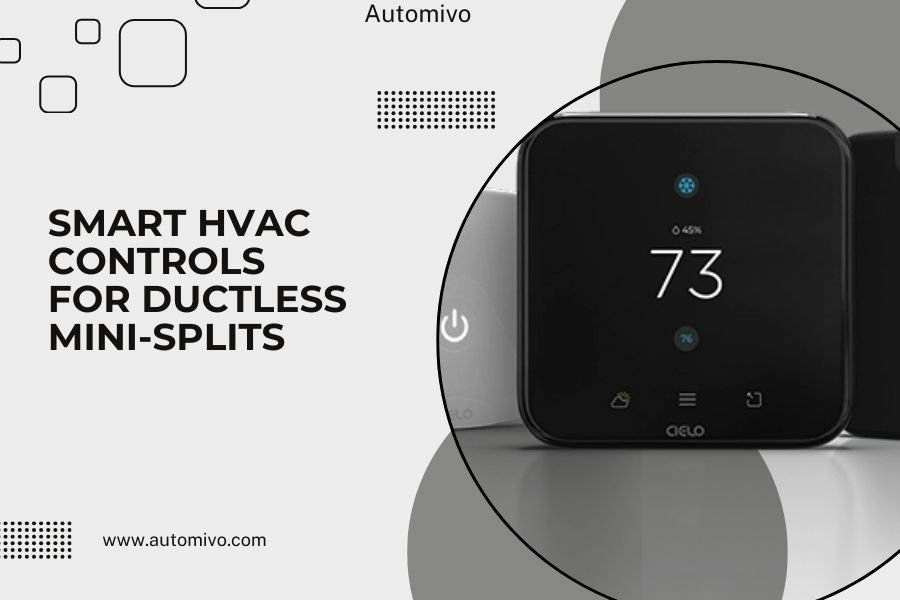
Smart HVAC controls for ductless mini-splits include Wi-Fi thermostats, smartphone apps, and smart sensors that let you control temperature remotely and create custom schedules for each zone in your home.
These controls can reduce energy costs by 10-23% while giving you precise temperature control in individual rooms, making your ductless system work smarter and more efficiently.
What Are Smart Controls for Ductless Mini-Splits?
Smart controls turn your basic ductless mini-split into a connected home device. Think of them as the brain that makes your system think ahead.
Your regular mini-split remote only works when you’re standing right there. Smart controls work from anywhere. They learn your patterns and adjust automatically.
Key Components of Smart Mini-Split Systems
Most smart ductless systems include these main parts:
- Wi-Fi enabled indoor units
- Smart thermostats or sensors
- Mobile apps for remote control
- Voice assistant compatibility
- Scheduling and automation features
Types of Smart Controls Available
You have several options when adding smart features to your mini-splits. Each type offers different benefits.
Built-in Wi-Fi Systems
Many newer mini-splits come with Wi-Fi built right in. Brands like Mitsubishi, Daikin, and LG offer these models.
You download the manufacturer’s app and connect directly. No extra hardware needed. It’s the cleanest setup but limits you to one brand’s features.
Smart Thermostat Add-ons
Third-party smart thermostats can control some mini-splits. Popular options include Nest, Ecobee, and Honeywell models.
These work best with mini-splits that have dry contact inputs. Check your unit’s manual first.
Compatibility Requirements
Not every smart thermostat works with every mini-split. I found that you need to verify these connections:
- 24V control wiring capability
- Dry contact relay support
- Multi-zone control options
Universal Smart Controllers
Universal controllers work with almost any mini-split brand. They use infrared signals like your original remote.
Sensibo and Cielo Breez are popular choices. They stick to your wall and learn your remote’s commands.
Top Benefits of Smart Mini-Split Controls
Why should you upgrade to smart controls? The benefits go way beyond just convenience.
Energy Savings You Can Actually Measure
Research from the Department of Energy shows smart controls can reduce HVAC energy use by 10-23%. That’s real money back in your pocket.
Smart systems avoid the common mistake of heating or cooling empty rooms. They can detect when you’re home and adjust accordingly.
Zone-by-Zone Efficiency
Each room becomes its own climate zone. Your bedroom can be 68°F while your living room stays at 72°F.
This targeted approach uses less energy than trying to maintain one temperature throughout your home.
Remote Access and Control
Forgot to turn off the AC before your vacation? No problem. Adjust it from anywhere with internet access.
Coming home early from work? Start cooling the house during your commute.
Automated Scheduling
Set different temperatures for different times. Most people prefer cooler bedrooms at night and warmer common areas during the day.
Smart controls handle these changes automatically. You set it once and forget it.
Popular Smart Control Brands and Features
Different brands offer different features. Here’s what I found when researching the main players:
| Brand | Best Feature | Works With |
|---|---|---|
| Mitsubishi Kumo Cloud | Native integration | Mitsubishi units only |
| Sensibo Sky | Universal compatibility | Most brands via IR |
| Cielo Breez | Smart scheduling | All IR-controlled units |
| Ecobee SmartThermostat | Room sensors | Compatible mini-splits |
Mitsubishi Kumo Cloud
If you have Mitsubishi mini-splits, Kumo Cloud gives you the deepest integration. It connects directly to your system’s control board.
You get real-time energy usage data and can control every function your original remote offered.
Sensibo Smart AC Controller
Sensibo works with over 1000 AC brands. It uses machine learning to optimize your comfort and energy use.
The device learns your preferences and local weather patterns. It can start cooling before hot afternoons hit.
Advanced Sensibo Features
What makes Sensibo stand out from basic universal remotes?
- Geofencing that detects when you leave home
- Indoor air quality monitoring
- Weekly energy usage reports
- Climate React automation
Installation and Setup Process
Adding smart controls isn’t as complicated as you might think. Most systems follow similar setup steps.
DIY Installation Steps
For universal controllers like Sensibo or Cielo:
- Mount the device near your indoor unit
- Connect to your home Wi-Fi network
- Download the manufacturer’s app
- Point the device at your mini-split
- Follow the app’s pairing process
Common Setup Challenges
Wi-Fi signal strength causes the most problems. Your mini-splits might be in areas with weak internet coverage.
Test your Wi-Fi signal where you plan to install the controller. You might need a Wi-Fi extender.
Professional Installation Considerations
Some smart thermostat installations require professional help. This includes:
- Running new control wires
- Modifying existing wiring
- Integrating with multi-zone systems
HVAC contractors typically charge $150-300 for smart thermostat installation.
Smart Features That Make the Biggest Difference
Not all smart features are created equal. Some change how you live in your home.
Geofencing Technology
Your phone’s location triggers temperature changes. Leave for work and the system enters energy-saving mode.
Get within a mile of home and it starts getting comfortable again. You never walk into a hot or cold house.
Voice Control Integration
Most smart mini-split controls work with Alexa, Google Assistant, and Siri.
“Hey Google, set the bedroom to 70 degrees.” It’s that simple.
Voice Commands That Actually Work
Some voice commands work better than others. I found these work consistently:
- Temperature adjustments by specific degrees
- Turning zones on and off
- Switching between heating and cooling modes
Smart Sensors and Occupancy Detection
Advanced systems can tell when rooms are occupied. They adjust temperatures based on actual usage, not just schedules.
Empty rooms get minimal conditioning. Occupied rooms get priority.
Cost Analysis and Return on Investment
Smart controls cost money upfront but save money long-term. Here’s how the math typically works out.
Upfront Costs
Universal smart controllers: $100-250 per unit
Smart thermostats: $150-300 plus installation
Built-in Wi-Fi systems: $200-500 premium over basic models
Monthly Savings
Most homeowners see 15-20% reductions in cooling and heating costs. On a $200 monthly energy bill, that’s $30-40 saved.
Smart controls typically pay for themselves within 12-18 months.
Factors That Affect Your Savings
Your actual savings depend on several factors:
- How often you’re away from home
- Your local energy costs
- How many zones you have
- Your previous temperature habits
Troubleshooting Common Smart Control Issues
Even the best smart systems sometimes act up. Here are the most common problems and quick fixes.
Connectivity Problems
Wi-Fi connectivity issues cause 80% of smart control complaints. Your device shows as offline in the app.
First, check if your internet is working normally. Then try unplugging the smart controller for 30 seconds.
Improving Wi-Fi Signal Strength
Mini-splits often install in challenging Wi-Fi locations. Try these solutions:
- Move your router closer to the units
- Install a mesh Wi-Fi system
- Use Wi-Fi extenders in problem areas
App and Software Glitches
Sometimes the app won’t connect to your system. Close the app completely and reopen it.
If that doesn’t work, log out and log back in. Check if there’s an app update available.
Future of Smart HVAC Technology
Smart HVAC technology keeps getting smarter. What’s coming next?
AI-Powered Learning
Future systems will predict your comfort needs before you know them yourself. They’ll learn from weather forecasts, your calendar, and daily routines.
Imagine your system knowing you have a dinner party planned and pre-cooling the dining room.
Integration with Smart Home Ecosystems
HVAC controls will work seamlessly with lighting, security systems, and smart appliances.
Your home will manage energy automatically. When solar panels produce excess power, the AC will pre-cool your house.
Conclusion
Smart HVAC controls transform ductless mini-splits from basic cooling and heating devices into intelligent comfort systems. You gain remote access, energy savings, and automated scheduling that adapts to your lifestyle.
The investment typically pays for itself through reduced energy bills within 18 months. Whether you choose universal controllers, smart thermostats, or built-in Wi-Fi systems, you’ll wonder how you lived without the convenience and efficiency.
Start with one zone to test the technology. Once you experience the benefits, you’ll likely want smart controls throughout your home.
Can I add smart controls to my existing mini-split system?
Yes, universal smart controllers work with most existing mini-split brands through infrared signals, just like your original remote. You don’t need to modify your existing system.
Do smart controls work during power outages?
Smart controls need electricity to function, so they won’t work during power outages. When power returns, most systems automatically reconnect to Wi-Fi and resume their programmed schedules.
How much internet data do smart HVAC controls use?
Smart HVAC controls use minimal data, typically less than 1GB per month for a whole-home system. The data usage is similar to checking email occasionally.
Can multiple people control the same smart mini-split system?
Most smart control apps allow multiple users to access the same system. Family members can download the app and get shared access through the primary account holder.
What happens if my Wi-Fi goes down?
Your mini-split will continue running on its last programmed settings when Wi-Fi is down. You can still use the original remote control for manual adjustments until internet service returns.
