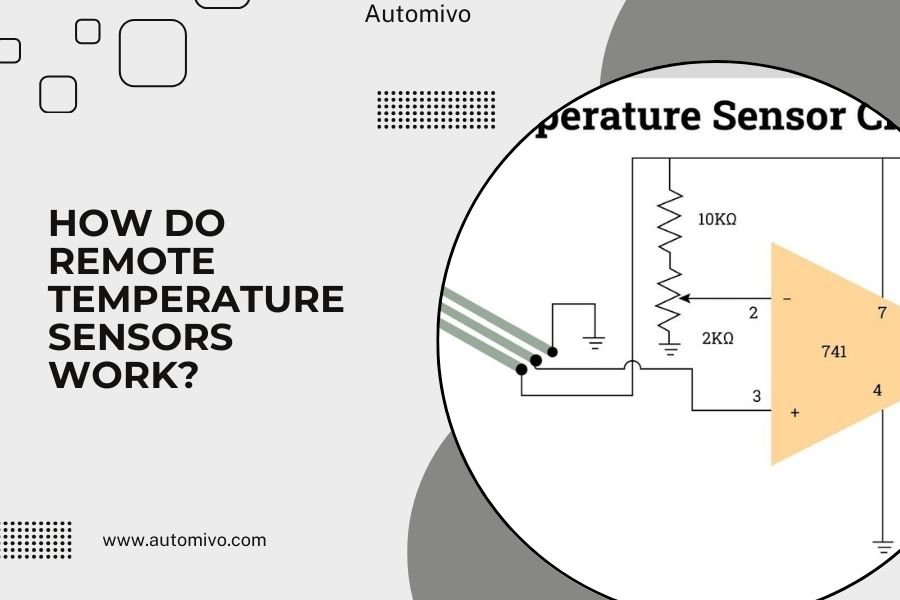
Remote temperature sensors work by measuring air temperature at their location and wirelessly transmitting that data to your main thermostat or smart home hub.
These sensors use built-in thermistors or digital temperature chips to detect temperature changes, then send readings through Wi-Fi, Zigbee, or proprietary wireless protocols.
What Are Remote Temperature Sensors?
Remote temperature sensors are small wireless devices that monitor room temperature independently from your main thermostat. Think of them as extra eyes for your HVAC system, placed in rooms where you want better climate control.
Your main thermostat only knows the temperature where it sits. But what if that hallway stays cooler than your bedroom? Remote sensors solve this problem by giving your system real data from multiple locations.
Key Components Inside Remote Sensors
Every remote temperature sensor contains a few basic parts that work together. The temperature sensing element does the measuring. A wireless transmitter sends the data. A small battery powers everything.
Most sensors also include a tiny processor that manages data collection and transmission timing.
Temperature Sensing Elements
The heart of any temperature sensor is its sensing element. I found that most residential sensors use either thermistors or digital temperature ICs (integrated circuits).
Thermistors change their electrical resistance when temperature changes. Digital ICs convert temperature directly into digital signals. Both methods work well for home use.
Wireless Communication Chips
Sensors need a way to talk to your thermostat or smart hub. Different brands use different wireless technologies. Some use Wi-Fi, others use Zigbee or Z-Wave.
Many major thermostat brands create their own wireless protocols. This keeps everything working smoothly within their ecosystem.
How Temperature Detection Works
Temperature detection happens through changes in electrical properties. When air gets warmer or cooler, it affects the sensor’s internal components in measurable ways.
Thermistor-Based Sensing
Thermistors are like tiny electrical resistors that react to temperature. As temperature rises, resistance changes in a predictable pattern. The sensor measures this change and converts it to a temperature reading.
This happens very quickly, usually within seconds of temperature changes.
NTC vs PTC Thermistors
Most home sensors use NTC (Negative Temperature Coefficient) thermistors. When temperature goes up, resistance goes down. PTC thermistors work the opposite way but are less common in HVAC applications.
Digital Temperature Sensors
Digital sensors use semiconductor technology to measure temperature directly. They output precise digital readings without needing analog-to-digital conversion.
These sensors often provide higher accuracy and better stability over time.
Calibration and Accuracy
Most quality sensors come pre-calibrated from the factory. They typically maintain accuracy within 1-2 degrees Fahrenheit for years without adjustment.
Some premium sensors allow field calibration if you notice readings drift over time.
Wireless Communication Methods
Once your sensor measures temperature, it needs to share that information. Different wireless technologies handle this communication in various ways.
Wi-Fi Connected Sensors
Wi-Fi sensors connect directly to your home network. They can send data anywhere your internet reaches. This makes them great for smart home integration and remote monitoring.
The downside? Wi-Fi uses more battery power than other wireless methods.
Battery Life Considerations
Wi-Fi sensors typically need battery changes every 6-12 months. Some brands offer power-saving modes that extend battery life by reducing update frequency.
Zigbee and Z-Wave Sensors
These mesh network protocols use much less power than Wi-Fi. Sensors using these technologies often run for 2-5 years on a single battery.
They create networks where each device helps relay signals from others. This makes the whole system more reliable.
Mesh Network Benefits
Mesh networks automatically find the best path for data transmission. If one device goes offline, others route around it. This creates very stable communication.
Proprietary Wireless Protocols
Many thermostat manufacturers develop their own wireless communication methods. Ecobee, Honeywell, and others use custom protocols optimized for their systems.
These often provide the best battery life and most reliable connection within their ecosystem.
Data Transmission and Processing
Your sensor doesn’t just blast temperature data constantly. Smart programming determines when and how often to send updates.
Transmission Timing
Most sensors send updates every few minutes under normal conditions. When temperature changes rapidly, they may transmit more frequently.
This balance saves battery while keeping your HVAC system informed of important changes.
Temperature Change Thresholds
Sensors often trigger immediate transmission when temperature changes by a set amount. This might be 1-2 degrees, depending on your system’s sensitivity settings.
Data Processing at the Hub
Your main thermostat or smart hub receives all sensor data and makes heating and cooling decisions. It might average readings from multiple sensors or prioritize certain rooms.
Many systems let you configure which sensors matter most during different times of day.
Common Sensor Types and Applications
Not all remote temperature sensors work the same way. Different designs serve different needs in your smart home setup.
Room-Specific Sensors
These sensors focus on individual room comfort. Place them in bedrooms, living areas, or home offices where you spend significant time.
They help balance temperature across your home instead of heating or cooling based on just one location.
Occupancy Detection Features
Many modern sensors include motion detection. This tells your system when rooms are actually being used, avoiding waste on empty spaces.
Outdoor Temperature Sensors
Outdoor sensors help your HVAC system anticipate heating and cooling needs. When it sees outside temperature rising, it can pre-cool your home more efficiently.
These sensors need weather-resistant housing and often include humidity measurement too.
| Sensor Type | Best Use | Battery Life | Special Features |
|---|---|---|---|
| Wi-Fi Room Sensor | Smart home integration | 6-12 months | Remote monitoring |
| Zigbee Room Sensor | Mesh network setups | 2-5 years | Self-healing network |
| Proprietary Sensor | Brand-specific systems | 1-3 years | Optimized performance |
| Outdoor Sensor | Weather compensation | 1-2 years | Weather resistant |
Installation and Setup Process
Getting remote sensors working involves both physical placement and software configuration. Most systems make this pretty straightforward.
Optimal Sensor Placement
Place sensors away from heat sources, direct sunlight, and air vents. You want them measuring general room air, not localized hot or cold spots.
Wall mounting about 5 feet high usually works well. This puts sensors at the level where you actually experience room temperature.
Common Placement Mistakes
Avoid placing sensors near windows, above electronics, or in corners where air doesn’t circulate well. These locations give misleading readings.
Pairing with Your System
Most sensors use a simple pairing process similar to connecting Bluetooth devices. You put your thermostat in pairing mode, then activate the sensor.
The exact steps vary by brand, but the process usually takes just a few minutes.
Troubleshooting Common Issues
Remote sensors are generally reliable, but issues can pop up. Most problems relate to wireless communication or battery life.
Connectivity Problems
If a sensor stops reporting, check its battery first. Low batteries often cause intermittent connection issues before complete failure.
Distance from the hub or interference from other devices can also disrupt communication.
Signal Strength Solutions
Move sensors closer to your hub or add mesh network devices to extend range. Some systems show signal strength in their apps to help with placement.
Accuracy Issues
If readings seem wrong, check sensor placement first. Make sure nothing is heating or cooling the sensor directly.
Some sensors allow calibration adjustment if readings consistently run high or low compared to other thermometers.
Conclusion
Remote temperature sensors work through a smart combination of temperature measurement, wireless communication, and data processing. They give your HVAC system the information it needs to keep your whole home comfortable, not just the area around your main thermostat.
Understanding how these sensors work helps you choose the right type for your home and place them where they’ll be most effective. Whether you pick Wi-Fi, Zigbee, or proprietary sensors depends on your existing smart home setup and battery life preferences.
The technology keeps getting better, with longer battery life, more accurate readings, and smarter features like occupancy detection. These improvements make remote sensors an increasingly valuable part of modern home comfort systems.
How often do remote temperature sensors send data to the thermostat?
Most sensors transmit temperature readings every 5-15 minutes under normal conditions. They send updates more frequently when detecting rapid temperature changes, usually within 1-2 degrees of the last reading.
Can remote sensors work with any smart thermostat?
No, sensors typically only work with compatible systems. Wi-Fi sensors offer the most flexibility across brands, while proprietary sensors only work with their specific thermostat models. Always check compatibility before purchasing.
What affects remote sensor battery life the most?
Wireless transmission frequency has the biggest impact on battery life. Wi-Fi sensors drain batteries fastest, lasting 6-12 months, while Zigbee or proprietary sensors can run 2-5 years by using more efficient communication methods.
Do remote sensors need professional installation?
Most remote sensors are designed for easy DIY installation. You simply mount them on walls or place them on surfaces, then pair them with your system through the app. No wiring or professional setup is required.
How accurate are remote temperature sensors compared to traditional thermostats?
Quality remote sensors typically maintain accuracy within 1-2 degrees Fahrenheit, which matches or exceeds most traditional thermostats. Digital sensors often provide more consistent readings than older mechanical thermostats.