
Setting a smart thermostat schedule for vacation is a smart move to save money and protect your home. You can easily set it to a lower energy mode while you’re away. This prevents your HVAC system from working too hard and wasting power. It’s a simple way to keep your home comfortable when you return without running up a huge bill.
When you leave, your home’s temperature doesn’t need to be maintained at its usual comfort level. Many experts recommend setting your thermostat to an energy-saving temperature. This is typically between 50-60°F for heating or 80-85°F for cooling. This simple adjustment ensures your pipes don’t freeze and prevents extreme temperatures indoors.
- Set your thermostat to a lower energy mode.
- Recommended temperatures are 50-60°F (heating) or 80-85°F (cooling).
- This saves energy and prevents damage.
- It ensures your home is comfortable upon return.
Ready to make sure your home is just right when you get back without breaking the bank? Let’s walk through how to set up that perfect vacation schedule.
Heading off on vacation is exciting! You’re picturing sunny beaches or cozy cabins. But before you get too lost in daydreams, there’s one important task: setting your smart thermostat for your trip. It might seem like a small thing, but getting it right can save you money and keep your home safe. Let’s figure out the best way to adjust your thermostat while you’re away.
Creating Your Smart Thermostat Vacation Schedule
Think of your thermostat as a little helper for your home’s climate. When you’re home, it keeps things just how you like them. But when you’re gone, does it need to work so hard? Not at all! Setting a vacation schedule means telling your thermostat to take a break, too. This is about being energy smart and protecting your house without you needing to be there.
Why Bother Setting a Vacation Schedule?
You might be wondering if it’s really worth the effort. The answer is a resounding yes! Here’s why:
- Energy Savings: This is the big one. Your heating and cooling systems use a lot of power. When you’re not home, you don’t need your house to be a toasty 72°F or a cool 70°F. Lowering or raising the temperature saves a significant amount of electricity or gas. Many experts suggest you can save up to 10% a year on heating and cooling costs by simply setting your thermostat back 7°-10°F for 8 hours a day (Energy Star).
- Home Protection: Extreme temperatures can cause problems. In winter, pipes can freeze and burst if your home gets too cold. In summer, excessive heat and humidity can damage electronics, wood furniture, and even your HVAC system itself. A vacation setting prevents these damaging extremes.
- Comfort Upon Return: You want to walk into a comfortable home, not one that feels like an icebox or a sauna. A smart thermostat schedule lets you set a “return” temperature. This means your system will start warming or cooling your home a few hours before you arrive, so it’s perfect when you open the door.
Understanding Your Smart Thermostat’s Capabilities
Most smart thermostats today are pretty intuitive. They connect to your Wi-Fi and can be controlled from your smartphone. This makes setting a vacation schedule much easier than with older, programmable models. You’re not just setting a few time slots; you can often set a special “away” mode or even define a range of temperatures that are acceptable.
We found that the exact steps can vary slightly between brands. But the general idea is the same across most platforms like Nest, Ecobee, Honeywell, and others. You’ll typically navigate through a menu that might be labeled “Away,” “Vacation,” “Hold,” or “Schedule.” If you’re unsure, your thermostat’s manual or the manufacturer’s app will have specific instructions.
Different Types of “Away” Settings
Your thermostat might have a few ways to handle being unoccupied:
- Temporary Hold: This is often a simple “set it and forget it” option. You tell the thermostat a temperature, and it stays there until you manually change it or your trip ends.
- Vacation Mode: This is usually a more robust setting. It allows you to input your departure and return dates. The thermostat then automatically adjusts to an energy-saving temperature during that period and begins returning to your comfort setting before your arrival date.
- Geofencing: Some advanced thermostats use geofencing. This means they can detect when your smartphone leaves a certain radius around your home and automatically switch to an energy-saving mode. When your phone returns, it starts adjusting back to your preferred temperature.
Setting the Right Temperature for Your Absence
This is where the real savings and protection come in. What’s the magic number for your thermostat when you’re not home? It depends on the season.
Winter: Preventing Freezing and Saving Energy
When it’s cold outside, your main goal is to prevent your pipes from freezing. Frozen pipes can burst, leading to costly water damage. Most plumbing experts suggest keeping your home’s temperature at a minimum of 50°F (American Society of Home Inspectors). This is usually warm enough to keep pipes from freezing in most climates.
For many smart thermostats, you can set a “vacation” or “hold” temperature for winter. We recommend setting this to around 50-55°F. This is a good balance between preventing freezing and conserving energy. Running your heat constantly at 70°F when no one is home is a huge waste. A 15-20°F drop can lead to substantial energy savings.
Summer: Battling Heat and Humidity
In the summer, the concern shifts to preventing overheating and excessive humidity. High temperatures can damage electronics and create an environment where mold can thrive. You also don’t want to come home to a sticky, muggy house.
Experts often recommend setting your thermostat to around 80-85°F for cooling when you’re away (Energy Star). This prevents the extreme heat that can cause damage. It also helps manage humidity levels. Your air conditioner will run less frequently, saving electricity. When you return, your system can cool the house down to your preferred temperature.
A Quick Temperature Guide
To make it super simple, here’s a handy reference:
| Season | Recommended Vacation Temperature | Primary Goal |
|---|---|---|
| Winter | 50-55°F | Prevent pipes from freezing |
| Summer | 80-85°F | Prevent overheating & manage humidity |
Consideration: When Not to Lower the Temperature Drastically
There are a few situations where you might want to be a little more cautious:
- Very Old Homes: If your home has poor insulation or older pipes that are more susceptible to freezing, you might want to keep the temperature a bit higher, perhaps 55-60°F.
- Pets at Home: If you’re leaving a pet behind, consult your veterinarian about their specific needs. You’ll likely need to set the thermostat to a temperature that’s comfortable and safe for them.
- Valuable Items: If you have sensitive musical instruments, artwork, or other items that are particularly susceptible to temperature fluctuations, you might want to maintain a slightly more moderate temperature.
Step-by-Step: Programming Your Vacation Schedule
Ready to put this into action? Here’s a general walkthrough. Remember, your thermostat’s interface might look a little different.
1. Access Vacation/Away Mode
On your thermostat or in its mobile app, look for options like “Vacation,” “Away,” “Hold,” or “Schedule.” Select the appropriate mode.
2. Input Your Travel Dates
If your thermostat has a dedicated vacation mode, it will likely ask for your departure and return dates. Enter these accurately. This helps the thermostat know when to start its energy-saving routine and when to prepare for your arrival.
3. Set Your Vacation Temperatures
Now, enter the desired temperatures for when you’re gone. Use the recommended ranges we discussed: 50-55°F for winter and 80-85°F for summer. Be sure to set the correct temperature for the current season.
4. Specify Your Return Temperature and Time (If Available)
Some thermostats allow you to set a temperature for your return and even a time you want it to reach that temperature. If yours has this, set it to your usual comfort level and schedule it to start warming or cooling a few hours before you expect to be home. For example, if you arrive home on Sunday at 3 PM, you might set it to start adjusting around noon on Sunday.
5. Confirm and Save
Double-check all your settings: dates, temperatures, and times. Then, save your changes. Most smart thermostats will confirm that the vacation schedule is active.
6. Verify Remotely (If Possible)
Once you’ve set everything up, and especially after you’ve left, it’s a good idea to open your thermostat’s app and check that the vacation mode is active and the correct temperatures are displayed. This gives you peace of mind.
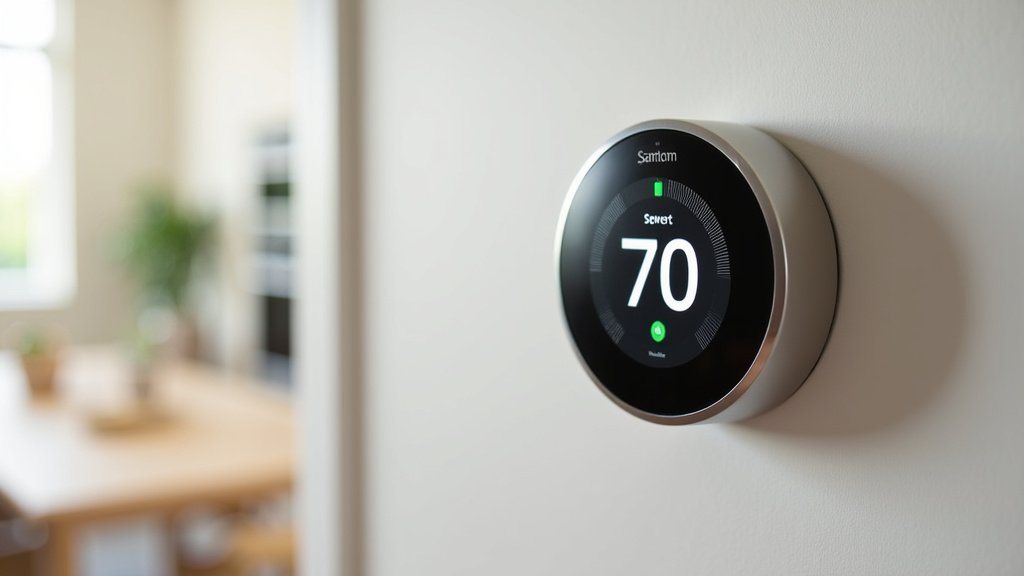
Final Checks Before You Leave
Before you lock the door and head out, take a moment to do a quick mental checklist. Did you remember everything?
- Did you clear out your refrigerator of perishables?
- Are all windows and doors securely locked?
- Did you unplug unnecessary electronics?
- Is your smart thermostat set to vacation mode and confirmed?
- Have you informed a trusted neighbor or friend of your travel dates and left them a key, just in case?
It’s these little details that make a big difference. Your smart thermostat is one of them!
Conclusion
You’ve learned how setting a smart thermostat schedule for vacation is a smart way to save money and protect your home. By adjusting to energy-saving temperatures like 50-55°F in winter or 80-85°F in summer, you prevent costly damage and lower your utility bills. Your smart thermostat makes this easy with vacation or away modes. Before you leave, remember to program your dates and temperatures accurately. Take that final step: program your thermostat today to enjoy peace of mind and a comfortable return.
Frequently Asked Questions
Can I use my thermostat’s app to set a vacation schedule?
Yes, most smart thermostats come with a mobile app. You can usually access vacation or away modes directly through the app. This allows you to set your schedule remotely, even if you’re already on your way to the airport.
What happens if my return date changes unexpectedly?
If your return date changes, you can simply log back into your thermostat’s app or access the device. You can then update the return date and temperature settings accordingly. This flexibility is a major benefit of smart thermostats.
Is it safe to leave my thermostat at 50°F in winter?
For most homes, 50°F is a safe minimum to prevent pipes from freezing. However, if you have very old pipes or live in an extremely cold climate, you might consider setting it slightly higher, like 55°F. It’s always good to know your home’s specific needs.
Will my smart thermostat automatically switch back to normal mode?
Yes, if you’ve set a specific return date in your thermostat’s vacation mode, it will typically begin warming or cooling your home a few hours before your scheduled arrival. This ensures your home is comfortable the moment you walk in the door.
What if I forget to set my thermostat before leaving?
Don’t panic! If you realize you’ve forgotten, you can usually access your thermostat remotely via its app. You can then set the vacation or away mode as if you were there. This is where the convenience of smart home technology truly shines.
