
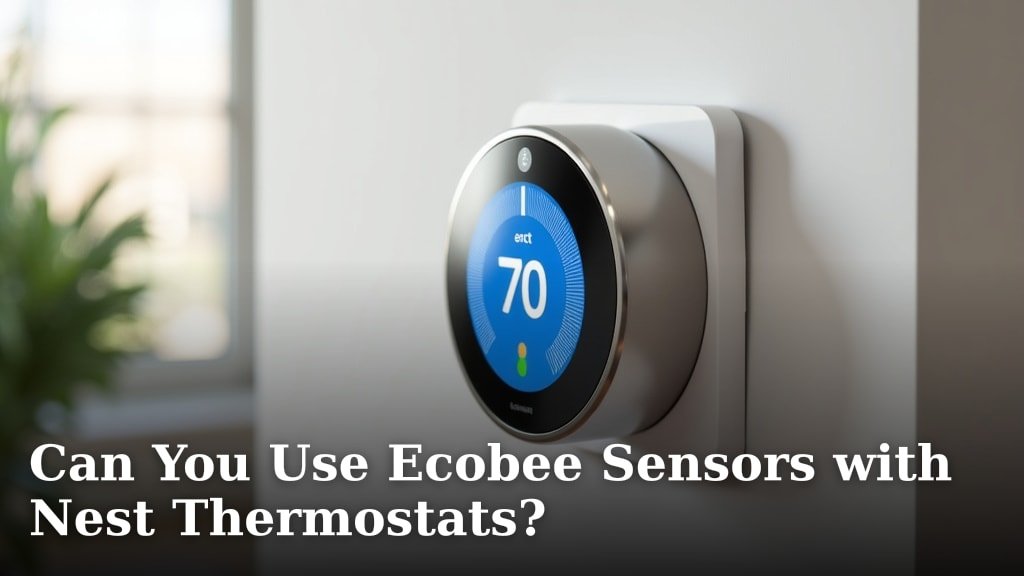
No, you cannot directly use Ecobee sensors with Nest thermostats because they are designed by different companies and use proprietary communication protocols. Think of it like trying to use a Samsung phone charger with an Apple iPhone; they just aren’t built to speak the same language. Your Nest thermostat needs sensors that are specifically made to connect and communicate with it to function properly and manage your home’s climate effectively.
While the idea of mixing and matching smart home devices is appealing for its potential cost savings and flexibility, the reality is often different. Manufacturers like Ecobee and Google (Nest) create their ecosystems. They want you to use their own accessories to ensure a smooth user experience and maintain control over their product’s performance. This often means your Nest thermostat will only work with Nest-compatible accessories.
- Ecobee sensors and Nest thermostats are not compatible.
- They use different, proprietary communication systems.
- Nest thermostats require Nest-branded sensors for full functionality.
- Mixing brands can lead to performance issues or prevent connection entirely.
- Stick to the same brand for sensors and thermostats to ensure compatibility.
Let’s dive into why this incompatibility exists and what your options are for getting the most out of your Nest thermostat’s temperature-sensing capabilities.
Mixing Smart Thermostat Brands: Why It Doesn’t Work
You’ve probably wondered if you can pair your Ecobee sensors with your Nest thermostat. It’s a common thought when you’re trying to optimize your home’s climate control. Unfortunately, the answer is a clear no. Your Ecobee sensors and Nest thermostat are like two different puzzle pieces from separate boxes. They simply won’t fit together to create a functioning system. Your Ecobee sensors will work perfectly fine with an Ecobee thermostat, as they are designed to be a team.
This incompatibility stems from how these devices communicate. They use different proprietary technologies. Think of it like trying to tune into a radio station on the wrong frequency; you’ll only get static. Each brand builds its ecosystem to work best with its own accessories. This ensures a smoother experience for you and allows the manufacturer to maintain quality control.
Understanding Smart Home Ecosystems
Smart home devices are often designed to be part of a larger system, or an “ecosystem.” Ecobee builds its ecosystem around its thermostats and sensors. Similarly, Google designs its Nest products to work within the Nest family. These ecosystems are like specialized clubs. They have their own rules and communication methods, and they don’t readily welcome outsiders.
When you purchase an Ecobee sensor, it’s programmed to talk to an Ecobee thermostat using Ecobee’s specific wireless protocols. Likewise, your Nest thermostat is designed to receive signals from Nest-compatible sensors. Trying to bridge this gap is like asking a French speaker to understand a Mandarin conversation without a translator. They are speaking different languages.
Proprietary Protocols: The Communication Barrier
At the heart of this issue are proprietary communication protocols. These are the unique sets of rules and signals that devices use to send data back and forth. Ecobee and Google have developed their own proprietary methods. These methods are often kept secret to maintain their competitive edge. This means a Nest thermostat doesn’t have the built-in “decoder ring” to understand what an Ecobee sensor is saying.
Research shows that device compatibility in smart homes is often limited by these proprietary systems. Manufacturers want to ensure that their devices work flawlessly within their own product lines. This prevents potential issues that could arise from third-party integrations. It’s about maintaining a consistent user experience and reliable performance for your smart home technology.
Why Doesn’t Nest Support Other Sensors?
Nest thermostats are designed to be smart and efficient on their own. However, they rely on specific hardware to gather all the necessary temperature data. This data comes from sensors that are made to integrate directly with Nest’s system. They need to talk the same language, and Ecobee’s sensors speak a different one.
Many experts explain that this approach is common in the consumer electronics industry. It helps manufacturers control the quality and functionality of their products. If Nest were to allow any sensor to connect, there could be widespread performance problems. Imagine inconsistent temperature readings or sensors that frequently disconnect. That would frustrate users and damage Nest’s reputation for reliability.
The Role of Nest Temperature Sensors
Google offers its own line of Nest Temperature Sensors. These are specifically engineered to communicate wirelessly with Nest thermostats. They use a secure and reliable protocol designed by Google. When you place these sensors in different rooms, they send temperature readings back to your Nest thermostat. Your thermostat then uses this information to create a more balanced climate throughout your home.
These sensors are crucial for maximizing the effectiveness of your Nest thermostat. They help your system understand temperature variations from room to room. This allows for smarter heating and cooling decisions. For example, if your bedroom tends to be warmer, a Nest sensor there can tell the thermostat to adjust accordingly, preventing overheating while you sleep.
Can You Use Ecobee Sensors at All?
While you cannot use Ecobee sensors with a Nest thermostat, your Ecobee sensors will work perfectly fine with an Ecobee thermostat. They are designed to be a team. If you have Ecobee sensors, you likely have an Ecobee thermostat as well. In this case, your sensors are already integrated and working to optimize your home’s comfort.
Ecobee’s system is built to provide advanced temperature monitoring. Their sensors can detect occupancy and temperature in different parts of your home. This allows their thermostats to prioritize comfort in occupied rooms and save energy when areas are empty. It’s all about creating a personalized comfort profile for your living space. Ecobee’s ecosystem is designed to work together cohesively.
What If You Want Remote Temperature Sensors with Nest?
If you currently have a Nest thermostat and want to benefit from remote temperature sensing, your best bet is to use Nest-branded temperature sensors. These are readily available and designed for seamless integration. You can find them online or at major electronics retailers. They are specifically built to pair with your Nest thermostat without any technical headaches.
When you’re looking to buy, make sure the product packaging or description explicitly states that it is a “Nest Temperature Sensor.” This ensures you are purchasing a compatible accessory. The setup process is usually quite straightforward, often involving a simple pairing within the Nest app. You’ll be enjoying more balanced temperatures across your home in no time.
Setting Up Nest Temperature Sensors
Getting your Nest Temperature Sensors up and running is generally a simple process. First, you’ll need to ensure your Nest thermostat is properly installed and connected to your Wi-Fi network. Then, you’ll add the sensors through the Nest app. The app will guide you through the steps to discover and pair each sensor.
Once paired, you can assign each sensor to a specific room in your home within the app. You can also configure your Nest thermostat to prioritize certain sensors at different times of the day. For instance, you might want it to focus on the living room during the day and the bedroom at night. This level of customization allows you to create a truly optimized heating and cooling schedule.
Alternatives and Workarounds (and why they usually don’t work)
You might be tempted to search for workarounds or third-party devices that claim to bridge the compatibility gap. While some smart home hubs might offer integrations, directly connecting proprietary sensors from one brand to a thermostat of another is typically not feasible. These systems are built with strict internal communication methods.
We found that attempting to force compatibility can lead to unreliable performance. Sensors might disconnect frequently, or they might not report accurate temperature data. This can result in your thermostat running inefficiently. It could even cause damage to your HVAC system over time if it’s constantly trying to compensate for bad data. Sticking with the intended accessories is the safest route.
Making the Right Choice for Your Home Climate
Choosing the right smart thermostat and sensor system is about understanding how these devices work together. If you’re invested in the Nest ecosystem, the smart choice is to buy Nest Temperature Sensors. They are designed to integrate perfectly and provide the best possible performance. This ensures your heating and cooling system operates efficiently and keeps your home comfortable.
Similarly, if you prefer Ecobee thermostats, then using Ecobee sensors is the way to go. The goal is to create a cohesive system where all components communicate effectively. This leads to better energy savings and enhanced comfort for everyone in your household. It’s about building a smart home that works *for* you, not against you.
Quick Checklist for Sensor Compatibility
- Always check the manufacturer of your thermostat.
- Purchase sensors made by the same brand as your thermostat.
- Look for product names like “Nest Temperature Sensor” for Nest thermostats.
- Ensure your sensors are designed to communicate wirelessly with your specific thermostat model.
- Avoid trying to mix sensors and thermostats from different companies.
- If unsure, contact the thermostat manufacturer’s customer support.
| Thermostat Brand | Compatible Sensors | Can Use Other Brands’ Sensors? |
|---|---|---|
| Nest (Google) | Nest Temperature Sensors | No |
| Ecobee | Ecobee Room Sensors | No |
Conclusion
As we’ve seen, you cannot use Ecobee sensors directly with Nest thermostats. Their communication systems are proprietary, meaning they speak different “languages.” Trying to mix them will lead to performance issues or simply won’t work at all. For the best experience and reliable temperature sensing with your Nest, it’s essential to stick with Nest-branded temperature sensors. This ensures your system functions efficiently and keeps your home comfortable. Make the compatible choice for a smarter, more effective climate control system in your home.
Frequently Asked Questions
Will my Nest thermostat work if I try to connect Ecobee sensors?
No, your Nest thermostat will likely not work correctly if you attempt to connect Ecobee sensors. They use different communication protocols. This incompatibility means they cannot exchange data reliably, preventing your thermostat from receiving accurate temperature readings from the Ecobee sensors.
Where can I buy official Nest temperature sensors?
You can purchase official Nest Temperature Sensors from major online retailers like Amazon or Best Buy. They are also often available at brick-and-mortar electronics stores. Always check that the product clearly states it’s a “Nest Temperature Sensor” to ensure compatibility.
How do I set up Nest Temperature Sensors with my Nest thermostat?
Setting up Nest Temperature Sensors is generally straightforward. You’ll typically add them through the Nest app on your smartphone or tablet. The app provides step-by-step instructions to pair each sensor to your thermostat and assign it to a specific room for better zone control.
What happens if I try to force Ecobee sensors to work with Nest?
Attempting to force Ecobee sensors to work with a Nest thermostat can result in unreliable performance. You might experience sensors that frequently disconnect or provide inaccurate temperature readings. This can lead to inefficient heating and cooling, potentially impacting your comfort and energy bills.
Can I use sensors from another brand, like Honeywell, with my Nest thermostat?
Generally, no. Just like Ecobee sensors, sensors from other brands like Honeywell are also designed with proprietary communication systems. Your Nest thermostat is built to work best with its own branded sensors to ensure proper functionality and a consistent user experience.
