
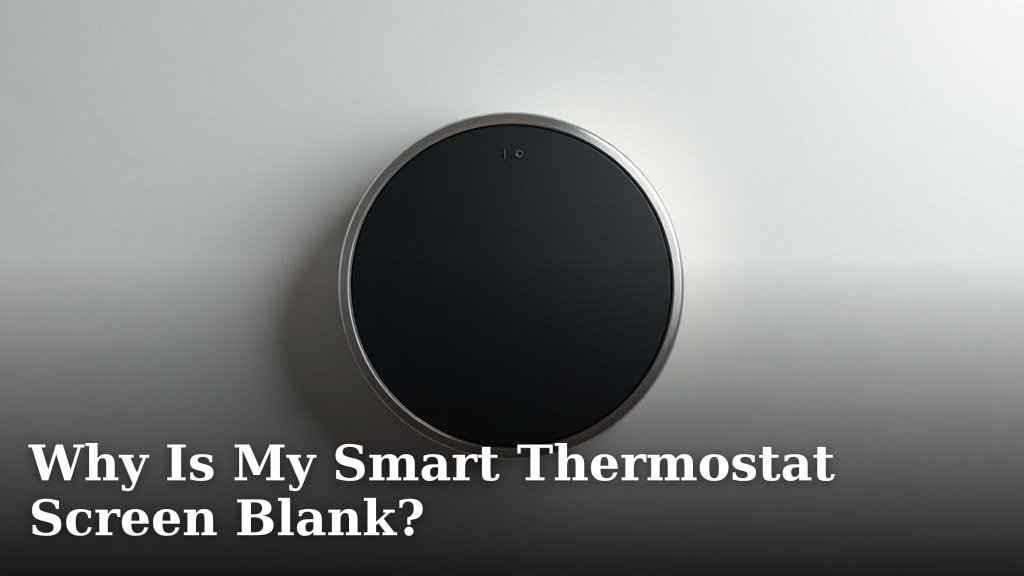
Your smart thermostat screen is blank because it’s not getting power, it has a blown fuse, or there’s a wiring issue. Sometimes, a simple device reset can fix this common problem.
Finding your thermostat dark can be frustrating, especially when you just want to adjust your home’s temperature. We found that many homeowners face this issue, often due to a power interruption or a minor electrical glitch. Don’t worry, a blank screen doesn’t always mean a costly repair.
- Power loss is the most common reason.
- Check your circuit breaker first.
- A loose wire connection can stop power.
- The thermostat’s battery might be dead.
- Sometimes, a simple restart helps.
Below, we’ll walk you through the most common reasons why your smart thermostat might go blank. We’ll also help you troubleshoot and get it working again quickly.
Troubleshooting Your Smart Thermostat When Its Screen Goes Blank
A blank smart thermostat screen often means a power issue or a minor electrical glitch. We’ve found that most problems are easily fixable at home without a technician.
Check the Power Supply First
No power is the most common reason your smart thermostat screen is blank. It’s like any other electronic device; if it doesn’t get juice, it won’t turn on. Let’s start with the basics.
Examine Your Home’s Circuit Breaker
Your thermostat relies on power from your home’s electrical system. Sometimes, a circuit breaker trips, cutting off power to that specific circuit. This often happens if there was a power surge or a brief overload. We found that checking your breaker box is a smart first step (U.S. Department of Energy).
- Locate your home’s electrical panel.
- Find the breaker labeled for your HVAC system or furnace.
- If it’s in the “OFF” position or tripped (often halfway), flip it firmly to “OFF” then back to “ON.”
- Wait a few minutes. See if your thermostat screen lights up.
Look for a Blown Fuse in Your HVAC System
Many HVAC systems have a low-voltage fuse, typically a 3-amp car fuse, located on the furnace or air handler control board. This fuse protects the system from power spikes. If it blows, your thermostat won’t receive power.
- Turn off power to your HVAC system at the circuit breaker first. Safety is key.
- Open the panel on your furnace or air handler.
- Look for a small purple or red car-style fuse.
- If the wire inside the fuse is broken or blackened, it’s blown.
- Replace it with an identical 3-amp fuse. You can find these at auto parts stores.
- Restore power and check your thermostat.
Investigate Wiring Connections at the Thermostat and Furnace
Loose or incorrect wiring is another frequent culprit. Over time, wires can shift, or connections can weaken. This can interrupt the power flow to your thermostat.
Inspect Thermostat Wiring
The wires connecting your thermostat to your HVAC system are crucial. They carry power and signals. If they’re not making good contact, your screen will remain blank.
- Gently remove your thermostat’s cover plate.
- Check that all wires are securely seated in their terminals.
- Pay close attention to the “R” (power) and “C” (common) wires. The “C” wire provides continuous 24V power to many smart thermostats.
- If a wire seems loose, gently push it back into its terminal.
- Be careful not to tug on the wires too hard.
- Double-check that no bare wires are touching each other, which can cause a short.
Examine Wiring at the Furnace/Air Handler
Just like at the thermostat, connections can come loose at the other end of the wire, inside your furnace or air handler. We found that dust and vibrations can sometimes contribute to this.
- Turn off all power to your HVAC system at the breaker.
- Locate the control board inside your furnace.
- Follow the low-voltage wires that lead to your thermostat.
- Ensure these wires are tightly connected to their terminals on the control board.
- Look for any signs of corrosion or burnt wiring, which could indicate a bigger issue.
Consider Your Smart Thermostat’s Internal Power Source
While many smart thermostats draw power from your HVAC system, some also use batteries as a backup or primary power source. A blank screen could mean these batteries are dead.
Check and Replace Batteries
If your smart thermostat uses batteries, they will eventually run out. Even if your thermostat is “hardwired,” some models still use batteries for backup or to power certain features during a power outage. We recommend checking your owner’s manual for specific battery requirements.
- Carefully remove the thermostat from its base plate.
- Look for a battery compartment. This usually holds AA or AAA batteries.
- If you see batteries, replace them with fresh ones.
- Ensure they are inserted correctly, observing polarity (+/-).
- Snap the thermostat back onto its base.
Reset Your Smart Thermostat
Sometimes, technology just needs a good old-fashioned reboot. A software glitch or minor error can cause your screen to go blank. A reset can clear these temporary issues without affecting your settings.
Perform a Soft Reset
A soft reset is often the easiest first step. It’s like restarting your computer. It won’t erase your programming but can resolve minor software hiccups.
- Turn off the power to your entire HVAC system at the circuit breaker.
- Leave the power off for about 30 seconds to 1 minute.
- Turn the power back on.
- Observe your thermostat. Did the screen light up?
Consider a Hard Reset (Last Resort for Software)
A hard reset will typically revert your thermostat to factory settings. This means you’ll lose your programming, schedules, and Wi-Fi connection. Only do this if other steps haven’t worked and you suspect a deeper software issue. Each model has a slightly different hard reset procedure; consult your manual or the manufacturer’s website.
Diagnosing Other Potential Issues
If the above steps don’t bring your screen back to life, there might be a more complex underlying problem. Don’t worry, we’ll guide you on what to consider next.
Faulty C-Wire Connection
Many smart thermostats require a “C” (common) wire to draw continuous 24V power. Without it, or if it’s faulty, your thermostat might not power on or might drain its internal battery quickly. If your old thermostat didn’t use a C-wire, but your new smart thermostat requires one, this could be your issue. We often see this when upgrading to smarter systems.
If you suspect a C-wire issue and are uncomfortable working with low-voltage wiring, we recommend contacting an HVAC professional. Adding a C-wire can involve running new wiring or installing an adapter.
Thermostat Malfunction or HVAC System Issues
It’s possible your smart thermostat itself has failed. Components can wear out, or a manufacturing defect could be present. If your thermostat is relatively new, check its warranty. If all troubleshooting steps fail, the thermostat unit might need replacement.
Also, a blank screen could sometimes signal a larger problem with your HVAC system. For instance, a safety switch on your furnace (like a condensate overflow sensor) might have tripped, shutting down the whole system and thus cutting power to the thermostat. If you notice other signs of HVAC trouble (no heating/cooling, strange noises), this is a good indicator to call a professional.
Quick Checklist for a Blank Thermostat Screen
Here’s a quick recap of the most common solutions. Work through these steps methodically to get your smart thermostat working again.
- Check your home’s circuit breaker for the HVAC system.
- Inspect for a blown fuse on your furnace control board.
- Ensure thermostat and furnace wiring connections are tight and secure.
- Replace internal AA/AAA batteries if your model uses them.
- Perform a soft reset by cycling power to the HVAC system.
- Verify your C-wire connection (if applicable to your model).
| Problem | Common Symptom | Your Action |
|---|---|---|
| No Power from Breaker | Whole system off, other electronics on circuit may be off too. | Flip circuit breaker off then on. |
| Blown HVAC Fuse | HVAC unit completely unresponsive. | Inspect and replace 3-amp car fuse on furnace board. |
| Loose Wiring | Screen flickers or stays blank after power check. | Tighten wires at thermostat and furnace terminals. |
| Dead Batteries | Screen goes blank suddenly, often after a power outage. | Replace AA/AAA batteries in the thermostat. |
| Software Glitch | Sudden blank screen, no obvious power or wiring issue. | Perform a soft reset (cycle HVAC power). |
Conclusion
Seeing a blank smart thermostat screen can be worrying, but as you’ve learned, it’s often a fixable issue. Most of the time, the problem boils down to a power interruption, a loose wire, or even just dead batteries. We’ve walked you through the simple steps to diagnose and potentially resolve these common problems right in your home.
Remember to prioritize safety by turning off power when inspecting wiring or fuses. If you’ve tried these troubleshooting steps and your screen remains dark, it might be time to call a qualified HVAC professional. They can help identify deeper electrical problems or a faulty thermostat unit. With a little patience, you can often bring your smart thermostat back to life.
Frequently Asked Questions
Why did my smart thermostat screen go blank suddenly?
A sudden blank screen often points to a loss of power. This could be due to a tripped circuit breaker, a blown fuse in your HVAC system, or even dead batteries if your model uses them. Sometimes, a loose wire connection can also cause an abrupt power loss.
Can a blank thermostat screen mean my furnace isn’t working?
Yes, it can. If your furnace isn’t getting power or has a safety lockout, it won’t send power to the thermostat. So, a blank screen can be an indicator of a problem within your main HVAC system, not just the thermostat itself.
What’s the difference between a soft reset and a hard reset for a smart thermostat?
A soft reset involves briefly cutting power to the thermostat and then restoring it, similar to restarting a computer. It clears minor glitches without losing settings. A hard reset, on the other hand, restores the thermostat to its factory defaults, erasing all your programmed schedules and Wi-Fi connections.
My smart thermostat needs a C-wire. Could that be why it’s blank?
Absolutely. Many smart thermostats require a “C” (common) wire for continuous power. If this wire is not properly connected, becomes loose, or was never installed for your older system, your smart thermostat won’t power on or its internal battery will quickly drain, leading to a blank screen.
When should I call a professional if my smart thermostat screen is blank?
You should call a professional if you’ve checked the circuit breaker, replaced batteries, inspected wiring, and performed a soft reset without success. Also, if you’re uncomfortable working with electrical components or suspect a larger issue with your HVAC system, it’s best to contact a qualified technician.
