
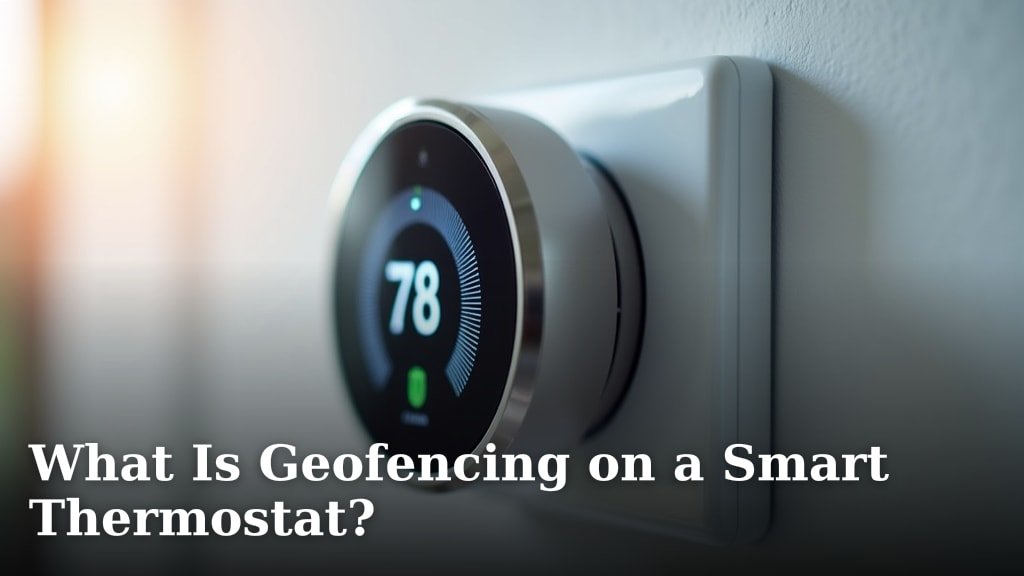
Geofencing on a smart thermostat is a clever feature that uses your smartphone’s location to automatically adjust your home’s temperature. It creates a virtual boundary around your house. When you leave or enter this boundary, your thermostat knows to change settings.
This technology helps you save energy without even thinking about it. Imagine your AC turning down when you head out, then cooling things just before you get home. It’s about making your comfort automatic and your energy bills lower, thanks to location-aware heating and cooling.
- Geofencing uses your phone’s location.
- It creates a virtual fence around your home.
- Your thermostat adjusts when you cross this boundary.
- Helps you save energy automatically.
- Keeps your home comfortable without manual changes.
Ready to see how this works and if it’s right for your home? Let’s walk through everything you need to know about smart thermostat geofencing, including its benefits and how to set it up.
Understanding Smart Thermostat Geofencing
Geofencing on a smart thermostat is pretty neat. It’s like your home thermostat has a little digital leash attached to your phone. When you and your phone move away from your home, crossing that digital line, your thermostat notices. It then automatically adjusts your home’s temperature based on your pre-set preferences. Pretty smart, right?
The core idea is simple: why heat or cool an empty house? Your thermostat uses your phone’s location services to figure out if you’re home or away. This helps you save energy and money without you ever having to touch the thermostat.
How Geofencing Works with Your Thermostat
Let’s break down how this technology actually functions. It’s not magic, but it feels close sometimes!
The Geofence: A Virtual Boundary
First, you define a virtual boundary around your home. This is your “geofence.” You typically set this up within your smart thermostat’s app. It could be a radius of a few hundred feet or even a few miles around your house. Think of it as an invisible circle on a map.
When your phone leaves this circle, your thermostat knows you’re gone. When your phone re-enters, it knows you’re coming back. This setup is what makes location-aware climate control possible.
Location Services and Your Smartphone
Your smartphone is key to geofencing. It uses its built-in GPS and Wi-Fi triangulation to pinpoint your location. This information is then communicated to your smart thermostat’s app. Don’t worry, these apps are designed to be quite efficient with your phone’s battery life.
Most smart thermostat apps allow you to see your current location relative to your geofence. This helps you confirm that the system is working as it should.
Communication Between Phone and Thermostat
Once your phone detects you’ve crossed the geofence, it sends a signal to your smart thermostat, usually through your home Wi-Fi network or the cloud. Your thermostat then takes action based on your personalized settings.
For example, if you leave, it might set the temperature to a more energy-saving “away” mode. When you’re on your way home, it switches back to your comfortable “home” temperature. This happens all on its own, which is the beauty of it!
Key Benefits of Using Geofencing
Why bother with geofencing? There are several compelling reasons that make it a popular feature for smart home enthusiasts. It’s about more than just coolness; it’s about comfort and savings.
Energy Savings and Lower Bills
This is often the biggest draw for many homeowners. Geofencing ensures your heating and cooling systems aren’t working overtime when no one is home. Imagine the waste of cooling an empty house in the summer heat!
By automatically adjusting the temperature when you leave, you significantly reduce energy consumption. We found that users often report a noticeable drop in their monthly utility bills (Energy Star, U.S. EPA). Every little bit helps, right?
Enhanced Home Comfort
Beyond savings, geofencing also boosts your comfort. You arrive home to a perfectly pre-conditioned house. No more walking into a freezing or sweltering home and waiting for it to adjust. Your smart thermostat handles that before you even unlock the door.
This proactive approach means your home is always comfortable when you need it to be, without you remembering to change settings manually. It’s like having a butler for your home climate!
Convenience and Automation
The sheer convenience of geofencing is a huge plus. You don’t have to remember to adjust your thermostat when you leave or return. It takes one more item off your daily to-do list. This is true automation at its best.
Setting up your schedule can be tricky if your routine changes often. Geofencing adapts to your actual movements, making it much more flexible than traditional programming.
Setting Up Geofencing on Your Smart Thermostat
Getting started with geofencing is usually a straightforward process. Most smart thermostat manufacturers have designed their apps to be very user-friendly. Here’s a general guide:
Your specific steps might vary slightly depending on your thermostat’s brand, but the core actions are similar.
Step-by-Step Configuration Guide
- Download the App: First, make sure you have your smart thermostat’s official app installed on your smartphone.
- Enable Location Services: Open the app and grant it permission to access your phone’s location services. This is crucial for geofencing to work. You might need to go into your phone’s settings to do this.
- Define Your Home Location: The app will usually ask you to pinpoint your home address on a map. This is where your geofence will be centered.
- Set the Geofence Radius: You’ll then choose the size of your virtual boundary. A common range is between 0.5 to 2 miles. Experiment to find what works best for your travel habits.
- Configure Home/Away Settings: Decide what temperature your thermostat should be when you’re “home” and when you’re “away.” These are your comfort and energy-saving settings.
- Test and Adjust: After setup, take a drive outside your geofence and then return. Check your app to see if the thermostat switched modes correctly. Make adjustments as needed.
Potential Challenges and Considerations
While geofencing is fantastic, it’s not without its quirks. It’s good to be aware of these before you rely solely on it.
Accuracy of Location Services
Sometimes, your phone’s location data might not be perfectly accurate. This can lead to your thermostat switching modes too early or too late. Buildings, weather, or even your phone’s battery level can affect GPS accuracy.
If you notice frequent inaccuracies, try adjusting your geofence radius. Making it a bit larger might help prevent false triggers.
Multiple Occupants in a Household
What if you live with others? This is a common question. Most smart thermostats handle this by allowing multiple users to be linked to the same system. The thermostat will only switch to “away” mode when everyone’s phone has left the geofence.
Conversely, it will switch to “home” mode as soon as the first linked phone re-enters the geofence. This ensures comfort for everyone. This “last one out, first one in” logic is important to understand.
Battery Drain on Your Smartphone
While smart thermostat apps are optimized, using location services continuously can still have a minor impact on your phone’s battery life. Most modern smartphones can handle this without issue, but it’s something to keep in mind if your battery often runs low.
Many apps offer settings to adjust how often location data is checked, which can help mitigate battery drain.
Geofencing vs. Scheduling: Which Is Better?
You might be wondering, “Do I still need a schedule if I have geofencing?” It’s a great question, and the answer isn’t always a simple yes or no. Often, they work best together.
| Feature | Geofencing | Scheduling (Traditional) |
|---|---|---|
| Trigger | Your physical location (phone) | Pre-set times and days |
| Flexibility | High (adapts to changing routines) | Low (requires manual adjustments for changes) |
| Energy Savings | Excellent (optimizes for actual occupancy) | Good (if routine is consistent) |
| Comfort | High (pre-conditions home for arrival) | Good (if routine is consistent) |
| Requires Phone | Yes (for location tracking) | No (thermostat manages independently) |
| Best Use Case | Unpredictable schedules, frequent travelers | Consistent daily/weekly routines |
As you can see from the table, geofencing excels when your schedule is a bit chaotic. If your work hours vary or you take spontaneous trips, geofencing is your best friend. It simply reacts to where you are.
However, if you have a very consistent daily routine, a traditional schedule might work perfectly fine. Many people find that combining both features offers the ultimate control and savings. For example, use a schedule during your regular work week and let geofencing take over on weekends or holidays.
Is Geofencing Right for Your Home?
Deciding if geofencing is a good fit involves considering your lifestyle and preferences. It’s certainly a powerful tool for smart home management.
Consider these points to help you make your decision:
- Do you often leave home at irregular times?
- Are you looking for ways to save more on energy bills without thinking about it?
- Do you enjoy arriving home to a comfortable temperature?
- Are you comfortable sharing your phone’s location data with an app?
- Does your household have multiple people with varying schedules?
If you answered yes to most of these, then geofencing could be a fantastic addition to your smart home setup. It genuinely makes managing your home’s climate easier and more efficient.
Conclusion
Geofencing on your smart thermostat offers a smart way to manage your home’s climate. You can enjoy both comfort and significant energy savings without constant manual adjustments. It adapts to your real-time movements, making your home more efficient.
By understanding how it works and setting it up correctly, you can make your home truly smarter. We recommend giving geofencing a try if you want effortless climate control and lower utility bills. Start by exploring the geofencing options in your smart thermostat’s app today!
Frequently Asked Questions
Does geofencing work if my phone dies?
No, geofencing relies on your smartphone’s active location services. If your phone dies or you turn off location tracking, your thermostat won’t receive the necessary signals. It will then revert to its last known setting or a programmed schedule.
Can I use geofencing with multiple smart thermostats in my home?
Yes, many smart thermostat systems support multiple devices in one home. You can typically set up geofencing to control all linked thermostats based on your location. Check your specific thermostat’s app for multi-device management options.
Is geofencing secure with my personal location data?
Smart thermostat manufacturers generally prioritize data privacy and use encryption for your location data. They collect only what’s needed for geofencing to function. Always review the privacy policy of your thermostat’s app to understand how your data is handled.
What if I forget my phone when I leave the house?
If you leave your phone behind, your thermostat will continue to think you are home. It won’t switch to “away” mode until your phone crosses the geofence boundary. In this situation, you might need to adjust the thermostat manually using its interface or another linked device.
Will geofencing conflict with my existing thermostat schedule?
Most smart thermostats allow you to choose how geofencing interacts with your schedule. Often, geofencing can override the schedule when you’re away, then resume the schedule when you return. You can usually configure these preferences within your thermostat’s app.
