
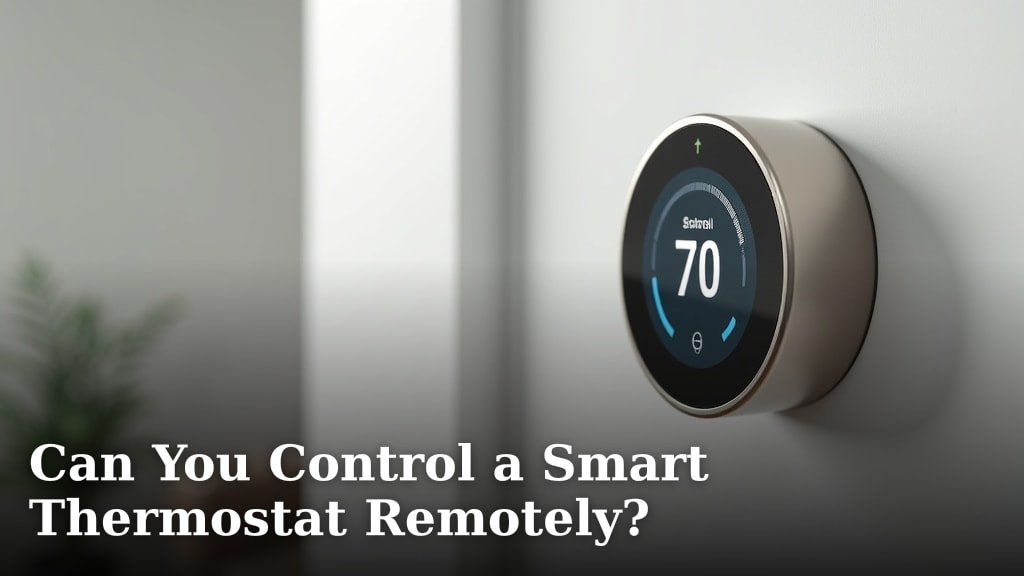
Yes, you absolutely can control a smart thermostat remotely. You can easily adjust your home’s temperature from anywhere using your smartphone or other devices. This convenience is a major reason why many homeowners love these systems.
Controlling your thermostat from afar means you can always come home to a comfortable temperature. We found this capability offers significant energy savings, too. No more heating or cooling an empty house all day!
- Control from anywhere: Adjust temperature using your phone.
- Save energy: Avoid heating/cooling an empty home.
- Increase comfort: Return to a perfectly tempered house.
- Easy to use: Most apps are very intuitive.
Ready to see how this incredible feature works and discover all its benefits? Let’s walk through everything you need to know about remote smart thermostat control.
How Remote Thermostat Control Works
Controlling your smart thermostat from a distance is surprisingly straightforward. It relies on a few key components working together. You don’t need to be a tech wizard to understand it.
At its core, a smart thermostat connects to your home’s Wi-Fi network. This connection is what allows it to communicate with the outside world. Think of it like your phone or computer needing Wi-Fi to browse the internet.
The Essential Components for Remote Control
To make this magic happen, several pieces of technology cooperate. We found that understanding these parts helps demystify the process. You’ll see it’s quite logical.
Your Smart Thermostat
This is the brain of your home’s heating and cooling system. It’s connected to your HVAC wires, just like a traditional thermostat. However, unlike old models, it has built-in Wi-Fi capabilities.
The thermostat constantly monitors your home’s temperature. It then sends this data to the cloud. It also receives commands from your phone or other devices.
Your Home Wi-Fi Network
This is the bridge. Your smart thermostat uses your home’s wireless internet connection. Without a stable Wi-Fi signal, remote control won’t work. We recommend checking your router’s placement for best signal.
Most smart thermostats support standard 2.4 GHz Wi-Fi. Some newer models might also support 5 GHz, but 2.4 GHz offers better range. This range is often helpful for devices like thermostats.
The Manufacturer’s Mobile App
This is your remote control! Every smart thermostat brand (like Nest, Ecobee, Honeywell Home) has its own dedicated app. You download this app to your smartphone or tablet.
The app provides a user-friendly interface. It lets you see your home’s current temperature. You can adjust settings, create schedules, and monitor energy usage all from the app. We found these apps are usually very intuitive.
Cloud Servers
This is where all the communication happens behind the scenes. When you send a command from your app, it travels over the internet to the manufacturer’s secure cloud servers.
These servers then relay the command back to your specific smart thermostat via your home’s Wi-Fi. It’s a quick, seamless process. This also allows the thermostat to send data back to your app.
Connecting Your Smart Thermostat to Your Phone
Getting set up for remote control is usually a simple process. Manufacturers have made it very user-friendly. You’ll be adjusting temperatures in minutes.
Step-by-Step Setup Guide
Here’s a general overview of how you’ll connect your device. Keep in mind, specific steps might vary slightly by brand. Always refer to your thermostat’s user manual for precise instructions.
- Install the thermostat: First, ensure your smart thermostat is properly installed and powered on. This usually involves wiring it to your HVAC system. Many manufacturers provide excellent installation guides.
- Download the app: Search for your thermostat’s official app in your device’s app store (Apple App Store or Google Play Store). Download and install it.
- Create an account: Open the app and create a new user account. This typically requires an email address and a password. Make sure to use a strong password.
- Connect to Wi-Fi: Follow the in-app instructions to connect your smart thermostat to your home’s Wi-Fi network. You’ll likely need your Wi-Fi network name (SSID) and password.
- Add your thermostat: The app will then guide you through adding your specific thermostat device. This often involves scanning a QR code on the thermostat or entering a serial number.
- Name your thermostat: Give your thermostat a recognizable name, especially if you have multiple zones. “Living Room” or “Upstairs” works well.
- Test remote control: Once connected, try adjusting the temperature from your phone. You should see the changes reflected on the thermostat’s display.
What Can You Do with Remote Access?
Remote control isn’t just about changing the temperature. It unlocks a whole suite of features. These features significantly enhance your comfort and energy management.
Key Features of Remote Thermostat Control
Think of your phone as the command center for your home’s climate. We found that most users quickly rely on these capabilities. It changes how you interact with your home.
- Adjust Temperature: The most basic and important function. Turn up the heat or crank the AC down from anywhere. Stuck in traffic? Start cooling your home so it’s perfect when you arrive.
- Set Schedules: Create detailed heating and cooling schedules for different days of the week. You can do this from the comfort of your couch or even while on vacation.
- Monitor Energy Usage: Many apps provide insights into your energy consumption. See how much energy your HVAC system is using and identify patterns. This empowers you to make smarter choices (U.S. Department of Energy).
- Receive Alerts: Get notifications for important events. These might include extreme temperature changes, filter replacement reminders, or system malfunctions.
- Geofencing: Some thermostats use your phone’s location. They can automatically adjust settings when you leave or approach your home. This is a great set-it-and-forget-it feature for energy savings.
- Voice Control Integration: Link your smart thermostat to smart assistants like Amazon Alexa or Google Assistant. Then you can simply say, “Hey Google, set the thermostat to 72 degrees.”
- Vacation Mode: Set your thermostat to a lower energy-saving mode while you’re away. You can then resume your normal schedule before you head home.
The Benefits of Remote Thermostat Control
The advantages of controlling your thermostat remotely are extensive. They extend beyond simple convenience. You’ll find it impacts your wallet and your peace of mind.
Why Remote Access Makes a Difference
We’ve observed that once homeowners experience remote control, they rarely go back to traditional thermostats. The benefits are too compelling to ignore.
| Benefit Category | Specific Advantage | How it Helps You |
|---|---|---|
| Convenience | Adjust from anywhere | No need to get up; perfect temperature upon arrival. |
| Energy Savings | Avoid heating/cooling empty home | Reduces utility bills by preventing wasted energy. |
| Comfort | Return to ideal temperature | Always walk into a comfortable home, regardless of your schedule. |
| Peace of Mind | Monitor home while away | Check temperatures to prevent frozen pipes or overheating pets. |
| System Health | Receive maintenance alerts | Stay informed about filter changes and potential issues. |
| Environmental Impact | Reduced energy consumption | Contributes to a smaller carbon footprint (Environmental Protection Agency). |
Is Remote Control Secure?
Security is a valid concern when dealing with connected devices. You’re giving an appliance access to your home network. So, what steps are taken to keep your data safe?
Safeguarding Your Smart Thermostat Connection
Manufacturers understand the importance of security. We found that most brands employ robust measures. These protect your privacy and prevent unauthorized access.
Encryption
Data transmitted between your app, the cloud, and your thermostat is typically encrypted. This means it’s scrambled and unreadable to anyone without the correct key. Think of it like a secret code.
This encryption protects your commands and your personal information. It’s a standard practice in internet security.
Secure Cloud Infrastructure
The cloud servers that manage your thermostat data are highly secure. They use firewalls and intrusion detection systems. We found these systems are designed to resist cyber threats.
Major smart home companies invest heavily in their cloud security. They protect millions of users’ data daily.
Authentication Measures
Accessing your thermostat’s app requires user authentication. This means you need your unique username and password. Many apps also offer two-factor authentication (2FA) for an extra layer of security.
We recommend enabling 2FA if it’s available. It significantly reduces the risk of unauthorized access. It often involves a code sent to your phone or email.
Your Role in Smart Thermostat Security
While manufacturers do their part, you also have a role in maintaining security. A few simple practices can make a big difference.
- Use Strong Passwords: Create unique, complex passwords for your thermostat app account. Avoid easily guessable passwords.
- Enable Two-Factor Authentication (2FA): If offered, turn on 2FA for an added layer of protection.
- Keep App Updated: Regularly update your thermostat’s mobile app. Updates often include security patches.
- Secure Your Wi-Fi: Ensure your home Wi-Fi network has a strong password. Use WPA2 or WPA3 encryption.
- Be Wary of Phishing: Don’t click suspicious links or provide login details to unverified sources.
By following these guidelines, you can enjoy the convenience of remote control with confidence. You’re helping to keep your smart home safe and sound.
Conclusion
You’ve seen that controlling a smart thermostat remotely is not only possible but incredibly beneficial. We found that this technology offers unparalleled convenience, allowing you to manage your home’s climate from any location. It also provides significant energy savings by preventing unnecessary heating and cooling.
From peace of mind to enhanced comfort and potential bill reductions, the advantages are clear. The setup process is straightforward, and security measures are in place to protect your data. If you’re looking to upgrade your home’s climate control, embracing remote access is a smart move.
Ready to experience these benefits yourself? Consider researching smart thermostat options that fit your home and lifestyle today!
Frequently Asked Questions
Do all smart thermostats offer remote control?
Most modern smart thermostats are designed with remote control capabilities as a core feature. However, it’s always wise to double-check the product specifications before purchasing to ensure this functionality is included.
What if my home Wi-Fi goes out? Can I still control my thermostat?
If your home Wi-Fi network is down, your smart thermostat will typically continue to operate based on its last settings or schedule. However, you will lose the ability to control it remotely via your smartphone app until the Wi-Fi connection is restored.
Can multiple people control the same smart thermostat remotely?
Yes, most smart thermostat apps allow you to grant access to multiple users. This means everyone in your household can download the app and control the thermostat from their own devices, usually by logging into the same shared account or being invited by the primary user.
Is there a monthly fee for remote access features?
For the vast majority of smart thermostats, remote control via the manufacturer’s app is included with the purchase of the device and does not require a separate monthly subscription fee. We found that some advanced features or integrations with other services might have associated costs, but basic remote control is typically free.
Can I control my smart thermostat with voice commands when I’m away from home?
Yes, if your smart thermostat is linked to a voice assistant like Amazon Alexa or Google Assistant, and you have that voice assistant set up on a mobile device, you can use voice commands remotely. Your voice command will travel through the internet to the assistant, then to your thermostat via the cloud and your home Wi-Fi.
