
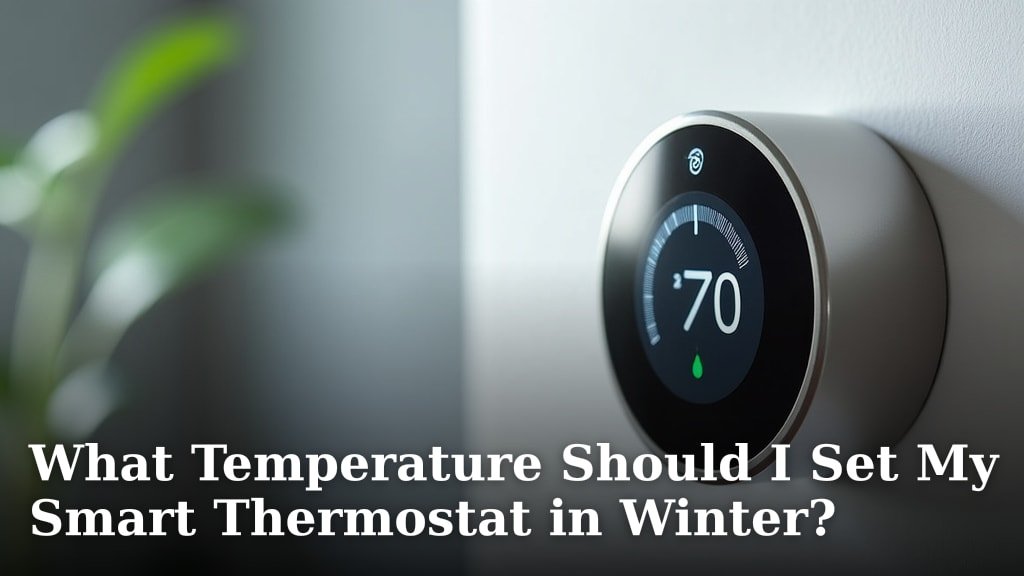
For optimal comfort and energy savings, set your smart thermostat to around 68-
Setting your smart thermostat for winter comfort involves a bit more than just picking a number. It’s about finding a sweet spot. You want to be warm enough without wasting energy. Most researchers suggest keeping your thermostat around 68 degrees Fahrenheit during the day. This temperature feels cozy for most people. It also helps keep your heating bills lower. At night, while you’re sleeping, you can often go a bit cooler. Many find 60-62 degrees Fahrenheit comfortable for sleeping. This slight dip can save even more energy. Your smart thermostat makes these adjustments easy. Your body has its own internal thermostat. It tries to maintain a core temperature of about 98.6 degrees Fahrenheit. When your home is too cold, your body works harder to stay warm. This can make you feel chilly and uncomfortable. When it’s too hot, you might feel sluggish or overheated. Finding the right temperature helps your body relax. It reduces the work it needs to do to regulate itself. This is why 68 degrees often feels just right. It’s a balance point for many. Heating your home uses a lot of energy. Your furnace works hard to raise the air temperature. The bigger the difference between inside and outside, the more energy it uses. Turning down your thermostat even a few degrees can make a big difference. Each degree you lower your thermostat can save about 1% on your heating bill (U.S. Department of Energy). Over an entire winter, those small percentages add up. Smart thermostats help automate these savings. They learn your habits and adjust for you. Your smart thermostat isn’t just a fancy on/off switch. It has many features designed to save you money and improve comfort. Are you using them all? One of the best features is scheduling. You can set different temperatures for different times of day. For example, you can set it cooler when you’re at work. Then, have it warm up right before you get home. It means you’re never heating an empty house. Geofencing uses your phone’s location. Your thermostat knows when you leave home and when you’re on your way back. It can automatically adjust the temperature. Imagine coming home to a perfectly warm house every day. No more fiddling with settings. No more heating an empty home for hours. Most smart thermostats provide reports on your energy use. These reports can show you when you’re using the most heat. They can also suggest ways to save more. It’s like having a personal energy auditor built right in. You might discover patterns you didn’t even realize were happening. While 68 degrees is a good starting point, everyone is different. What feels warm to one person might feel cool to another. Factors like age, clothing, and activity level all play a role. How do you find what’s best for you and your family? Start with the recommended 68 degrees during the day. If you feel too cold, bump it up a degree. If you’re too warm, lower it. Give each setting a full day to see how it feels. Don’t be afraid to experiment a little. Your comfort is important. Are you mostly sitting still or moving around? If you’re active, you might tolerate a cooler temperature. If you’re relaxing on the couch, you might prefer it a bit warmer. Adjust your settings based on your daily routine. This is a simple tip that makes a big difference. Wearing a sweater or warm socks allows you to keep your thermostat a degree or two lower. It’s an easy way to stay warm without raising your energy bill. Think of it as your personal climate control. Sometimes, your thermostat setting isn’t the whole story. A drafty home will always feel colder, no matter the setting. Improving your home’s efficiency can lead to even greater savings and comfort. Walk around your home and feel for drafts. Windows, doors, and electrical outlets are common culprits. Use weatherstripping or caulk to seal these gaps. This keeps the warm air in and the cold air out. It’s a small change with a big impact. Is your attic properly insulated? Good insulation acts like a blanket for your home. It prevents heat from escaping through your roof and walls. This means your furnace won’t have to work as hard. Has your furnace been serviced recently? A well-maintained furnace runs more efficiently. Change your air filters regularly. A dirty filter can restrict airflow and make your furnace work harder. Many experts say you should do this every 1-3 months (EPA). To make sure you’re getting the most out of your smart thermostat this winter, here’s a quick checklist: Set a consistent daytime temperature, like 68°F. Program a lower temperature for nighttime and when you’re away. Enable geofencing if your thermostat has it. Check your thermostat’s energy reports regularly. Seal any noticeable drafts around windows and doors. Ensure you are changing your furnace air filter monthly. By following these guidelines, you’ll be well on your way to a warm, comfortable, and energy-efficient winter. Your smart thermostat is a powerful tool. Use it wisely! You’ve seen how balancing comfort with energy savings is a smart move for winter. By understanding your body’s needs and using your smart thermostat’s features, you gain control. Little changes, like lowering the temperature at night, add up to big savings. Remember, your home’s efficiency also plays a vital role. Take this knowledge and apply it today. Adjust your settings, check for drafts, and get ready for a comfortable, energy-efficient season. Your wallet and your comfort levels will thank you! The coldest you should set your thermostat is generally around 55-58 degrees Fahrenheit. This temperature helps ensure your pipes don’t freeze. It also prevents damage to your home during extended absences. Yes, absolutely! Turning your thermostat down by even one degree can save you about 1% on your heating bill. These small adjustments lead to noticeable savings over an entire winter season. No, it’s generally more energy-efficient to adjust your thermostat. Lowering it when you’re away or sleeping saves more energy. Smart thermostats excel at automating these temperature setbacks for you. Many smart thermostats use a feature called geofencing. This technology tracks your phone’s location. It can then automatically adjust the temperature as you leave and return home. It’s not recommended to turn your heat off completely. Instead, set your thermostat to a minimum of 55-58 degrees Fahrenheit. This prevents pipes from freezing and protects your home from cold-related issues.Your Ideal Winter Thermostat Settings
Understanding How Your Body Reacts to Temperature
The Science Behind Energy Savings
Smart Thermostat Features You Should Use
Programming and Scheduling
Geofencing Technology
Energy Usage Reports
Finding Your Personal Comfort Zone
Listen to Your Body
Consider Your Daily Activities
Dress in Layers
Checking Your Home’s Efficiency
Seal Up Drafts
Ensure Proper Insulation
Furnace Maintenance
Smart Thermostat Winter Checklist
Setting
Recommendation
Why it Helps
Daytime (Awake/Home)
68°F
Comfortable and energy-efficient.
Nighttime (Sleeping)
60-62°F
Saves energy while you sleep comfortably.
Away from Home
55-58°F
Minimum to prevent pipes from freezing; maximum savings.
Your Smart Thermostat Winter Checklist:
Conclusion
Frequently Asked Questions
What is the coldest temperature I can set my thermostat to in winter?
Does turning down my thermostat actually save money?
Is it better to keep my thermostat at a constant temperature all winter?
How does my smart thermostat know when I’m home?
Should I turn off my heat completely if I’m going on vacation?
