
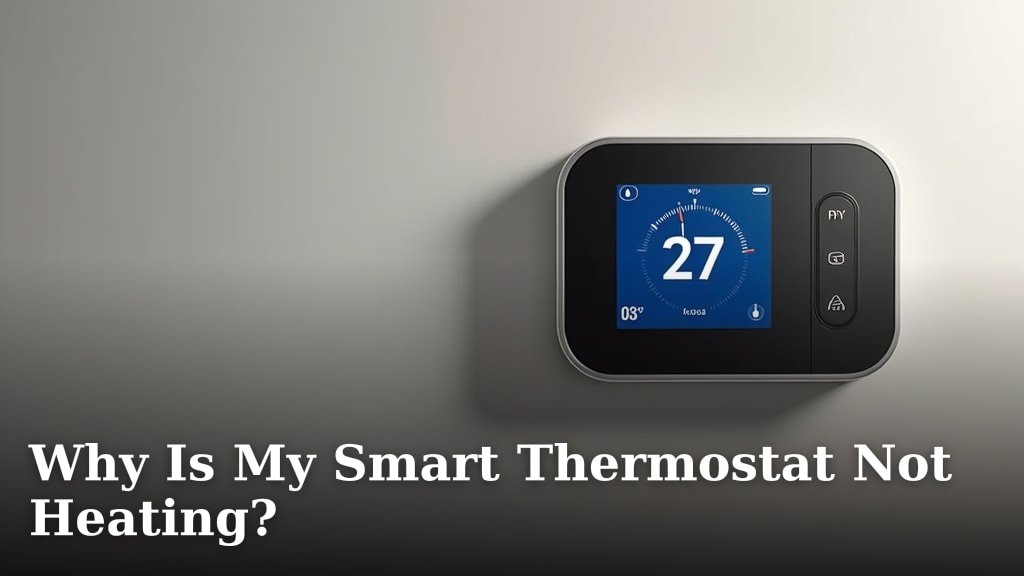
Your smart thermostat is not heating because of a power issue, a problem with your thermostat settings, or a fault with your furnace or HVAC system itself. These are the most common reasons why it might stop working.
When your home feels cold, but your smart thermostat isn’t responding, it can be really frustrating. There are several key areas to check when your smart thermostat isn’t calling for heat. We found that most problems are often simple fixes, like a blown fuse or a wrong mode setting.
- Check for power issues to your thermostat.
- Review your thermostat’s settings and mode.
- Inspect your furnace or HVAC unit.
- Look for external factors affecting temperature.
Let’s walk through these possible culprits and how you can troubleshoot them to get your heat back on.
Troubleshooting Your Smart Thermostat’s Heating Problem
When your smart thermostat isn’t heating, it’s usually one of three things: a power issue, a setting problem, or a bigger HVAC system fault. We’ll start with the simplest fixes first.
Check for Power and Electrical Issues
No power means no heat. Smart thermostats need a consistent power supply to function correctly and communicate with your furnace. This is often the easiest fix.
Blown Fuse or Tripped Breaker
We found that a blown fuse or a tripped circuit breaker is a very common culprit. Your furnace, like other major appliances, is connected to your home’s electrical panel. If it draws too much power, the breaker trips to protect the circuit.
- Go to your electrical panel. This is usually in your basement, garage, or a utility closet.
- Look for a breaker labeled “Furnace,” “HVAC,” “Heater,” or a similar tag.
- If a breaker is in the “OFF” position or halfway between “ON” and “OFF,” it has tripped.
- To reset it, firmly push the breaker to the “OFF” position, then immediately push it back to “ON.”
- If the fuse is blown, you’ll need to replace it.
If the breaker trips again quickly, there might be a more serious electrical problem. It’s best to call a qualified electrician in that case.
Loose Wiring at the Thermostat or Furnace
Over time, wires can become loose. This can interrupt the power supply. Always turn off power at the circuit breaker before checking wires for your safety.
- At the Thermostat: Carefully remove your thermostat from its base. Check that all wires are securely fastened to their terminals. We found that a loose R or C wire (common wire for continuous power) is often the issue.
- At the Furnace: Open the furnace access panel. Locate the low-voltage wiring bundle that comes from your thermostat. Ensure all wires are firmly attached to the control board terminals.
If you see any frayed or burnt wires, do not attempt to fix them yourself. This indicates a potentially dangerous electrical fault.
Dead Batteries in Wireless Thermostats
Some smart thermostats use batteries as a backup or their primary power source. If your display is blank or flickering, dead batteries could be the reason.
- Remove the thermostat cover.
- Check for AA or AAA batteries inside.
- Replace them with fresh, high-quality batteries.
- Even if your thermostat is hardwired, some models use backup batteries. It’s always worth checking.
Review Your Smart Thermostat Settings
Sometimes, the “problem” isn’t a malfunction at all. It’s just a setting that needs adjustment. We often overlook the simplest explanations first.
Incorrect Mode Selection
Is your thermostat set to “Heat,” “Cool,” or “Auto”? If it’s on “Cool” or “Off,” it won’t be calling for heat. This is a common mistake when seasons change.
- Access your thermostat’s main menu or display.
- Find the “Mode” setting.
- Ensure it is set to “Heat.”
- If you have an “Auto” mode, it typically switches between heating and cooling based on your set points. Make sure your heating set point is above the current room temperature.
Schedule or Program Conflicts
Smart thermostats are, well, smart. They follow schedules. If your schedule tells it not to heat during certain hours, it won’t. This can seem like a problem when it’s simply following instructions.
- Check your current heating schedule on the thermostat itself or through its mobile app.
- Ensure there isn’t a programmed “Away” setting or a lower temperature set for the current time.
- Temporarily override the schedule to see if the heat kicks on. If it does, your schedule was the culprit.
We found that many users forget to update their schedules after a vacation or unexpected change in routine. This often leads to their thermostat behaving unexpectedly.
Hold vs. Run Schedule Settings
Many smart thermostats have a “Hold” function. This tells the thermostat to ignore the schedule and maintain a specific temperature until you tell it otherwise. If you previously set a low “Hold” temperature, it will stay there.
Make sure you cancel any active “Hold” settings or adjust the “Hold” temperature to your desired heat setting. Some thermostats have a “Temporary Hold” which expires, while others have a “Permanent Hold” that requires manual cancellation.
Software Glitches or Updates
Like any smart device, your thermostat runs on software. Occasionally, a software glitch or a failed update can cause it to misbehave. Think of it like your computer needing a restart.
Try performing a soft reset of your thermostat. Consult your thermostat’s manual for specific instructions. Some involve removing it from its base for a few minutes, while others have a reset button or menu option.
Investigating Your Furnace or HVAC System
If your smart thermostat seems fine, the problem likely lies with the heating system itself. Your thermostat is just the messenger; the furnace does the actual work.
Pilot Light or Ignition Issues
Older furnaces often have a pilot light that needs to stay lit to ignite the main burner. If it’s out, your furnace won’t produce heat.
- Locate the pilot light assembly on your furnace.
- Check if the flame is lit.
- If not, follow your furnace manufacturer’s instructions for relighting it. This usually involves holding down a button and lighting a small flame.
Modern furnaces use electronic ignition (a hot surface igniter or a direct spark igniter). If you hear a click but no flame, the igniter might be failing. Many experts suggest calling a technician for this issue (National Comfort Institute).
Clogged Air Filter
A dirty or clogged air filter can significantly restrict airflow. This makes your furnace work harder and can even cause it to overheat and shut down as a safety measure.
Check your furnace filter. If it’s covered in dust and debris, replace it. We recommend checking your filter monthly and replacing it every 1-3 months, depending on usage and household conditions (ENERGY STAR).
Error Codes on Your Furnace
Many modern furnaces have a diagnostic light or a small display that shows error codes. These codes are invaluable for diagnosing problems.
- Look for a flashing light pattern or a digital code on your furnace’s control board.
- Consult your furnace’s user manual (or look it up online) to interpret the code.
- The code can often tell you exactly what component is failing, such as a pressure switch error or a flame sensor issue.
Condensate Drain Line Issues
High-efficiency furnaces produce condensation, which drains away through a condensate line. If this line gets clogged, a safety switch can trip, shutting down your furnace to prevent water overflow.
Look for a small pan of water near your furnace, or a small PVC pipe leading to a drain. If the pan is full or the line appears clogged, clearing it might resolve the issue. Be careful, as the water might contain acidic residue.
External Factors Affecting Heating Performance
Sometimes, your thermostat and furnace are working correctly, but other elements in your home are creating poor heating performance. You might have heat, it just isn’t warming your space much.
Drafts and Poor Insulation
Are your windows or doors letting in cold air? Drafts can drastically lower the perceived temperature in a room, even if your furnace is running.
- Feel for cold air coming from around window frames, door gaps, or electrical outlets on exterior walls.
- Consider weatherstripping, caulk, or draft stoppers to seal these leaks.
- Poor attic insulation can also lead to significant heat loss upwards.
Thermostat Placement
Where is your thermostat located? If it’s near a drafty window, directly in sunlight, or too close to a heat source (like a lamp or a vent), it might be reading the temperature inaccurately.
A thermostat that thinks it’s warmer than it is will stop calling for heat too soon. We suggest ensuring your thermostat is on an interior wall, away from direct sunlight and drafts, for the most accurate readings (Department of Energy).
When to Call a Professional HVAC Technician
While many of these checks are DIY-friendly, some problems require specialized knowledge and tools. Don’t hesitate to call a professional HVAC technician when you’re unsure or uncomfortable.
| Problem Type | When to DIY | When to Call a Pro |
|---|---|---|
| Power & Electrical | Blown fuse, tripped breaker, dead batteries. | Repeated breaker trips, burnt wires, no power from the furnace. |
| Thermostat Settings | Mode, schedule, hold settings, basic reset. | Thermostat screen blank after all checks, unresponsive touchscreen. |
| Furnace/HVAC | Clogged air filter, relighting pilot (if comfortable), clearing condensate line. | Igniter issues, unusual noises/smells, persistent error codes, no airflow. |
Your safety is most important. Tampering with gas lines, high-voltage electricity, or complex internal furnace components can be dangerous. We always advise you to err on the side of caution.
Quick Checklist for No Heat
Here’s a quick summary of what to check first:
- Is the furnace breaker tripped or fuse blown?
- Are your thermostat batteries dead?
- Is the thermostat set to “Heat” mode?
- Is there an active schedule or “Hold” temperature lower than desired?
- Is the furnace’s pilot light out, if applicable?
- Is the air filter clean?
Conclusion
Dealing with a smart thermostat that won’t heat can be a chilly experience, but often the fix is simpler than you think. You now have a clear roadmap to troubleshoot common issues, from basic power checks and setting adjustments to inspecting your furnace. Remember, your safety comes first. While many problems are DIY-friendly, don’t hesitate to call a professional for anything beyond your comfort level. By systematically working through these steps, you’ll be well on your way to a warm and cozy home again.
Frequently Asked Questions
Why would my smart thermostat suddenly stop working after a power outage?
A power outage can sometimes cause your smart thermostat or furnace to lose its settings or trip a circuit breaker. We recommend checking your electrical panel first to ensure the furnace breaker is reset. You may also need to reset your thermostat’s settings or reprogram its schedule.
My smart thermostat is on, but the display is blank. What does that mean?
A blank display often points to a power issue. If your thermostat uses batteries, they might be dead. For hardwired units, check the circuit breaker for your furnace. Loose wiring at the thermostat’s base or inside the furnace panel can also be the cause.
Can my Wi-Fi connection affect my smart thermostat’s ability to heat?
Yes, but typically only in terms of remote control and scheduling. Your smart thermostat still communicates with your furnace directly using low-voltage wires. However, if your thermostat relies on cloud services for scheduling or firmware updates, a poor Wi-Fi connection might cause programmed schedules to fail or prevent necessary software changes.
Why does my smart thermostat show an error message, and what should I do?
Error messages on smart thermostats usually indicate a communication problem with your HVAC system or an internal fault. Each brand has specific codes. We suggest checking your thermostat’s user manual or the manufacturer’s website to interpret the error code and find the recommended troubleshooting steps.
My furnace seems to be running, but my house isn’t getting warm. What could be wrong?
If your furnace runs without warming your home, it could be an issue with air circulation or heat production. A clogged air filter is a common culprit, restricting airflow. You should also check for closed vents or significant drafts in your home that might be letting heat escape too quickly.
