
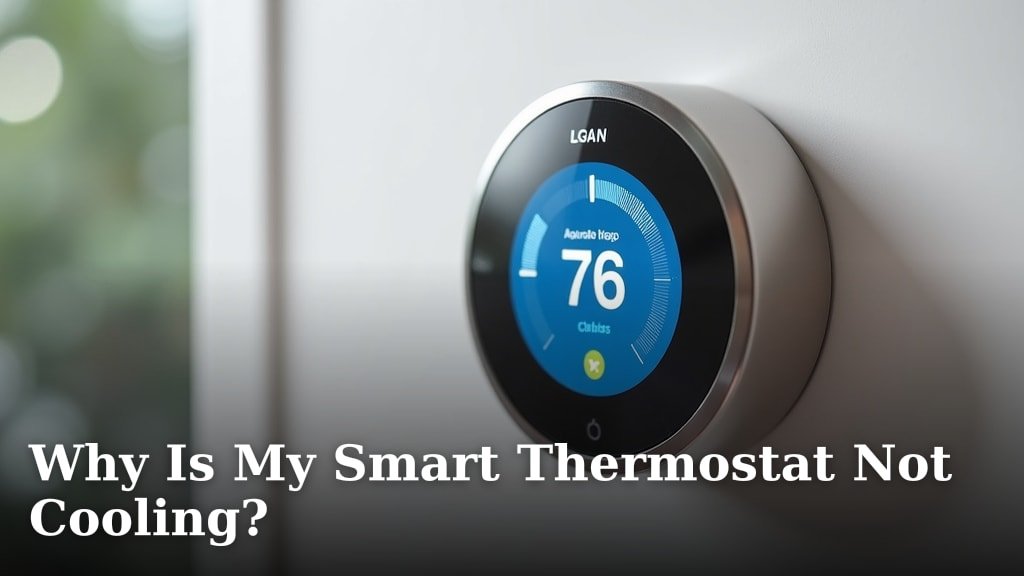
Your smart thermostat is not cooling because of a few common issues. These often include thermostat settings problems, glitches with your A/C unit, or electrical power interruptions. Sometimes, even simple dirty air filters can stop the cooling process.
When your home feels warm despite your smart thermostat trying its best, it can be frustrating. We found that most problems relate to either power supply issues or communication gaps between devices. Don’t worry, many of these issues have straightforward fixes.
- Check your thermostat settings first.
- Verify the circuit breaker for your AC.
- Inspect the air filter for dirt.
- Look for error messages on the thermostat.
- Consider replacing the thermostat battery.
Let’s research together what might be preventing your smart thermostat from cooling and how you can get your home comfortable again.
Troubleshooting Your Smart Thermostat’s Cooling Issues
When your smart thermostat isn’t cooling, it’s usually due to a few common culprits. We’ll walk you through the most likely scenarios, helping you diagnose and hopefully fix the issue quickly.
Most problems fall into thermostat-specific glitches, issues with your AC unit, or problems with how they communicate. Don’t worry, we’ll break it down simply for you.
Is Your Thermostat’s Display Working?
First things first, does your thermostat even have power? A blank screen or dim display is a big hint. If you don’t see anything, it’s like a computer without electricity – it simply can’t work.
We often find that users overlook the most basic power checks. This step is foundational for any further troubleshooting.
Checking the Power Source
Most smart thermostats either run on batteries or draw power from your HVAC system’s “C-wire.” If it uses batteries, have you checked if they’re dead or low? Many devices will alert you, but some just silently fade away.
If it’s wired, there might be a problem with the power connection. A loose wire or a tripped circuit breaker can cut off its power supply. This is a common hiccup that’s easy to fix.
- Replace batteries: If applicable, pop in fresh ones.
- Check the C-wire: Ensure it’s securely connected at both the thermostat and the HVAC unit.
- Flip the circuit breaker: Locate the breaker for your HVAC system and turn it off, then on again. Sometimes this reset is all you need. We’ve seen this work wonders (National Electrical Code guidelines).
Thermostat Settings Gone Rogue
Smart thermostats are smart, but they’re also programmable. Sometimes, human error or a software hiccup can throw their settings out of whack. Is your thermostat actually set to “Cool”?
You might be surprised how often a simple setting change solves things. It’s like checking if your car is in drive before pressing the gas.
Confirming Cooling Mode and Temperature
Go to your thermostat’s main screen. Does it clearly show that it’s in “Cool” mode? Many thermostats have “Heat,” “Cool,” “Auto,” or “Off” options. If it’s not on “Cool,” it won’t send the signal to your AC.
Next, what’s your desired temperature, also known as the “set point”? Is it actually lower than the current room temperature? If you want your house to be 72°F, but it’s currently 70°F, your AC won’t turn on.
- Select “Cool” mode: Make sure your thermostat isn’t set to “Heat” or “Off.”
- Lower the set point: Set the desired temperature at least 3-5 degrees below the current room temperature to trigger the cooling.
- Check schedules: Some smart thermostats have complex schedules. Is there an active schedule overriding your manual settings? You might need to temporarily disable it.
Communication Breakdown with Your AC Unit
Your smart thermostat is essentially the brain, and your AC unit is the muscle. If they can’t talk to each other, nothing happens. This communication can get interrupted in several ways.
Think of it like trying to order coffee when the barista can’t hear you. The intention is there, but the message isn’t getting through.
Faulty Wiring or Blown Fuses
The wires connecting your thermostat to your AC unit are crucial. A loose or damaged wire can prevent the signal from reaching the unit. We’ve seen cases where a small nick can cause a big problem.
Inside your outdoor AC unit, there’s often a low-voltage fuse. If this fuse blows, the thermostat can’t send power or signals to the unit. This is a safety mechanism but can stop cooling dead in its tracks.
- Inspect thermostat wiring: Carefully remove the thermostat from the wall and check that all wires are firmly seated in their terminals.
- Examine AC unit fuse: This often requires turning off power to the outdoor unit first. Look for a small automotive-style fuse near the control panel inside the unit (consult your AC manual for exact location).
Your AC Unit Itself Has Issues
Sometimes, the thermostat is working perfectly, but the AC unit has its own problems. The thermostat is just relaying your desire for cool air, but if the AC can’t deliver, it’s not the thermostat’s fault.
Many experts point to the AC unit as the source of trouble when the thermostat seems fine (EPA guidelines for HVAC efficiency).
Dirty Air Filter
A dirty air filter is a silent assassin of AC performance. It restricts airflow, making your unit work harder and often causing it to freeze up. If your unit is trying to cool but nothing’s coming out, check this first.
We often hear stories of homeowners discovering clogged filters. It’s like trying to breathe through a thick blanket.
Frozen Evaporator Coils
If your AC unit’s evaporator coils (inside the indoor unit) are frozen, it can’t cool your home. This typically happens due to restricted airflow (dirty filter!), low refrigerant, or mechanical issues.
You might see ice build-up on the pipes or coils. This means your AC needs to thaw out before it can work again.
Refrigerant Leaks
Refrigerant is the chemical that absorbs heat from your home and releases it outside. If you have a leak, your AC unit won’t be able to cool effectively, no matter what your thermostat says.
Signs of a leak include hissing sounds, decreased cooling, or higher energy bills. This usually requires a professional repair.
Capacitor Failure
The capacitor in your outdoor AC unit gives the motor the jolt it needs to start. If it fails, your unit might hum but never actually turn on the fan or compressor. This is a common wear-and-tear item.
A trained technician can quickly diagnose and replace a faulty capacitor.
Are There Any Error Messages?
Many smart thermostats are designed to be helpful. Have you looked at the screen for any messages or codes? These can be like little clues, pointing you directly to the problem.
Don’t ignore those on-screen diagnostics. They’re there to help you.
Here’s a quick overview of what some common error categories might mean:
| Error Type | Common Symptoms | Possible Cause | Your Next Step |
|---|---|---|---|
| “No Power” / Blank Screen | Thermostat display is off or dim. AC not responding. | Dead batteries, tripped circuit breaker, C-wire issue. | Check batteries, breaker, and wiring. |
| “Connection Lost” / “Offline” | Cannot control via app. Delayed response from AC. | Wi-Fi issue, device communication failure. | Restart Wi-Fi router, restart thermostat. |
| “Aux Heat On” (Unexpectedly) | Thermostat uses backup heat instead of main AC. | Incorrect staging, severe temperature drop, AC issue. | Check thermostat settings, have AC inspected. |
| “Sensor Error” | Inaccurate temperature readings. AC running constantly. | Faulty internal/external temperature sensor. | Contact thermostat support or replace sensor. |
| “High Pressure” / “Low Pressure” | AC cycles on/off quickly, poor cooling. | Refrigerant issues, dirty coils, fan problems. | Call an HVAC professional for diagnosis. |
Checklist for a Non-Cooling Smart Thermostat
Here’s a quick list to run through when your smart thermostat isn’t cooling. This checklist condenses the common fixes into an easy-to-follow order.
- Power Check: Confirm your thermostat display is on and bright. Replace batteries if needed.
- Circuit Breaker: Head to your electrical panel and ensure the breaker for your HVAC system hasn’t tripped.
- Thermostat Mode: Verify your thermostat is set to “Cool” and the desired temperature is below the current room temperature.
- Air Filter: Inspect your indoor unit’s air filter. Is it dirty? Change it if it is.
- Outdoor Unit Power: Ensure the outdoor AC unit’s disconnect switch (usually on the wall near the unit) is “On.”
- Error Messages: Look for any diagnostic codes or warning messages on your thermostat’s display.
If you’ve gone through these steps and your smart thermostat still isn’t cooling, it might be time to call in some professional help. Sometimes, the problem lies deeper within your HVAC system, requiring specialized tools and knowledge to diagnose and fix. Don’t hesitate to reach out to an HVAC technician; it could save you further headaches and expense in the long run.
Conclusion
Dealing with a smart thermostat that won’t cool can be annoying. We’ve explored everything from simple setting errors to issues with your AC unit itself. Most problems have straightforward solutions that you can handle yourself. Remember to always check the basics first: power, settings, and airflow.
If you’ve checked these common culprits and your home is still warm, don’t hesitate. A professional HVAC technician can help diagnose deeper issues like refrigerant leaks or faulty components. Taking this step ensures your comfort and prevents further damage to your system.
Frequently Asked Questions
Why would my smart thermostat suddenly stop cooling after working fine?
This often points to a loss of power or a sudden change in settings. Batteries might have died, a circuit breaker could have tripped, or the Wi-Fi connection might have dropped, causing it to lose its schedule or mode. Check power sources and your app’s settings first.
Can a dirty outdoor AC unit cause my smart thermostat not to cool?
Yes, absolutely. A dirty outdoor unit, especially the condenser coils, can prevent your AC from properly dissipating heat. This makes the system less efficient and can even cause it to shut down to prevent damage, regardless of what your smart thermostat is requesting.
My smart thermostat is on “Cool,” but it’s blowing warm air. What’s wrong?
If it’s blowing warm air, the issue is likely with the AC unit itself, not the thermostat’s command. This could indicate a refrigerant leak, a frozen evaporator coil, or a compressor issue. These problems usually require a professional diagnosis and repair.
How often should I change my AC filter to prevent cooling issues?
You should aim to change your AC filter every 1-3 months, especially during peak cooling season or if you have pets. A clean filter ensures good airflow, improves efficiency, and helps prevent your AC from freezing up, which can stop it from cooling.
Is it bad to reset my smart thermostat frequently when it’s not cooling?
Occasional resets are fine and can often resolve minor glitches. However, repeatedly resetting it without addressing the underlying problem won’t solve anything and might erase helpful diagnostic data. Only reset after you’ve checked other common causes.
