
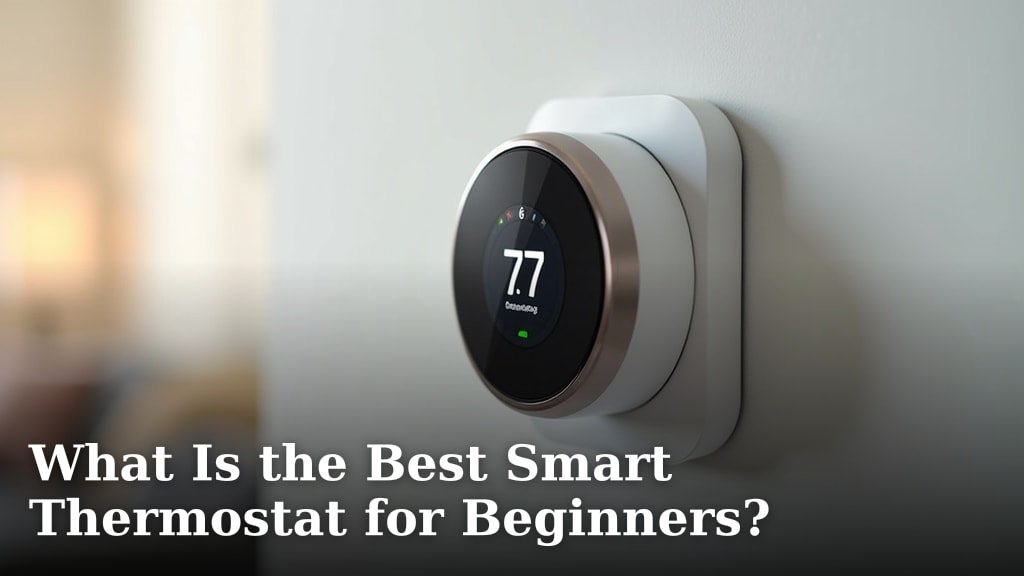
For beginners, the Ecobee Lite Smart Thermostat is often the best choice. It offers a great balance of smart features and user-friendly controls. We found it’s easy to install and simple to operate.
You want a smart thermostat that saves energy without being complicated. Many options exist, but some are more beginner-friendly than others. We looked for devices that simplify temperature management for your home. You don’t need to be a tech wizard to use them.
- The Ecobee Lite is a top pick for beginners.
- It balances smart features with easy use.
- Installation is straightforward.
- You don’t need advanced tech skills.
Let’s walk through how to pick the best smart thermostat for beginners, helping you find the perfect fit for your home.
Finding the Right Smart Thermostat for Your First Time
For your first smart thermostat, you want something that’s simple to use and saves you money. We found that the best options focus on ease of installation and intuitive controls. You shouldn’t need an engineering degree to set your home’s temperature.
Key Features to Look for in a Beginner Smart Thermostat
When you’re just starting, certain features make a smart thermostat much easier to manage. Think about what will help you the most, not necessarily what’s “fanciest.” Our research shows that simplicity often wins for new users.
Ease of Installation
No one wants to struggle with wires and complicated instructions. A truly beginner-friendly smart thermostat should have a straightforward setup process. Many modern options come with clear, step-by-step guides or even video tutorials. You might even find some that don’t require a C-wire, making installation even simpler for older homes.
Intuitive Controls and App Interface
Imagine trying to change your temperature with a clunky, confusing app. Not fun, right? Look for a thermostat with a clean, easy-to-understand display and an app that’s just as simple. We found that good design puts your comfort settings front and center. You should be able to adjust things quickly, without getting lost in menus.
Basic Smart Features (but not too many!)
The whole point of a smart thermostat is to add convenience and savings. Look for features like scheduling, remote access, and energy usage reports. These are super helpful for managing your home’s climate. However, too many bells and whistles can become overwhelming. Stick to the essentials that bring real value.
Compatibility with Your Home’s HVAC System
Before you buy, make sure the thermostat works with your heating and cooling system. Most smart thermostats are compatible with common HVAC setups. However, if you have a less common system, like a millivolt or high-voltage electric baseboard, you’ll need to double-check. A quick look at the product’s specifications usually clarifies this. You don’t want to buy something only to find it won’t work.
Understanding How Smart Thermostats Save Energy
You might wonder, “How does this little device actually save me money?” It’s not magic, but pretty smart technology. Smart thermostats use a few clever tricks to reduce your energy bill. We’ve seen homeowners save a noticeable percentage on their heating and cooling costs (EPA).
Smart Scheduling and Learning Capabilities
Remember setting a program on an old thermostat? Smart thermostats take that much further. They can either let you create a schedule easily, or some can even learn your habits. For instance, if you usually turn the heat down when you leave for work, a learning thermostat can start doing that for you automatically. Imagine not having to think about it!
Remote Access and Geofencing
Have you ever left home and realized you forgot to adjust the thermostat? With remote access, you can change the temperature from your phone, anywhere you have internet. Geofencing is even cooler: it uses your phone’s location to know when you’re leaving or coming home. It can then automatically adjust the temperature for you. This means you’re not heating or cooling an empty house.
Energy Usage Reports
Seeing your energy use helps you understand where you can save. Many smart thermostats provide detailed reports on how much energy your HVAC system is consuming. This information can motivate you to make small adjustments, like raising the temperature by a degree or two in the summer. Knowledge is power, and in this case, it’s also savings.
Top Beginner-Friendly Smart Thermostats: A Quick Comparison
We looked at several popular options to help you see the differences. While the Ecobee Lite is our overall top pick, others might fit your specific needs or budget better. Let’s compare some of the most accessible options for new users.
| Feature | Ecobee Lite | Google Nest Thermostat | Honeywell Home T9 |
|---|---|---|---|
| Ease of Installation | Very easy, clear instructions | Easy, guided app setup | Reasonably easy, good app support |
| Intuitive Controls | Excellent, simple display and app | Good, gesture-based control | Good, familiar interface |
| Basic Smart Features | Scheduling, remote access, room sensors (optional) | Scheduling, remote access, Farsight | Scheduling, remote access, room sensors |
| Learning Capability | No automatic learning (you set), but smart scheduling | Learns your habits automatically | No automatic learning (you set) |
| C-Wire Requirement | Often required, adapter included for some cases | Often required, no adapter usually | Often required |
You can see that each has its strengths. The Ecobee Lite gives you a lot of control without overwhelming you. The Google Nest Thermostat is great if you want it to learn your routine. The Honeywell Home T9 balances traditional features with smart capabilities.
Your Smart Thermostat Checklist for Getting Started
Ready to make a choice? Here’s a quick checklist to help you decide. Thinking through these points will ensure you pick the right device for your home and lifestyle. It helps to have a clear picture of what you want and need.
- Confirm your HVAC system compatibility.
- Decide if you prefer manual scheduling or learning features.
- Check if you have a C-wire or if an adapter is needed.
- Look for an app with a simple, friendly interface.
- Consider if room sensors are important to you.
- Set a budget that works for your household.
Tips for First-Time Smart Thermostat Users
Once you have your new smart thermostat, you’ll want to get the most out of it. We’ve gathered some tips to help you maximize your comfort and savings. Remember, patience is a virtue, especially with new tech.
Start with a Simple Schedule
Don’t try to create a super complex schedule right away. Begin with a basic “home” and “away” schedule. You can always fine-tune it later as you get more comfortable. Many users find that even simple changes make a big difference in energy use.
Monitor Your Energy Reports
Take some time each month to check your energy usage reports. This will show you when your HVAC system is working hardest. You might spot patterns that help you adjust your schedule for even more savings. It’s like a personal energy coach for your home.
Use Remote Access Effectively
Get into the habit of checking your thermostat app when you leave home or are on your way back. This is where the real convenience and energy savings come from. You can make sure your house isn’t heating or cooling unnecessarily. It’s truly a game-changer for on-the-go adjustments.
Don’t Be Afraid to Experiment (Safely!)
Experiment a little with your settings. Try adjusting the temperature by one or two degrees and see if you still feel comfortable. Even small changes can lead to significant energy savings over time, especially during peak seasons (Department of Energy). You’re in control, so find what works for you.
Conclusion
Choosing your first smart thermostat doesn’t have to be overwhelming. You’ve seen that options like the Ecobee Lite offer an excellent entry point. They combine ease of use with essential energy-saving features. Focus on simple installation, intuitive controls, and basic smart functions that truly help you.
By finding a device compatible with your HVAC system, you’ll be well on your way. You’ll gain greater control over your home’s comfort and start saving on energy bills. Take the next step: review your specific needs from our checklist and confidently pick the smart thermostat right for you.
Frequently Asked Questions
Do smart thermostats really save money?
Yes, many users report significant savings on heating and cooling costs. We found that features like smart scheduling, remote access, and learning capabilities prevent wasted energy. The EPA suggests you can save up to 10% on energy bills by simply adjusting your thermostat by 7-10 degrees for 8 hours a day.
Can I install a smart thermostat myself, or do I need a professional?
Most beginner-friendly smart thermostats are designed for DIY installation. They often come with clear instructions, in-app guides, or even video tutorials. If you’re comfortable with basic home projects, you can likely install it yourself. However, if you’re unsure about wiring, a professional HVAC technician can help.
What is a C-wire, and do I need one for a smart thermostat?
A C-wire (common wire) provides continuous power to your smart thermostat. Some older homes may not have one, as traditional thermostats didn’t always need constant power. While some smart thermostats offer workarounds or battery power, many require a C-wire for full functionality. Always check the compatibility before purchasing.
Can I control my smart thermostat away from home?
Absolutely! One of the main benefits of a smart thermostat is remote access. You can control it using a smartphone app from anywhere with an internet connection. This lets you adjust the temperature before you even arrive home or if you forget to change it when you leave.
Will a smart thermostat work with my smart home system (e.g., Alexa, Google Home)?
Most popular smart thermostats offer integration with major smart home ecosystems. This means you can often control your thermostat with voice commands through devices like Amazon Alexa or Google Home. Verify compatibility with your specific smart home system before you buy.
