
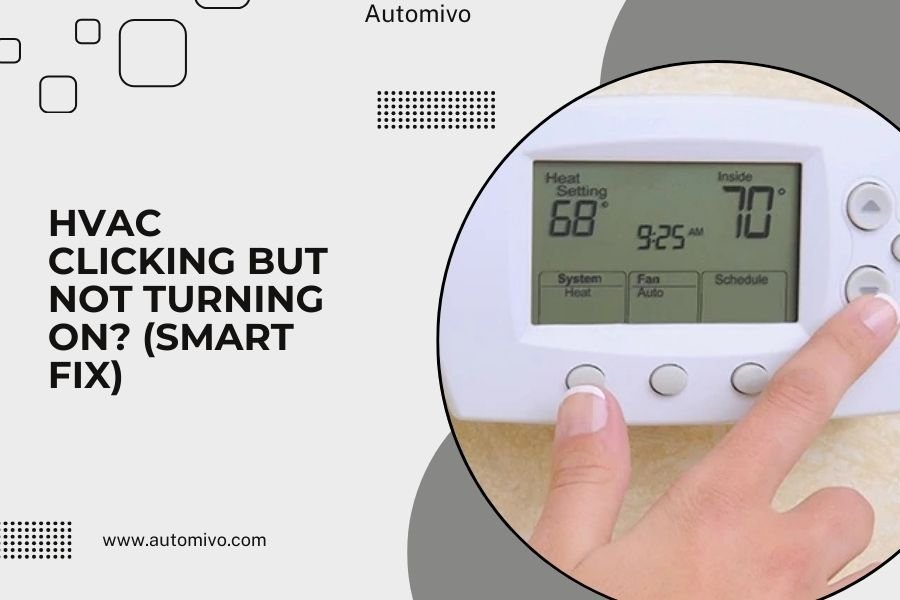
When your HVAC system clicks but won’t turn on, the issue is usually a faulty relay, capacitor, or thermostat connection preventing power from reaching the main components.
Smart HVAC controls can help you diagnose this clicking problem remotely and often provide error codes that pinpoint the exact component causing the failure.
Why Your HVAC Clicks But Won’t Start
That clicking sound means your system is trying to start. Think of it like turning your car key and hearing the engine attempt to turn over, but nothing happens.
The click comes from electrical relays and contactors attempting to close circuits. When they click repeatedly, something is blocking the power flow to your compressor or blower motor.
Common Clicking Culprits
I found that these components cause most clicking-without-starting issues:
- Faulty capacitors that can’t store enough electrical charge
- Bad contactors with worn or pitted contacts
- Defective relays that open and close but don’t maintain connection
- Low voltage from poor thermostat wiring
- Tripped safety switches from previous overheating
Quick Smart Diagnosis Steps
Your smart thermostat can reveal a lot before you call a technician. Let’s check the obvious stuff first.
Check Your Smart Thermostat Display
Look for error codes or warning messages. Most smart thermostats show diagnostic information when components fail.
Common error codes include “E1” for sensor problems or “Communication Error” when the outdoor unit isn’t responding.
Thermostat Settings to Verify
Make sure your thermostat is set to the right mode (heat or cool). Sometimes smart thermostats switch to “off” or “schedule” mode after power outages.
Check if your system is in a delay mode. Many smart controls have built-in delays to protect equipment.
Power Supply Investigation
Check your electrical panel for tripped breakers. HVAC systems typically have two breakers – one for indoor unit, one for outdoor.
Reset any tripped breakers and try your system again. If breakers trip immediately, you have a serious electrical problem that needs professional help.
Outdoor Disconnect Switch
Walk to your outdoor unit and check the disconnect box. This switch sometimes gets turned off accidentally during maintenance or storms.
The switch should be in the “on” position. If it was off, turn it on and wait five minutes before testing your system.
Smart Control Advantages for Troubleshooting
Smart HVAC systems give you diagnostic superpowers compared to old-school thermostats. Here’s what you can learn from yours.
Remote Monitoring Features
Many smart controls show real-time equipment status. You can see if your outdoor unit is receiving power or if indoor components are responding.
Some systems display voltage readings, runtime hours, and maintenance alerts that help identify failing parts.
Historical Data Analysis
Smart thermostats track when problems started. If clicking began after recent short cycling or frequent on-off patterns, you might have a failing capacitor.
Look for patterns like clicking only in extreme temperatures or after long idle periods.
Smart Alerts and Notifications
Quality smart systems send alerts before complete failures. You might have received warnings about unusual power draw or component stress.
Check your thermostat app’s notification history for clues about what’s failing.
DIY Fixes You Can Try Safely
Some clicking problems have simple solutions. Let’s walk through safe steps you can take without risking injury or equipment damage.
The 30-Minute Rule
Turn your system completely off for 30 minutes. This resets internal controls and allows capacitors to discharge safely.
After 30 minutes, turn your system back on and listen. Sometimes this simple reset fixes stuck relays or confused control boards.
Thermostat Wire Check
Remove your thermostat from the wall and inspect wire connections. Loose wires cause intermittent power that creates clicking sounds.
Make sure each wire is firmly attached to its terminal. Corroded or loose connections should be cleaned and tightened.
Filter and Airflow Issues
Dirty filters can cause systems to overheat and trip safety switches. When safety switches are tripped, you’ll hear clicking but no startup.
Replace your filter and check that all vents are open. Restricted airflow triggers protective shutdowns.
Outdoor Unit Cleaning
Clean debris from around your outdoor unit. Leaves, grass, and dirt block airflow and cause overheating.
Keep at least two feet of clearance around all sides of your outdoor unit.
When Smart Controls Show Specific Errors
Different smart systems display different error codes. Here’s how to interpret the most common ones.
Communication Errors
When your thermostat shows “Lost Communication” or similar messages, the indoor and outdoor units can’t talk to each other.
This usually means control wire problems or failed control boards. Check connections first, then consider professional diagnosis.
Sensor and Temperature Errors
Temperature sensor failures cause systems to click without starting because the control board doesn’t know when to run.
Smart thermostats often show actual temperature readings. If readings seem wrong (like 32°F indoors), you have sensor problems.
Pressure and Safety Alerts
Advanced smart systems monitor refrigerant pressures and safety switch status. Pressure problems prevent startup even when electrical components work fine.
Safety switch alerts mean your system detected dangerous conditions and shut itself down for protection.
Professional Repair Situations
Some clicking problems need professional attention. Here’s when to call for help instead of continuing DIY attempts.
Electrical Component Failures
Capacitors, contactors, and relays require special tools and electrical knowledge to replace safely. Working with these components risks shock or equipment damage.
Research shows that improper capacitor installation causes more HVAC failures than any other DIY mistake (HVAC Excellence).
Refrigerant System Issues
If your smart system shows pressure errors or refrigerant alerts, you need professional service. Refrigerant work requires EPA certification and specialized equipment.
Low refrigerant often causes clicking because low-pressure switches prevent compressor startup.
Control Board Problems
Smart HVAC systems have complex control boards that coordinate all system functions. When these fail, you get confusing symptoms like clicking without any other signs.
Control board diagnosis requires electrical meters and technical knowledge that most homeowners don’t have.
Preventing Future Clicking Problems
Smart maintenance prevents most clicking issues. Your smart thermostat can help you stay ahead of problems.
Smart Maintenance Scheduling
Use your smart thermostat’s maintenance reminders to replace filters, clean coils, and inspect electrical connections regularly.
Many smart systems track runtime hours and suggest maintenance based on actual usage rather than arbitrary time periods.
Performance Monitoring
Watch your smart system’s performance trends. Gradual increases in runtime or decreases in efficiency often predict component failures.
Set up alerts for unusual patterns so you can address problems before they cause clicking and no-start situations.
| Problem Type | Smart Diagnostic Clue | DIY Fix Possible? |
|---|---|---|
| Loose thermostat wire | Intermittent communication errors | Yes |
| Failed capacitor | Clicking with no fan movement | No – electrical hazard |
| Tripped safety switch | Safety alert on display | Maybe – depends on cause |
| Bad contactor | Rapid clicking sounds | No – requires electrical work |
| Dirty filter | Airflow alerts or overheating warnings | Yes |
Seasonal Preparation
Use your smart controls to prepare your system for seasonal changes. Spring and fall startups often reveal problems that developed during off-seasons.
Run test cycles before you need heating or cooling. This gives you time to fix problems without emergency service calls.
Cost Considerations
Understanding repair costs helps you make smart decisions about clicking problems.
Common Repair Costs
From what I found online, typical repair costs for clicking problems range from $150 for simple relay replacement to $800 for control board issues.
Smart diagnostic features can save you money by pinpointing problems quickly and avoiding unnecessary service calls.
When to Replace vs Repair
If your system is over 10 years old and having multiple electrical problems, replacement might cost less than repeated repairs.
Smart system upgrades often pay for themselves through better efficiency and fewer service calls.
Conclusion
Your HVAC clicking without starting usually means electrical components are trying to work but can’t complete their job. Smart controls give you powerful diagnostic tools to identify problems quickly and often avoid unnecessary service calls.
Start with simple checks like power supply, filter condition, and thermostat settings. Use your smart system’s error codes and alerts to guide your troubleshooting. While some fixes like loose wires or dirty filters are DIY-friendly, electrical component repairs need professional attention for safety and reliability.
Remember that smart HVAC systems prevent many problems through better monitoring and maintenance alerts. Take advantage of these features to keep your system running smoothly and catch problems before they leave you without heating or cooling.
Why does my HVAC click once but then stay silent?
A single click followed by silence usually indicates a failed capacitor or contactor that attempts to engage once but can’t maintain the electrical connection needed to start your compressor or blower motor.
Can I reset my smart thermostat to fix clicking problems?
Yes, resetting your smart thermostat can fix communication glitches and stuck relay commands, but it won’t repair physical component failures like bad capacitors or worn contactors that cause most clicking issues.
How long should I wait between restart attempts when my HVAC is clicking?
Wait at least 5 minutes between restart attempts to protect your equipment from damage, and if clicking continues after three attempts, turn the system off and call for professional service.
Do smart HVAC systems click differently than regular systems?
Smart systems often produce more subtle clicking sounds because they use advanced staged startup sequences, but the underlying causes – failed relays, contactors, and capacitors – remain the same as traditional systems.
Will my HVAC warranty cover clicking and startup problems?
Most equipment warranties cover component failures like bad capacitors and contactors, but labor costs and problems caused by poor maintenance, electrical issues, or normal wear typically aren’t covered after the first year.
