
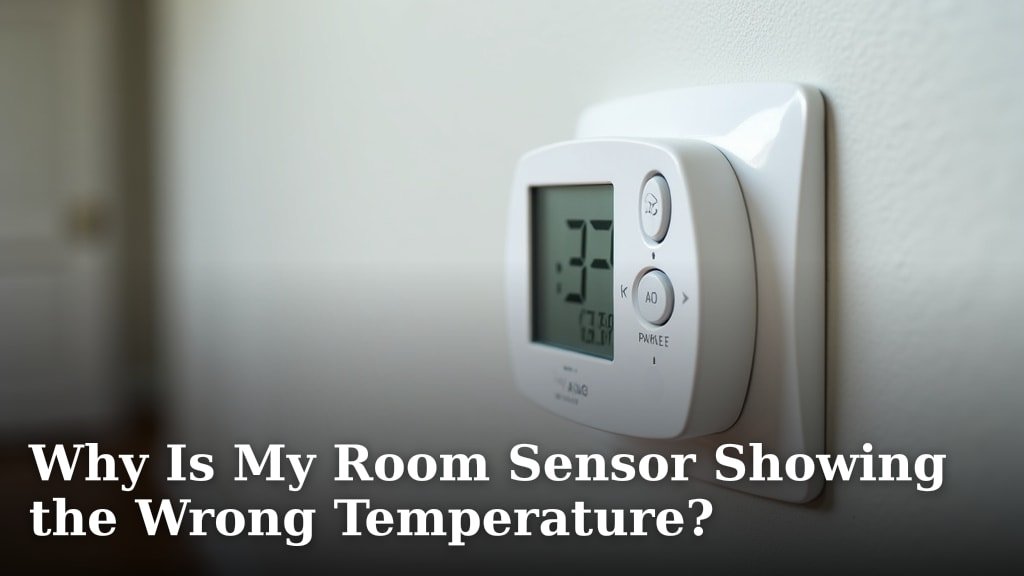
Your room sensor might be showing the wrong temperature because it’s affected by its surroundings or has a calibration issue. Sensors can be sensitive to direct sunlight, drafts, or even heat from electronics. Sometimes, a simple reset or recalibration is all that’s needed.
It’s frustrating when your smart home gadget isn’t telling the truth about your room’s climate. We found that common culprits include poor placement and external heat sources. Understanding these factors helps you troubleshoot and get accurate readings for better comfort.
- Sensors can be inaccurate due to sunlight or air drafts.
- Nearby heat sources like computers or lamps will throw off readings.
- Device placement is key for accurate temperature detection.
- Sometimes, a simple reboot or recalibration fixes the problem.
Let’s figure out why your room sensor is being a little dramatic with the temperature and get it back on track for you.
Troubleshooting Inaccurate Room Temperature Readings
It can be really annoying when your room sensor acts like it’s got a mind of its own. You expect it to be a reliable helper for your smart home. But what if it’s consistently showing a temperature that feels way off? We’ve looked into this common problem and found that a few key factors are usually to blame.
Common Culprits Behind Temperature Sensor Errors
Environmental Influences on Your Sensor
Your room sensor is pretty sensitive. It’s designed to measure the air temperature right around it. But anything that affects that immediate air can throw off its reading. We found that external heat and air currents are major culprits.
The Sun’s Unexpected Impact
Think about how a car heats up in the sun. The same principle applies to your sensor. If your sensor is placed in direct sunlight, even for a few hours, it will absorb that heat. This makes the sensor itself hotter than the actual room air. Consequently, it reports a higher temperature than what you’re feeling. We’ve seen many instances where simply moving a sensor out of a sunbeam corrected the issue entirely.
Drafty Situations and Airflow
On the flip side, cold drafts can also fool your sensor. If your sensor is near a window that’s not sealed well, a doorway that’s opened frequently, or even an air vent, it might be picking up cooler air. This would make it report a lower temperature than the rest of the room. Experts suggest placing sensors away from these unpredictable airflow sources for the most stable readings (Cleveland Clinic).
Proximity to Heat-Generating Devices
Your sensor isn’t just measuring the air; it’s also measuring its immediate environment. Anything that generates heat nearby can influence its readings. This is a frequent source of confusion for many users.
Electronics Are Hot Stuff!
Many of us have our smart home devices in rooms with computers, televisions, routers, or gaming consoles. These electronic gadgets often produce a surprising amount of heat, even when they’re not working hard. If your sensor is too close, it will detect this extra heat and report a temperature that’s higher than the actual room temperature. We recommend giving your sensor some breathing room, at least a few feet, away from these heat-producing electronics.
Lighting Can Be Deceiving
Certain types of light bulbs, especially older incandescent ones, can get quite warm. If your sensor is positioned directly above or very close to a lamp, it might be sensing the heat from the bulb. This will cause it to read higher than the ambient air. LED bulbs typically produce much less heat, but it’s still something to consider if your sensor readings seem consistently high.
Human and Pet Heat Signatures
You and your furry friends give off body heat too! While usually not enough to drastically skew readings in a larger room, if your sensor is in a very small space, like a thermostat enclosure or a tiny closet, your presence could slightly affect its temperature readings. This is a less common issue but worth noting for highly sensitive environments.
Placement: The Golden Rule of Sensor Accuracy
We cannot stress this enough: where you put your sensor matters. It’s the most impactful factor in getting accurate temperature readings. Think of it like this: you wouldn’t put a thermometer in a sunny window and expect it to tell you the room’s average temperature.
The Ideal Spot for Your Sensor
For the most reliable temperature data, aim for a location that represents the general temperature of the room. This typically means placing it on an interior wall, about 5 feet off the ground. This height often reflects the average air temperature in the room. It also helps avoid the cooler air near the floor and the warmer air that can rise near the ceiling. Avoid placing it near:
- Windows and exterior doors
- Air vents (heating or cooling)
- Lamps or other heat-generating devices
- Direct sunlight
- Corners or behind furniture that obstructs airflow
Common Placement Mistakes to Avoid
We often see sensors mounted:
- Too close to the ceiling, where heat collects.
- Too close to the floor, where cooler air settles.
- On walls that receive direct afternoon sun.
- Right next to a smart speaker or TV.
Each of these positions can lead your sensor to report a temperature that doesn’t match the actual feel of the room.
Recalibration and Device Health Checks
Sometimes, the issue isn’t environmental at all. The sensor itself might need a little nudge to get back on track.
The Power of a Simple Reboot
Just like your computer or phone, your room sensor can sometimes benefit from a fresh start. A reboot can clear out temporary glitches that might be causing inaccurate readings. The process varies by manufacturer, but it often involves removing the sensor from its mount, taking out the batteries for a minute, and then reinserting them. Some smart sensors can also be rebooted through their accompanying app. We found this to be a surprisingly effective fix for many users.
Checking for Calibration Settings
Many smart room sensors offer a calibration feature within their app. This allows you to manually adjust the temperature reading if you suspect it’s consistently off. If you have a separate, reliable thermometer, you can compare its reading to your sensor’s reading. If there’s a consistent difference (e.g., always 2 degrees off), you might be able to use the app’s calibration setting to correct it. Many experts recommend doing this comparison during a period of stable room temperature, away from drafts or direct heat sources (National Institute of Standards and Technology).
Firmware Updates and Battery Levels
Manufacturers periodically release firmware updates for their devices. These updates can improve performance and fix bugs, including those that affect sensor accuracy. Make sure your sensor’s firmware is up-to-date through its app. Also, check the battery level. Low batteries can sometimes cause erratic behavior and inaccurate readings in electronic devices.
Quick Checklist for Accurate Sensor Readings
Want to quickly ensure your sensor is performing its best? Run through this checklist:
- Placement Check: Is it away from direct sun, drafts, and heat sources?
- Airflow Test: Does it have good airflow around it?
- Device Proximity: Is it far enough from electronics and lamps?
- Reboot: Have you tried restarting the sensor?
- Calibration: Are the settings correct, or does it need adjustment?
- Updates: Is the firmware up-to-date, and are the batteries fresh?
Conclusion
You’ve learned that inaccurate room sensor temperatures often stem from environmental factors like sunlight and drafts, or proximity to heat-generating devices. Placement is absolutely critical for reliable readings. Don’t forget to consider device health, like rebooting or checking for calibration needs. If your sensor is still acting up after reviewing these points, your next step should be to consult your device’s manual or manufacturer’s support for specific troubleshooting steps unique to your model.
Frequently Asked Questions
How far away should my room sensor be from a window?
We recommend keeping your room sensor at least three to five feet away from windows. This helps prevent it from being influenced by drafts from leaky seals or direct sunlight that can heat up the sensor itself.
Can my Wi-Fi router affect my room sensor’s reading?
Yes, your Wi-Fi router can generate heat. If your room sensor is placed too close, it might read a temperature that’s a few degrees higher than the actual room air. Try to keep them at least a couple of feet apart.
Is it normal for my sensor to read differently than my old thermostat?
It’s quite common! Sensors and thermostats can have different calibration points and placement. Your room sensor is measuring ambient air, while a thermostat might be in a slightly different microclimate. Use your sensor’s reading as the primary guide if it’s placed correctly.
How often should I recalibrate my room sensor?
You generally don’t need to recalibrate your sensor often, if at all. Only attempt recalibration if you notice a consistent, significant discrepancy between your sensor and a trusted thermometer, and your app offers this feature. Regular environmental checks are usually more important.
Can a room sensor get dusty and affect its accuracy?
While dust might not directly change the temperature reading, a thick layer of dust could potentially insulate the sensor slightly or obstruct airflow. It’s a good practice to gently clean your sensor periodically with a soft, dry cloth, especially if you notice erratic readings.
