
When your smart vent isn’t opening, it’s usually due to a software glitch, a power issue, or a physical obstruction. Your smart vent system relies on clear communication between the vent and the hub. If this connection breaks, the vent may not respond to commands. We’ve found that a simple reset often resolves these common problems.
Smart vents offer amazing climate control for your home. They work by automatically opening and closing to direct airflow. This can lead to better comfort and energy savings. But when one stops working, it can throw off your whole system. Let’s figure out why yours might be stuck.
- Software glitches are common.
- Power supply problems can stop vents.
- Physical blockages prevent movement.
- Connectivity issues are a frequent cause.
- Check your hub and app status too.
We’ve put together some common troubleshooting steps. Let’s walk through how to get your smart vent working again.
Troubleshooting Your Smart Vent’s Opening Issues
When your smart vent refuses to open, it can feel like a real bummer. You’ve invested in this tech for comfort and savings. Now, it’s just sitting there, stubbornly closed. Don’t worry, though! Most of the time, this is a fixable problem. We’ll walk you through the common culprits and how to solve them.
Common Reasons Smart Vents Don’t Open
Your smart vent system is like a well-oiled machine, but sometimes a gear slips. These systems rely on communication. Your vent needs to hear from the hub, and the hub needs to hear from your app or thermostat. If any part of this chain breaks, your vent might get stuck.
Software Glitches and Firmware Updates
Think of your smart vent’s software like its brain. Sometimes, this brain just needs a little reboot. A common reason for a vent not opening is a simple software glitch. These happen in all technology, from your phone to your fancy new vent.
Manufacturers often release firmware updates to fix bugs and improve performance. If your vent’s software is outdated, it might not communicate correctly. This can lead to it not responding to commands. Keeping your system updated is a good habit to get into.
We found that many issues are resolved by simply restarting the vent and its connected hub. It’s like telling your computer, “Hey, let’s start fresh!” This clears out temporary errors. Many experts suggest this as a first step (Nest, Ecobee support pages).
Power Supply and Battery Concerns
This might seem obvious, but you’d be surprised how often a lack of power is the issue. Your smart vent needs electricity to move its internal louvers. If it’s not getting enough power, it simply can’t open.
Check the power source. If your vent is battery-powered, the batteries might be dead or low. Many vents use standard AA or AAA batteries. Look for an indicator light on the vent itself; a blinking red or no light at all usually means the batteries are the problem. You’ll want to replace them with fresh ones.
If your vent is hardwired, there might be a tripped breaker or a loose connection. Check your home’s electrical panel. Find the breaker for the zone your vent is in and make sure it hasn’t been switched off. If it’s tripped, flip it off and then back on again. If it trips repeatedly, you might have a bigger electrical issue that needs a professional.
Some systems have a separate power adapter plugged into a wall outlet. Ensure this adapter is securely plugged in at both ends – the vent and the outlet. Sometimes, these can come loose from vibrations or accidental bumps.
Physical Obstructions and Mechanical Issues
Imagine trying to close a drawer when something is stuck inside. That’s kind of what happens when your smart vent has a physical obstruction. The vent’s internal louvers need clear space to move.
Look for anything blocking the vent. This could be anything from a stray toy, a rug that’s bunched up, or even just accumulated dust and debris. Sometimes, a piece of insulation from the wall cavity can fall into the vent opening. Gently remove any objects you find. Be careful not to force anything, as you could damage the vent mechanism.
Beyond external objects, there could be an internal mechanical problem. The motor that opens and closes the louvers might be failing, or a gear could have slipped. If you’ve removed all external obstructions and the vent still won’t budge, this might be the case. Often, if it’s a mechanical failure, the vent might make clicking or grinding noises.
Connectivity and Communication Problems
Smart vents don’t operate in a vacuum. They need to talk to your smart home hub, thermostat, or directly to your Wi-Fi network. If this communication line is broken, the commands won’t reach the vent.
Wi-Fi Signal Strength and Interference
Is your vent located in a spot with a weak Wi-Fi signal? Smart devices need a stable connection to function correctly. If the Wi-Fi signal is poor, the vent might not receive commands to open.
Try moving your Wi-Fi router closer to the vent, if possible. You could also consider a Wi-Fi extender or mesh network. These devices boost your signal strength throughout your home. We’ve found that a strong, consistent signal is key for smart home devices (Google Nest Support).
Other electronic devices can sometimes interfere with Wi-Fi signals. Microwaves, cordless phones, and even some Bluetooth devices can cause interference. Try turning off other wireless devices temporarily to see if it makes a difference.
Hub and App Status
Your smart vent likely communicates through a central hub or directly via your home’s Wi-Fi network and a mobile app. If this central point is having issues, your vents will suffer.
Check your smart home hub. Is it powered on? Are there any error lights on it? Like the vent itself, the hub might need a restart. Unplug it, wait 30 seconds, and plug it back in. Give it a few minutes to reconnect to your network and devices.
Also, take a look at your smart vent app. Is it up to date? Try closing the app completely and reopening it. Sometimes, the app itself might be experiencing a temporary issue or might need an update. Check your phone’s app store for any available updates.
Ensure your vent is still listed as connected within the app. If it shows as offline, that’s a clear sign of a communication problem. The app often provides diagnostic tools or status indicators that can help pinpoint the issue.
Resetting Your Smart Vent System
When in doubt, a reset can often solve many problems. It’s like hitting the refresh button on your entire smart vent setup.
Performing a Soft Reset
A soft reset is usually the first and easiest step. This typically involves turning the vent off and on again. For battery-powered vents, this means removing the batteries for about 30 seconds and then reinserting them. For hardwired vents, you might need to turn off the power at the breaker for that zone, wait a minute, and then turn it back on.
This type of reset clears any temporary glitches without losing your settings. It’s a quick way to see if the problem was a minor hiccup in the system. Many users report success with this simple step.
Executing a Hard Reset or Re-pairing
If a soft reset doesn’t work, you might need to perform a hard reset. This is a more thorough reset that often returns the vent to its factory default settings. You’ll then need to set it up again as if it were new.
The exact procedure for a hard reset varies by manufacturer. You’ll usually find instructions in your vent’s user manual or on the manufacturer’s website. It might involve holding down a small button on the device for a certain amount of time. Be sure to follow the instructions carefully.
After a hard reset, you’ll need to re-pair the vent with your smart home system. This involves going through the setup process again in your app. You’ll essentially be telling your system, “Here’s a new vent to connect to!”
This process can be a bit more involved, but it’s very effective at resolving persistent software or communication issues. It essentially wipes the slate clean and starts the connection from scratch.
When to Call for Professional Help
We’ve covered many common DIY fixes. But sometimes, the problem is beyond a simple reset or battery change. If you’ve tried everything and your smart vent still isn’t opening, it might be time to call in the pros.
Persistent issues like recurring error lights, grinding noises that don’t stop, or vents that remain completely unresponsive after multiple resets could indicate a deeper problem. This might be a faulty internal component or an issue with your home’s wiring.
Contact the manufacturer’s support. They have specific knowledge about their products and can guide you through advanced troubleshooting or arrange for repairs or replacements if the device is under warranty. Many experts recommend reaching out to them before attempting complex fixes yourself (SmartThings Community Forum).
If the problem seems to be related to your home’s electrical system, don’t hesitate to call a qualified electrician. They can safely diagnose and repair any wiring issues that might be affecting your smart vent’s power supply.
Understanding Your Vent’s Status Indicators
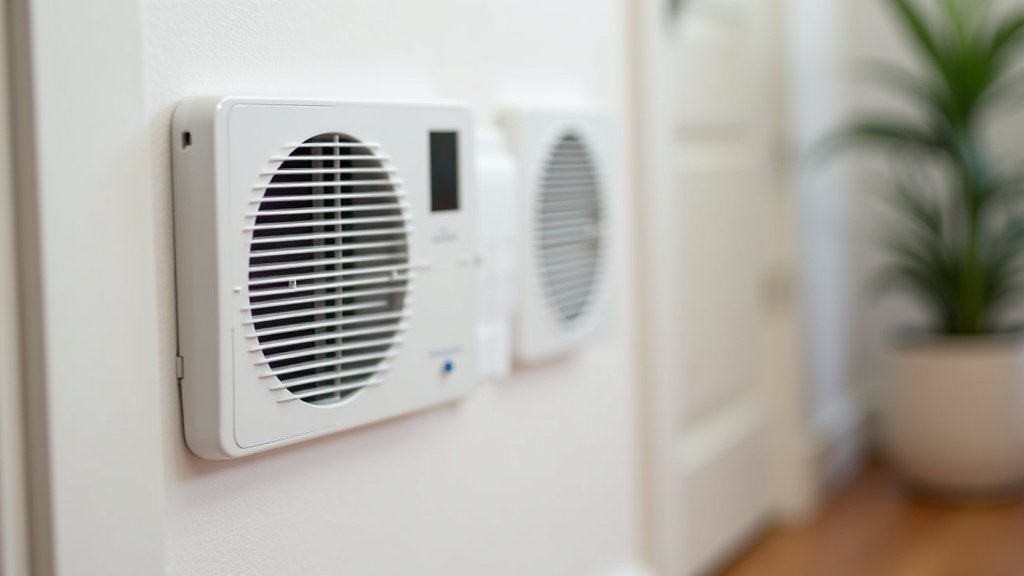
Many smart vents have LED lights that indicate their status. Learning what these lights mean can save you a lot of guesswork.
- Solid Green Light: Usually means the vent is powered on and connected.
- Blinking Green Light: Often indicates it’s in pairing mode or trying to connect.
- Solid Red Light: Could mean a fault, low battery, or a connection error.
- Blinking Red Light: Typically signals a serious error or that a reset is needed.
- No Light: Almost always points to a power issue (dead batteries or no power).
Always refer to your specific vent’s manual for the exact meaning of its indicator lights. This can be a quick way to understand what the vent is trying to tell you.
Quick Checklist for a Stuck Smart Vent
Here’s a handy checklist to run through if your smart vent isn’t opening:
- Check for physical blockages around and inside the vent.
- Verify batteries are fresh and correctly installed (if applicable).
- Ensure the power adapter is securely plugged in (if applicable).
- Restart your smart home hub and check its status lights.
- Restart your smart vent app and check for updates.
- Perform a soft reset by power cycling the vent.
Conclusion
Getting your smart vent to open again is often within your reach. We’ve walked through common issues like software glitches, power supply problems, and physical obstructions. Remember, a simple restart or checking your Wi-Fi connection can solve many problems. If you’ve tried these steps and your vent is still stuck, it might be time to consult your manufacturer’s support. Don’t let a stubborn vent disrupt your home comfort!
Frequently Asked Questions
How often should I update my smart vent’s firmware?
It’s a good practice to check for firmware updates at least every few months. Most manufacturers will automatically notify you through the app when an update is available. Keeping your firmware current helps prevent compatibility issues and ensures optimal performance for your smart vent.
Can a smart vent get stuck if the app is not updated?
Yes, an outdated app can sometimes cause communication issues with your smart vent. If the app isn’t communicating properly with the vent or the hub, commands might not be sent or received correctly. Always ensure your smart vent app is updated to the latest version available in your phone’s app store.
What does a blinking red light on my smart vent typically mean?
A blinking red light on a smart vent usually indicates a serious error or a critical connection problem. It could mean the vent is having trouble communicating with the hub or network, or it might be experiencing an internal fault. Consult your user manual or manufacturer’s support for the specific meaning and troubleshooting steps.
Is it safe to try a hard reset on my smart vent myself?
Yes, performing a hard reset is generally safe and a recommended troubleshooting step if simpler methods fail. However, always follow the manufacturer’s specific instructions precisely, as improper resetting could potentially cause issues. Remember that a hard reset will erase your current settings, requiring you to re-pair the vent.
How can I tell if my smart vent has a physical obstruction versus a software problem?
You can often distinguish between a physical obstruction and a software problem by listening to the vent. If you hear grinding or clicking noises when it tries to open, it might be a mechanical issue or an obstruction. If the vent is completely silent and unresponsive after checking power and connectivity, it’s more likely a software or communication problem.
